
packages/dsh-task-board
zhu1090093659/dsh-web侧边栏多列任务看板:卡片交给真实 DSH 智能体会话执行,支持 cron 定时(Host 侧到点执行,关浏览器也生效)。

给正文里的文件引用加右键菜单:复制绝对路径、在资源管理器中定位并选中文件(复用已打开的窗口并置前)、以及列出本机所有能打开该类型文件的程序让你自己选。菜单文案跟随 DSH 界面语言(中文/英文自动切换)。仅 Windows(资源管理器定位与程序列表依赖 PowerShell)。
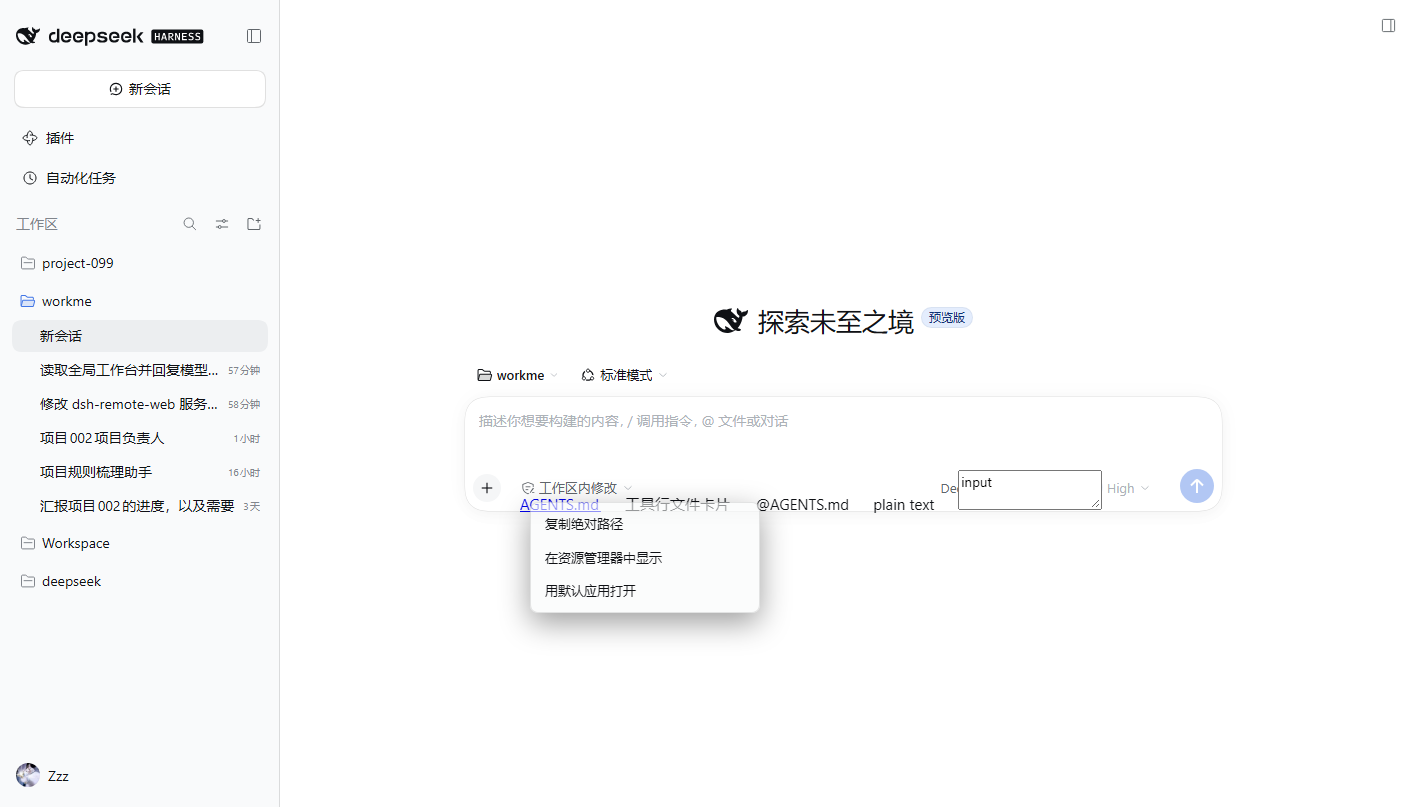
dsh-better-right-click)DSH(DeepSeek Harness)Web 会话正文里,对文件引用点右键,弹出三项菜单:
| 菜单项 | 行为 |
|---|---|
| 复制绝对路径 | 把规范化后的绝对路径写入剪贴板 |
| 在资源管理器中显示 | Windows:explorer.exe /select,<path>(打开并选中该文件);macOS:open -R;Linux:xdg-open 父目录 |
| 用默认应用打开 | Windows:PowerShell Start-Process -FilePath(路径经环境变量参数化);macOS:open;Linux:xdg-open |
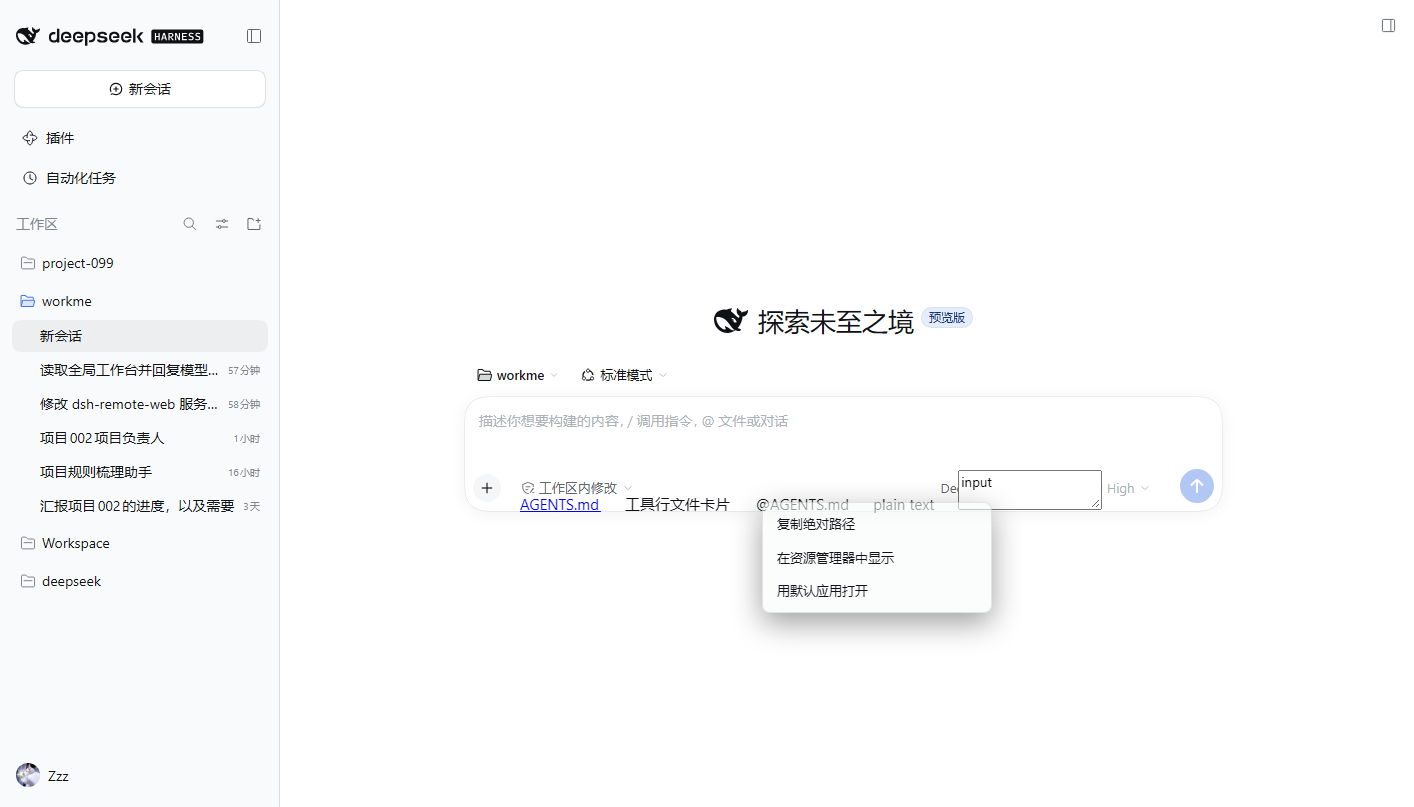
覆盖三类节点:正文 Markdown 链接(蓝色文件名)、@文件 引用、工具行里的文件卡片。
右键正文空白 / 输入框 / 代码块 / 按钮 → 不拦截,原生菜单照常出现。
适配版本:DSH 0.2.1-rc.2(engines.dsh:>=0.2.1-rc.2 <0.3.0)。
平台要求:Windows 10 / 11(需要系统自带 PowerShell 5.1)。
macOS / Linux 不支持:资源管理器定位、已注册程序列表、文件管理器检测、选择程序对话框全部依赖 Windows 的 explorer.exe / PowerShell 脚本,在这些平台上只有「复制绝对路径 / 复制相对路径」可用。
dsh plugin add)本包声明了 dsh.bundle(bundle.patch = ./cordis.patch.yml),因此它就是一个标准的「组合包 patch 型」插件:由 DSH 插件管理器安装与卸载,安装时只向 profile 追加一行 file-menu,不改动既有行。
为什么必须声明:DSH 插件管理器「只管理组合包」——没有组合包 patch 声明的依赖在安装前就会被拒绝,且装进去的运行会被回滚(
package.json/pnpm-lock.yaml恢复原样)。
# 从 npm 安装(推荐)
& 'D:\DeepSeek Harness\resources\runtime\cli\bin\dsh.cmd' plugin --profile <profile> add dsh-better-right-click

# 或从本地 tgz 安装
& 'D:\DeepSeek Harness\resources\runtime\cli\bin\dsh.cmd' plugin --profile <profile> add "C:\path\to\dsh-better-right-click-0.2.0.tgz"

# 或在 DSH Web「插件」页里粘贴 dsh-better-right-click
也可以在 DSH Web 的「插件」页里搜索 / 粘贴 git、tarball 或本地目录说明安装。
卸载:dsh plugin --profile <profile> remove dsh-better-right-click → 重启;file-menu 那一行随包一起撤掉。
截图随仓库托管(
docs/),图片用绝对地址引用,npm 页面也能显示。
右键正文里的文件引用(浅色主题,独立测试 profile filemenu-test;图为 0.1.0 的三项菜单,0.1.6 起下方还多出「用 X 打开」分组):
三类节点(Markdown 链接 / data-file-path 文件卡片 / @文件 引用)都会命中:
0.2.1-rc.2(Windows 10.0.19045,Web GUI http://127.0.0.1:3080,独立 profile filemenu-test)。dsh plugin --profile <profile> add <tgz>(0.1.1 起可走标准安装;dsh.bundle.patch 指向本包的 cordis.patch.yml),--dump-config 合成结果含 - id: file-menu / name: dsh-file-menu。GET /file-menu/open → {ok:true,schemaVersion:1,version:"0.1.2"};GET /file-menu/status → cwd 为活动会话工作区(读 ~/.dsh/sessions 会话头;取不到才退回进程 cwd)。/select 被拆成多个参数」的缺陷(现在自己给路径补双引号)。ELECTRON_RUN_AS_NODE=1 导致 Electron 应用静默退出(spawn 前剔除该变量),以及 PowerShell 中文标签乱码(stdout 强制 UTF-8);菜单加载期显示「正在读取可用程序…」占位,不再先闪「用默认应用打开」。POST /file-menu/handlers 与 POST /file-menu/open-with(只接受枚举结果里的 exe)。attempted 与 base,客户端提示里直接显示尝试过的绝对路径;新增 GET /file-menu/last 供自查最近 20 次请求。ctx.locale → <html lang> → navigator.language),中文/英文自动切换,未识别语言回退英文。setLocked() 会顺手删掉 data-ext,导致确认扩展名后按「+」什么都没发生(读不到扩展名就早退了)。Registry.ClassesRoot 已合并 HKCU/HKLM,不再逐根试探),.pdf 从 10.8 s 降到 0.4 s;设置里的扩展名输入加「✓ 确认」按钮,确认后才锁输入框并去读可用程序;固定面板宽度,避免加载选项时被撑宽。--dsw-* 设计令牌,令牌缺失时按 html 的 color-scheme 加 .dsh-fm-light / .dsh-fm-dark 兜底底色;主题切换时用 MutationObserver 实时同步(菜单开着也会变色);设置对话框同步。.md → MarkText、.txt → 记事本),只影响本插件菜单,不改系统默认程序。auto | explorer | custom,保存即生效(写 ~/.dsh/better-right-click/config.json)。新增 GET/POST /file-menu/config。dsh-better-right-click(旧名 @xmmtr/dsh-file-menu 已弃用,功能相同)。404 {"ok":false,"error":"not-found"};Content-Type 非 JSON → 415;外部 Origin → 403;GET /file-menu/reveal → 405。C:\Users\86137\Desktop\workme\AGENTS.md、Esc/点击外部关闭、正文空白与输入框不拦截。pnpm remove + patch 还原 → 路由 404、__DSH_BOOT__.entries 从 70 降回 69、GUI 正常启动。<a href="AGENTS.md">、data-file-path 卡片、@AGENTS.md 文本)在真实页面上验证。见 TODO.md T-01。@ / 未做成链接)不会被识别。sessions 服务读,拿不到时退回宿主 GET /file-menu/status 的 cwd);两者都拿不到时不猜,菜单不出现。pre)、输入区、contenteditable 内部一律不拦截。<a>、data-* 与文本识别)。Origin/Referer 为本机回环,或 Sec-Fetch-Site: same-origin),其他来源 403。lib/labels.js 的 LABELS,英文待补(TODO.md)。两种方式,二选一:
~/.dsh/better-right-click/config.json。# cordis.patch.yml
- id: file-menu
name: dsh-better-right-click
config:
items: [copy-absolute, copy-relative, reveal, open-default, open-with]
fileManager:
mode: auto # auto | explorer | custom
command: '' # mode=custom 时生效,%1 代表文件路径
items 可选值:copy-absolute、copy-relative、reveal、open-default、open-with。非法项会被忽略,items 为空时回落全开。
非默认资源管理器:mode: auto 会自动读注册表(HKCU/HKLM\Software\Classes\Folder\shell\open\command),当你装了 Directory Opus / XYplorer / Total Commander / Files 等接管了文件夹打开的程序时,菜单会多一项「用 XXX 打开所在位置」。
右键 → 「菜单设置…」→「锁定打开方式」:当前文件类型会列出所有能打开它的应用,选一个保存,以后这个类型的菜单顶部就固定是「用 X 打开(已锁定)」,其余应用仍可临时改选。
~/.dsh/better-right-click/config.json 的 pins 字段,可直接编辑:{ "pins": { ".md": "C:\\Program Files\\MarkText\\marktext.exe" } }
lib/index.js(宿主):ctx.webServer.register() 注册 4 条精确路由 /file-menu/{open,status,reveal,open-external},spawn(exe, [args]) 数组传参,零运行时依赖。lib/client.js(浏览器):classic-script bundle(window.__ModuleLoader__.load),捕获阶段 contextmenu 委托 + 纯 DOM 浮层;exports.apply(ctx) 安装、exports.dispose 卸载。cordis.patch.yml:只追加宿主条目;客户端半端由 DSH 识别 dsh.client 声明后自动下发。DSH web plugin adding a three-item right-click menu (Copy absolute path / Reveal in Explorer / Open with default app) for file references in the conversation transcript: markdown file links, @file mentions and tool-row file cards. Right-clicking blank text, inputs, code blocks or buttons keeps the native menu.
explorer.exe / PowerShell scripts; only the two copy actions would work there.0.2.1-rc.2 (>=0.2.1-rc.2 <0.3.0). The package declares "os": ["win32"], so npm refuses to install it on other platforms.dsh plugin --profile <profile> add <name-or-tgz> (the package declares dsh.bundle.patch = its cordis.patch.yml, so the plugin manager installs and removes it like any other bundle), restart DSH.GET /file-menu/open, GET /file-menu/status, POST /file-menu/reveal, POST /file-menu/open-external. Same-origin (loopback) only, JSON errors, no file content read, no shell string concatenation.contextmenu, DOM overlay following DSH theme variables, Esc/outside click/scroll/blur close it, clean dispose.lib/labels.js (LABELS / pickLabels()), kept in both zh and en; the active language follows the DSH locale, then <html lang>, then navigator.language, and falls back to English.MIT.
侧边栏多列任务看板:卡片交给真实 DSH 智能体会话执行,支持 cron 定时(Host 侧到点执行,关浏览器也生效)。
DSH Web UI 插件与皮肤合集:任务看板、git 图、右侧面板、远程移动端 UI、桌宠、实时 token 统计与皮肤中心。
助手回复内渲染交互式 UI 组件:布局、图表、表单、测验、mermaid、3D 场景与回传事件循环。
