
dsh-web
zhu1090093659/dsh-webDeepSeek Harness(DSH)Web 插件聚合生态包 · 一切皆插件,创意工坊分发(dsh-market.com)

Stop leaving DSH to make a temp folder. One-click throwaway workspaces with optional cleanup · 告别手动建目录,DSH 一键临时工作区,删除可控
DeepSeek Harness Temporary Workspaces (dsh-tmp-wks)
English | 中文
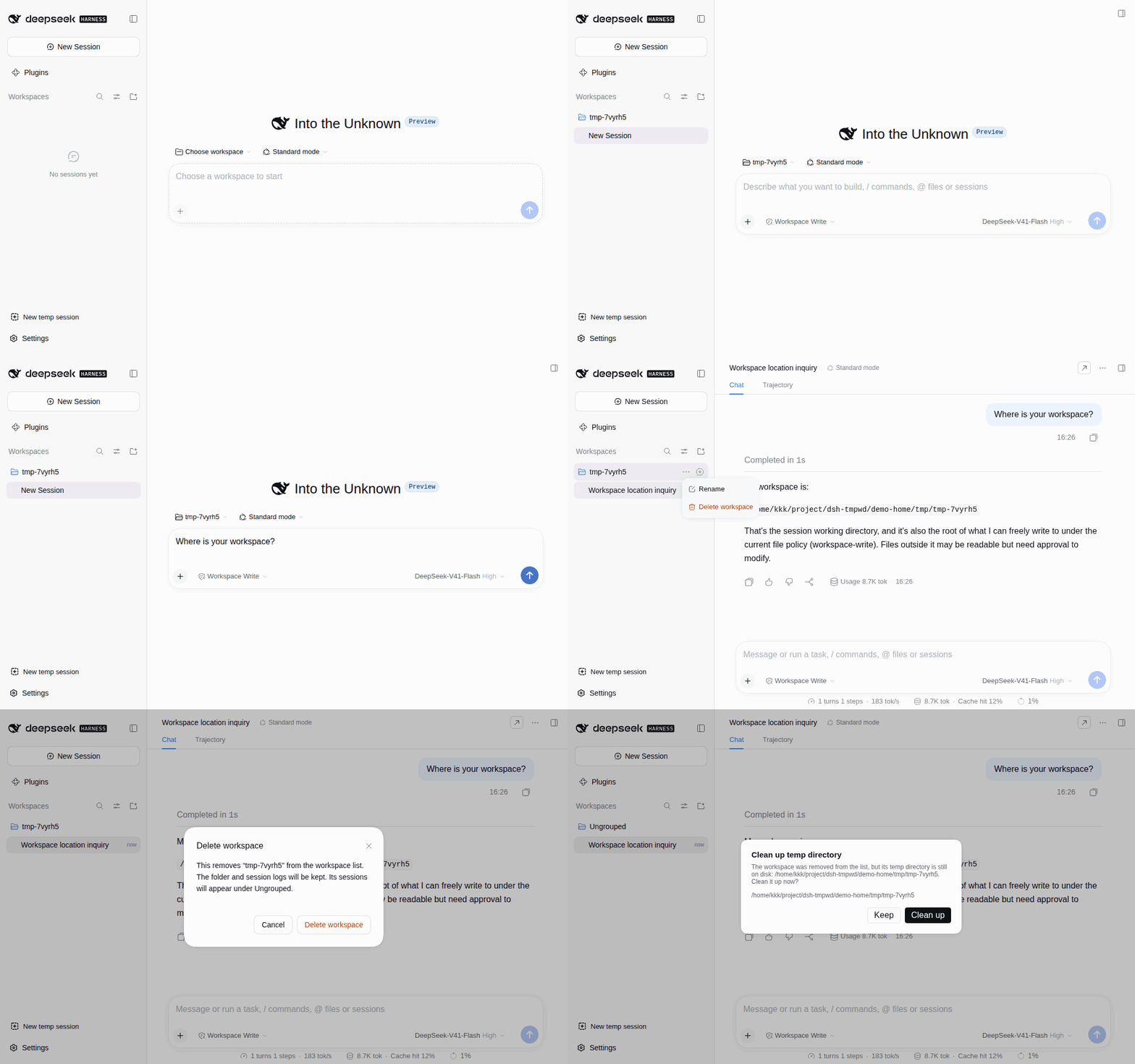
You just want to ask a quick question, but you have to leave DSH, create a folder, come back and point at that directory, then delete it by hand afterwards. Forget to clean one up, and several sessions start contaminating each other.
Temp workspaces collapse all of that into a single click:
dsh plugin --profile web add @cliven/dsh-tmp-wks
A "New temp session" button then appears at the bottom of the sidebar; click it to create a temp workspace and start a session. Right-click the button to open the management panel, which handles the temp directories on disk.
Temp workspaces are created under the operating system temp directory by default ($TMPDIR on Linux/macOS, %TEMP%/%TMP% on Windows), for example on Linux:
/tmp/tmp-k7mq2z
Storage location, name prefix, and the delete confirmation are configurable on the Plugins page in the sidebar. Leave the location empty to use the system temp directory, enter a relative path to resolve it against the DSH home, or an absolute path to use it as-is. The plugin only deletes directories it created.
DeepSeek Harness(DSH)Web 插件聚合生态包 · 一切皆插件,创意工坊分发(dsh-market.com)
把回答做成一页可视化 HTML:模型只写简短的 Markdown 草稿,随包附带的 `am` 命令行生成页面,支持流程图、时序图、树、时间线、ER 图、表格和提示框。
在 dsh 里装上这个插件即可,无需登录、注册或填 API Key,就能使用包括 Muse Spark 1.3、MiMo V2.6 在内的前沿模型——完全免费,不限量。 All you do is install this plugin in dsh: no login, no sign-up, no API key — the frontier models are just there, Muse Spark 1.3 and MiMo V2.6 among them. Completely free, with no usage cap.

