
dsh-web
zhu1090093659/dsh-webDeepSeek Harness(DSH)Web 插件聚合生态包 · 一切皆插件,创意工坊分发(dsh-market.com)

通过 /recap 或闲置触发回顾当前 DeepSeek Harness 会话,支持配置模型、中英文输出,并在对话内展示可展开的摘要。

Pick up where you left off. A short recap of what you are working on, what is done, and what comes next — right inside DeepSeek Harness.
简体中文 · Quick start · Commands · Configuration · Report an issue
Returning to a long conversation should not mean rereading every message. Run /recap to get a brief summary of the current task and its progress.
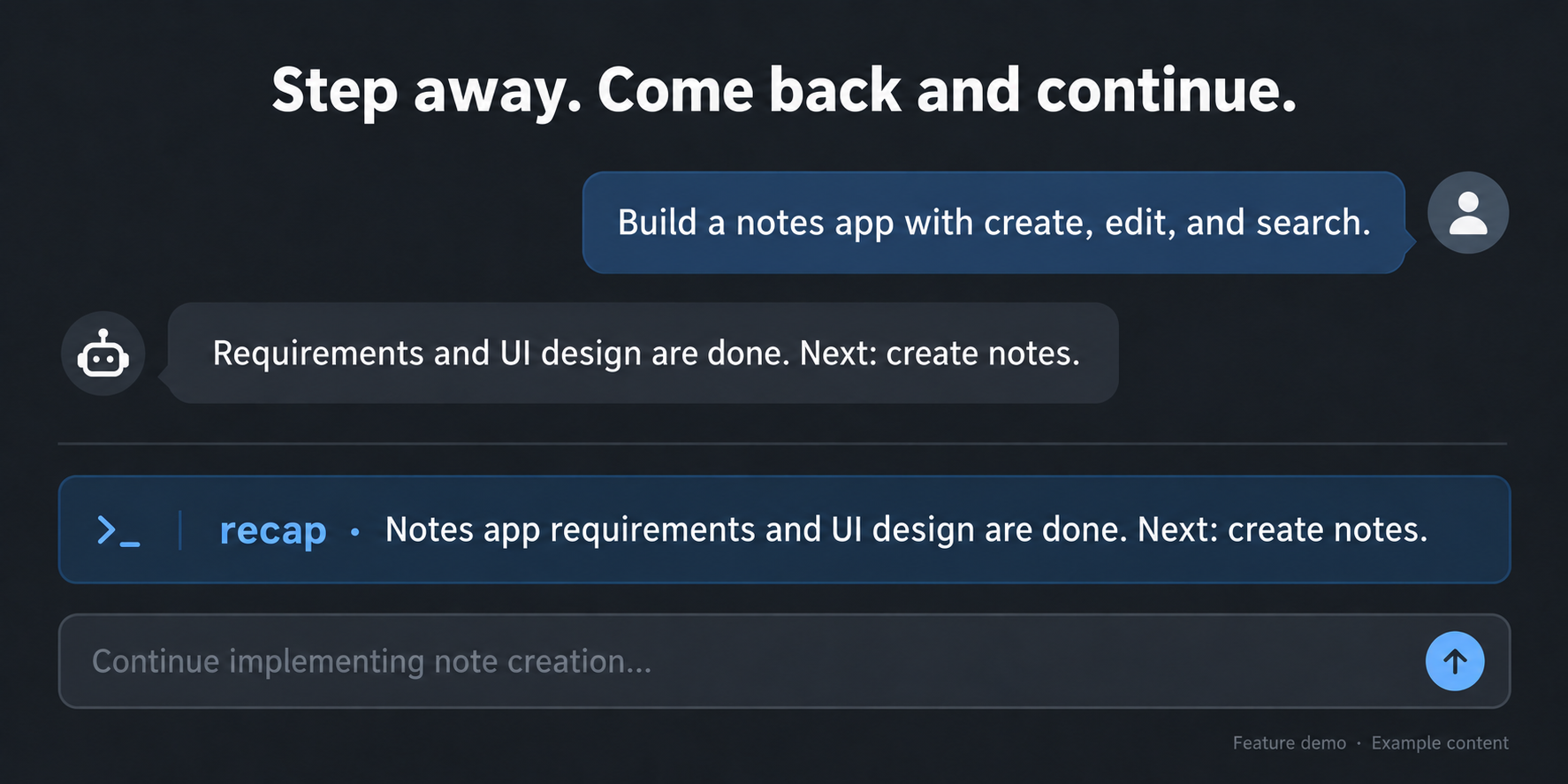
Illustrative demo with fictional content.
Open Plugins in the Harness sidebar, click Add plugin, and paste this URL into the package name or address field:
https://github.com/lolipop-1x1/dsh-recap
Click Install. If build-script approval is requested, review the source and listed scripts, then allow them and retry; GitHub installation builds the plugin from source.
After installation, restart Harness if prompted, then refresh the browser. If another plugin already owns /recap, disable that plugin first.
Open a conversation with some work in it and send:
/recap
To choose a model or adjust automatic recaps, send /recap settings or open Settings → Recap. Changes save automatically.
| Command | What it does |
|---|---|
/recap | Generate a recap, or reuse an unchanged result. |
/recap refresh | Generate again, bypassing the cache. |
/recap hide | Hide the recap and pause automatic recaps for this session until a manual request. |
/recap status | Show status without generating or revealing a hidden recap. |
/recap settings | Open the recap settings dialog directly. |
/recap help | Show command help. |
The submitted command clears immediately while generation continues. A new draft you type is left alone. Manual recaps appear at their command position; opening settings or checking status does not move them.
Open /recap settings to adjust triggers without leaving the conversation. Edits save automatically.
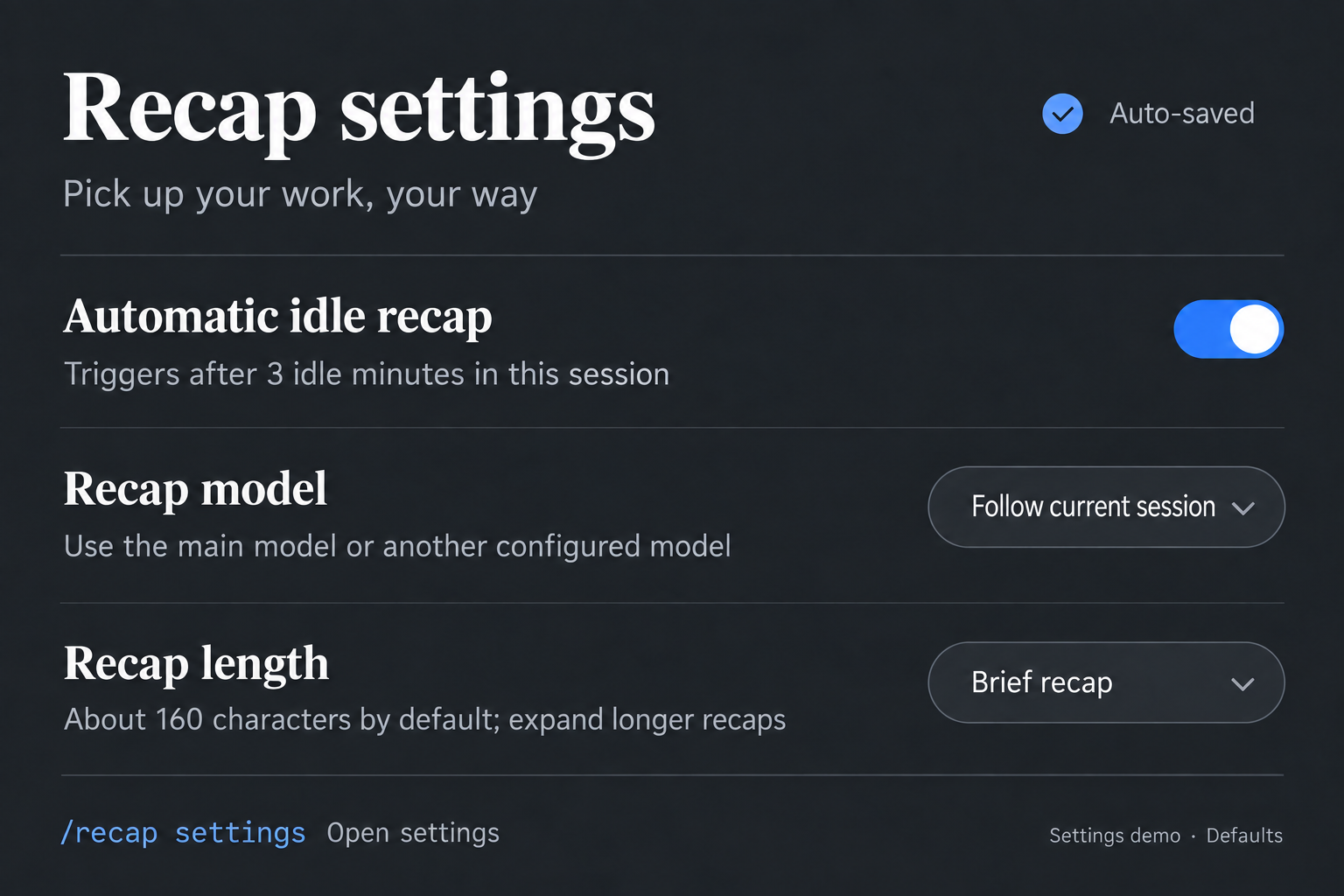
Illustrated settings overview; defaults and generation budgets are listed below.
| Setting | Default |
|---|---|
| Recap model | Follow the current conversation; optionally choose another configured model |
| Language | Follow the interface, or choose Chinese / English |
| Automatic recap | After 3 minutes idle, once 3 meaningful turns have completed |
| Target length | About 160 characters, preserving complete sentences |
| Generation budget | Up to 12 recent messages, 6,000 source characters and 512 output tokens |
These budgets limit input material and output; they are not a fixed per-request charge. Advanced options are collapsed in settings. See the configuration reference for all fields and legacy compatibility.
Opening or switching sessions does not immediately generate a recap. Keyboard, pointer and scroll activity reset the idle timer; generation waits until the main agent is idle. Completed recaps stay visible when the page loses focus. Continuing the conversation, refreshing or closing the page hides them. Refreshing one tab does not clear another tab's recap.
Live checks have covered model generation, direct settings dialogs, timeout/retry and per-tab refresh behavior. Fresh-profile installation, long-running behavior and other providers are not fully verified. Detailed project documentation is currently in Chinese.
MIT.
DeepSeek Harness(DSH)Web 插件聚合生态包 · 一切皆插件,创意工坊分发(dsh-market.com)
把回答做成一页可视化 HTML:模型只写简短的 Markdown 草稿,随包附带的 `am` 命令行生成页面,支持流程图、时序图、树、时间线、ER 图、表格和提示框。
在 dsh 里装上这个插件即可,无需登录、注册或填 API Key,就能使用包括 Muse Spark 1.3、MiMo V2.6 在内的前沿模型——完全免费,不限量。 All you do is install this plugin in dsh: no login, no sign-up, no API key — the frontier models are just there, Muse Spark 1.3 and MiMo V2.6 among them. Completely free, with no usage cap.

