
packages/dsh-task-board
zhu1090093659/dsh-web侧边栏多列任务看板:卡片交给真实 DSH 智能体会话执行,支持 cron 定时(Host 侧到点执行,关浏览器也生效)。

为 DSH Web 提供按 profile 管理的键盘快捷键:支持 Question 和 Approval 卡片、Standard/Vim/Custom 配置,并按能力提供 Session 与 Workspace 导航。
English | 中文
A quick launcher panel for DeepSeek Harness Web, plus off-by-default question and approval enhancements.
DSH owns keybindings: the plugin registers one editable official command and keeps no key store and no second shortcut configuration. It does not modify DSH core, the agent loop, or the model protocol.
dsh plugin --profile web add @hytime/dsh-client-ui-shortcuts@0.2.1
dsh --profile web
Reload the Web composition after installing or upgrading; an already open page is not hot-updated. See the installation guide for the full flow.
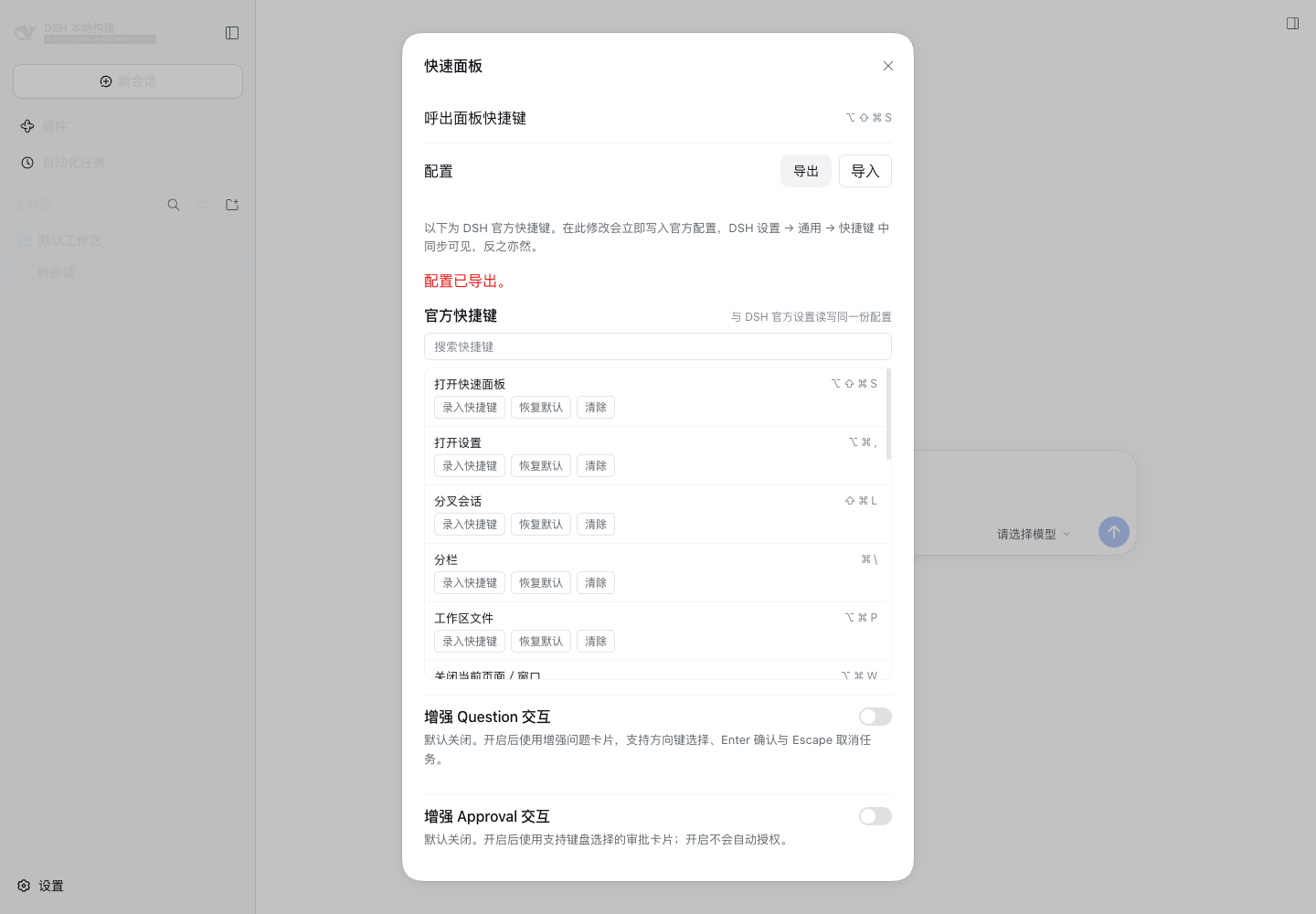
The quick panel opened with ⌘⌥⇧S (the default). Configuration import/export and search sit at the top, every official shortcut is listed below with per-command rebinding, and the two enhancement switches default to off:
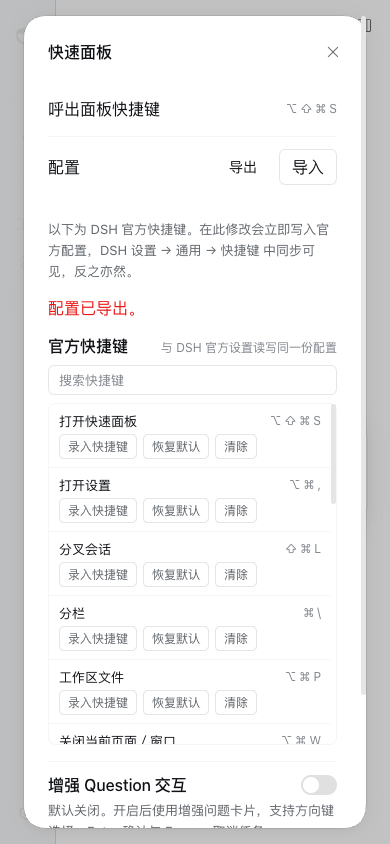
Fully usable at 390×844:
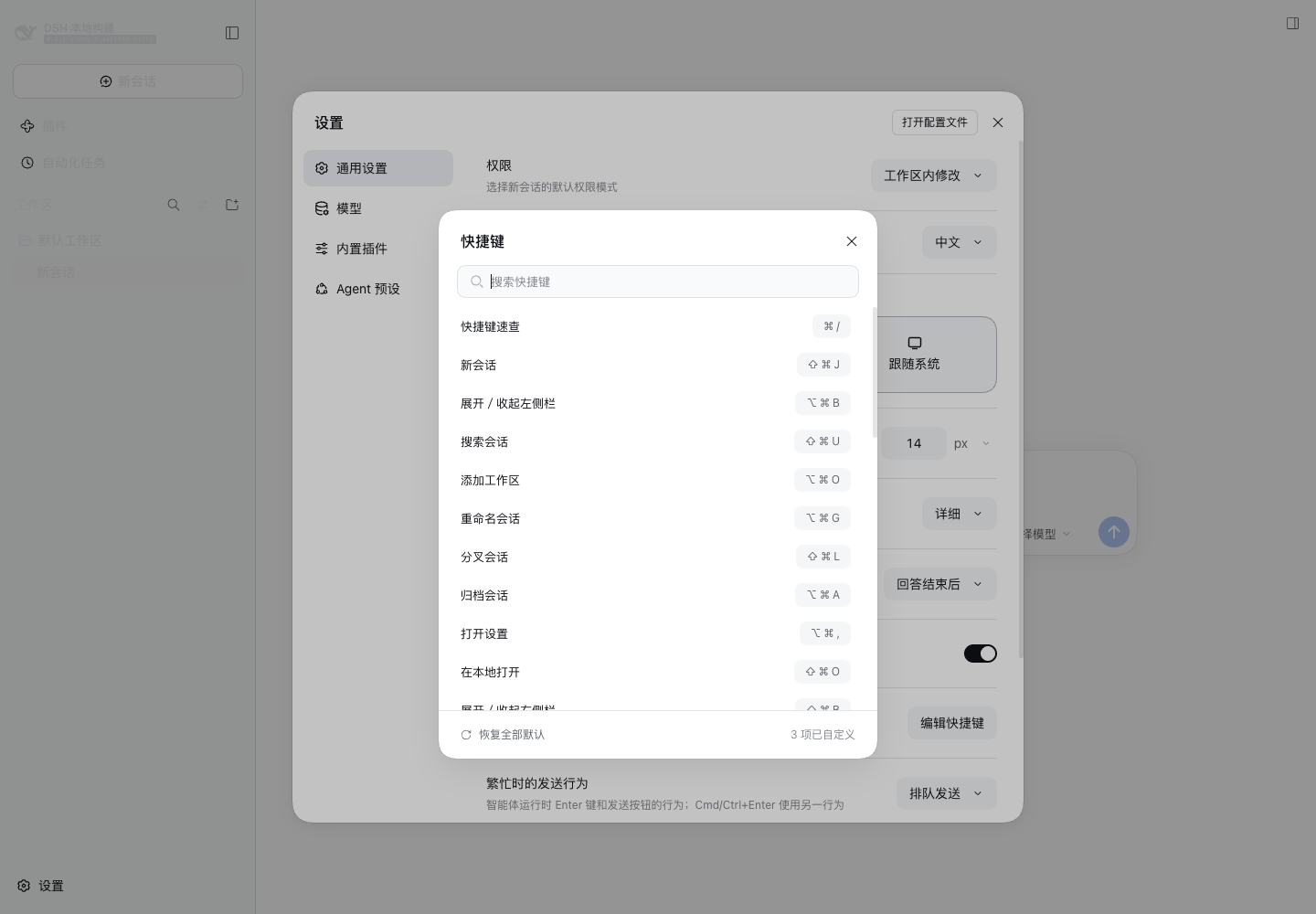
Bindings changed in the panel are the same configuration DSH's own settings show:
The plugin registers one official command, Open quick panel, with these default keys:
| Platform | Default |
|---|---|
| Web / macOS | ⌘⌥⇧S |
| Web / Windows | Ctrl+Alt+Shift+S |
| Web / Linux | No default (the official allowed set is narrower there) |
The panel shows the current official binding, record / change / restore-default / clear controls, the two enhancement switches, and an open button. The Plugins-page entry also opens it, so it stays reachable even when the command is unbound or conflicting.
The search field above the shortcut list filters it by command name, command id, or keycap. It only affects what is shown and never changes what is saved.
The panel calls the official describeBinding(), edit(), and recording() APIs:
Conflicts, unsupported keys, stale configuration, read failures, and write failures each show their own message. The same command can also be changed in DSH Settings → General → Keyboard shortcuts; both surfaces stay in sync.
The panel's top row exports and imports a portable JSON document for backup, migration, and team distribution.
The export is a complete shortcut snapshot: every command in the official catalog is written, including untouched defaults, not only the customized ones:
{
  "format": "dsh-client-ui-shortcuts/quick-panel",
  "version": 2,
  "configuration": {
    "questionEnabled": false,
    "approvalEnabled": false,
    "profile": "web:macos",
    "shortcuts": {
      "hytime.shortcuts.open": { "modified": false, "binding": { "code": "KeyS", "modifiers": ["alt","shift","meta"] }, "label": "Open quick panel", "keys": ["⌥","⇧","⌘","S"] },
      "session.new": { "modified": true, "binding": { "code": "KeyJ", "modifiers": ["shift","meta"] } }
    }
  }
}
modified decides what an import does, so a default is never pinned as a new override:
modified in the file | Current state | Import action |
|---|---|---|
true | — | Write the override; binding: null clears that key |
false | overridden | Restore the official default |
false | untouched | Leave it alone |
An import is strictly validated first (format, version, exact field sets, command ids, physical codes and modifiers; unknown fields and future versions are refused wholesale, capped at 1 MiB), then planned against the whole target snapshot: keys the file moves or clears are released before the target values are written through the official describeBinding() and edit(), so swapping two bindings restores correctly. Both switches commit in one atomic write. The official edit() has no batch transaction, so a mid-import failure is rolled back on a best-effort basis and any command still unrestored is listed instead of reporting success. A refused or conflicting official edit never writes the plugin switches. Export normalizes the logical primary modifier to the device's real meta/control, so importing an export and exporting again is byte-identical. See the integration notes (Chinese) for format details and limits.
Both switches default to off and take over nothing until enabled:
| Switch | Behavior when enabled |
|---|---|
| Enhanced question interaction | Arrow-key selection, Enter confirmation, Escape task cancellation |
| Enhanced approval interaction | Keyboard selection of "Allow once" or "Reject"; it never grants approval automatically |
Enter always activates the focused action: after moving focus to "Reject", Enter rejects instead of reusing the previous selection.
0.2.0 has DSH 0.2.0-rc.1 as its verified baseline. peerDependencies is >=0.2.0-rc.1 <1.0.0, so the baseline and newer releases below 1.0.0 are accepted, while older generations and 1.0.0+ are refused.@deepseek-ai/dsh-* peers (prereleases participate in the range check). A mismatch reports the exact peer and the exact-version exemption path; granting that exemption on an unverified release is not recommended.settingsScope, no legacy Connection settings API, no settings.plugin.item seat, no legacy interaction carriers, and no 0.1.x profile settings are read. Users on older releases should stay on 0.1.23.See the integration notes (Chinese).
pnpm install
pnpm run typecheck
pnpm run bundle
pnpm exec vitest run tests
Browser acceptance must run through a real DSH Web composition on 0.2.0-rc.1; the apps/web Vite entry is not a validation target for this plugin.
No. The plugin changes browser interaction only. It adds no tools, prompt sections, model-visible events, or model request context.
Check the default table above for your platform (Linux Web has no default binding), then inspect the command in DSH Settings → General → Keyboard shortcuts or in the plugin panel for a rebind, a cleared binding, or a conflict. The panel entry button always works.
They cannot overwrite each other: both surfaces read and write the same official configuration.
No. The browser artifact is a DSH loader factory and depends on DSH boot injection, slots, locale, settings, and the official shortcuts service.
MIT
侧边栏多列任务看板:卡片交给真实 DSH 智能体会话执行,支持 cron 定时(Host 侧到点执行,关浏览器也生效)。
DSH Web UI 插件与皮肤合集:任务看板、git 图、右侧面板、远程移动端 UI、桌宠、实时 token 统计与皮肤中心。
助手回复内渲染交互式 UI 组件:布局、图表、表单、测验、mermaid、3D 场景与回传事件循环。
