
dsh-web
zhu1090093659/dsh-webDeepSeek Harness(DSH)Web 插件聚合生态包 · 一切皆插件,创意工坊分发(dsh-market.com)

Kun Like desktop pet static bundle plugin for DeepSeek Harness
一只住在 DeepSeek Harness 界面右下角的小坤宠。它会根据 Agent 状态工作、思考、等待、庆祝或难过,并在任务完成时播放「你干嘛~哎哟」。
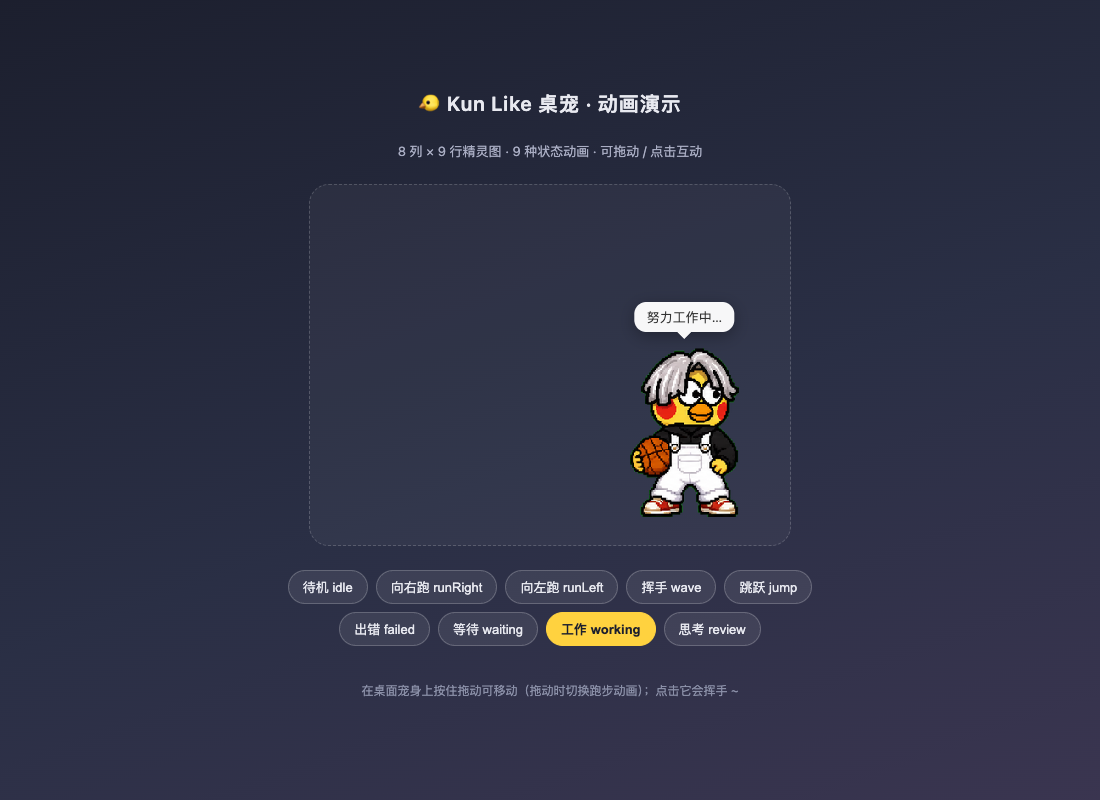
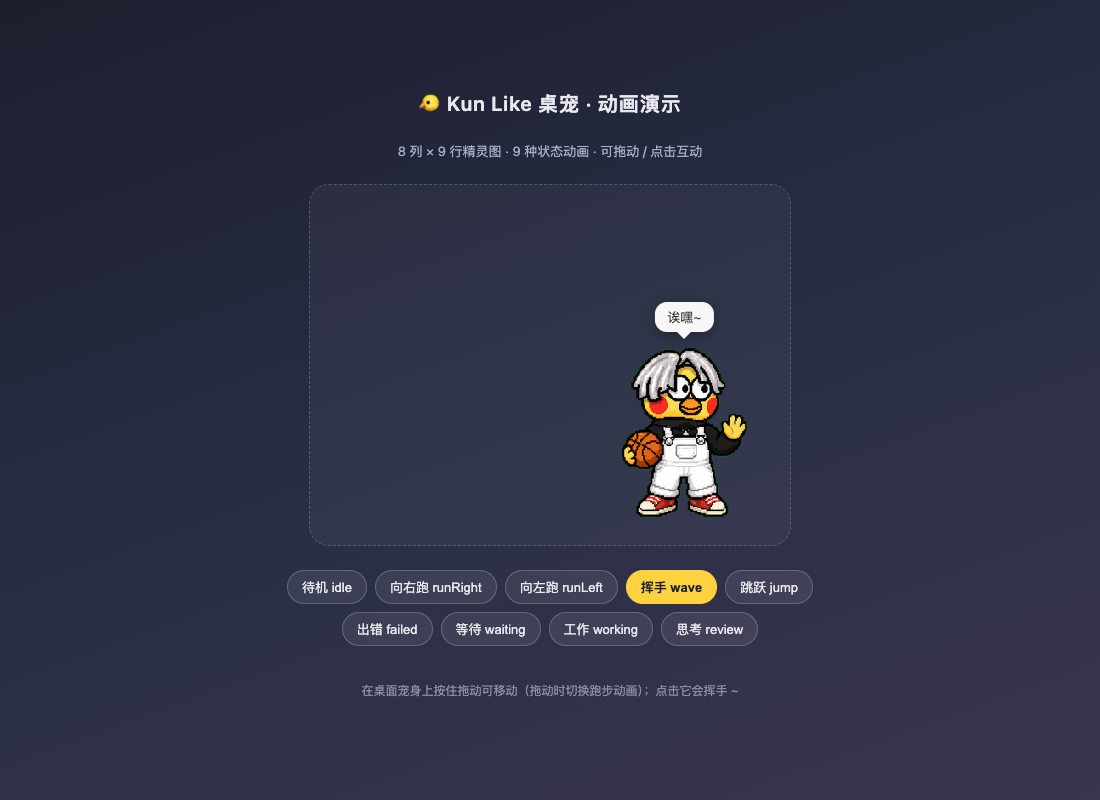
当前 2.2.0 是 DSH 0.2 兼容版,并补上了桌面客户端安装路径:仍是安装到 profile 的静态 bundle(Host + Client 两半),0.2 的两处破坏性变更修法见 DSH 0.2 适配,桌面版装法见 方式 D。
agent/status,并以 agents.list() 轮询兜底,感知运行和完成状态。tools/execute、approval/request、agent/request-error 显示工作、等待和失败状态。System.Media.SoundPlayer,macOS 用 afplay,Linux 用 ffplay。kun_pet_debug 工具以及 /kun-pet/state 调试接口。| Agent 状态 | 桌宠动作 | 气泡文案 |
|---|---|---|
| 工具执行中 | 专注干活 | 努力工作中… |
| 回合运行但没有工具执行 | 思考 | 思考中… |
| 等待回复或审批 | 期待 | 在等你回复哦~ |
| 请求出错 | 难过 | 呜…出错了 (._.) |
| 回合完成 | 挥手/跳跃并播放提示音 | 完成啦!你干嘛~哎哟 |
| 空闲 | 呼吸待机 | 休息中~ 有事叫我 |
2.0.0 在 DSH 0.2 上完全不会加载,DSH 启动时会跳过整个 bundle:
dsh: skipping profile bundle "dsh-kun-like-pet": Error: Plugin dsh-kun-like-pet@2.0.0 is
incompatible with dsh 0.2.0-rc.2: peerDependencies {"@deepseek-ai/dsh-client-ui-slots":"^0.1.0-rc.6",
"@deepseek-ai/dsh-tools":"^0.1.0-rc.6"}.
三处修改:
dsh-app-boot 会校验插件里所有 @deepseek-ai/dsh / @deepseek-ai/dsh-* 的 peerDependencies,只要有一条不满足当前 DSH 版本,整个 bundle 会被跳过且不报错到界面。现已改为 ^0.2.0-rc.2,并补上 engines.dsh。shell.run() 已不存在。0.2 的 ShellExecutor 只有 resolve() + execute(),而且解析结果会带上执行器的默认沙箱策略。桌宠完成音只是一次性界面反馈,不需要工作目录/超时/沙箱语义(Windows 沙箱在只读模式下会把 PowerShell 降级为 ConstrainedLanguage),因此改为直接 spawn 子进程,并从 inject 里去掉 shell。agent/request-error 是 waterfall 事件。旧代码的监听器不调用 next(),按 cordis 语义会否决内置行为与后续监听器(例如重试策略)。现在监听后原样放行。另外三处顺手修掉的隐患:
System.Media.SoundPlayer(winmm),不再依赖 WPF MediaPlayer / Media Foundation;缺少 WAV 时才退回 MP3 + MediaPlayer。fs 服务改为 node:fs:素材属于插件包自身,不该受会话 workspace 沙箱管辖(同时少一个 inject 依赖)。dsh.client.inject 里已下线的 @deepseek-ai/dsh-client-runtime 换成真实存在的 @deepseek-ai/dsh-client-ui-renderer(ctx.slots 服务的提供者)。22.19 或更高版本。0.2.x(engines.dsh: ^0.2.0-rc.2)。DSH 仍处于开发预览阶段,升级到 0.3 后如 API 再次破坏性变更,请先运行本仓库测试。ffplay;Windows 用 System.Media.SoundPlayer,macOS 用 afplay。四种方式,选一种即可。装完都要重启 DSH(Web 页面刷新不够)。
Web 和桌面客户端是两个 profile。
npx @deepseek-ai/dsh web用~/.dsh/profiles/web,桌面客户端用~/.dsh/profiles/desktop。插件只装在其中一个 profile 里时,另一个看不到它——下面命令里的--profile必须选对。不确定装到哪了跑npm run status。
npx @deepseek-ai/dsh plugin --profile web add github:GangLongYu/dsh-kun-like-pet
npx @deepseek-ai/dsh web
plugin/lib/ 是已提交的构建产物,所以 GitHub 安装不需要在 DSH 安装阶段现场编译。
git clone https://github.com/GangLongYu/dsh-kun-like-pet.git
cd dsh-kun-like-pet
npm install
npm run build
npm test
npx @deepseek-ai/dsh plugin --profile web add .
npx @deepseek-ai/dsh web
add . 会在 profile 里写一条 link: 依赖指向这个目录。之后改动 plugin/src/ → npm run build → 重启 DSH 就能看到新代码,不用重新 add。
npx @deepseek-ai/dsh plugin --profile web add C:\Users\dragon\Desktop\dsh-kun-like-pet
npx @deepseek-ai/dsh web
桌面版不需要另做一份插件:它内部跑的就是同一套 dsh-web-app bundle,渲染器平台同样是 web,所以 dsh.client.platform: "web" 在桌面版里是正确声明。差别只在 profile —— 桌面版读 ~/.dsh/profiles/desktop。
命令行安装(推荐,和 Web 版唯一区别是 --profile):
npx @deepseek-ai/dsh plugin --profile desktop add github:GangLongYu/dsh-kun-like-pet
然后从托盘完全退出桌面版再启动(关窗口只是隐藏,插件不会重新加载)。
也可以在桌面版界面里装:侧边栏「插件」页 → 安装 → 填入 github:GangLongYu/dsh-kun-like-pet(或本地目录、npm 包名)。这一页最终也是走 plugin_manager 的 installBundle,装进的就是当前 desktop profile。
确认桌面版到底装没装:
npm run status # 列出每个 profile 的安装版本与 bundle 启用状态
Web 版和桌面版可以同时装、互不影响;想两边都有就两条 add 命令各跑一次。
如果 profile 里装的是 2.0.0(它会被 0.2 静默跳过),先移除再装新版:
npx @deepseek-ai/dsh plugin --profile web remove dsh-kun-like-pet
npx @deepseek-ai/dsh plugin --profile web add github:GangLongYu/dsh-kun-like-pet
npx @deepseek-ai/dsh web
判断 profile 里到底装的是哪一版:
npx @deepseek-ai/dsh --profile web --dump-config
只要输出里出现 skipping profile bundle "dsh-kun-like-pet",就说明还在用被门禁拦下的旧版。
桌面版把上面的 --profile web 全部换成 --profile desktop;两边是独立安装,升级 Web 版不会顺带升级桌面版。
不建议用
dsh plugin allow-version绕过门禁:那只是关掉检查,0.2 里shell.run已经不存在,完成音仍然是坏的。请换成 2.2.0。
旧版转换还曾用过 @dsh-external/dsh-kun-like-pet(包内没有 dsh.bundle)。若残留,一并清理:
npx @deepseek-ai/dsh plugin --profile web remove @dsh-external/dsh-kun-like-pet
打开终端输出里的 Web 地址,桌宠应显示在右下角。Host 自检接口:
http://127.0.0.1:3080/kun-pet/state
http://127.0.0.1:3080/kun-pet/spritesheet.webp
http://127.0.0.1:3080/kun-pet/voice.mp3
/kun-pet/state 返回 {"mode":"idle","seq":0,"spriteUrl":"/kun-pet/spritesheet.webp","voiceUrl":"/kun-pet/voice.mp3"}。如果 3080 已占用,DSH 会使用其他端口,请以启动日志为准。也可以用 kun_pet_debug 工具看状态机内部计数。
桌面版同理,只是端口是桌面客户端自己分配的(例如 http://127.0.0.1:59865/kun-pet/state),以 npm run status 或界面里的地址为准。装错 profile 时接口会是 404、右下角也不会有桌宠,这两种现象基本就说明装到另一个 profile 去了。
完成音听不到? 先确认这台机器真的有可用音频输出设备:
Get-PnpDevice -Class AudioEndpoint | Select-Object Status, FriendlyName
若列表为空(虚拟机、无声卡、音频被禁用),任何实现都不会出声——System.Media.SoundPlayer 会瞬间返回,WPF MediaPlayer 则会报 HRESULT: 0xC00D11D2(本仓库在无声卡机器上验证过这两种表现)。这与插件无关。
npm install         # 只装 tsdown / typescript / @types/node 与 peer 类型包
npm run build       # plugin/src → plugin/lib
npm test            # 结构校验(素材/源码/bundle)+ Host、Client 两半的功能冒烟测试
npm run pack:check  # 检查 npm/GitHub 发布包内容
npm test 串起四个脚本,都不需要浏览器、网络或端口:
| 脚本 | 覆盖什么 |
|---|---|
scripts/validate.mjs | 素材格式与尺寸契约(8×9、192×208)、voice.wav 是 PCM、源码关键片段、0.2 回归护栏(不得再用 shell.run()、waterfall 必须放行 next()) |
scripts/validate-bundle.mjs | package.json 的 dsh.bundle / dsh.client 声明、DSH peer 范围面向 0.2、plugin/lib 语法有效且与源码约定一致 |
scripts/smoke-host.mjs | 用最小 cordis ctx 桩真跑 plugin/lib/index.js:素材读取、三条 HTTP 路由、0.2 defineTool 契约、状态机 idle→review→working→failed→celebrating、agent/request-error 放行 next()、dispose 后资源清空 |
scripts/smoke-client.mjs | 按模块加载器契约真 materialize plugin/lib/client.js:注册 id、导出契约、注册进 shell.overlay、样式生命周期、组件渲染树 |
这两个冒烟测试正是冲着「升级 DSH 后插件静默失效」这个坑写的:peer 门禁、shell.run() 被移除、waterfall 语义变化,任何一条复发都会让 npm test 直接红。
修改 plugin/src/ 后必须重新执行 npm run build,并把更新后的 plugin/lib/ 一并提交(plugin/lib 是仓库的一部分,GitHub 安装直接用它)。独立动画预览可直接运行 demo/index.html。
DSH web profile
  └─ cordis.patch.yml
      └─ plugin/lib/index.js (Host)
          ├─ agent/tool/approval 事件 + agents 轮询
          ├─ /kun-pet/state 与素材路由
          ├─ 系统完成音
          └─ kun_pet_debug

Web modules service
  └─ plugin/lib/client.js (Client)
      └─ shell.overlay → React 桌宠、拖动和点击互动
主要目录:
├─ cordis.patch.yml             # profile 安装补丁
├─ package.json                 # dsh.bundle / dsh.client 声明
├─ plugin/
│  ├─ src/index.ts              # Host 源码
│  ├─ src/client/index.ts       # Client 源码
│  ├─ lib/                      # 已构建并提交的发布产物
│  └─ tsdown.config.ts          # Host/Client 构建配置
├─ assets/                      # 精灵图 + 提示音(mp3 给浏览器,wav 给 Windows 宿主)
├─ demo/                        # 无 DSH 的动画预览
├─ docs/                        # 素材契约与截图
├─ scripts/                     # 完整性和 bundle 校验
└─ src/、kunpet.package.json    # 1.x 动态插件历史参考,不参与静态安装
仓库已经有两个 remote:
git remote -v
# origin    https://github.com/GangLongYu/dsh-kun-like-pet.git   ← 你自己的仓库,往这里推
# upstream  https://github.com/liyupi/dsh-kun-like-pet.git       ← 原项目,只用来拉更新
plugin/lib/ 是提交进仓库的构建产物,改完源码忘了 build 就会推出旧代码:
npm install
npm run build
npm test
npm run pack:check
git status --short          # 确认 plugin/lib 与 plugin/src 同步
git diff --stat -- plugin/lib
确认没有把 node_modules/、.tmp/、*.tgz 加进来(.gitignore 已覆盖)。
git add -A
git commit -m "fix: 适配 DSH 0.2(peer 门禁 / shell.run / waterfall 放行)"
git push origin main
首次推送新分支时用 git push -u origin main 建立跟踪关系;之后直接 git push 即可。
如果推送被拒(远端有新提交):先 git pull --rebase origin main 再 git push。
| 方式 | 做法 |
|---|---|
| GitHub CLI | gh auth login,之后 git push 自动带凭据 |
| HTTPS + PAT | 用 Personal Access Token 当密码;把凭据交给 Git Credential Manager 记住 |
| SSH | 把 origin 换成 git@github.com:GangLongYu/dsh-kun-like-pet.git,并配好 SSH key |
不确定现在是什么状态时:
git config --get remote.origin.url
gh auth status
版本号写在 package.json,改完记得同步 CHANGELOG.md:
npm run build
npm test
npm run pack:check
git add -A && git commit -m "chore: release v2.2.0"
git tag v2.2.0
git push origin main --tags
npm pack                      # 产出 dsh-kun-like-pet-2.2.0.tgz
建 Release。有 gh 时:
gh release create v2.2.0 dsh-kun-like-pet-2.2.0.tgz --title "v2.2.0" --notes "桌面客户端安装 + npm 发布说明"
没有 gh 就用 PAT 调 REST API(先建 Release 再往 upload_url 传 tgz):
curl -sS -X POST \
  -H "Authorization: Bearer $GITHUB_TOKEN" \
  -H "Accept: application/vnd.github+json" \
  https://api.github.com/repos/GangLongYu/dsh-kun-like-pet/releases \
  -d '{"tag_name":"v2.2.0","name":"v2.2.0","body":"桌面客户端安装 + npm 发布说明"}'
别人就能用 npx @deepseek-ai/dsh plugin --profile web add github:GangLongYu/dsh-kun-like-pet 直接安装。注意 github: 安装默认取默认分支,所以 tag 和 main 都要推。
git fetch upstream
git merge upstream/main       # 或用 git rebase upstream/main
先看清楚:npm 上的 dsh-kun-like-pet 不是这个仓库。 这个名字已被另一个发布者占用(1.0.5,1.x 动态插件),所以:
... add dsh-kun-like-pet 会装到别人的包,别这么用;package.json 的 name(推荐 scoped,例如 @your-scope/dsh-kun-like-pet);cordis.patch.yml 里 name: 那一行;scripts/validate-bundle.mjs 里 pkg.name === 'dsh-kun-like-pet' 的断言。改完之后:
npm login                     # 首次
npm run build && npm test     # prepublishOnly 会再跑一遍 build + test + pack:check
npm publish                   # scoped 包自动 public(package.json 已声明 publishConfig.access)
发布后桌面版「插件」页和 CLI 都能直接用包名安装:
npx @deepseek-ai/dsh plugin --profile desktop add @your-scope/dsh-kun-like-pet
选名字前先查占用:
npm view <name> version
不改名也能用,只是安装入口停在 github: 形式上——功能完全一样,桌面版一样能装。
assets/voice.mp3 是网络二创梗语音片段,assets/voice.wav 是它的 PCM 转换(仅供 Windows 宿主播放),assets/spritesheet.webp 是粉丝二创像素形象,仅供个人学习交流;素材不随 MIT 代码许可自动获得商业使用授权。Vibe coding时代,想要什么自己写。一开始是让dsh改,后面把自己改崩了,codex抢救一下。
DeepSeek Harness(DSH)Web 插件聚合生态包 · 一切皆插件,创意工坊分发(dsh-market.com)
把回答做成一页可视化 HTML:模型只写简短的 Markdown 草稿,随包附带的 `am` 命令行生成页面,支持流程图、时序图、树、时间线、ER 图、表格和提示框。
在 dsh 里装上这个插件即可,无需登录、注册或填 API Key,就能使用包括 Muse Spark 1.3、MiMo V2.6 在内的前沿模型——完全免费,不限量。 All you do is install this plugin in dsh: no login, no sign-up, no API key — the frontier models are just there, Muse Spark 1.3 and MiMo V2.6 among them. Completely free, with no usage cap.

