
dsh-web
zhu1090093659/dsh-webDeepSeek Harness(DSH)Web 插件聚合生态包 · 一切皆插件,创意工坊分发(dsh-market.com)

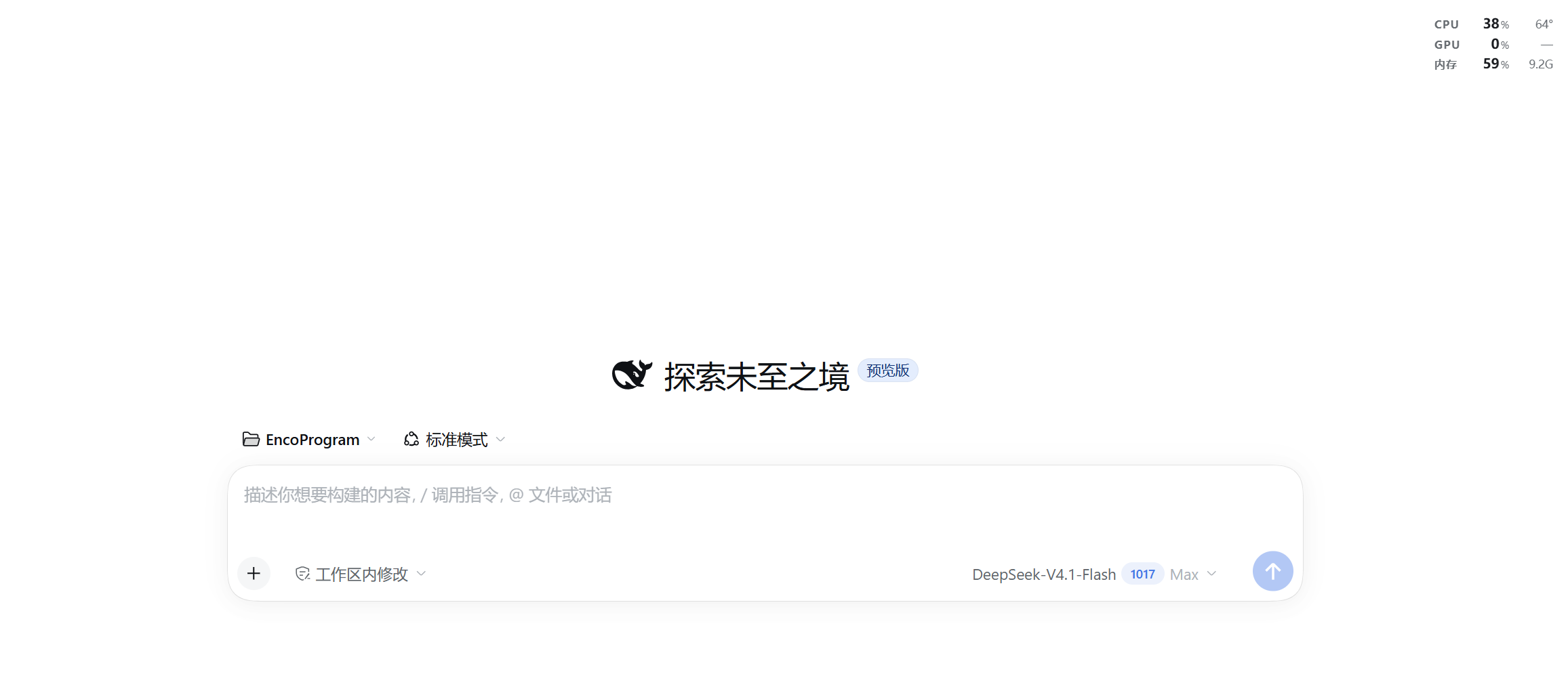
DSH 界面上的透明性能悬浮窗:三行小字直接浮在界面上显示 CPU、GPU、内存占用率,没有底色也没有边框,可拖动并吸附到最近的窗口角,最大化或改变窗口大小都不会跑位;CPU 封装温度由可选的高权限助手(LibreHardwareMonitor + PawnIO)读取,插件自身开销不到单核百分之一。仅 Windows。
A transparent, draggable performance HUD for the DeepSeek Harness web UI: CPU / GPU / memory usage, plus the CPU package temperature when the optional helper is installed.
--dsw-alias-* tokens, so it follows light, dark and
any custom theme.From the Plugins page (install from GitHub or a local folder), or:
dsh plugin add ChendarCe/dsh-perf-hud
Then reload the interface once.
| Metric | Source |
|---|---|
| CPU usage | node:os CPU-time deltas, once a second |
| Memory usage | os.totalmem() / os.freemem() — same definition as Task Manager's "In use" |
| GPU usage | Windows GPU Engine performance counters, busiest engine (what Task Manager reports) |
| CPU temperature | optional helper — LibreHardwareMonitor's CPU Package sensor |
| GPU temperature | only when the GPU exposes a temperature sensor; most integrated GPUs do not, so the cell shows — |
The plugin works out of the box; without the helper both temperature cells show
—. For the real CPU package temperature, run once (it asks for
administrator rights):
helper\setup.cmd
That script downloads and sets up:
sensor-helper.ps1, which writes one small JSON file about every 0.4 s;DSH Perf Sensor (at logon, highest privileges, no
window), so it never asks again.Files go to D:\DSHTools when that drive exists, otherwise
%LOCALAPPDATA%\DSHTools. The plugin reads either location.
Measured overhead on an 8-core laptop: 0.08 % of one core and ~87 MB of RAM for the helper — it is mostly waiting on the driver, not burning CPU.
Remove it again with:
helper\uninstall.ps1              # stops the task, uninstalls the driver
helper\uninstall.ps1 -RemoveFiles # ...and deletes the helper files
DeepSeek Harness 界面里的一块完全透明的性能读数:CPU / GPU / 内存占用率,加上 CPU 封装温度。没有底色和边框,只有三行文字浮在界面上。
dsh plugin add ChendarCe/dsh-perf-hud。helper\setup.cmd(会安装 LibreHardwareMonitor
与 PawnIO 签名驱动,并注册开机自启任务)。不需要时用 helper\uninstall.ps1 移除。—;Intel 核显本身没有独立温度传感器,同样显示 —。DeepSeek Harness(DSH)Web 插件聚合生态包 · 一切皆插件,创意工坊分发(dsh-market.com)
把回答做成一页可视化 HTML:模型只写简短的 Markdown 草稿,随包附带的 `am` 命令行生成页面,支持流程图、时序图、树、时间线、ER 图、表格和提示框。
在 dsh 里装上这个插件即可,无需登录、注册或填 API Key,就能使用包括 Muse Spark 1.3、MiMo V2.6 在内的前沿模型——完全免费,不限量。 All you do is install this plugin in dsh: no login, no sign-up, no API key — the frontier models are just there, Muse Spark 1.3 and MiMo V2.6 among them. Completely free, with no usage cap.

