
dsh-web
zhu1090093659/dsh-webDeepSeek Harness(DSH)Web 插件聚合生态包 · 一切皆插件,创意工坊分发(dsh-market.com)

在 DeepSeek Harness Web UI 中浏览、搜索、安装并应用 VS Code 配色主题:内置 14 款精选主题并带实时色卡预览,可搜索官方 VS Code 插件市场安装更多主题,一键安装会把任意主题的调色板映射到 DSW 设计令牌,支持实时切换与选择持久化。
Browse, search, install, and apply VS Code color themes to the DeepSeek Harness (DSH) Web UI — one click re-skins the whole interface live, in that theme's own palette.
Category: UI & Experience · License: MIT · Works with: DSH 0.2.1-alpha.5 (web profile)
.vsix, extracts its color palette, and
maps it onto the DSW design tokens. Installed themes persist across restarts and sort
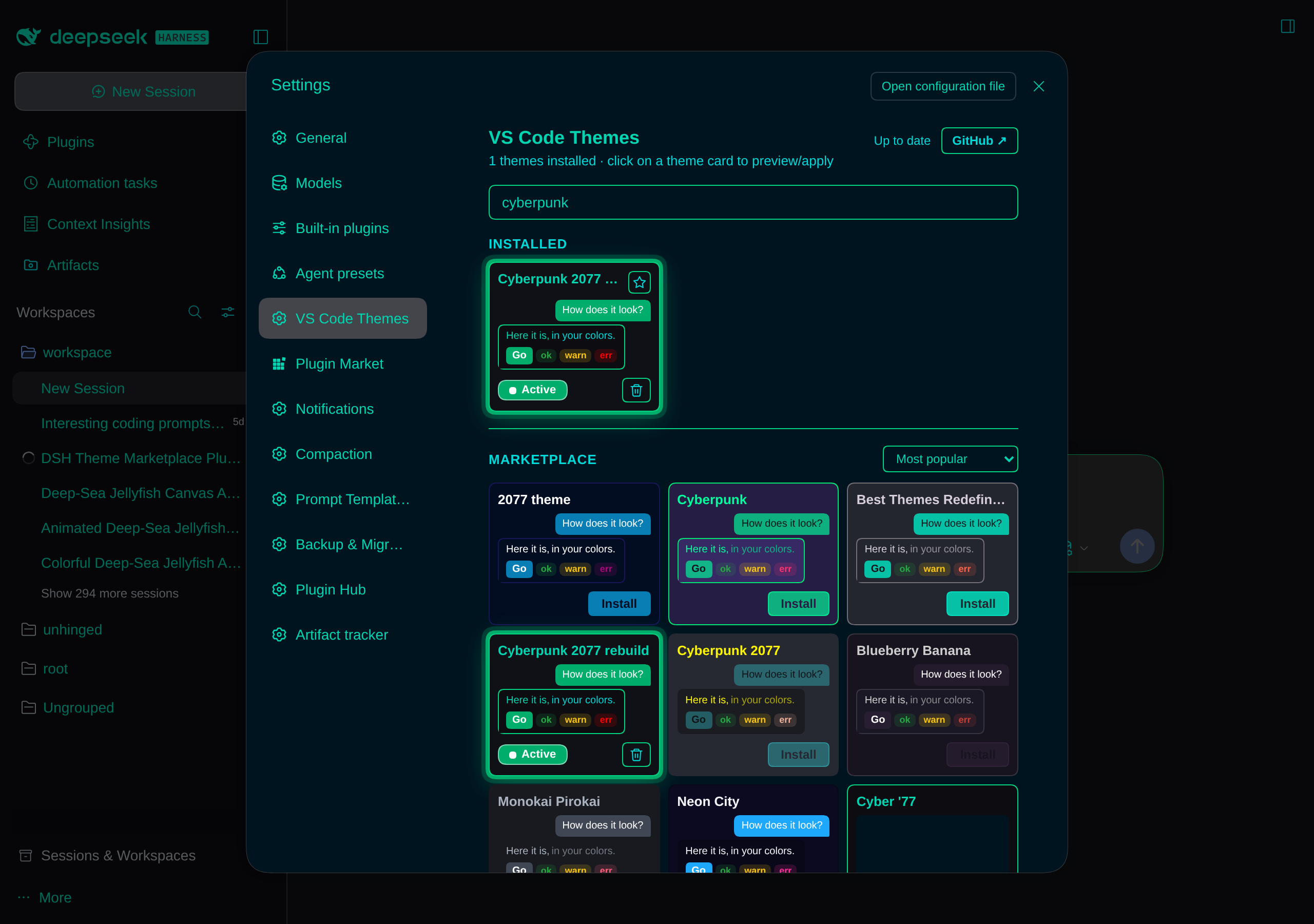
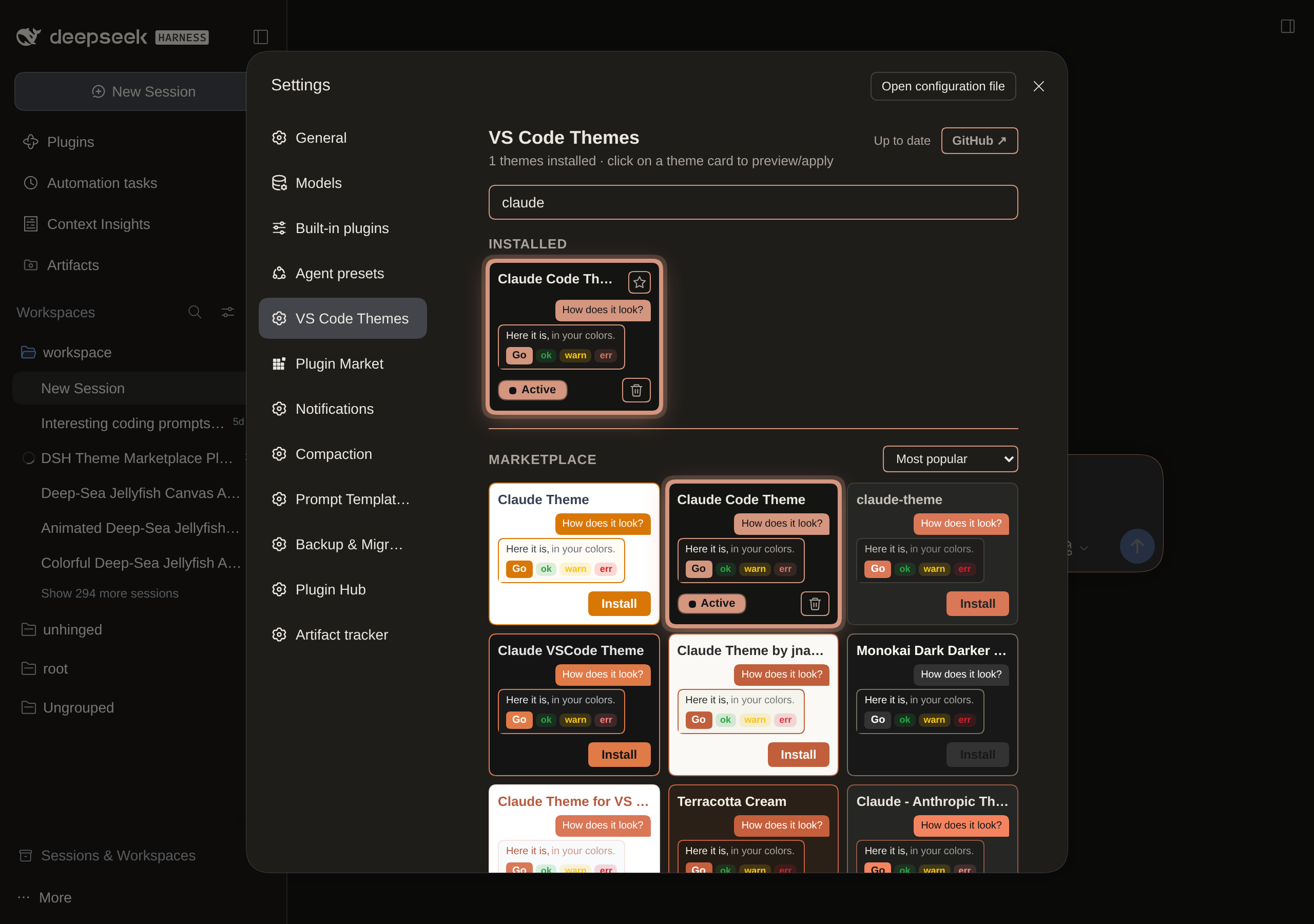
to the top (most recent first).localStorage).Real-browser captures of the settings panel. Each card previews its theme live (sample text, semantic chips, accent button); the applied card carries the Active ring + pill in its own accent colour, and the whole UI is re-skinned in that theme's palette.
The Cyberpunk 2077 rebuild theme applied — the entire UI re-skinned in its dark neon palette — with a "cyberpunk" search returning the installed theme in Installed and the Marketplace section listing matching themes with the result-sort dropdown:
The dark Claude Code Theme applied (the whole UI re-skinned in its palette, Active ring + pill) with a "claude" search returning the installed theme in Installed:
The plugin is published to npm as dsh-vscode-themes2.
From a DSH profile (e.g. the default web profile) — this pulls the package from npm:
dsh plugin --profile web add dsh-vscode-themes2
Or install the npm package directly:
npm install -g dsh-vscode-themes2
Or from a local clone:
dsh plugin install /path/to/dsh-vscode-themes2
The package is named
dsh-vscode-themes2— the trailing2is historical (an early specifier got cached as failed inside a running harness process during development) and is part of the install name; don't "fix" it when typing commands.
This is a two-half DSH plugin: the browser is network-restricted, so everything
that talks to the VS Code Marketplace runs in the host half and is exposed to the
browser through a TypertRemoteService named vscodeThemes (self-mounted by the
client via ctx.remote.$mount).
client.js) — renders the settings section, registers themes with
ctx.theme.register({ id, colorScheme, tokens }), applies the persisted selection on
load, and persists state in localStorage (dsh.vscodeThemes.selected,
dsh.vscodeThemes.installed — JSON array, most recent first).index.js + marketplace.js) — exposes search(query) and
fetchTheme(ext) on the remote service, delegating to the pure, unit-testable logic
in marketplace.js (no Cordis wiring).Search queries the official VS Code Marketplace gallery API (themes category only);
install downloads the theme's .vsix from the publisher's gallery.vsassets.io CDN,
parses the ZIP in-process, and reads the theme's JSONC color definitions (which are
stripped of comments/trailing commas before parsing). See PROGRESS.md for the full
protocol facts and edge cases.
POST https://marketplace.visualstudio.com/_apis/public/gallery/extensionquery —
theme search, only when you type a query (2+ characters).GET https://{publisher}.gallery.vsassets.io/…vspackage — .vsix download, only
when you explicitly click Install.localStorage only (dsh.vscodeThemes.*). Nothing is uploaded.DecompressionStream to unzip .vsix files).editor.background / editor.foreground are skipped with a visible error message.PROGRESS.md is the project's development log: architecture notes,
marketplace protocol facts, the critical contracts and pitfalls, and the session log.
It is agent-maintained — read it before changing client.js or marketplace.js.
| File | Purpose |
|---|---|
index.js | Host half: VscodeThemes remote service (search / fetchTheme). |
client.js | Browser half: theme catalog, marketplace search UI, install, persistence, settings UI. |
marketplace.js | Pure host logic: marketplace search, vsix fetch/parse, token mapping. |
cordis.patch.yml | Inserts the vscode-themes2 entry into the profile tree. |
locale/en.json | Display title/description for the Plugin Manager. |
icon.svg | Plugin icon. |
screenshots/ | Real-browser captures embedded in this README. |
PROGRESS.md | Development log & session notes. |
DeepSeek Harness(DSH)Web 插件聚合生态包 · 一切皆插件,创意工坊分发(dsh-market.com)
把回答做成一页可视化 HTML:模型只写简短的 Markdown 草稿,随包附带的 `am` 命令行生成页面,支持流程图、时序图、树、时间线、ER 图、表格和提示框。
在 dsh 里装上这个插件即可,无需登录、注册或填 API Key,就能使用包括 Muse Spark 1.3、MiMo V2.6 在内的前沿模型——完全免费,不限量。 All you do is install this plugin in dsh: no login, no sign-up, no API key — the frontier models are just there, Muse Spark 1.3 and MiMo V2.6 among them. Completely free, with no usage cap.

