

dsh-web
zhu1090093659/dsh-webDeepSeek Harness(DSH)Web 插件聚合生态包 · 一切皆插件,创意工坊分发(dsh-market.com)
A Cursor-like AI coding experience inside VS Code — powered by your own DeepSeek Harness (DSH) agent.
Embeds the full DSH web UI in the VS Code auxiliary sidebar: every window automatically starts and owns a local dsh web service (cwd = current workspace), so your modules, skills, MCP servers, credentials and sessions all just work. On top of that it adds the IDE integration layer:
Ctrl+Alt+B opens it; copy/paste/context menu, file jumps and theme following are all native@dsh in the native VS Code chat to talk to your local DSH session with streaming replies — zero Copilot quota (on by default)| Item | Requirement |
|---|---|
| VS Code | ≥ 1.106, desktop only; remote / virtual / untrusted workspaces not supported |
| DSH CLI | npm i -g @deepseek-ai/dsh, ≥ 0.1.0-rc.7 recommended (older runtimes auto-retry degraded, some features limited) |
| Node.js | auto-detected; set dsh.local.nodePath for non-standard locations |
code --install-extension Xizhi1024.dsh-vs-sidebarExtensions: Install from VSIX...Ctrl+Alt+B — the extension starts (or reuses) the local dsh web and loads the UIfile:line link, press Enter to send@dsh + your question in the VS Code chat — replies stream from your local DSH session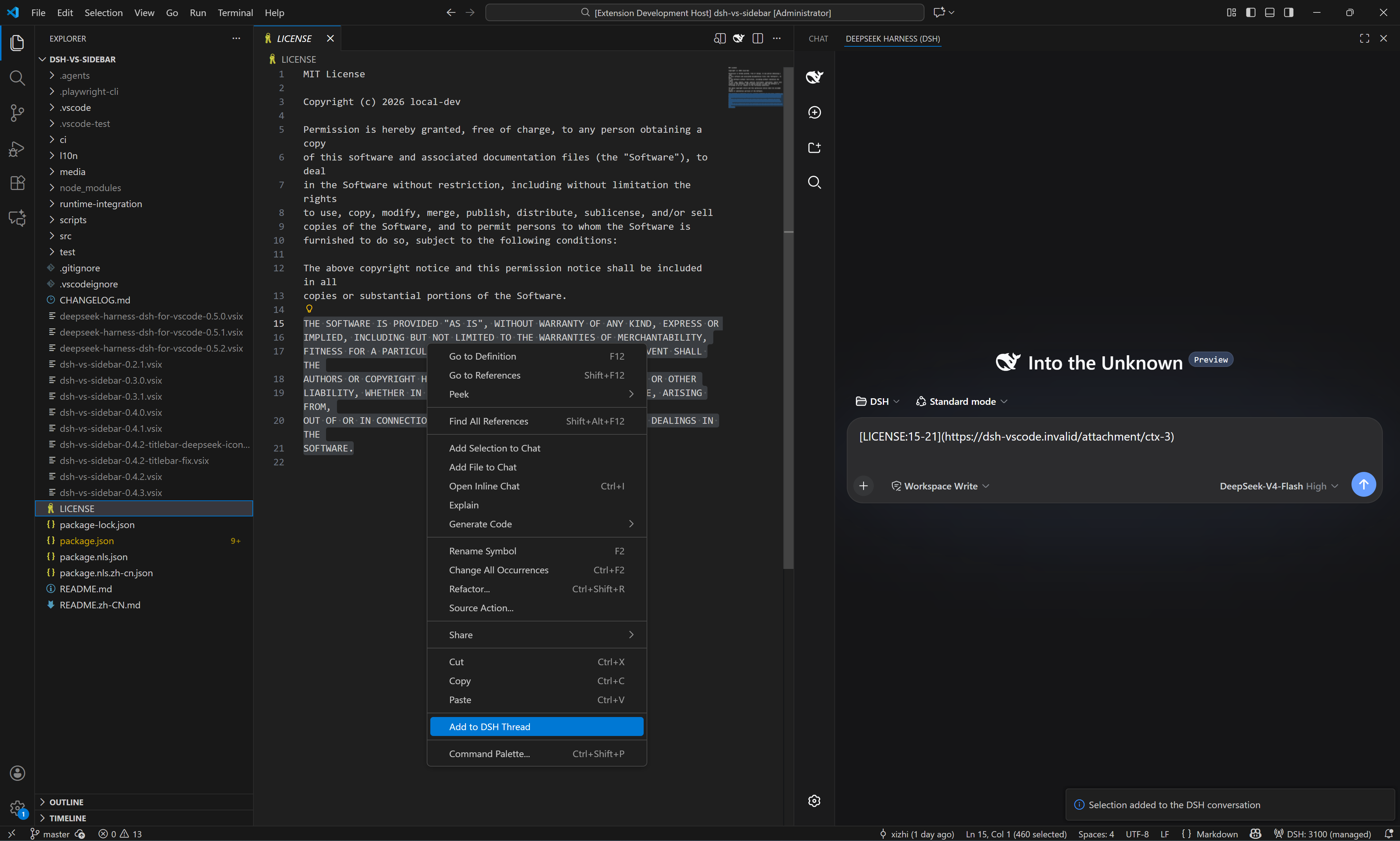
Common commands (palette, DSH: prefix): New / Switch Session · Open Session History · Restart / Stop Server · Open in Browser · New DSH Instance (Ctrl+Alt+N) · Diagnose · Restart Cleanly · Set DSH FIM API Key.
| Key | Default | Description |
|---|---|---|
dsh.port | 3080 | Port for the DSH web server |
dsh.autoStart | true | Start the service when VS Code opens |
dsh.home.mode | shared | shared = official ~/.dsh; isolated = extension-private home |
dsh.profile | web | DSH profile directory name |
dsh.executablePath | (empty) | Explicit DSH executable / package dir / shim; takes precedence over discovery |
dsh.closePolicy | onVscodeExit | When to stop the owned server |
dsh.features.changes-review | true | DSH changes review (approval-gated writes) |
dsh.changes.observe-tools | true | Attribute tool-made edits in the changes tree (tool group) |
dsh.features.chat-participant | true | @dsh chat participant |
dsh.features.ctrl-k / ctrl-i | false | Inline edit commands (Ctrl+K / Ctrl+I) |
dsh.features.lm-route | false | Expose DSH models in the VS Code LM picker |
dsh.features.mcp-consume | false | Let DSH consume VS Code-side MCP servers |
dsh.features.tab-completion | false | FIM tab completion — needs dsh.fim.baseUrl + DSH: Set FIM API Key, then restart the DSH server |
dsh.fim.baseUrl | (empty) | Upstream FIM endpoint (full URL of an OpenAI-compatible completions API) |
dsh.keybindings.ctrlL | true | Ctrl+L adds the selection to the thread (never sends) |
dsh.bridge.terminal / editorRead / ui | false | Terminal / editor-read / UI surface bridges (consent switches) |
Full key list in package.json; run DSH: Diagnose for a health summary.
DeepSeek Harness(DSH)Web 插件聚合生态包 · 一切皆插件,创意工坊分发(dsh-market.com)
把回答做成一页可视化 HTML:模型只写简短的 Markdown 草稿,随包附带的 `am` 命令行生成页面,支持流程图、时序图、树、时间线、ER 图、表格和提示框。
在 dsh 里装上这个插件即可,无需登录、注册或填 API Key,就能使用包括 Muse Spark 1.3、MiMo V2.6 在内的前沿模型——完全免费,不限量。 All you do is install this plugin in dsh: no login, no sign-up, no API key — the frontier models are just there, Muse Spark 1.3 and MiMo V2.6 among them. Completely free, with no usage cap.

