
packages/dsh-task-board
zhu1090093659/dsh-web侧边栏多列任务看板:卡片交给真实 DSH 智能体会话执行,支持 cron 定时(Host 侧到点执行,关浏览器也生效)。

視窗闊度細過 1024px 時,側欄完全移出 shell frame,改由頁首按鈕以浮動抽屜方式打開,令對話可以用盡整個螢幕闊度;闊螢幕版面唔受影響。
中文說明 · English
Give the whole left column back to the conversation on phones.
Below 1024px — the same breakpoint at which @deepseek-ai/dsh-client-ui-layout
auto-collapses the sidebar — the stock web shell still keeps a 56px icon rail
(computeColumns() resolves the collapsed track to collapsedWidth, which is 56 on
the web; only macOS desktop and the Windows titlebar shell pass 0). On a 390px
viewport that rail eats 14% of the screen for a column you cannot read anything in.
This plugin, under the same breakpoint:
| stock | with the plugin | |
|---|---|---|
| frame tracks at 390px | 56px 334px 0px | 0px 390px 0px |
| collapsed sidebar | 56px icon rail | nothing — no track, no paint |
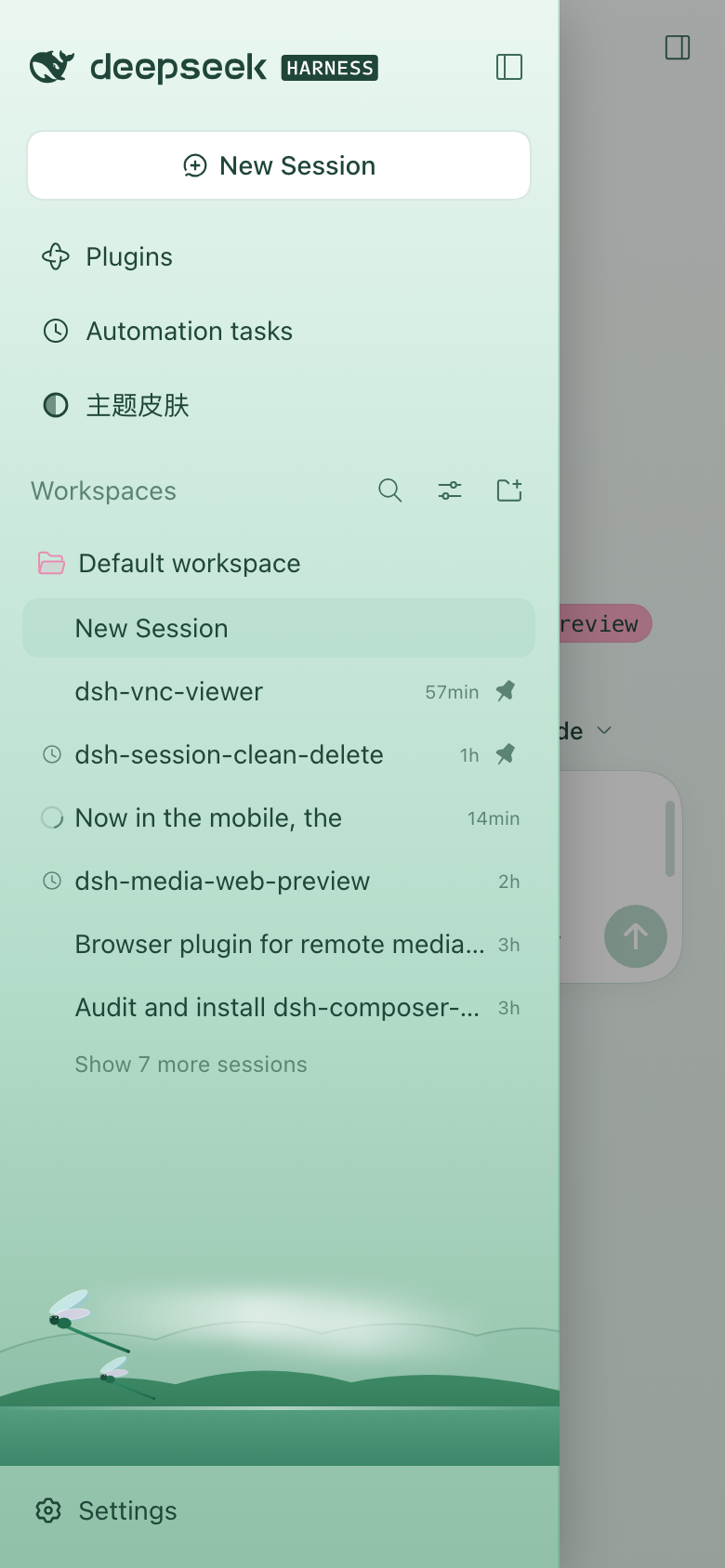
| opening the sidebar | squeezes the centre to 110px | 300px drawer over a 390px centre, tap outside to close |
| header | no toggle | panel-left button at the header's leading edge |
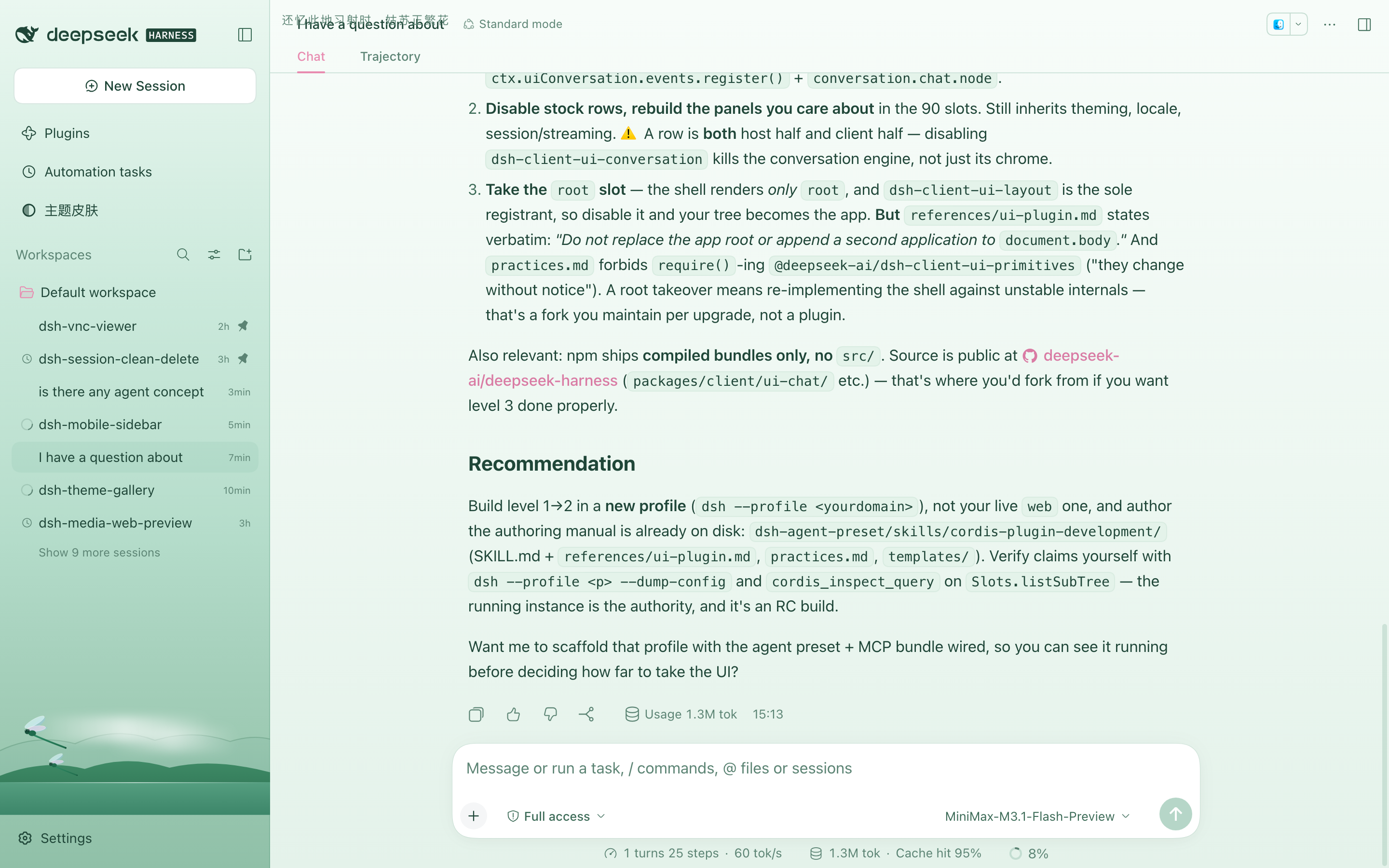
| ≥ 1024px | — | untouched (280px 1000px 0px, button hidden) |
dsh plugin --profile web add file:/path/to/dsh-mobile-sidebar
dsh plugin add appends the package to dsh.profile.bundles and hot-mounts it;
the browser only needs a refresh to load the new client combo. No dsh web
restart is required.
To remove it, delete the "dsh-mobile-sidebar" entry from bundles in
~/.dsh/profiles/<profile>/package.json, or disable the bundle from the Plugins
page.
Everything is browser-side; the Host half is intentionally empty.
grid-template-columns as an inline
style, and a media query cannot override one track of it. A MutationObserver
on the frame watches every solve, rewrites the value with only the first
track replaced, and republishes it through the
--dsh-mobile-frame-cols custom property. The centre and right tracks still
matter between 800px and 1024px, where the right panel solves a real third
track, so they are carried through untouched.visibility: hidden, not
display: none. A display:none box is not a grid item, so auto-placement
slides the centre column into the now-0px first track and the conversation
renders at zero width.position: relative + an explicit width), so the centre column
never changes width. A scrim in the shell.overlay slot closes it on tap.Button +
IconPanelLeftOutlineRegular in the conversation.header.leading slot, calling
ctx.layout.toggleSidebar().The Conversation is the only panel that declares a header slot. Every other
global panel registers into the keyed main slot and builds its own heading —
Plugins renders <header class="…pageHead">, Schedules renders
<div class="…pageHeading">, and neither exposes anything to inject into.
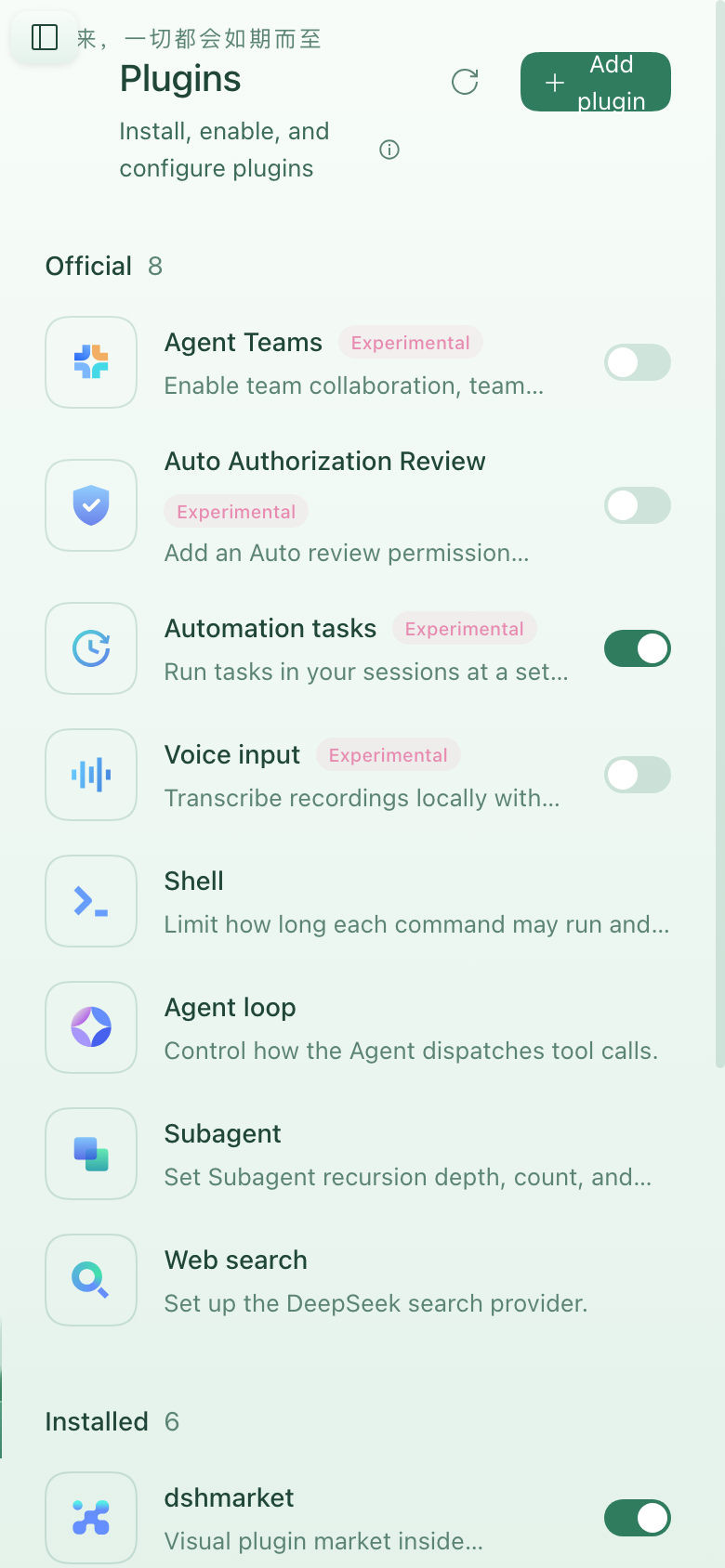
So the toggle falls back to a fixed control rendered in shell.overlay, which
the shell always mounts at root scope. That covers every panel at once, including
panels that do not exist yet. Two rules keep it honest:
[frame]:not(:has([data-dsh-mobile-sidebar-button]))
is what hides it there, so the in-header button and the floating one never
appear together.padding-inline-start to those headings while the control is present.| where | control |
|---|---|
| Conversation | conversation.header.leading slot |
| Plugins / Schedules / any future panel | fixed control in shell.overlay |
| ≥ 1024px | neither |
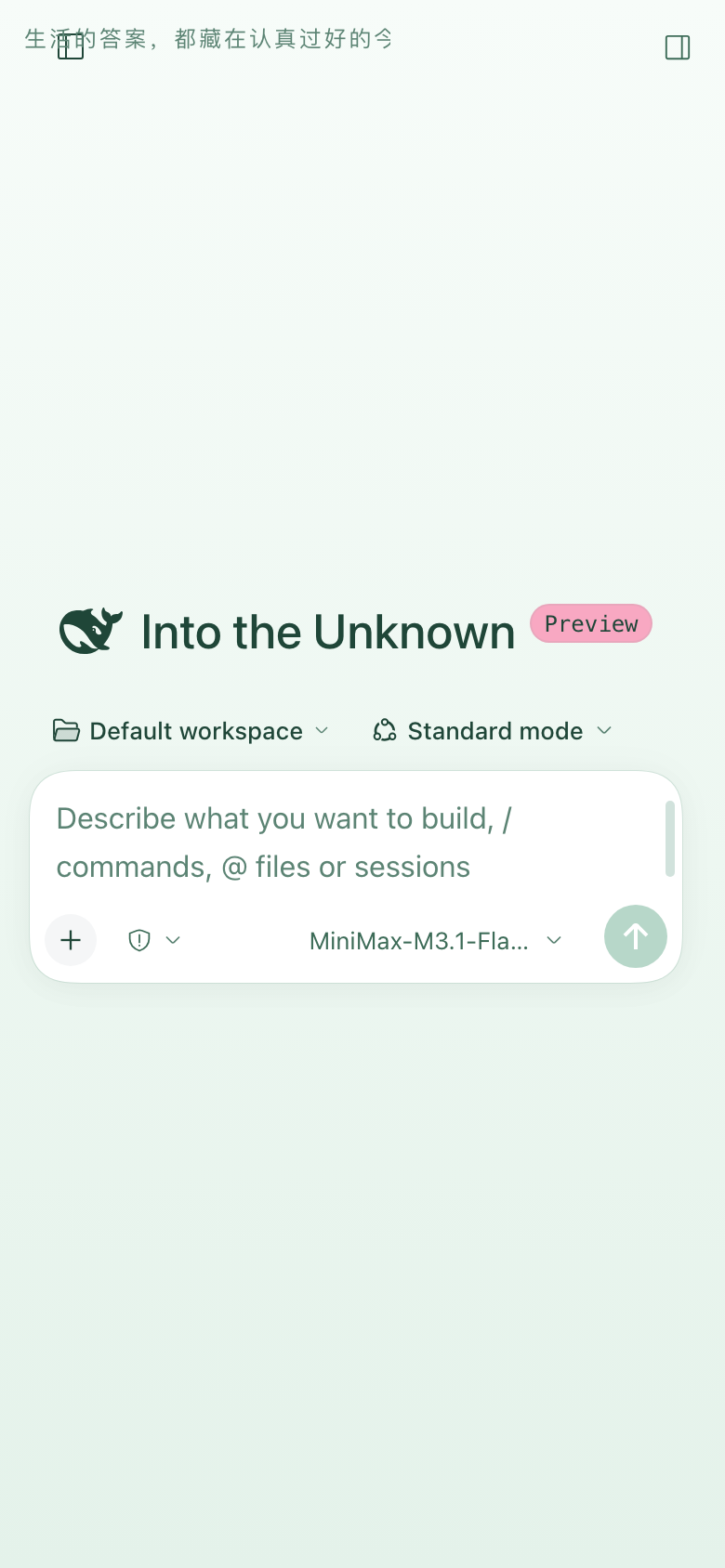
Closed on a phone — the rail is gone and the conversation keeps the full width:
Tapping the header toggle opens the drawer over that same full-width conversation:
On a global panel the toggle falls back to a fixed control:
Above the breakpoint nothing changes:
The plugin targets source-written attributes, not the shell's CSS-module class names (which are build-hashed and change between DSH releases):
[data-shell-overlay] — the frame is its parent element[data-slot="sidebar"] — the sidebar column is its parent element[data-sidebar-collapsed] on the frame — closed vs. open[data-plugin-panel] — the one global panel that marks its section; the rest
are matched on the _pageHead / _pageHeading class fragmentMIT
侧边栏多列任务看板:卡片交给真实 DSH 智能体会话执行,支持 cron 定时(Host 侧到点执行,关浏览器也生效)。
DSH Web UI 插件与皮肤合集:任务看板、git 图、右侧面板、远程移动端 UI、桌宠、实时 token 统计与皮肤中心。
助手回复内渲染交互式 UI 组件:布局、图表、表单、测验、mermaid、3D 场景与回传事件循环。
