

packages/dsh-task-board
zhu1090093659/dsh-web侧边栏多列任务看板:卡片交给真实 DSH 智能体会话执行,支持 cron 定时(Host 侧到点执行,关浏览器也生效)。
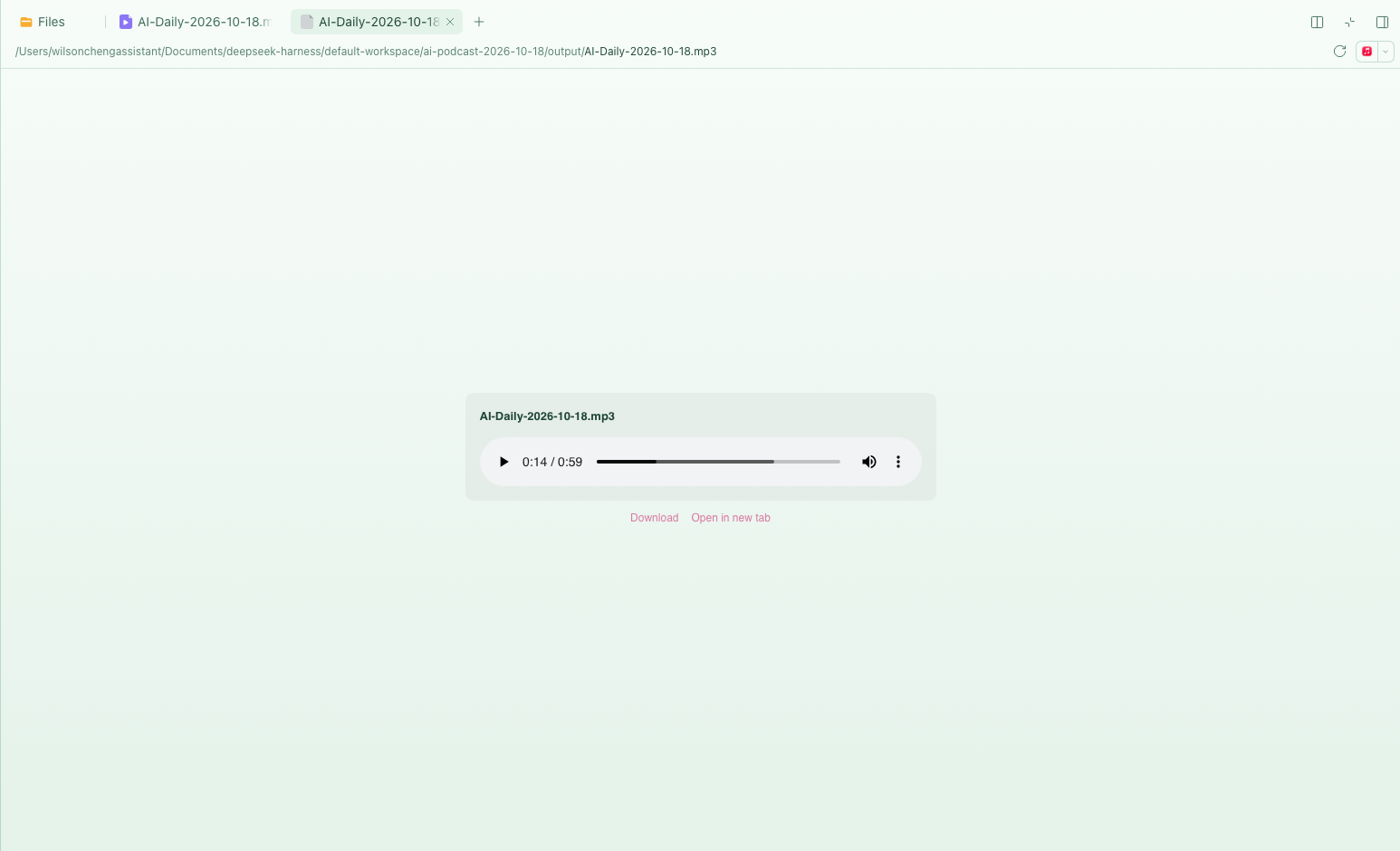
Play video and audio inside the DSH right Sidebar — including from a remote browser, where the native Open button would otherwise launch QuickTime or Music on the Host Mac.
DeepSeek Harness's document preview renders text, Markdown, code, images, PDF,
HTML, Office documents and spreadsheets. It has no audio or video renderer, and
mp4, mp3, wav, flac, ogg, m4a, aac, wma and opus are listed as
known binary containers with no viewer. Opening one shows:
Preview is not available for this file type yet. Open
Open asks the Host to launch the file in a native application. On the
machine running the Host that is fine; from a phone, another laptop, or a
Tailscale peer it opens a window on a screen you are not looking at.
It registers two document renderers, video and audio, and draws the
browser's native player in the preview pane. A companion Host route streams the
file with HTTP Range, so seeking works and a large video is never read into
memory or into the conversation.
206 Partial Content +
Content-Range; the player asks for the bytes it needs.http://127.0.0.1:3080, a LAN address, a Tailscale MagicDNS name,
or tailscale serve on port 80. No configuration.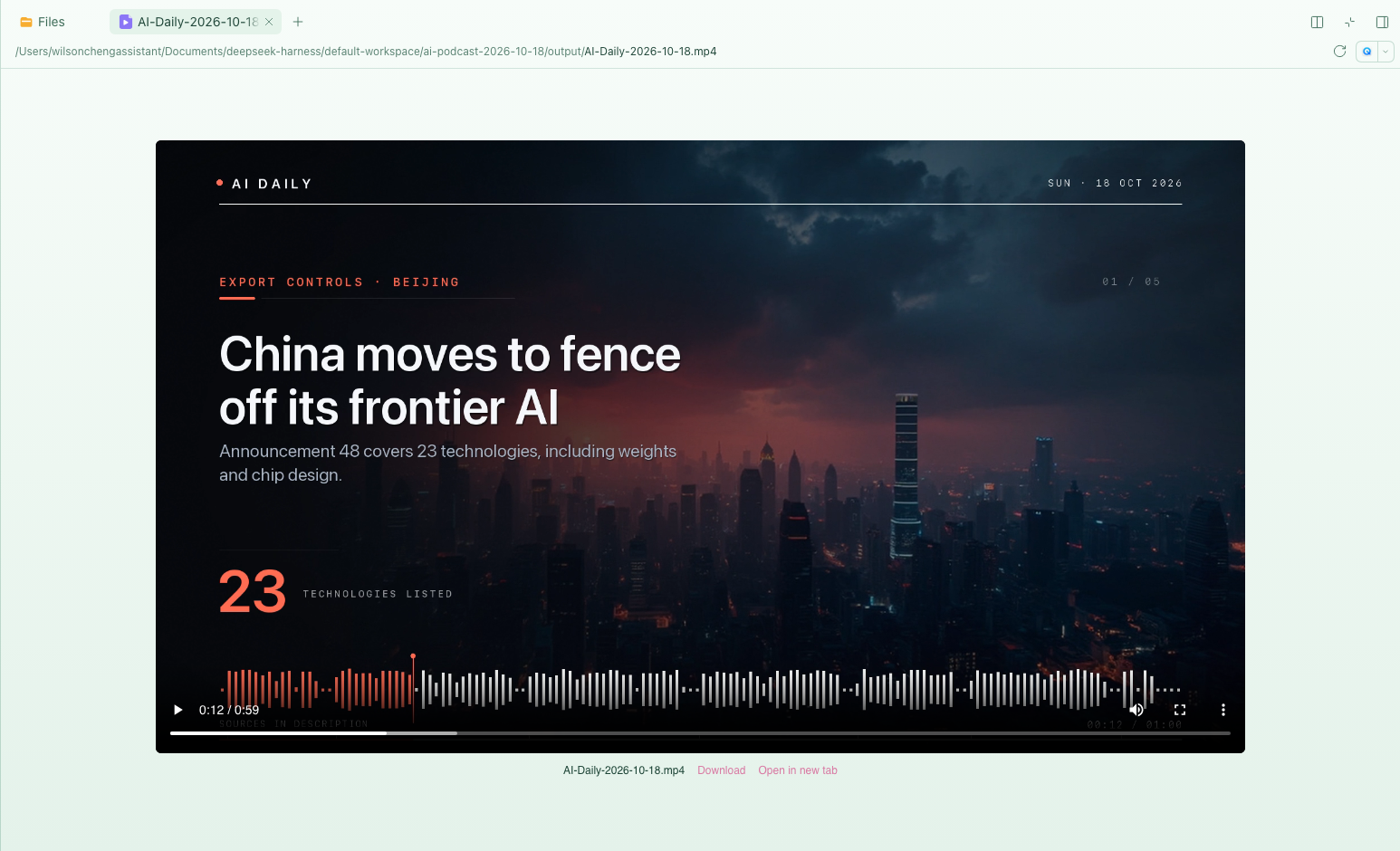
| Kind | Suffixes |
|---|---|
| Video | mp4 m4v webm ogv mov mkv avi mpg mpeg 3gp 3g2 ts m2ts |
| Audio | mp3 m4a m4b aac wav flac ogg oga opus weba aiff aif wma mid midi |
Playback is the browser's decision: Chromium plays H.264/AAC MP4, WebM, Ogg and
most audio, but usually cannot decode Matroska (.mkv) or AVI. When a codec is
unsupported the player shows an explicit message and the download link rather
than failing silently.
From npm:
dsh plugin --profile web add dsh-media-web-preview
From a local directory:
dsh plugin --profile web add file:/absolute/path/to/dsh-media-web-preview
dsh plugin add records the dependency and appends the package to
dsh.profile.bundles; the package ships dsh.bundle.patch, so no manual
insert: row is needed in the profile's cordis.patch.yml.
The Host half hot-mounts into the running dsh web; refresh the page once
so the browser bundle enters the module graph. If your build only composes
plugins at boot, restart dsh web instead.
Then open any supported file in the Sidebar's Files tab. The native Open menu stays available at the top.
DSH already has GET /api/file, used by the image and Markdown previews. It
always answers with a full 200, ignores Range, and caps the response at
the attachment image limit (20 MB by default). That is fine for images and
hopeless for video: no seeking, and a large file just returns 413.
Rather than change a shared route, this plugin adds a range-capable sibling:
/api/file | /api/media | |
|---|---|---|
| Full response | 200 | 200 |
Range request | ignored (full 200) | 206 + Content-Range |
| Seeking | must download the whole file | immediate |
| Byte cap | ~20 MB | bounded by the filesystem |
| Reads | whole file buffered | 1 MiB chunks via ctx.fs.readByteRange |
Both routes sit under /api, so the Connection service applies the same Host /
Origin check and browser-cookie authentication to both.
lib/index.js      Host: GET/HEAD /api/media, Range parsing, chunked streaming
lib/client.js     Browser: documentPreviews + sidebar.right.tab.document
cordis.patch.yml  bundle insert row
The browser half registers through ctx.documentPreviews with
loading: 'renderer' and declares the suffixes as binary so nothing falls back
to a text preview. The player reads the absolute path from the file resource
(useResource(resourceAddress).value.absolutePath), builds a document-relative
api/media?path=… URL, and calls content.loaded(version) once to end the
loading state.
The Host half registers ctx.connection.fetch.register({ path: '/api/media', methods: ['GET', 'HEAD'] }). Requests resolve through ctx.fs, so the Host's
own file policy still applies; parseRange turns Range into a closed
interval. 416 carries bytes */<size>; HEAD returns headers only;
download=1 adds an attachment Content-Disposition.
/api, so it inherits the same authentication and
Host/Origin checks as every other DSH API. Unauthenticated requests get 401;
an untrusted Host gets 403.Cache-Control: private, no-store and
X-Content-Type-Options: nosniff.413 on /api/file but 200 / 206 on /api/media.Range: bytes=0-1023 returns 206, Content-Length: 1024,
Content-Range: bytes 0-1023/<size>.401; an invalid range returns 416 with
bytes */<size>.0.2.0-rc.2 web composition, and later versions that keep providing
ctx.documentPreviews, sidebar.right.tab.document, ctx.connection.fetch
and ctx.fs.readByteRange.This plugin focuses on the stock right Sidebar and remote-browser playback. It does not provide playlists, subtitle tracks, playback-speed controls, or inline media cards in the chat transcript — other community plugins cover those. Playback behaviour is whatever the browser's native controls provide.
npm test # node --test: Range parsing and MIME mapping
There is no build step. lib/client.js is a hand-written module-loader bundle
(window.__ModuleLoader__.load) that requests only react and
react/jsx-runtime, so it uses the Host's own React.
End-to-end check: with the plugin installed in a DSH web instance, open a
supported file and confirm the <video>/<audio> element reaches readyState
4 and that currentTime follows after a seek.
MIT © 2026 Wilson Cheng
侧边栏多列任务看板:卡片交给真实 DSH 智能体会话执行,支持 cron 定时(Host 侧到点执行,关浏览器也生效)。
DSH Web UI 插件与皮肤合集:任务看板、git 图、右侧面板、远程移动端 UI、桌宠、实时 token 统计与皮肤中心。
助手回复内渲染交互式 UI 组件:布局、图表、表单、测验、mermaid、3D 场景与回传事件循环。
