
dsh-web
zhu1090093659/dsh-webDeepSeek Harness(DSH)Web 插件聚合生态包 · 一切皆插件,创意工坊分发(dsh-market.com)

Custom Web Search plugin for DeepSeek Harness (DSH), replacing web-search-deepseek with multi-engine sequential fallback.
English | 中文
Custom Web Search plugin for DeepSeek Harness (DSH) WebUI. Searches through configured engines in order, automatically trying the next engine if one fails or times out.
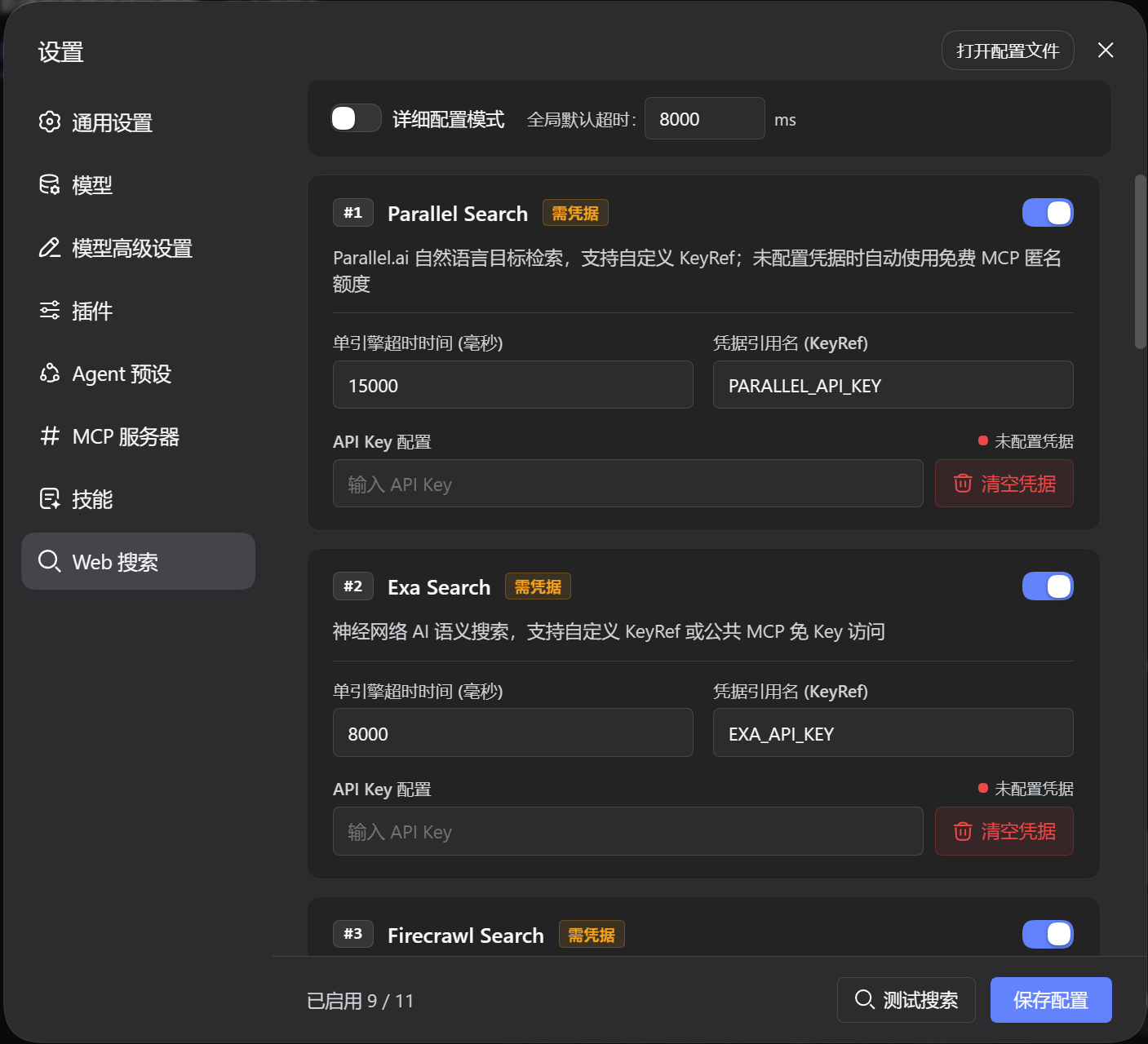
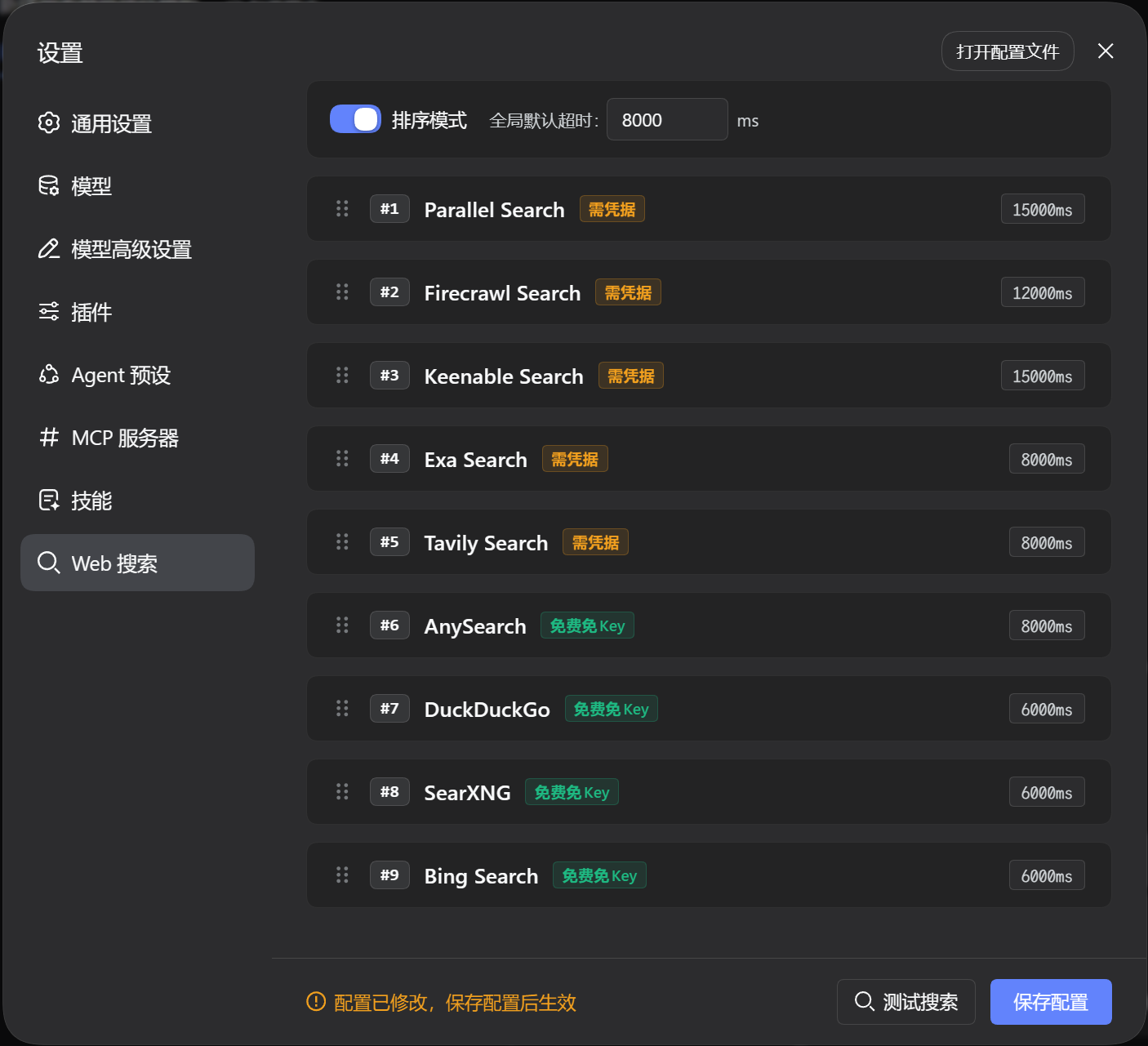
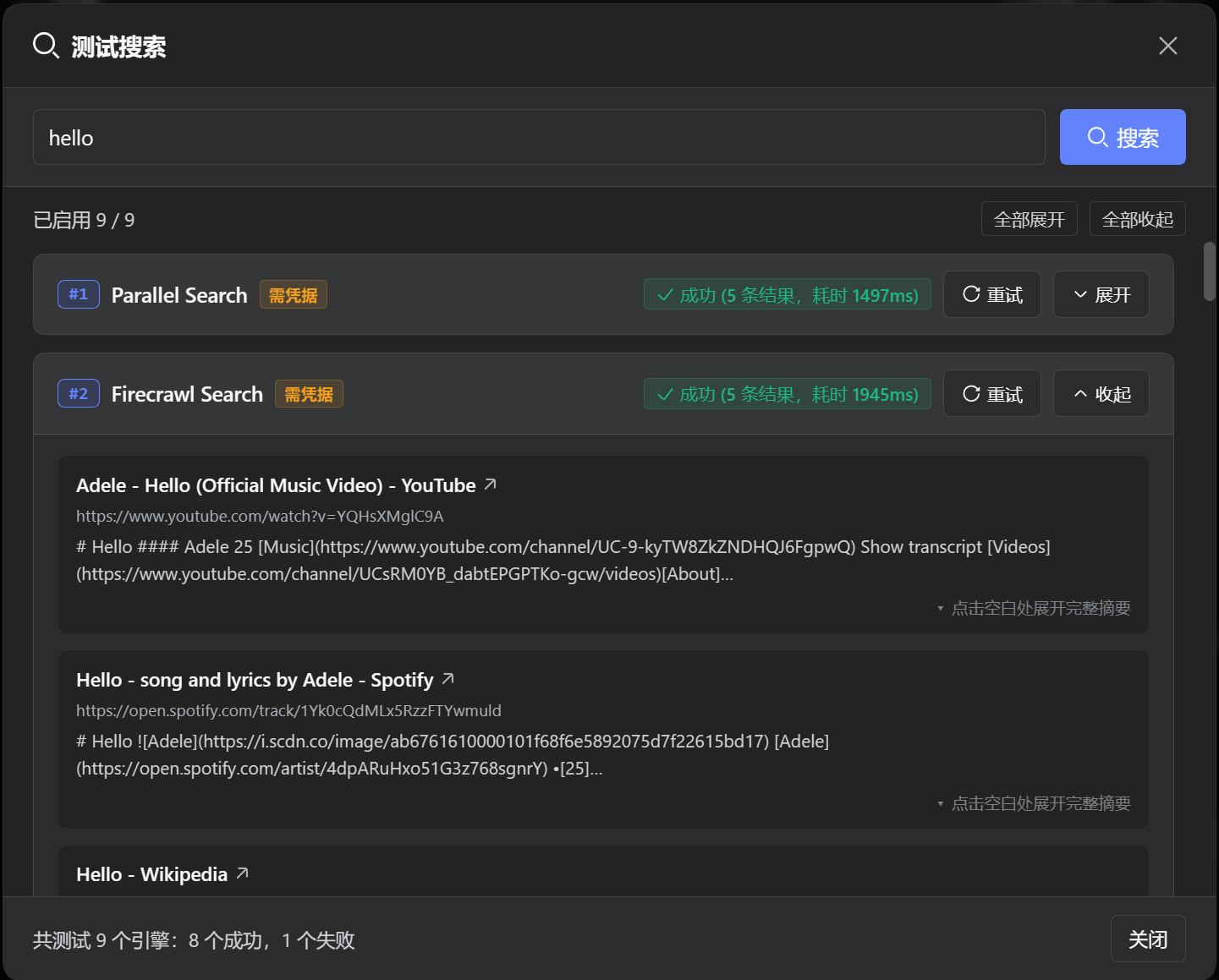
| Engine | ID | Type | Credential | Description |
|---|---|---|---|---|
| DeepSeek Official | deepseek | Bridge | Official plugin settings | Bridge to the official providers: deepseek-search-api (direct Search API) preferred, deepseek-official (Messages web_search) as fallback |
| Bing | bing | Free | None | Region/locale-driven web search |
| DuckDuckGo | ddg | Free | None | HTML primary channel with Lite fallback |
| SearXNG | searxng | Free | None | Rotates public instances or custom endpoints |
| Tavily | tavily | Keyed | TAVILY_API_KEY | High-quality API when keyed, shared channel when keyless |
| AnySearch | anysearch | Free | None | Keyless structured AI search |
| Exa | exa | Keyed | EXA_API_KEY | Neural search; REST when keyed, public MCP when keyless |
| Keenable | keenable | Keyed | KEENABLE_API_KEY | Real-time search; REST when keyed, free MCP when keyless |
| Firecrawl | firecrawl | Keyed | FIRECRAWL_API_KEY | Deep scraping; anonymous quota when keyless |
| Parallel | parallel | Keyed | PARALLEL_API_KEY | AI search; anonymous Streamable HTTP MCP when keyless |
| Perplexity | perplexity | Keyed | PERPLEXITY_API_KEY | Sonar generative search with source citations |
The
deepseekbridge reuses the official DeepSeek providers. DSH 0.2.1-rc.2 ships two:deepseek-search-api(one direct Search API request, no model turn, takes a result count) anddeepseek-official(a Messages turn with the nativeweb_searchserver tool). The bridge prefers the direct API and falls back to Messages search, skipping a registered provider only while another one reports itself usable — with neither configured it still picks one, so the missing-key error names the key instead of claiming nothing is registered.@deepseek-ai/dsh-webexposes no public "provider by id" accessor, so the bridge reads the web runtime's provider registry directly (one adapter,src/server/engines/deepseek.ts) and degrades to "engine unavailable" if that internal shape changes.
| Plugin Version | Compatible DSH Version | Notes |
|---|---|---|
| main (Current) | >= 0.2.1-rc.2 | Bridges both official DeepSeek providers (deepseek-search-api preferred); typed ctx.slots, credentials.describe() for key status, and ctx.storage.domain for configuration; cordis.patch.yml pins web.searchProvider declaratively |
Install directly from the GitHub dist branch (pre-built by CI, no local compilation needed):
dsh plugin --profile web add github:u9521/dsh-cust-search#dist
Then restart web (dsh web) and hard-refresh your browser (Cmd+Shift+R or Ctrl+F5). The configuration page lives on the plugin's own card: Plugins → Installed → @local/dsh-cust-search.
Pull the latest release using the dsh plugin update command:
dsh plugin --profile web update @local/dsh-cust-search
Then restart web and hard-refresh the browser.
Configuration is stored in an isolated user directory without modifying system settings:
~/.dsh/storages/cust_search.json (a ctx.storage.domain unit: { "unit": {...}, "global": {...}, "tables": {} })npm install -g pnpm^22.19 || >=24git clone https://github.com/u9521/dsh-cust-search.git ~/.dsh/plugins/dsh-cust-search
cd ~/.dsh/plugins/dsh-cust-search
pnpm install
pnpm run build
dsh plugin --profile web add ~/.dsh/plugins/dsh-cust-search
Then restart web (dsh web) and hard-refresh the browser.
Upgrading local sources only requires pulling the latest commit and rebuilding:
cd ~/.dsh/plugins/dsh-cust-search
git pull
pnpm run build
| Command | Description |
|---|---|
pnpm run build | Full build (tsc type check, then lib/ bundles; fails if the host artifact inlined a package the host already provides) |
pnpm run check | Type check only (tsc --noEmit) |
pnpm run lint | Full lint check (ESLint + TypeScript + Prettier) |
pnpm run lint:fix | Automatically fix ESLint rules and format code |
pnpm run fmt | Format source and config files with Prettier |
dsh plugin --profile web remove @local/dsh-cust-search
Restart web and hard-refresh the browser afterwards. If local sources are no longer needed:
rm -rf ~/.dsh/plugins/dsh-cust-search
MIT © 2026 u9521
DeepSeek Harness(DSH)Web 插件聚合生态包 · 一切皆插件,创意工坊分发(dsh-market.com)
把回答做成一页可视化 HTML:模型只写简短的 Markdown 草稿,随包附带的 `am` 命令行生成页面,支持流程图、时序图、树、时间线、ER 图、表格和提示框。
在 dsh 里装上这个插件即可,无需登录、注册或填 API Key,就能使用包括 Muse Spark 1.3、MiMo V2.6 在内的前沿模型——完全免费,不限量。 All you do is install this plugin in dsh: no login, no sign-up, no API key — the frontier models are just there, Muse Spark 1.3 and MiMo V2.6 among them. Completely free, with no usage cap.

