
dsh-web
zhu1090093659/dsh-webDeepSeek Harness(DSH)Web 插件聚合生态包 · 一切皆插件,创意工坊分发(dsh-market.com)

A DeepSeek Harness plugin to inspect Tableau workbooks (.twb): layout, lineage, metadata.DSH Tableau 工作簿检视器:在浏览器里查看 .twb 的 1:1 仪表板布局、字段引用关系与数据源/计算字段元数据(只读元数据,不解析 .twbx)。
A delivery tool for Tableau consultants. Inspect a workbook (
.twb) inside DeepSeek Harness — no Tableau Desktop, no license, no data: a 1:1 SVG dashboard layout you can hand to a client as a whiteboard file, a table-level data model showing how the tables are joined, a field-level lineage graph, and the custom SQL behind each datasource. Everything is parsed in your browser; a DeepSeek Harness (DSH) plugin that reads metadata only and never touches your data.
中文 · English
Workbooks are the hardest thing to explain about a Tableau deployment. You have a .twb file — from a client, a colleague, or your own archive — and you need to answer questions like:
<relation type='text'>) pulled out and listed, so you can confirm the query logic line by line instead of opening Tableau.Tableau Desktop shows you this by opening the workbook; DSH's plugin shows it in the browser, instantly, with no license and no data.
.twb to replace it.p0.00% → 6.40%, C2052 → ¥50,000) instead of the raw float64 stored in the file (0.064000000000000001); the raw value stays visible for verification.<relation type='text'> is extracted, listed per datasource and copyable, so agreeing on the query logic takes one screen instead of a Tableau session.Esc to exit); layout and lineage refit automatically..twb only, .twbx is refused by design| Format | What it contains | This plugin |
|---|---|---|
.twb | Metadata only — XML with connection info, field definitions, calculation formulas, dashboard zone layout. No data rows. | ✅ Supported |
.twbx | A zip package that can embed data extracts (.hyper / .tde), images, and more | ❌ Refused on purpose |
Refusing .twbx is a deliberate security decision: a packaged workbook can carry your full dataset, and pulling that into an inspection flow widens the data-exposure surface for no benefit. The plugin only ever reads data-free .twb metadata. If you pick a .twbx you get an explicit message telling you to Save As → .twb in Tableau.
Where it lives — a panel row in the left sidebar; the viewer opens as a full page beside your conversation
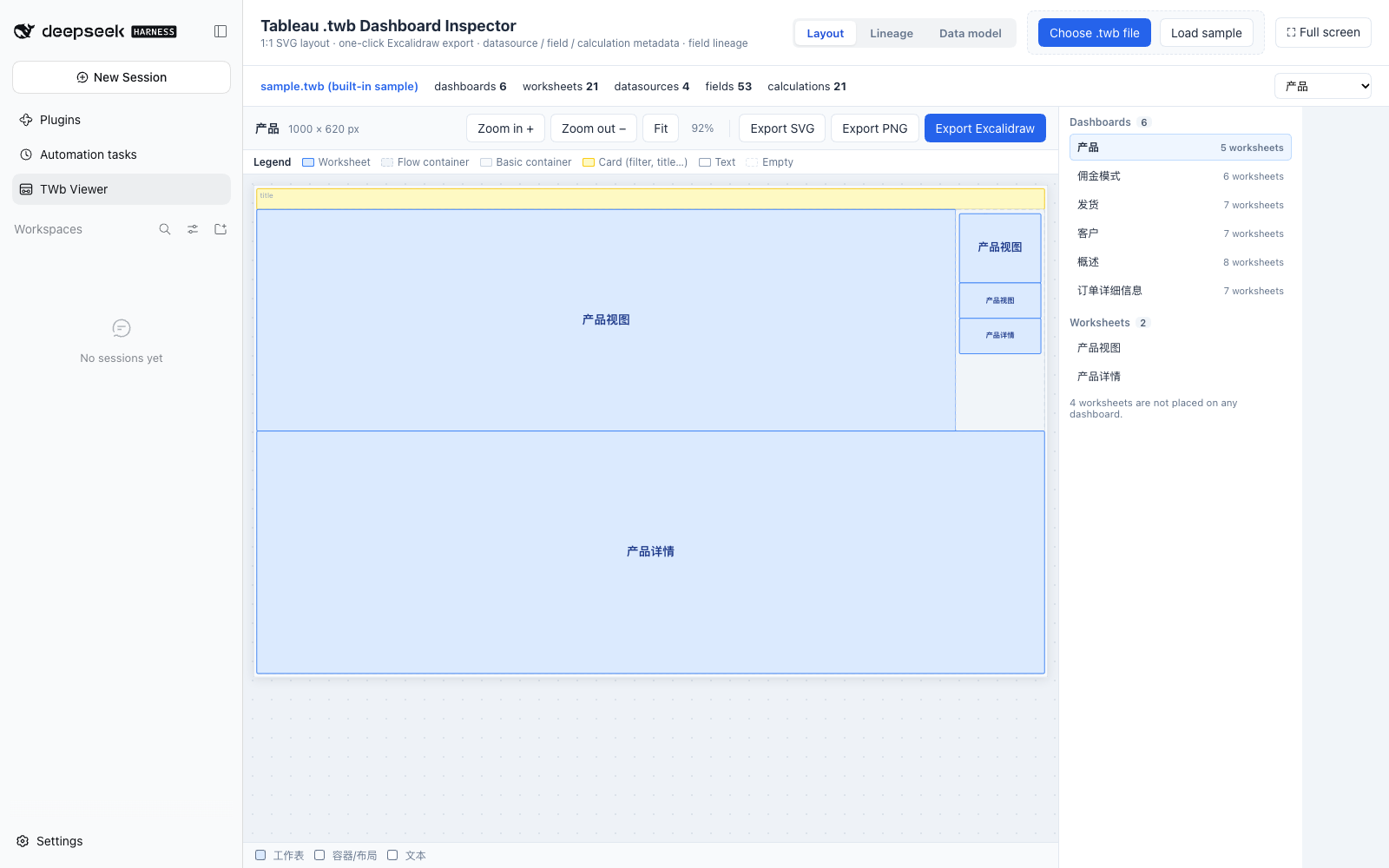
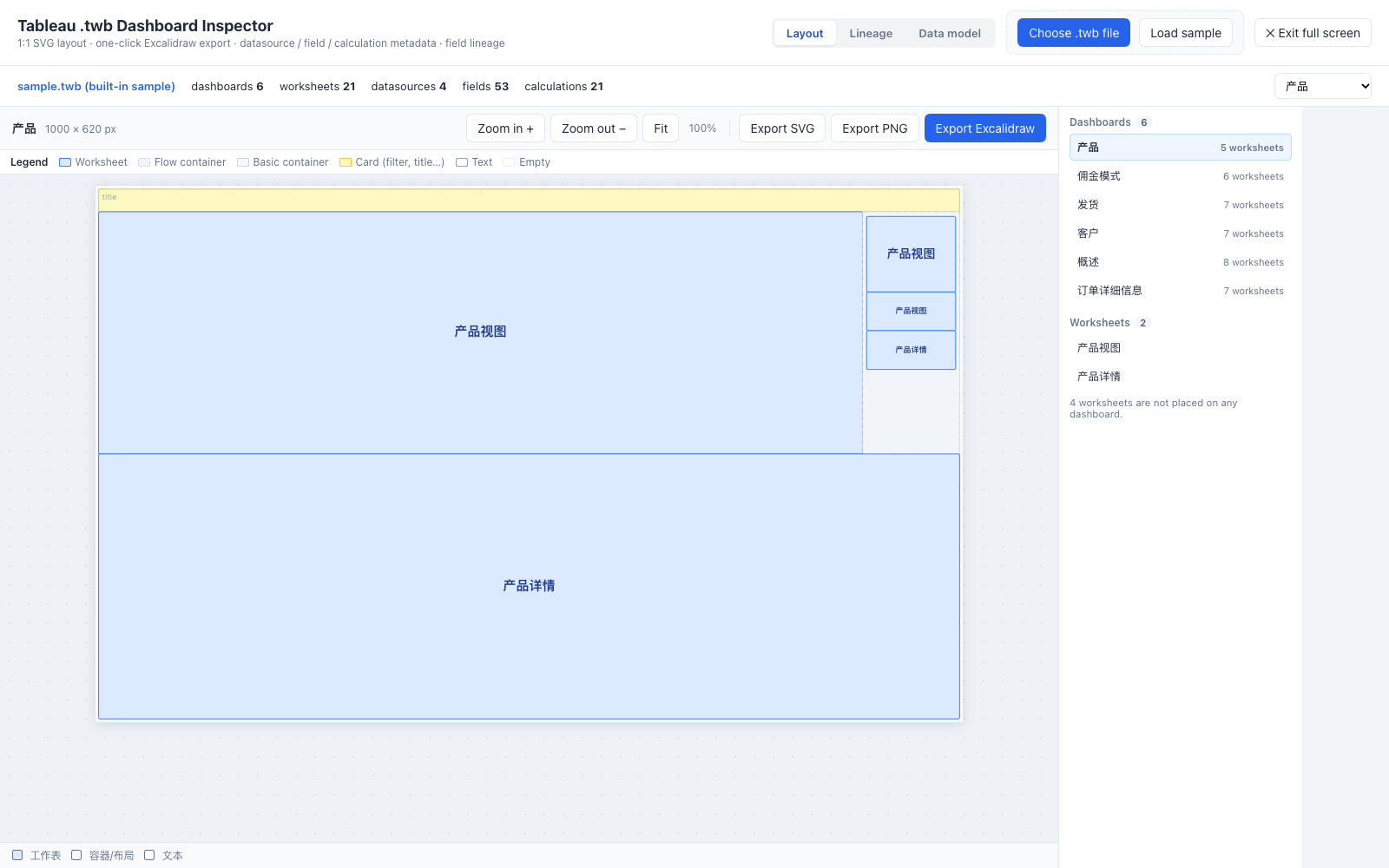
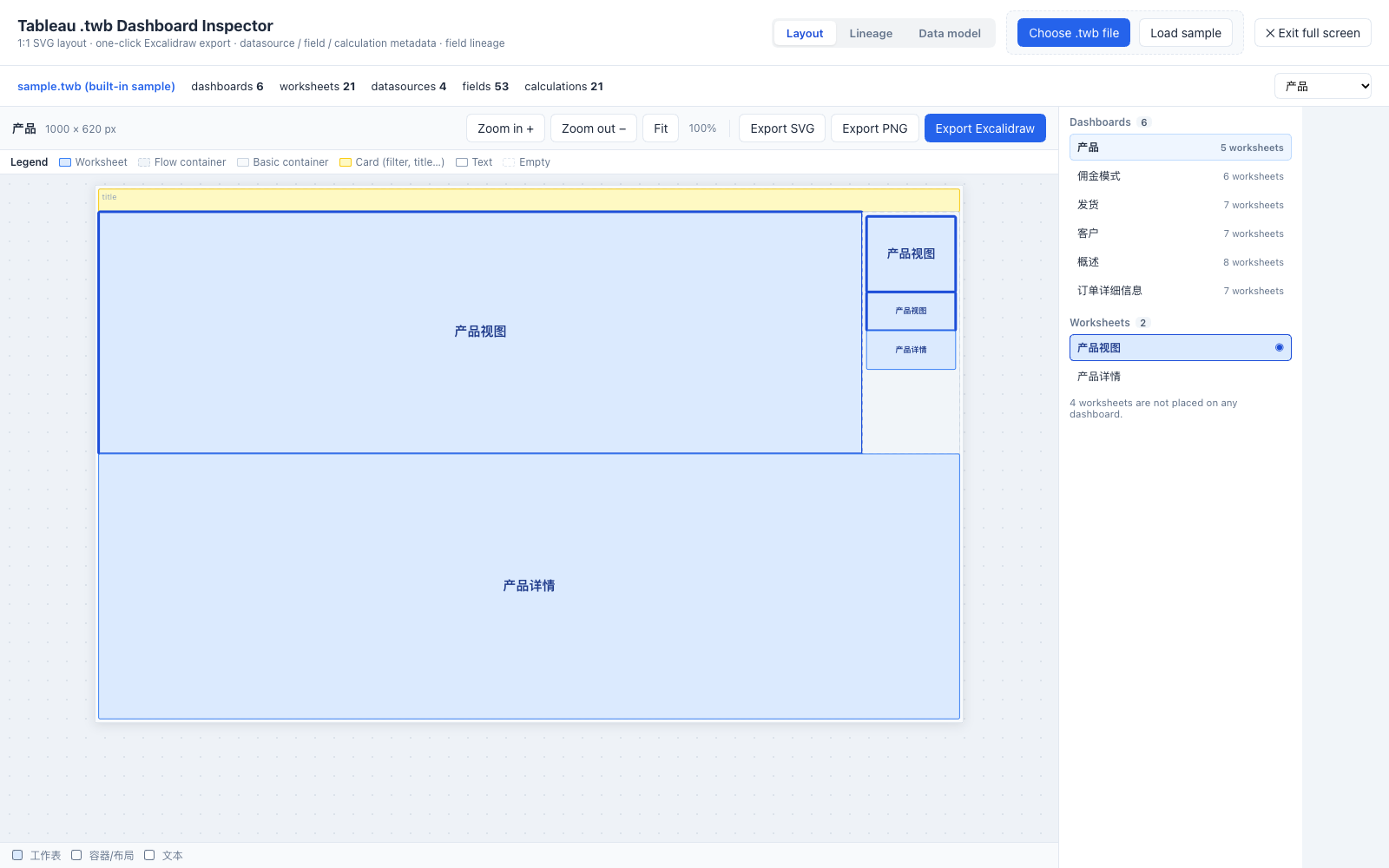
Dashboard layout — 1:1 SVG rendering of every zone, with SVG / PNG / Excalidraw export
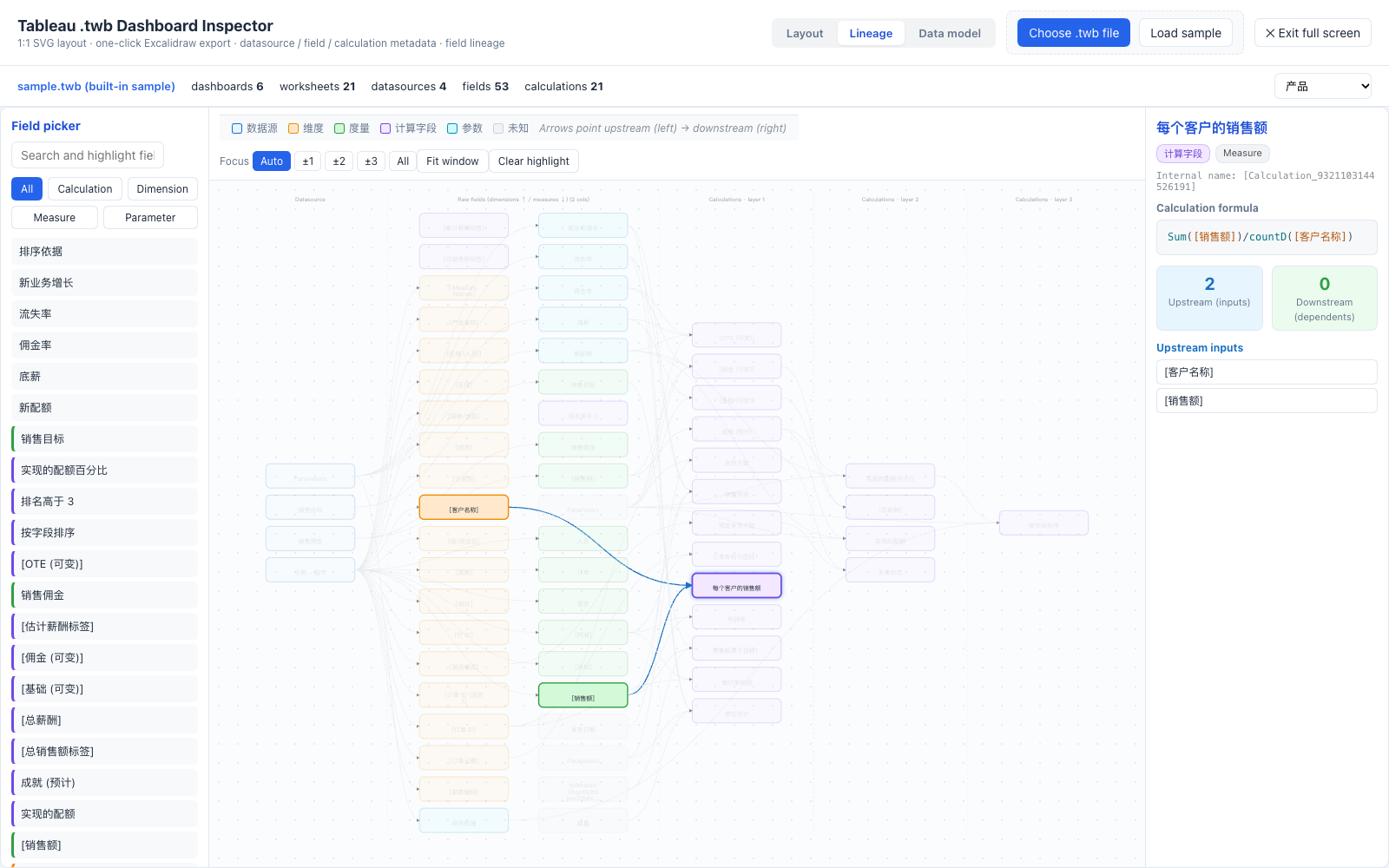
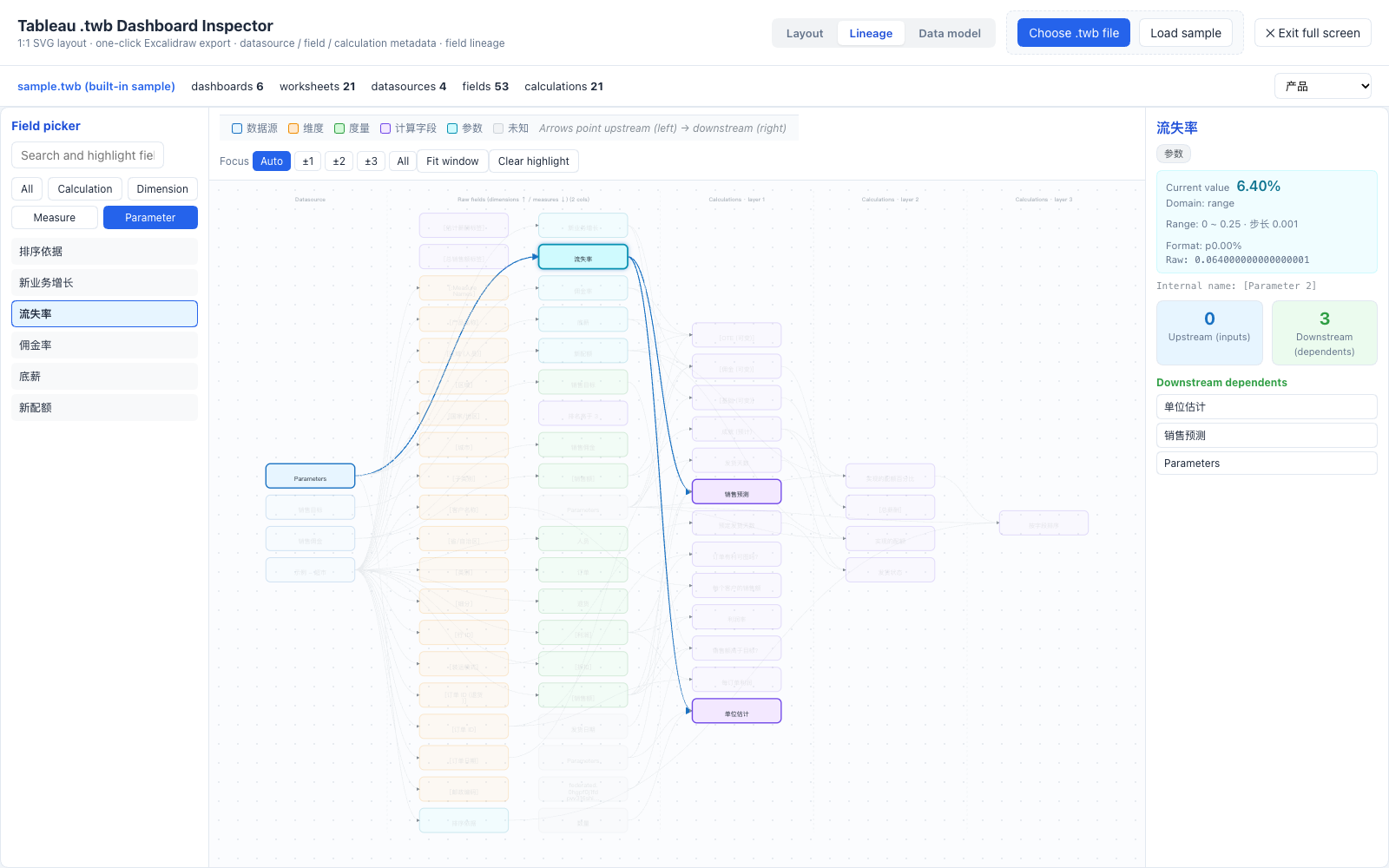
Field lineage — datasource → raw fields → calculated fields; click a node for up/downstream
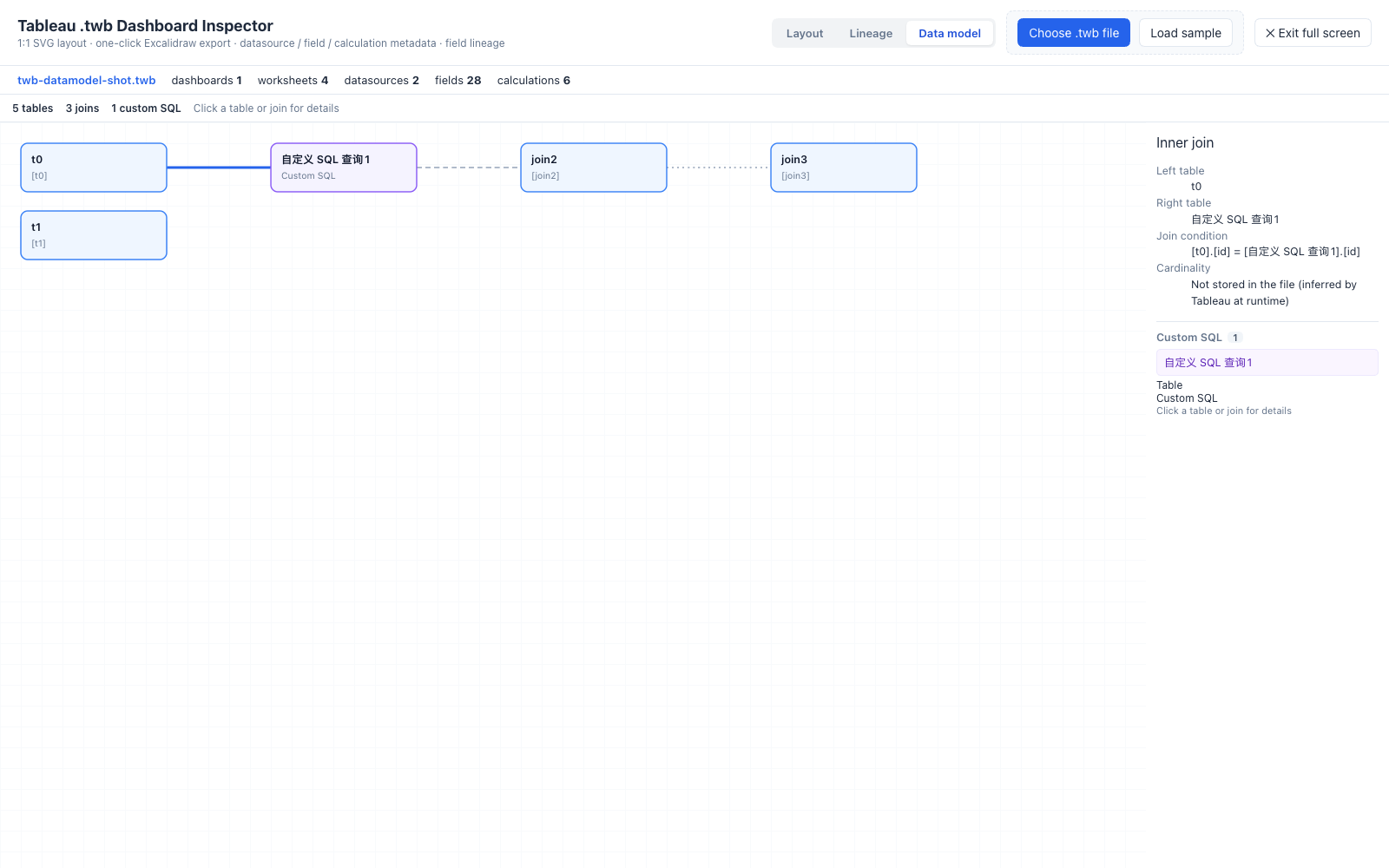
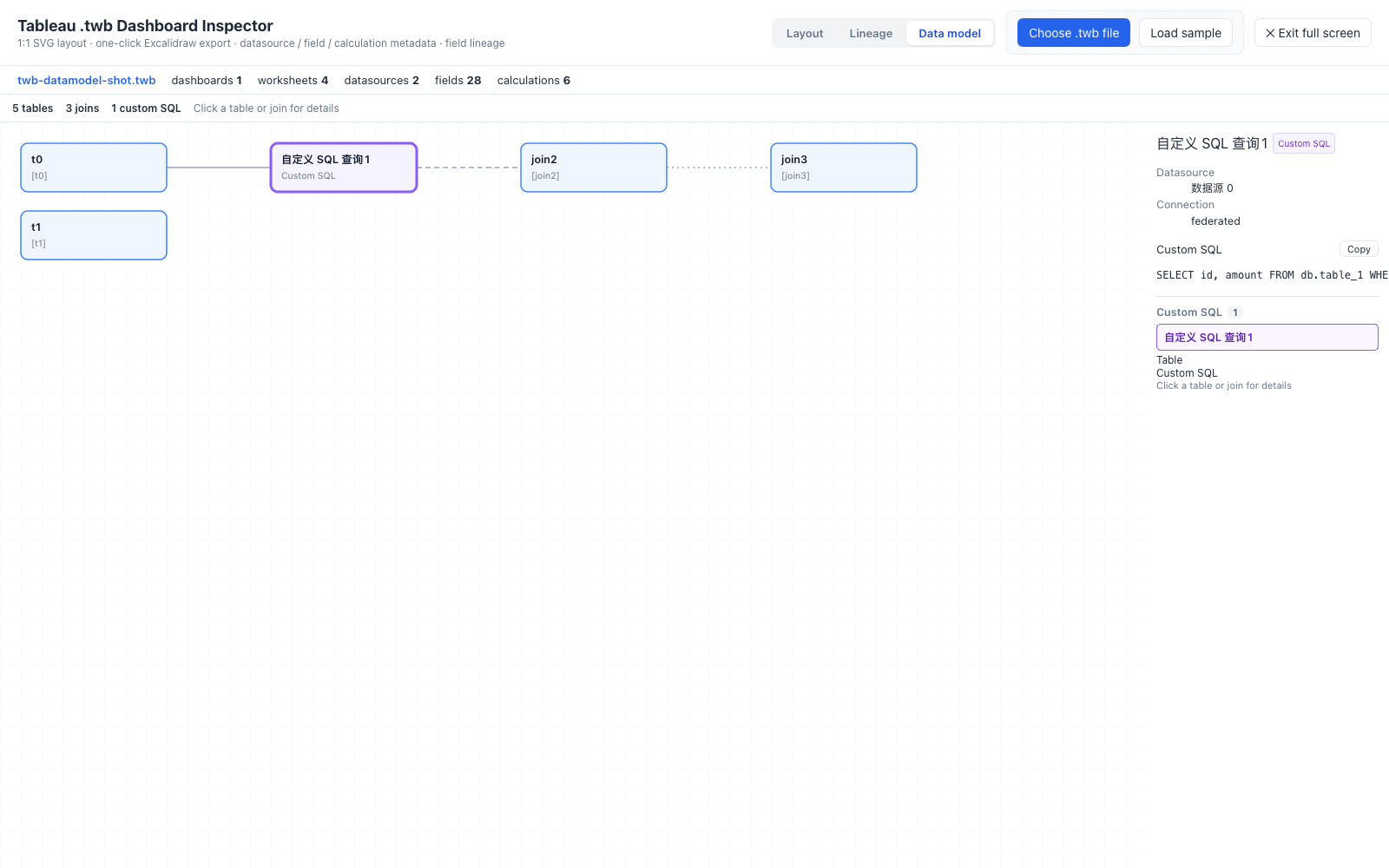
Data model — tables, join types, ON conditions and cardinality (synthetic workbook; client files never leave the machine)
Parameters — current values formatted the way the workbook formats them, raw values kept for verification
Custom SQL — every custom query in one list, ready for scope confirmation
Workbook panel — dashboards and worksheets only: click a dashboard to switch, a worksheet to jump to where it is used
Requires a working DSH Web setup (dsh web). Installing a plugin writes into $DSH_HOME/profiles/web and restarts with dsh web.
dsh plugin --profile web add github:tableau-China/dsh-tableau-twb-viewer
Every release ships an installable tarball — see Releases:
dsh plugin --profile web add https://github.com/tableau-China/dsh-tableau-twb-viewer/releases/download/v0.2.0/dsh-tableau-twb-viewer-0.2.0.tgz
dsh plugin --profile web add dsh-tableau-twb-viewer
git clone https://github.com/tableau-China/dsh-tableau-twb-viewer.git
dsh plugin --profile web add ./dsh-tableau-twb-viewer
Restart
dsh webafter installing — the client plugin list is scanned at boot. Uninstall withdsh plugin --profile web remove dsh-tableau-twb-viewer.
.twb onto the uploader.Esc or ✕ Exit full screen to come back.| Symptom | Fix |
|---|---|
| No "TWb Viewer" row in the sidebar | Restart dsh web, then hard-refresh the browser tab (Cmd+Shift+R / Ctrl+F5) — the tab may still run the pre-install bundle. |
| "This is not a valid Tableau workbook" | The file must be a .twb (XML). If you only have a .twbx, open it in Tableau and Save As → .twb. |
A .twbx was refused | Working as intended — see Data safety. |
| Very large workbook feels slow | The lineage graph already auto-focuses above 1,200 nodes; use the Focus control (±1 hop) to narrow further. |
npm install              # esbuild / xmldom / puppeteer-core (dev-only)
npm run build            # src/ -> lib/client.js (DSH ModuleLoader bundle)
npm run verify           # snapshot tests: parse / graph / layout / tokenizer baselines
npm run verify:update    # regenerate baselines after an intended change
npm run verify:reference # optional: byte-for-byte diff against the original implementation
npm run bench            # performance curve + O(n²) regression guard
npm run gen-css          # regenerate the scoped stylesheet from the source CSS
End-to-end test in a real browser (needs local Chrome and dsh on PATH):
./test/e2e-boot.sh 3199     # terminal A: boots an isolated DSH instance, prints a token URL
TWB_URL="http://127.0.0.1:3199/?token=..." npm run e2e   # terminal B: headless Chrome, 72 assertions

# also verify large-workbook focus behaviour
TWB_LARGE_FIELDS=1500 TWB_URL="..." npm run e2e
npm 11.16+ blocks dependency build scripts by default;
package.jsoncarries an explicitallowScriptsentry foresbuild, otherwisenpm installleaves esbuild without its binary.
dsh-tableau-twb-viewer/
├── package.json           # dsh.bundle (config layer) + dsh.client (web plugin declaration)
├── cordis.patch.yml       # bundle patch: inserts the plugin row
├── index.js               # Node half: serves the built-in sample route (lazy, degradable)
├── src/
│   ├── parser.js          # .twb XML parsing (dashboard zones / datasources / fields / formulas)
│   ├── graph.js           # lineage graph + layered layout + up/downstream reachability
│   ├── formula.js         # calculation formula tokenizer / highlighter
│   ├── app.jsx            # all UI components + plugin entry (settings.section)
│   ├── plugin.css         # plugin-owned styles (full screen, focus control)
│   └── style.css          # scoped app styles (.twb-root prefix, generated by gen-css.mjs)
├── build.mjs              # esbuild -> lib/client.js (ModuleLoader factory format)
├── lib/client.js          # build artifact (shipped)
└── test/                  # snapshot tests, benchmark, headless-Chrome e2e
| DSH version | Status |
|---|---|
0.1.0-rc.6 | ✅ development baseline (first release) |
0.2.1-alpha.2 | ✅ verified end-to-end (72 assertions incl. zh/en switching, data model, custom SQL, auto-loaded sample, large-graph focus) |
Install mechanisms used: dsh.bundle.patch (makes the package a loaded plugin row) and
dsh.client with an exported ./client bundle (injected into the browser module graph by
client-modules). The UI registers itself into the settings.section slot, and the Node half
uses the webServer service for the sample route.
Yupeng Wu (@tableau-China) — Tableau & data-visualisation practitioner.
DeepSeek Harness(DSH)Web 插件聚合生态包 · 一切皆插件,创意工坊分发(dsh-market.com)
把回答做成一页可视化 HTML:模型只写简短的 Markdown 草稿,随包附带的 `am` 命令行生成页面,支持流程图、时序图、树、时间线、ER 图、表格和提示框。
在 dsh 里装上这个插件即可,无需登录、注册或填 API Key,就能使用包括 Muse Spark 1.3、MiMo V2.6 在内的前沿模型——完全免费,不限量。 All you do is install this plugin in dsh: no login, no sign-up, no API key — the frontier models are just there, Muse Spark 1.3 and MiMo V2.6 among them. Completely free, with no usage cap.

