
dsh-web
zhu1090093659/dsh-webDeepSeek Harness(DSH)Web 插件聚合生态包 · 一切皆插件,创意工坊分发(dsh-market.com)

ForCNFps: pixel-art FPS warm-up arcade for DeepSeek Harness (dsh) — Schulte / Aim trainer / CS angle-holding, with CS2 & Valorant sensitivity conversion
DeepSeek Harness 插件:等智能体干活的时候,在右侧栏练练枪。
一个像素风的 FPS 练手小游戏合集,装好后出现在 DeepSeek Harness(dsh)右侧栏。任务在跑时顶部会提示「智能体干活中」,跑完提示「任务完成了」,玩两局刚好等到结果。
| 选单 | 瞄准训练 | 架枪训练 | 结算 | 灵敏度 |
|---|---|---|---|---|
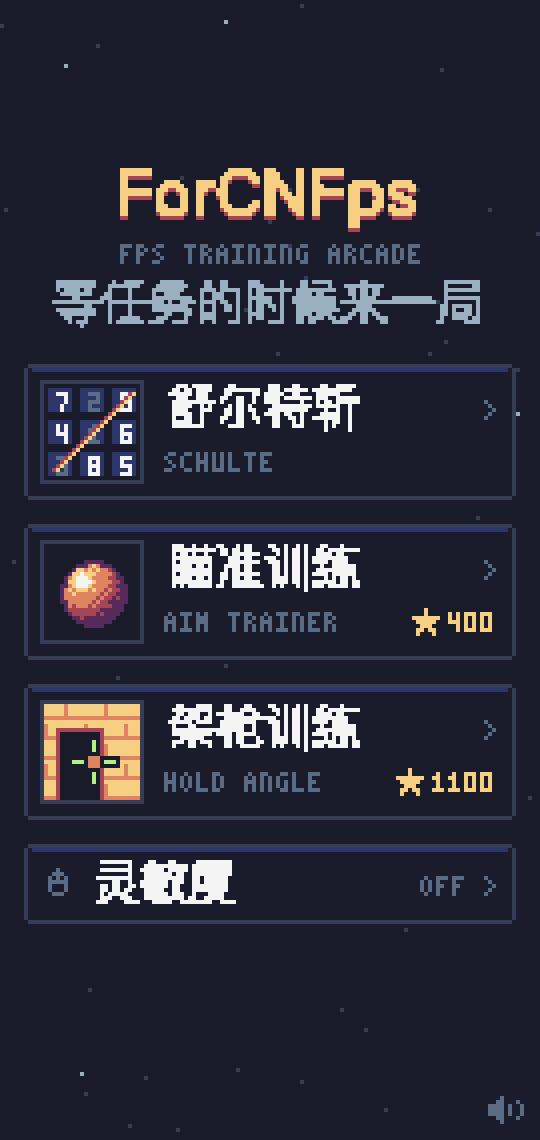 | 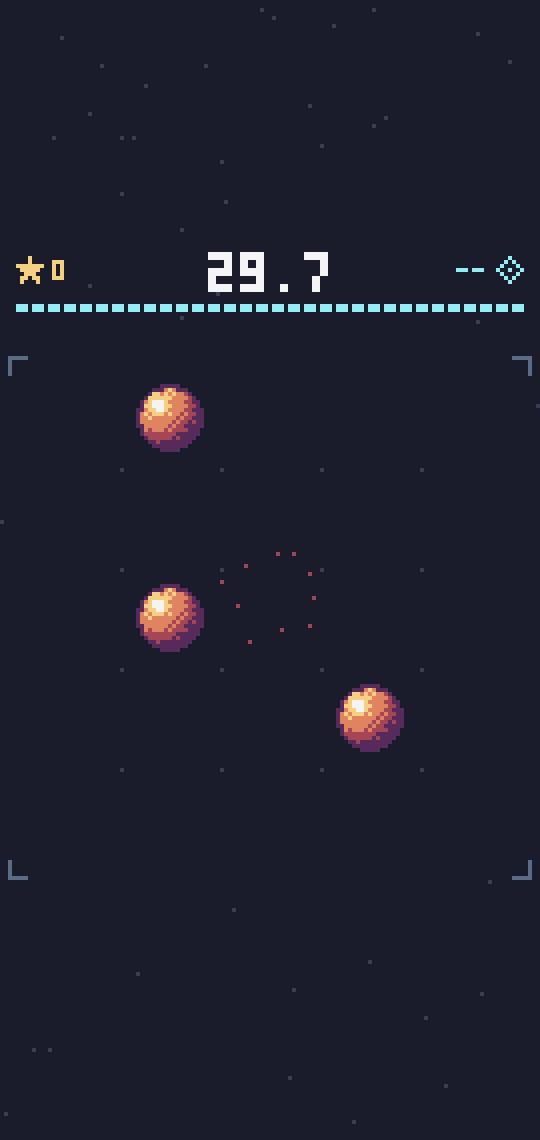 | 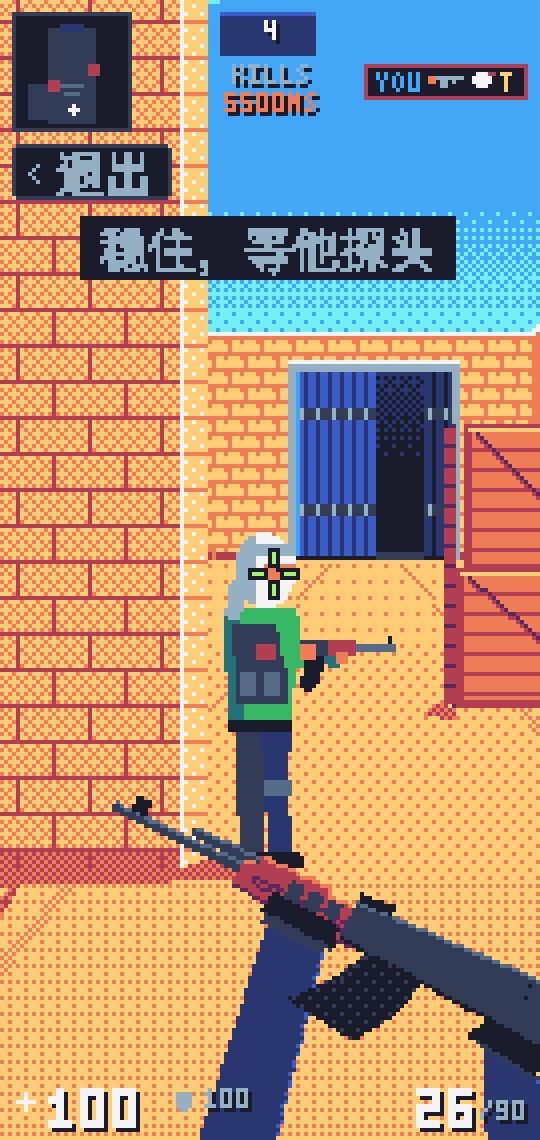 | 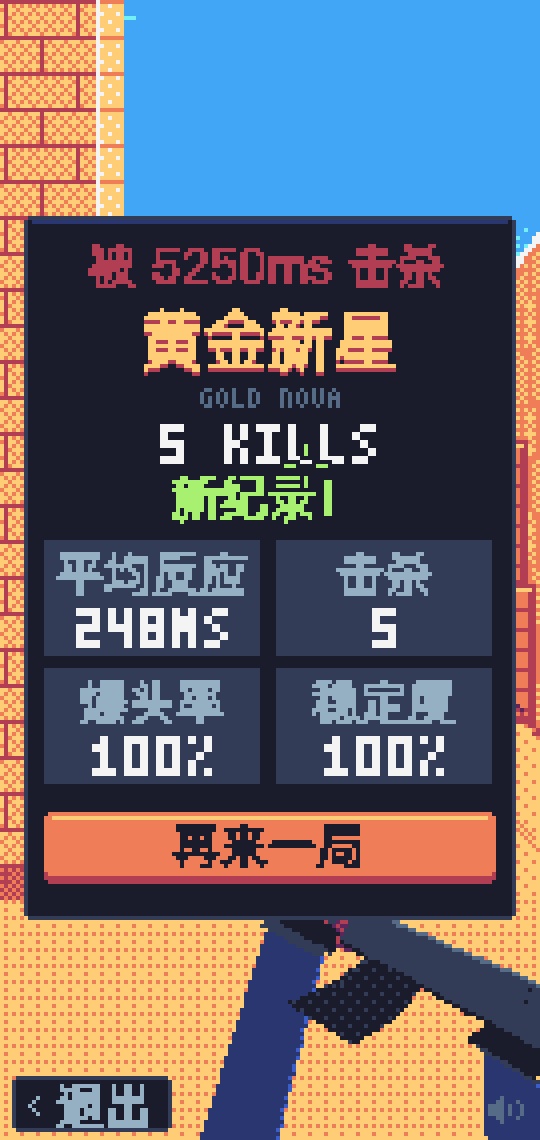 |  |
CN FPS 的惨状大家有目共睹:瓦罗兰特上海冠军赛,CN 队伍一胜难求;CN CS 的处境,甚至还不如 CN 瓦。
为了 CN FPS 的崛起,我把目光投向了一群人——程序员。他们是每天坐在电脑前时间最长的人,鼠标就在手边,而且现在多了大把「等模型回复」的空档:看着智能体思考、跑命令、改代码,干等着也是等着。
于是有了 ForCNFps:在 DeepSeek Harness 的右侧栏里,用这些无聊的碎片时间磨练准星、反应和架枪的基本功。也许有朝一日,真能为 CN FPS 作出一点贡献。
三个游戏里都有「‹ 退出」按钮,也可以按 ESC 回到选单(鼠标锁定时第一下 ESC 是解锁,再按一下退出)。
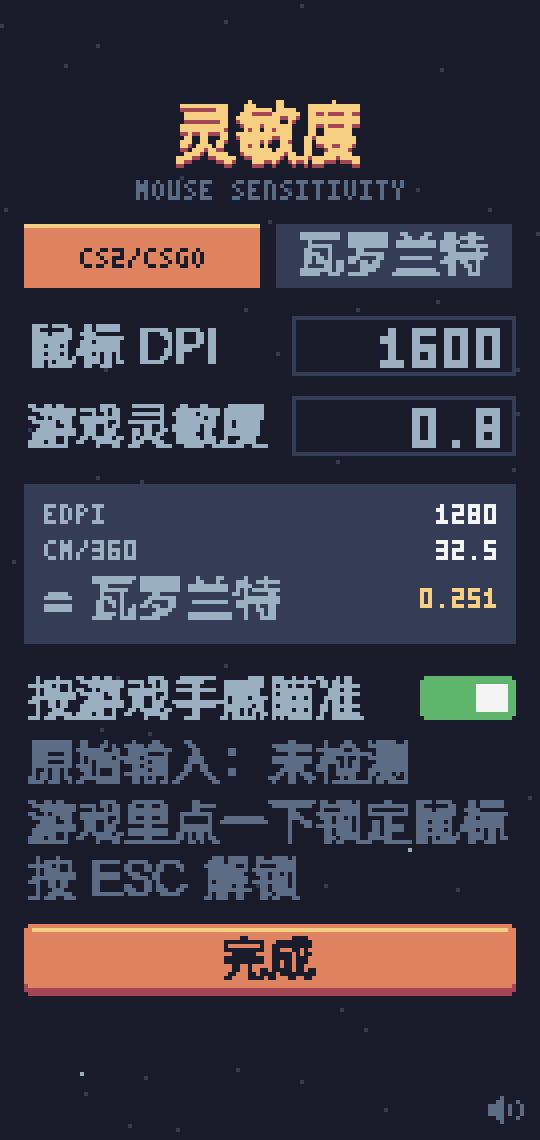
选单底部「灵敏度」里填鼠标 DPI 和你在 CS2/CSGO 或 瓦罗兰特 里的灵敏度:
选单里点「排行榜」可以看三个游戏的全球榜(每人每个游戏只留最好的一条),点「上传我的最佳」会打开一个填好成绩的 GitHub 新建 Issue 页面,用你的 GitHub 账号点 Submit new issue 就行。仓库里的 GitHub Actions 机器人会审核成绩、更新 leaderboard.json,然后回复名次并关闭 Issue,大约 1 分钟后插件里就能看到。
游戏完全跑在浏览器里,校验只能挡住随手改数字,挡不住专门研究代码的人;每条成绩都挂着 GitHub 账号、提交记录公开可查,发现作弊会直接删榜。审核逻辑在 scripts/leaderboard.mjs。
需要 Node.js(npx 会自动下载 dsh)。
网页版 / 命令行:
npx @deepseek-ai/dsh plugin --profile web add github:mixx993/dsh-forcnfps
装好后重新启动 npx @deepseek-ai/dsh web,打开对话右侧栏,在开始页点「ForCNFps」。
桌面版:桌面版用自己的配置,要先 完全退出(macOS 按 ⌘Q),再用桌面版自带的命令安装:
"/Applications/DeepSeek Harness.app/Contents/Resources/runtime/cli/bin/dsh" plugin --profile desktop add github:mixx993/dsh-forcnfps
如果你已经在桌面版设置里装了 dsh 命令,直接 dsh plugin --profile desktop add github:mixx993/dsh-forcnfps 也行。然后重新打开桌面版。
卸载:把上面命令里的 add github:mixx993/dsh-forcnfps 换成 remove dsh-forcnfps。
已在 macOS 上验证:dsh 网页版 0.1.5-rc.3、桌面版 0.2.0-rc.2。dsh 还在开发者预览期,接口可能变动,遇到装不上或白屏请提 issue。
不需要安装依赖,只用到 Node 自带的模块。
git clone https://github.com/mixx993/dsh-forcnfps.git
cd dsh-forcnfps
python3 -m http.server 4321 --directory games   # 浏览器打开 http://localhost:4321/hub.html,窗口拉窄到 270 宽左右就是侧栏的样子
npm run build                                    # 改完后打包出 client.js
npx @deepseek-ai/dsh plugin --profile web add link:$(pwd)   # 用本地目录安装,之后每次 build 完重启 dsh 即可
架枪训练地址加 ?slow 时敌人反应时间 ×10,并暴露 window.__hold() 方便调试。
package.json        dsh 字段声明这是个带网页端的插件;exports["./client"] 指向 client.js
cordis.patch.yml    往 dsh 配置里插一行,按包名加载本插件
index.js            服务端一半(空的,游戏全在浏览器里跑)
src/client.src.js   网页端源码:注册右侧栏标签页,选单 / 游戏切换,顶部状态栏
games/pixelkit.js   像素页面共用工具:低分辨率画布、Sweetie 16 调色板、点阵字、中文像素字、8-bit 音效、准星、灵敏度换算与鼠标锁定
games/hub.html      ForCNFps 选单 + 灵敏度设置
games/aim.html      瞄准训练
games/hold.html     架枪训练
games/schulte.html  舒尔特斩(单文件打包产物)
scripts/leaderboard.mjs  排行榜机器人:校验成绩、更新 leaderboard.json、回复 Issue(由 .github/workflows/leaderboard.yml 触发)
leaderboard.json    线上排行榜数据(机器人维护,别手改)
scripts/build.mjs   内联 pixelkit,把各页面填进源码,包成 dsh 网页端认的模块格式,输出 client.js
client.js           打包产物,已提交,方便直接从 GitHub 安装
加新游戏:做成单文件 HTML 放进 games/(像素风的可以引用 pixelkit.js),在 src/client.src.js 的 GAMES、scripts/build.mjs 的 pages、games/hub.html 的 GAMES 里各加一项。
MIT。配色来自 GrafxKid 的 Sweetie 16 调色板。
Why: Chinese FPS esports has been having a rough time — wins are hard to come by for CN teams on the Valorant and CS world stages. Programmers spend more hours at a computer than almost anyone, and AI agents now hand them plenty of idle seconds waiting for replies. ForCNFps turns those seconds into aim, reaction and angle-holding practice — a small bet on the rise of CN FPS.
ForCNFps is a DeepSeek Harness plugin that adds a pixel-art FPS warm-up arcade to the right sidebar, so you can practice while the agent works. It includes a Schulte-grid slasher, an Aim Lab–style Gridshot trainer, and a CS-style angle-holding trainer that scores stability, reaction time and headshot rate. A sensitivity page converts your mouse DPI and CS2/Valorant sensitivity into eDPI and cm/360, and uses Pointer Lock (raw input when available) so crosshair movement matches your in-game feel.
Install: npx @deepseek-ai/dsh plugin --profile web add github:mixx993/dsh-forcnfps, restart dsh web, then open the right sidebar and pick "ForCNFps". MIT licensed.
DeepSeek Harness(DSH)Web 插件聚合生态包 · 一切皆插件,创意工坊分发(dsh-market.com)
把回答做成一页可视化 HTML:模型只写简短的 Markdown 草稿,随包附带的 `am` 命令行生成页面,支持流程图、时序图、树、时间线、ER 图、表格和提示框。
在 dsh 里装上这个插件即可,无需登录、注册或填 API Key,就能使用包括 Muse Spark 1.3、MiMo V2.6 在内的前沿模型——完全免费,不限量。 All you do is install this plugin in dsh: no login, no sign-up, no API key — the frontier models are just there, Muse Spark 1.3 and MiMo V2.6 among them. Completely free, with no usage cap.

