
dsh-web
zhu1090093659/dsh-webDeepSeek Harness(DSH)Web 插件聚合生态包 · 一切皆插件,创意工坊分发(dsh-market.com)

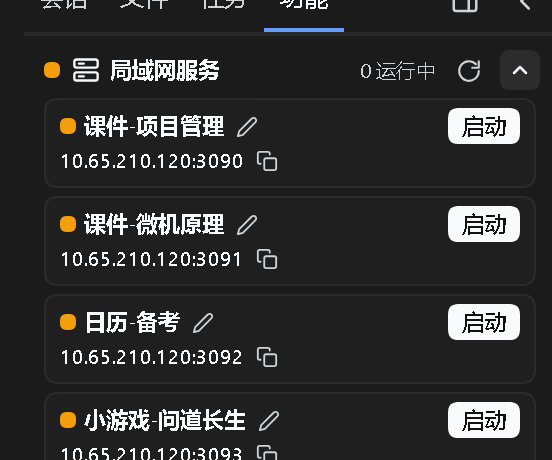
LAN service manager: probes ports 3090-3099, lists titles and LAN URLs, one-click start/stop · 局域网服务管理器:探测 3090~3099 端口段的本地 HTTP 服务,一键启停
中文 | English
左栏家族:文件树、文件打开、工具 Tab、局域网服务、长期任务
前置:先装 dsh-vk-suite。
| 目录 | 作用 |
|---|---|
dsh-files-tree | 左栏文件 Tab,以及输入区 @ 文件选择 |
dsh-files-open | 在右栏打开任意本机文件 |
dsh-extensions-panel | 左栏「工具」Tab:局域网服务与移动端访问的开关卡片 |
dsh-lan-services | 探测 3090~3099 端口的本地服务,列出标题与局域网网址,一键启停 |
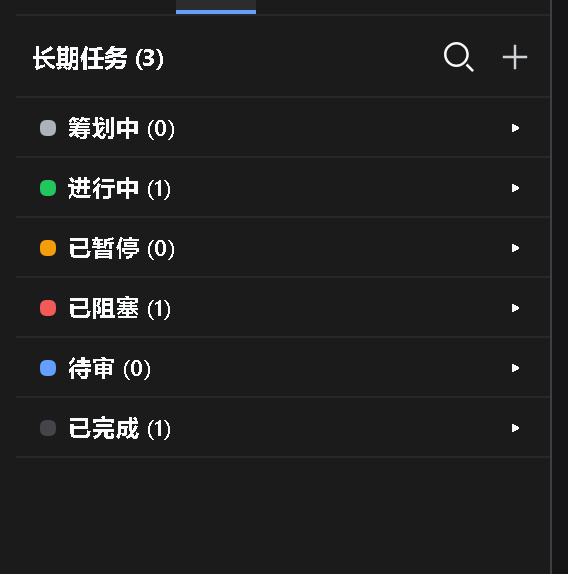
dsh-lt-tasks | 多窗口长期任务管理:一个任务 = 一个持久文件夹 |
| 版本 | 对应 DSH | 说明 |
|---|---|---|
v0.1.3 | 0.1.7 | 本次同步:右栏两轴分格、骨架与左右栏的这批改动 |
v0.1.2 | 0.1.7 | 0.1.7 线的上一版 |
v0.1.0 | 0.1.6 | 0.1.6 线的最后一版,保留可用、不再更新 |
# 只装其中一个包
dsh plugin --profile web add file:<本仓库>/dsh-files-tree
整族一次装完(Windows PowerShell):
./install.ps1
不克隆仓库、直接从 Release 装(一行一个包):
dsh plugin --profile web add "https://github.com/Ln1m/dsh-side-suite/releases/download/v0.1.3/dsh-files-tree-0.1.3.tgz"
dsh plugin --profile web add "https://github.com/Ln1m/dsh-side-suite/releases/download/v0.1.3/dsh-files-open-0.1.3.tgz"
dsh plugin --profile web add "https://github.com/Ln1m/dsh-side-suite/releases/download/v0.1.3/dsh-extensions-panel-0.1.3.tgz"
dsh plugin --profile web add "https://github.com/Ln1m/dsh-side-suite/releases/download/v0.1.3/dsh-lan-services-0.1.2.tgz"
dsh plugin --profile web add "https://github.com/Ln1m/dsh-side-suite/releases/download/v0.1.3/dsh-lt-tasks-0.7.2.tgz"
装的时候若报 UNABLE_TO_VERIFY_LEAF_SIGNATURE(国内出口证书注入,Node 默认不读系统证书库),先执行 $env:NODE_OPTIONS='--use-system-ca' 再装。
装完重启 web 实例。每个包目录里还有它自己的 README。

MIT
DeepSeek Harness(DSH)Web 插件聚合生态包 · 一切皆插件,创意工坊分发(dsh-market.com)
把回答做成一页可视化 HTML:模型只写简短的 Markdown 草稿,随包附带的 `am` 命令行生成页面,支持流程图、时序图、树、时间线、ER 图、表格和提示框。
在 dsh 里装上这个插件即可,无需登录、注册或填 API Key,就能使用包括 Muse Spark 1.3、MiMo V2.6 在内的前沿模型——完全免费,不限量。 All you do is install this plugin in dsh: no login, no sign-up, no API key — the frontier models are just there, Muse Spark 1.3 and MiMo V2.6 among them. Completely free, with no usage cap.

