
dsh-web
zhu1090093659/dsh-webDeepSeek Harness(DSH)Web 插件聚合生态包 · 一切皆插件,创意工坊分发(dsh-market.com)

dsh plugin: flexible model switch for sub‑agent & plan execution. 为子代理和计划执行选择更合适的模型。
English | 中文
Use the right model for each stage of work in DeepSeek Harness.
The main conversation, subagents, and plan execution serve different purposes. dsh-model-switch lets each of them use a suitable model without changing the normal DSH workflow.
GPT-5.6 Sol 1M Max.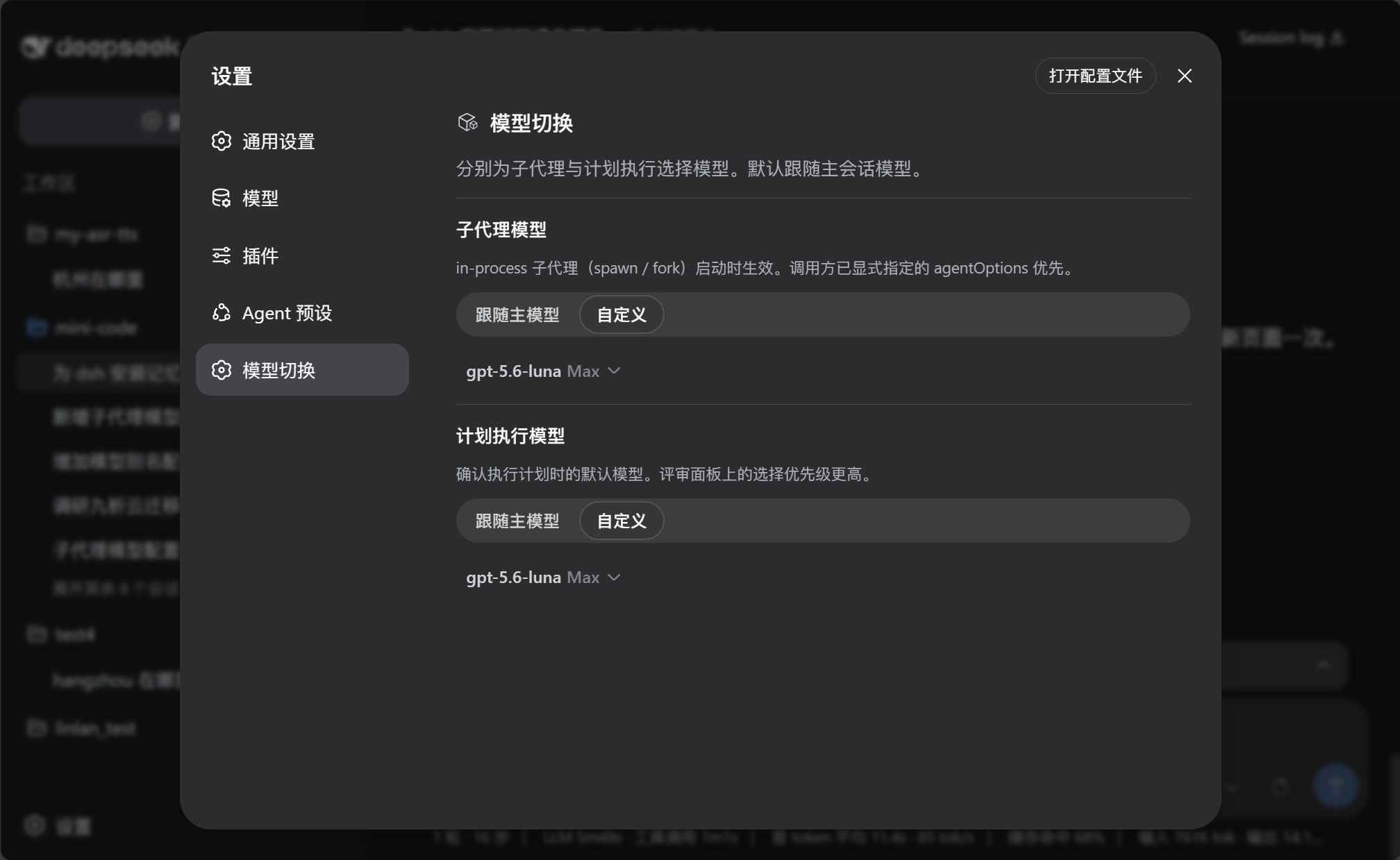
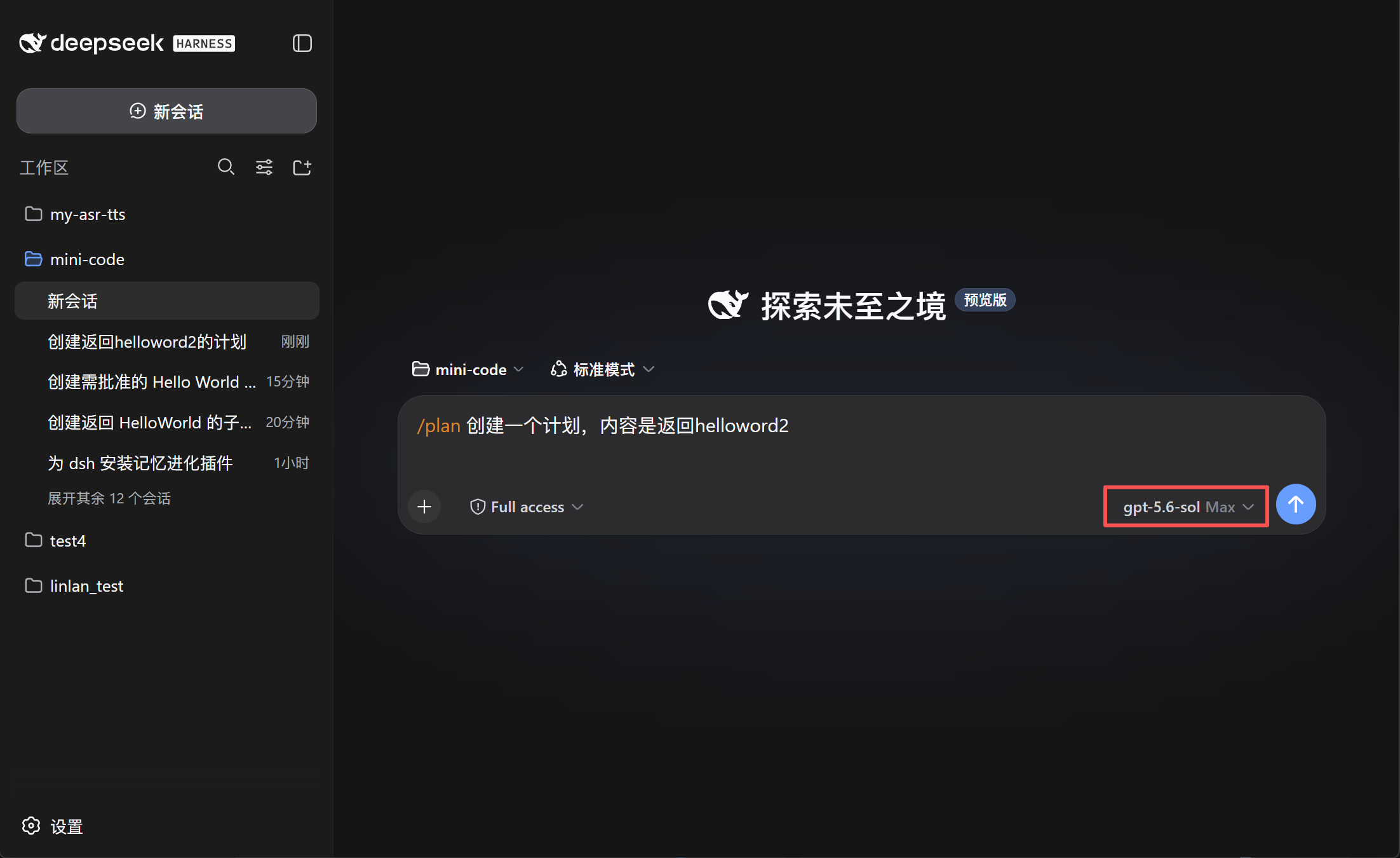 | 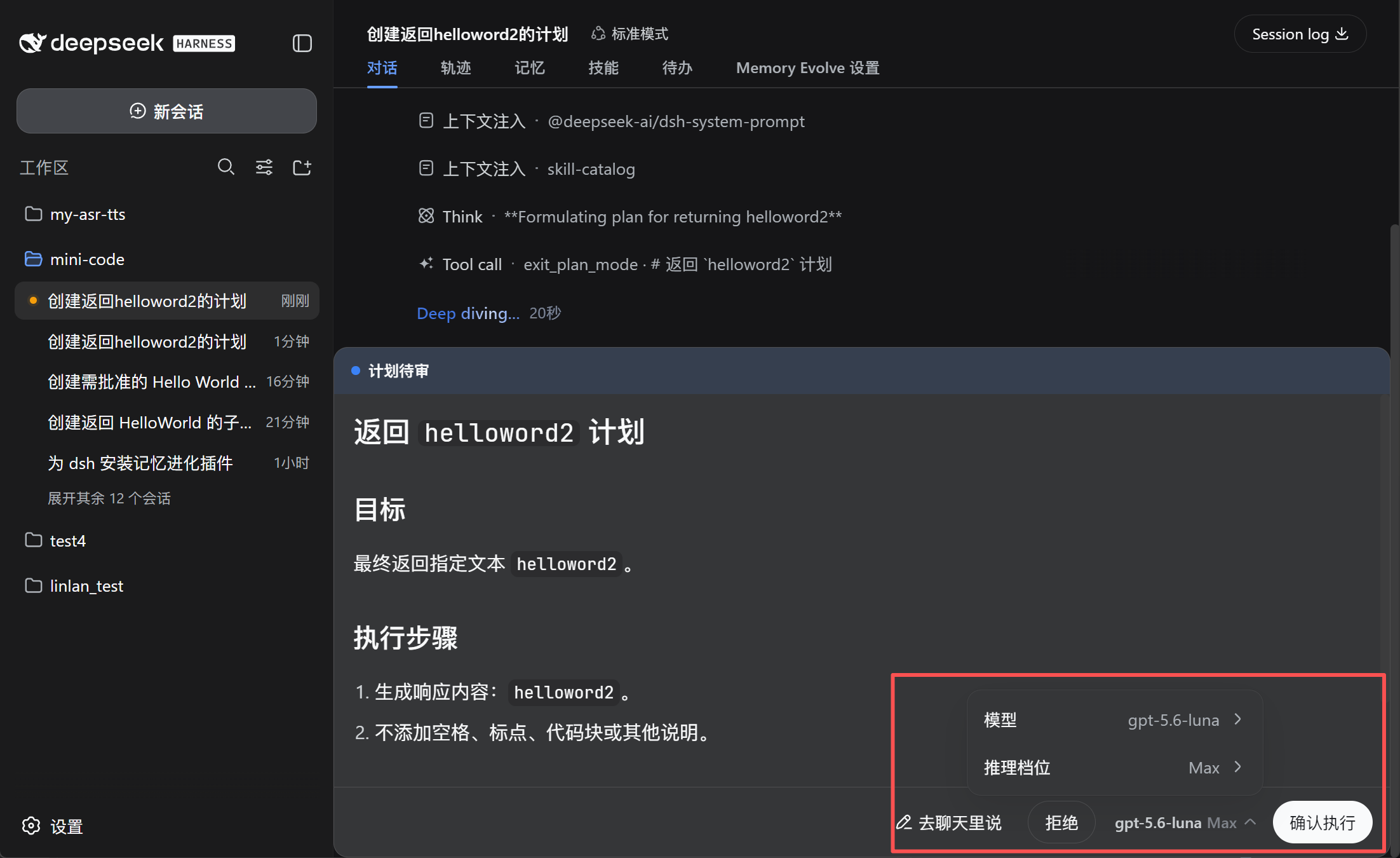 |
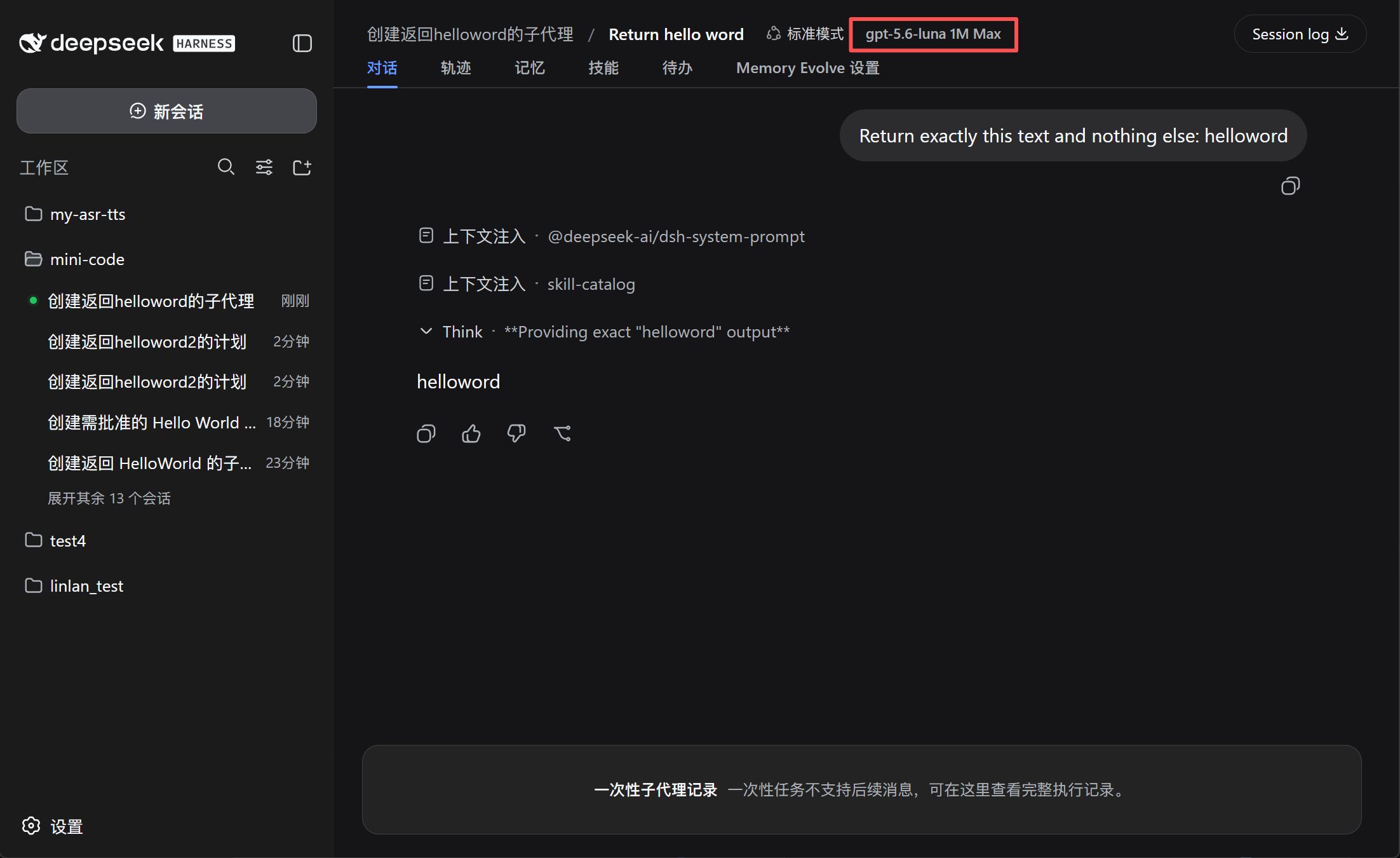
Open a subagent session to see its model, context window, and reasoning effort in the session header.
Use the GitHub spec. This plugin is not published as an npm package, so do not use @lincong1987/dsh-model-switch.
dsh plugin --profile web add github:lincong1987/dsh-model-switch
Replace web with the profile DSH is actually running. DeepSeek Harness Desktop typically uses desktop.
Restart DSH after installation.
This plugin has been typechecked and built against DeepSeek Harness 0.2.0-rc.2. The manifest declares the compatible peer range ^0.2.0-rc.2; later releases are not runtime-tested by this change.
If you upgrade DSH, use the normal channel for that installation. Desktop updates its bundled DSH through the app updater; updating npm or npx does not replace Desktop's copy. Follow DSH release notes and back up ~/.dsh (Windows: %USERPROFILE%\.dsh) before crossing a release that changes on-disk formats.
After a DSH upgrade, reinstall this plugin with --force as described below.
Reinstall the plugin when this repository changes, or after you upgrade DeepSeek Harness. This change was verified against 0.2.0-rc.2; the package peer range is ^0.2.0-rc.2.
--force so DSH refreshes the GitHub source:dsh plugin --profile web add --force github:lincong1987/dsh-model-switch
On Desktop, run one plugin add at a time. Fully Exit from the tray (closing the window is not enough), wait until Desktop finishes starting, then reinstall, then Exit and reopen again. If install fails with another plugin install recovery transaction is pending, quit Desktop, wait, and retry once. If it is still pending, quit Desktop, delete %APPDATA%\DSH Desktop\plugin-install-recovery, reopen Desktop, then run a single add --force.
To bypass the Desktop wrapper, run the matching DSH CLI in a normal terminal:
dsh plugin --profile desktop add --force github:lincong1987/dsh-model-switch
The model selected in the plan review panel takes priority over the saved plan-execution setting.
Built and typechecked against DeepSeek Harness 0.2.0-rc.2 (peer range ^0.2.0-rc.2). Settings are the plugin entry's validated Config, persisted through DSH's settings Remote under the loader entry id model-switch.
Subagent model switching applies to in-process subagents such as spawn and fork. External-process agents may manage their models independently.
DSH 0.1.2-alpha.1 also introduced a native, agent-driven model selection for subagents (the agent picks provider/model/effort within its authorization). This plugin is complementary: it enforces a fixed, user-configured routing policy instead, and adds the plan-execution model switch, restore, and session model badges.

MIT
DeepSeek Harness(DSH)Web 插件聚合生态包 · 一切皆插件,创意工坊分发(dsh-market.com)
把回答做成一页可视化 HTML:模型只写简短的 Markdown 草稿,随包附带的 `am` 命令行生成页面,支持流程图、时序图、树、时间线、ER 图、表格和提示框。
在 dsh 里装上这个插件即可,无需登录、注册或填 API Key,就能使用包括 Muse Spark 1.3、MiMo V2.6 在内的前沿模型——完全免费,不限量。 All you do is install this plugin in dsh: no login, no sign-up, no API key — the frontier models are just there, Muse Spark 1.3 and MiMo V2.6 among them. Completely free, with no usage cap.

