
dsh-web
zhu1090093659/dsh-webDeepSeek Harness(DSH)Web 插件聚合生态包 · 一切皆插件,创意工坊分发(dsh-market.com)

Unified rail for the DSH sidebar: sort the top panels and the bottom actions as one list. / DSH 左侧栏统一排序插件:顶部面板与底部动作混排成同一条序列。
English | 中文
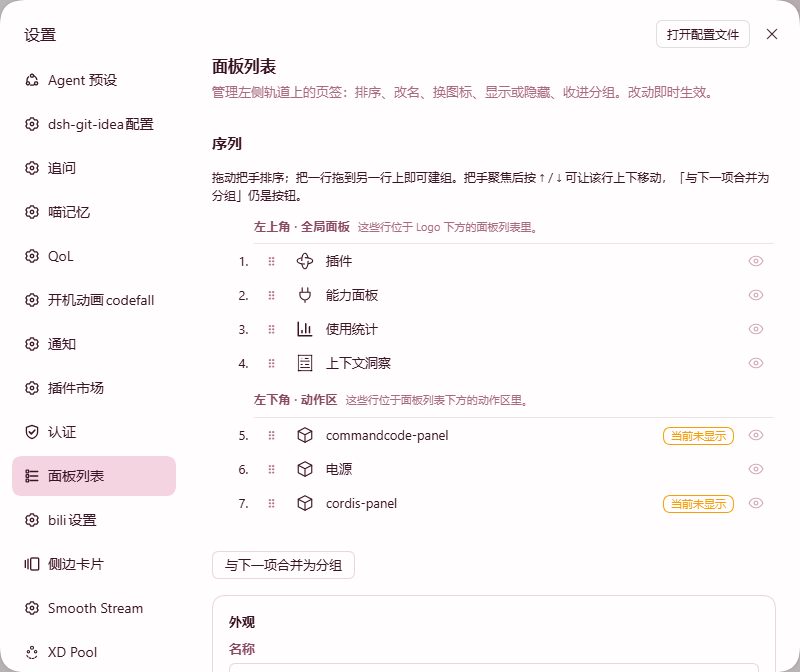
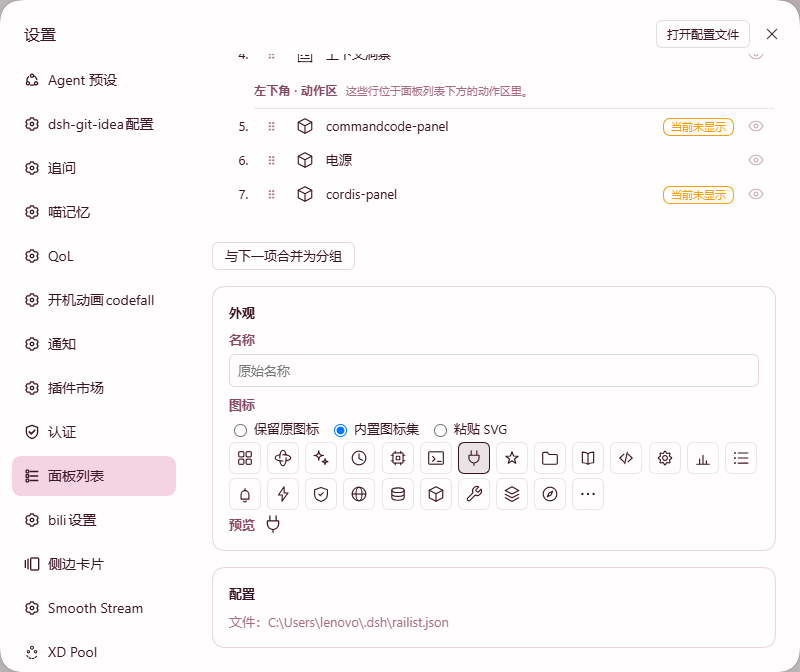
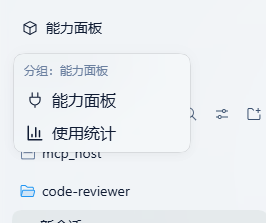
Manage the whole DSH left column as one list: reorder rows across the panel list and the footer action row, rename them, change their icons, hide them, and fold them into Groups. Everything is configured in a new Settings tab and applies immediately.
A fork of dsh-panellist. Upstream manages the panel list alone; this fork extends it to a single sequence spanning two seats.
The Settings row itself always stays last and cannot be dragged, and every change is written to disk only when you press Save.
| Settings → Panel list | Appearance override | A Group menu on the rail |
|---|---|---|
 |  |  |
dsh plugin --profile web add dsh-railist
Then restart DSH. To remove it:
dsh plugin --profile web remove dsh-railist
| Requirement | Version |
|---|---|
| DSH | >=0.2.0-rc.2 <0.3.0-0 |
| Node | ^22.19.0 || >=24.0.0 |
| Profile | web |
| Platform | Windows / macOS / Linux desktop |
Your settings live in ~/.dsh/railist.json. The full path is also shown in the Settings tab. If a row's plugin is missing or disabled, the row is kept in the file and marked as missing rather than being deleted.
MIT
把 DSH 左侧栏当成一整条列表来管理:跨「面板区」与「底部动作区」调整顺序、重命名、换图标、隐藏,以及把若干行折叠成分组。全部在设置页完成,改完立即生效。
本项目 fork 自 dsh-panellist。上游只管理面板区;本 fork 把它扩展成跨越两个区域的同一条序列。
「设置」那一行固定在最下方、不可拖动;所有改动都要点保存才会写进磁盘。
| 设置 → 面板列表 | 外观覆盖 | 左侧栏上的分组菜单 |
|---|---|---|
| | |
dsh plugin --profile web add dsh-railist
装完重启 DSH。卸载:
dsh plugin --profile web remove dsh-railist
| 要求 | 版本 |
|---|---|
| DSH | >=0.2.0-rc.2 <0.3.0-0 |
| Node | ^22.19.0 || >=24.0.0 |
| Profile | web |
| 平台 | Windows / macOS / Linux 桌面端 |
配置存在 ~/.dsh/railist.json,设置页里也会显示完整路径。如果某一行的插件被卸载或停用,这一行会保留在配置里并标记为「已缺失」,不会被自动删掉。
MIT
DeepSeek Harness(DSH)Web 插件聚合生态包 · 一切皆插件,创意工坊分发(dsh-market.com)
把回答做成一页可视化 HTML:模型只写简短的 Markdown 草稿,随包附带的 `am` 命令行生成页面,支持流程图、时序图、树、时间线、ER 图、表格和提示框。
在 dsh 里装上这个插件即可,无需登录、注册或填 API Key,就能使用包括 Muse Spark 1.3、MiMo V2.6 在内的前沿模型——完全免费,不限量。 All you do is install this plugin in dsh: no login, no sign-up, no API key — the frontier models are just there, Muse Spark 1.3 and MiMo V2.6 among them. Completely free, with no usage cap.

