dsh-plugin-ideas-manager
The Ideas manager brings an idea backlog straight into the DSH Web GUI. It's
a generic, self-contained backlog: an AI agent captures ideas, each one becomes a
card on a kanban, gets scored and ranked, flows through a lifecycle, and can be
run as a real execution with one click. It also bridges to the
TaskBoard plugin
(@linxin666/dsh-client-ui-task-board,
by linxin666 — third-party, not affiliated) when present.
A Host-authoritative /api/ideas ledger keeps everything consistent and lets an
agent write cards directly over HTTP — no UI needed. Fully usable without
TaskBoard: zero hard dependency on it.
What it does for you
Capture ideas, anywhere
- A panel row beside Task Board and Plugins (under New Session) opens the
board, and switching to another panel closes it like every other one.
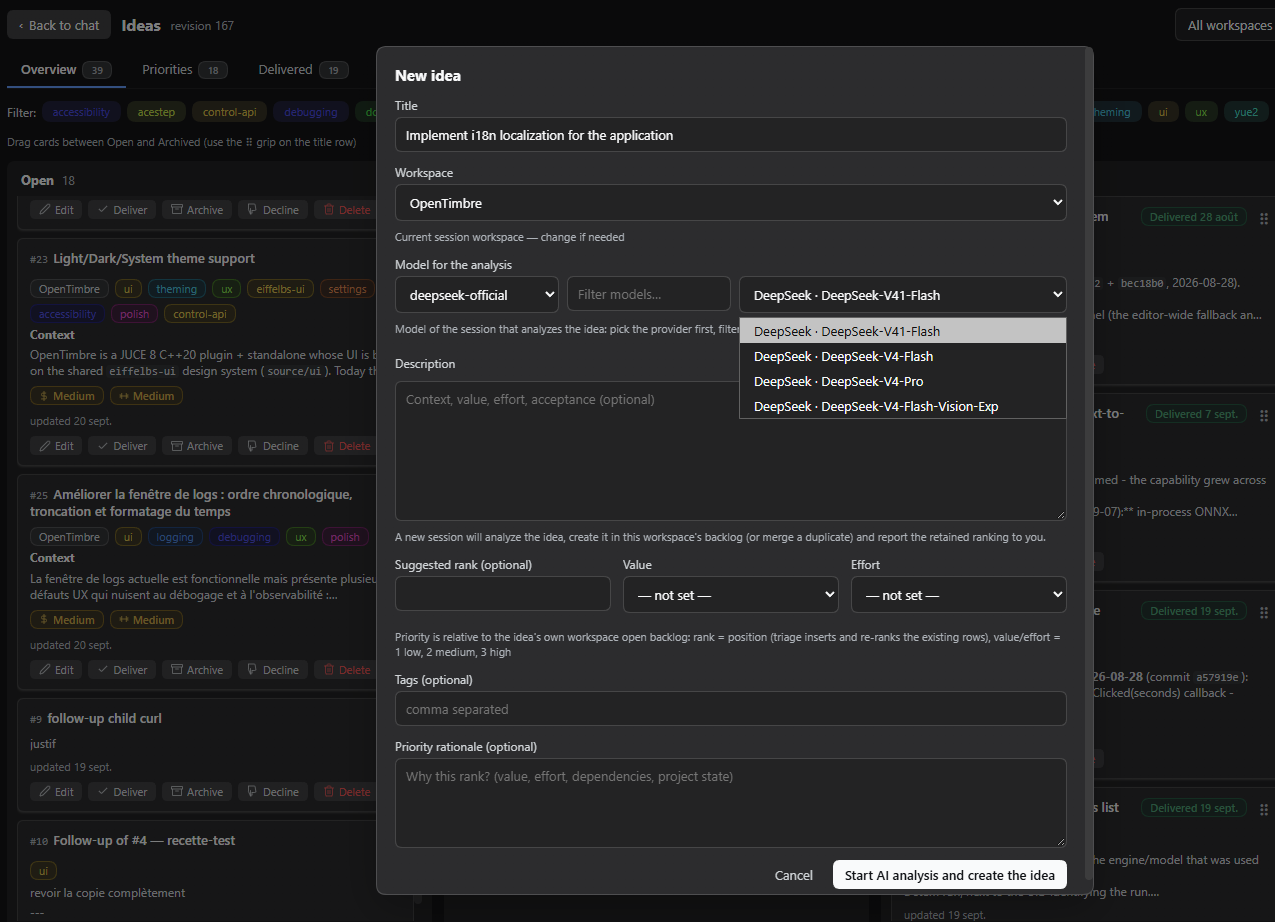
- Capture an idea with the New idea button or the quick-add row at the
top of the Open column — a Title is the only required field.
- Optional description (markdown), tags, workspace and a Suggested rank.
- The AI capture button opens a session that analyzes the draft,
creates/merges the idea in the backlog, and reports the retained ranking.
- Find similar (on an open idea, next to Re-analyze) asks whether the idea
duplicates something you already have: the board lists the open ideas of the
same workspace whose title and tags look close, and an analyst session then
reads their real content and rules on each one — duplicate, related but
distinct, or unrelated. The score it shows is a rough signal the session is
told to distrust, and the action never merges anything: it recommends, you
decide.
A 4-column kanban
Open · Under review · Archived · Declined.
- Drag & drop moves cards between columns and reorders them; the columns
auto-scroll when you drag toward an edge.
- A long column keeps up: once a column holds a few hundred ideas the board
draws only the cards you can see and leaves the rest behind its scrollbar.
Scrolling, dragging and multi-select keep working on the whole column — you
can still drop a card before one you have scrolled past, and a shift-click
still covers every row the filter shows, drawn or not. The number in the column
header is always the size of the column, and a column past 300 ideas says
so above the list.
- Search and a conjunctive tag filter narrow the whole board — the Overview columns, the Priorities ranking and the Delivered log all share both filters. The Health tab is the exception: it is one figure per question, not a list, so it has nothing to narrow and says which workspace it covers.
- Click a card title or its description to open the editor (raw text or
rendered markdown). It edits the whole body, fetched on demand, and is titled
with the card number it is editing.
- Every card shows its stable
#N number, workspace chip, tags,
value/effort badges and update date.
Scoring & ranking
- Each idea carries Value and Effort (low / medium / high), shown as
color-coded badges.
- The Suggested rank is the position in the open backlog of its workspace;
entering one re-ranks that backlog (existing rows shift).
- Saving Value / Effort / Rationale without a rank leaves the card exactly where
it is — it records your reasoning, it does not demote the idea to the end of
the backlog. The activity log names a position only when you asked for one.
- A dedicated Priorities tab ranks the open ideas per workspace, with ↑/↓
buttons and drag & drop to re-rank.
The lifecycle
- Deliver ✓ archives the idea with a green Delivered {date} stamp.
- Under review is the review gate: finished work lands there, and each card
offers Approve (deliver), Follow-up needed (creates a linked open child
plus a justification, archives the parent) and Decline.
- A Task failed badge marks an idea whose execution failed. It deliberately
stays in the backlog — a failed run delivered nothing, so there is nothing
to review — and you retry or adjust the idea. The badge follows the last status
observed and clears itself when the task is retried.
- A quiet Stale badge marks an open idea nobody has updated for a while,
on the Overview cards and in the Priorities list. Set Stale after (days) in
the settings (30 by default, 0 turns it off). It is a display aid only: it is
drawn when the board paints, nothing is written to your ideas, and it never
appears on an idea already under review, delivered or declined.
- The sidebar icon carries a small amber count of how many ideas are waiting
in Under review, for the current workspace scope. It reads the list the page
already has, and vanishes when the gate is empty.
- The Delivered tab shows the exit log (delivered vs. manually archived).
- Restore, archive and delete are one click away on each card.
Is this backlog healthy?
A fourth tab, Health, answers five questions about the workspace you are
looking at — and answers them on the host, in one small read the board asks
for on its own. Your background refresh is not slowed by it, and the figures are
never re-counted in the browser.
- How much is open, and how that splits across workspaces.
- How many were delivered this month. The label names the month it
measured — a calendar month on your machine's clock, not a vague "recently".
- The median time to deliver. This one is deliberately cautious. Only ideas
that were really delivered count: an idea you dragged straight to Archived
closed without delivering anything, so there is no honest lead time to take
from it. Until there are five real deliveries the tab says Not enough
deliveries yet (n / 5) — with the count it has — instead of printing a
confident number computed from one or two rows. When a backlog is mostly
dragged away rather than delivered, the tab also tells you how many ideas left
it without a delivery stamp: that count is the reason a median may be missing,
and it is the honest answer rather than a zero.
- Your most used labels on the open backlog.
- What is waiting to be triaged: how many open ideas carry no rank, and how
many carry no value. It is work to do, not a score — nothing here judges an
idea or the person who wrote it.
The workspace selector scopes all of it, exactly like the other tabs, and the
figures follow your panel language. Nothing here is stored anywhere: closing the
tab forgets it, and the next visit re-reads the host.
The board refreshes and the Health tab refreshes on their own clock, so there is
a moment where the figures describe a board that has just moved. The tab tells
you: a quiet line under the numbers names the revision they came from and
whether a refresh is on its way — or failed. You are never left reading stale
figures as if they were current.
Run an idea
An open idea that has a workspace and no run in flight offers a
Launch execution button — on the card, and in the editor. The editor matters:
it is the surface you reach from the Priorities and Delivered tabs, so you never
have to hunt the card back in the Overview to start a run.
- Click Launch execution, pick a model (or keep the session default) and
confirm. A model that supports a reasoning effort then offers a second
selector with the levels it declares — its own default is preselected, and
Model default pins no effort at all. DSH tells you which of the two ways
it will run before you commit. When this workspace already has a default
launch model, the modal skips the question and just names the model the
run will use. The effort selector is honest about where it can go: it is
offered only when the run reaches a fresh session, because a TaskBoard card
carries the model and nothing else.
- With the TaskBoard plugin installed, the run goes through that idea's
board card. Without it — or with the TaskBoard's own master switch off —
DSH opens a brand-new chat session in the idea's workspace instead. Either way
you get a real execution, and the board needs no extra plugin for the feature
to work.
- The run happens in the background: closing the tab, or restarting the web
instance, does not lose it and DSH keeps watching it for you.
- While it runs, the card shows a blue Running pill and an
Open session link — one click lands you in the chat the idea was worked
on, the only way to watch a run DSH started on your behalf. The same pills now
ride the Priorities and Delivered rows too, in the row's top-right
corner exactly like on the card, so the "is this one already being worked
on?" answer is available on the list you actually read, without opening the
card.
- When it finishes, the idea moves to Under review for your verdict. If it
failed, it stays in the backlog behind the Task failed badge.
- The link does not expire. Once an idea has been run at all, its card keeps
an Open session link to that conversation — in Under review, and in
Archived and Declined too, however long ago it was worked on and
whichever way it was executed. Nothing to look up, nothing to reconstruct: the
chat is one click away from the card, in every column. An idea that has never
been run shows no link at all.
- The card shows what the run delivered: the closing words of the run, kept
under the description, above the verdict buttons in the editor, and on the
row in the Delivered list. It is the run's own last answer, not a summary
written for you — and when a run leaves nothing behind, the note says so
instead of showing an empty box. Open session remains the way to watch the
whole thing; the note is the short version for deciding.
A run takes a while, and the board reflects the result within roughly half a
minute of the session finishing.
A workspace can carry its own launch model
Set one once and the launch modal stops asking, on every later run:
- Pick the model you want in the launch modal, then press Remember this model
for {workspace}. From then on every idea launched in that workspace runs on
it, and the modal simply tells you which one.
- Change… brings the picker back over the remembered model. Choosing another
one and launching affects that run only, so a single idea never has to
borrow — or break — the workspace's default; Save as the workspace default
is what makes a new pick stick.
- Forget this model removes it, and the modal goes back to asking. An
untouched workspace behaves exactly as it always did.
- A model that no longer resolves is never quietly replaced. It is named as
stored, and the run is refused with the reason — the same loud refusal a
rejected model has always given, so the fix is yours to make rather than a
surprise the board decided for you.
- It is a preference of the workspace, stored like your other panel options:
nothing is written onto the ideas themselves, and it belongs to your DSH
profile rather than travelling with an exported board.
A direct session inherits your normal DSH permissions. TaskBoard's own run
options (such as a confirmation prompt) are not applied to it.
An idea remembers what happened to it
Every idea keeps a short activity log — who did what, and when — and the
editor shows it as a compact timeline under the description, right above the
verdict buttons.
- It is written by the board itself: the capture, the rank and score changes,
the launch, the run that finished (or failed), the approval, the follow-up,
the decline with its reason. Entries name their author — you, an agent,
or the run itself — so a month-old decision is still attributable.
- It keeps the last 50 entries and nothing more. An older idea simply shows
the tail of its life, and an idea that has recorded nothing yet shows nothing
at all rather than an empty box.
- It travels with the idea: the JSON export/import carries it, and the markdown
export prints it as a short Activity block, so an archived document can
still answer why was this declined?.
- It also feeds Re-analyze. When you ask for a fresh analysis, the analyst
is handed what actually happened to this idea before, so it re-reads the real
history instead of re-proposing something already refused.
Merging duplicates
Two captures can describe the same work. When that happens, one merge folds
the duplicate into the idea that survives.
- The surviving card keeps its title, its analysis and its position in the
backlog. A duplicate contributes only what it has that the survivor lacks:
its tags, its relations (see below), and its place in a follow-up
chain — the survivor inherits that link, and any follow-up that hung off the
duplicate now points at the survivor instead.
- The duplicate is archived with a note naming the card it was merged into,
so the reason is still there long after the backlog moved on. Both ideas record
it in their activity log.
- It is one commit: there is never a moment where both cards are open.
- Different workspaces are refused with a reason. Merging across projects
would quietly move work between them, which is your call to make explicitly.
- Whether the survivor takes the duplicate's rank or keeps its own is chosen per
merge.
- A merge never touches a running execution or a bound task card. If you want
the duplicate's analysis rather than the survivor's, that is a different thing
to ask for.
You do not have to trigger a merge by hand. The Find similar action finds the
candidates and asks the analyst to rule on them; the AI capture flow merges a
duplicate on its own when it judges one. Both are reversible: a merged card can be
restored from the archive like any other.
Relate ideas to each other
A backlog of a hundred ideas is a list, and a list does not need edges — until
you know that two of them are the same subject, or that one cannot land before
another. An idea can now carry two kinds of link, and both of them are things
you state:
-
Related to — "this is adjacent to that, go and read the other one".
-
Blocks — "this one has to land before that one". The other card shows the
same edge from its side, as Waiting for this idea. Both rows read the same
way round: on the card you are on, you are naming the card that has to wait.
-
You add and remove them in the editor, under Relations: pick an idea
from a list, or press the × on a chip. The Overview card and the
Priorities and Delivered rows all print their links as a quiet line of
↔ #12, → #31, ← #7 — the arrow is the direction, so the links read on
the row itself, and nothing is printed at all for an idea that has none.
Each colour is one kind (green related, amber blocks, red blocked by), and
clicking a chip opens that idea's editor — the link is the way to get there
from a number.
-
You only declare a link once. Related to is one statement about two
ideas, so it is true from both sides and cannot disagree with itself. Blocks
is stored on the card that blocks, and the Waiting for this idea line on the
other card is that same edge seen from there — which is why it is read-only: to
remove it, open the card that declares it, and the editor names which card that
is.
-
A blocked card that is scheduled too early is marked. If the backlog puts a
card above the card that blocks it, the Waiting for this idea chip gets a
ring around it and says so when you hover it. That is a warning, not a lock:
the order stays as the author left it, and the board will not silently move a
card for you — a card can be worth doing first even when something else has to
land before it.
-
Starting the run says so too. The Run window names the ideas this one
still waits for, and says more when one of them is scheduled lower than the
card you are about to run. It is a line and not a lock: the button is still the
launch button.
-
A wait that loops is refused. "A waits for B" and "B waits for A" says
nothing, so the board will not save it and names the whole chain
(#1 → #2 → #3). The loop is caught when you write it, not when the graph is
drawn.
-
Links follow the lifecycle. Deleting an idea takes its links with it rather
than leaving a reference to nothing. Merging a duplicate re-points them at
the surviving idea — exactly like the duplicate's follow-ups — and the
survivor inherits the links the duplicate stated. The archived duplicate keeps
its own, so restoring it is lossless.
-
They travel with the board: the JSON export/import carries them, and a
snapshot or a restore brings them back with everything else.
-
They are never guessed at. The score of Find similar is a computed
signal; a relation is not. Nothing here is inferred from titles, tags or
content — only you add one.
Workspaces
- A header selector scopes the board to one workspace (or all / none).
- New ideas default to the current session's workspace when not scoped.
- The New/Edit modal carries a workspace field, so a capture lands in the right
place and an idea can be moved to another workspace.
Go straight to an idea
The board header carries a small Go to idea box: type an idea's number
(#42) and it opens that card, scrolls it into view and rings it — even when
the board was closed, and even when the card belongs to another workspace or is
archived. That is the point: the number is the reference, so a conversation
that ends with "see idea #42" ends with one click on it.
- It always finds the card. The search box, the tag filter and the workspace
selector are cleared whenever they would hide it, and the board switches to
the scope the idea actually lives in — the search box visibly emptying is the
explanation.
- A reference that matches nothing says so, instead of leaving you wondering
whether the board heard the request.
- The number is the durable reference. An internal idea id also works, but only
on this board: a board moved to another machine keeps its
#N numbers, not
its ids. So always quote the number.
Many ideas at once
- Every card — and every row of the Priorities and Delivered tabs — carries a
select box. Click it to pick one idea, shift-click to paint a range of
rows, or press Select all to take everything the current filter shows.
- The bar above the board always states the truth: how many are selected, out
of how many the filter shows, and which workspace, tags and search produced
that set. "All" therefore never means a batch of ideas you cannot see.
- The selection follows the filter: an idea that leaves it leaves the selection,
so a bulk action can never reach a row you are not looking at. It is a view
only — nothing about it is written to your ideas.
- Three bulk actions, all reporting idea by idea:
- Tag… adds labels to the selection. The labels an idea already carries
are kept, and an idea with no room left is reported rather than quietly
losing the new label.
- Move to workspace… re-homes the selection. Workspaces are chosen by their
stable identity, so renaming one moves nothing.
- Archive… moves the selection to the Archived column. Declined ideas are
left untouched and reported, because archiving one would erase its decline.
- Every batch ends with a report: what was applied, what was skipped and why,
and what failed with the reason — a partial failure is always visible per
idea, never as one blanket error.
- Every batch can be undone — see Undo what you just did.
Undo what you just did
Most of what you do on the board can be taken back.
- One row, one button, one shortcut. Under the header, a quiet row names the
action an Undo would reverse, with the button and the shortcut
(Ctrl+Z, or Cmd+Z on a Mac). It appears only when there is something to
reverse, so it costs no space on a board that has not used it.
- The shortcut never fights your editor. Ctrl+Z inside a title, a
description or any field still undoes your text, exactly as it always did —
the board only claims the keystroke when you are not typing.
- A batch is one undo, not one per idea. Tagging sixty ideas, re-homing them
or archiving them is reversed by a single click.
- It is honest, which is the whole point.
- An idea that changed since the action is left untouched and named,
with the field that moved. The rest of the batch is still reversed: one card
an agent touched never cancels the undo of the other fifty-nine.
- An idea the board itself could not put back — a card the host refuses,
a connection that drops — is named too, with the reason. Undo never reports
a result you have to take on trust, and the outcome stays on screen until you
dismiss it, so you never press the same undo twice.
- Undo is not a transaction log, and the board says which gestures it does
not reverse: deleting, merging, raising a follow-up,
declining and delivering an idea. There is no verb that undoes them,
so the interface admits it rather than offering a promise it cannot keep.
- It lives in this browser session only: the last 20 actions, for
30 minutes, and a reload starts it empty. Reverting a wrong tag by hand
is always possible; undo makes it one click, not a promise.
- Some edits genuinely have no previous value to restore — a score that did not
exist before, or a description the board had not loaded. Those produce no
undo at all rather than a half-restored card.
Keep a copy of your board
Your board is a real file on your machine, so it can be copied, kept and put
back — from the Backup tab of the settings section (see
Settings).
- Export the board writes a timestamped copy of the whole board into your
ideas backups folder and hands it to you as a download: every idea, its
activity log, its scores, its labels, its tags' prompt lines, its relations to
other ideas, the run it belongs to and the task card it is bound to.
The last ten copies are kept for you; older ones are removed. One action
covers both jobs — it is the restore point you take before a risky change, and
the file you carry to another machine.
- Restore puts any copy back. It asks first, it says exactly what it is
replacing, and the board it replaces is kept as its own copy — so a
restore is never a one-way door, and the panel names the file you can go
back to.
- A restore is refused while an execution is running, and the panel says so
before you click: wait for the run, then restore. Your board is left exactly
as it is.
- A file that cannot be read is refused, never half-imported. A copy
that is not a ledger, or that holds a record the board cannot read, is
rejected with the reason, moved aside for evidence, and nothing on your
board changes.
- Your backups keep working as the plugin grows. Restoring a file taken by an
earlier version of the plugin is always allowed: whatever that file does not
carry is simply filled in the first time the board writes it. Restoring a file
taken by a newer version is refused with an explanation (update the
plugin, then restore again) instead of being adopted with the parts this build
cannot read quietly dropped. If a restore does leave out data — a file that
carries fields your current ver


