
dsh-web
zhu1090093659/dsh-webDeepSeek Harness(DSH)Web 插件聚合生态包 · 一切皆插件,创意工坊分发(dsh-market.com)

本地一个窗口,驱动你所有机器上的 dsh · Drive the dsh instances on your other machines from one local window
English | 中文
Every machine already runs dsh. Make this one window the front end for all of them.
Chat with the dsh instances on your other machines, natively from your local sidebar. Remote sessions stream back token by token; the remote uses its own model credentials, tools and sandbox. Zero changes on the remote. Zero dependencies. One-line install.
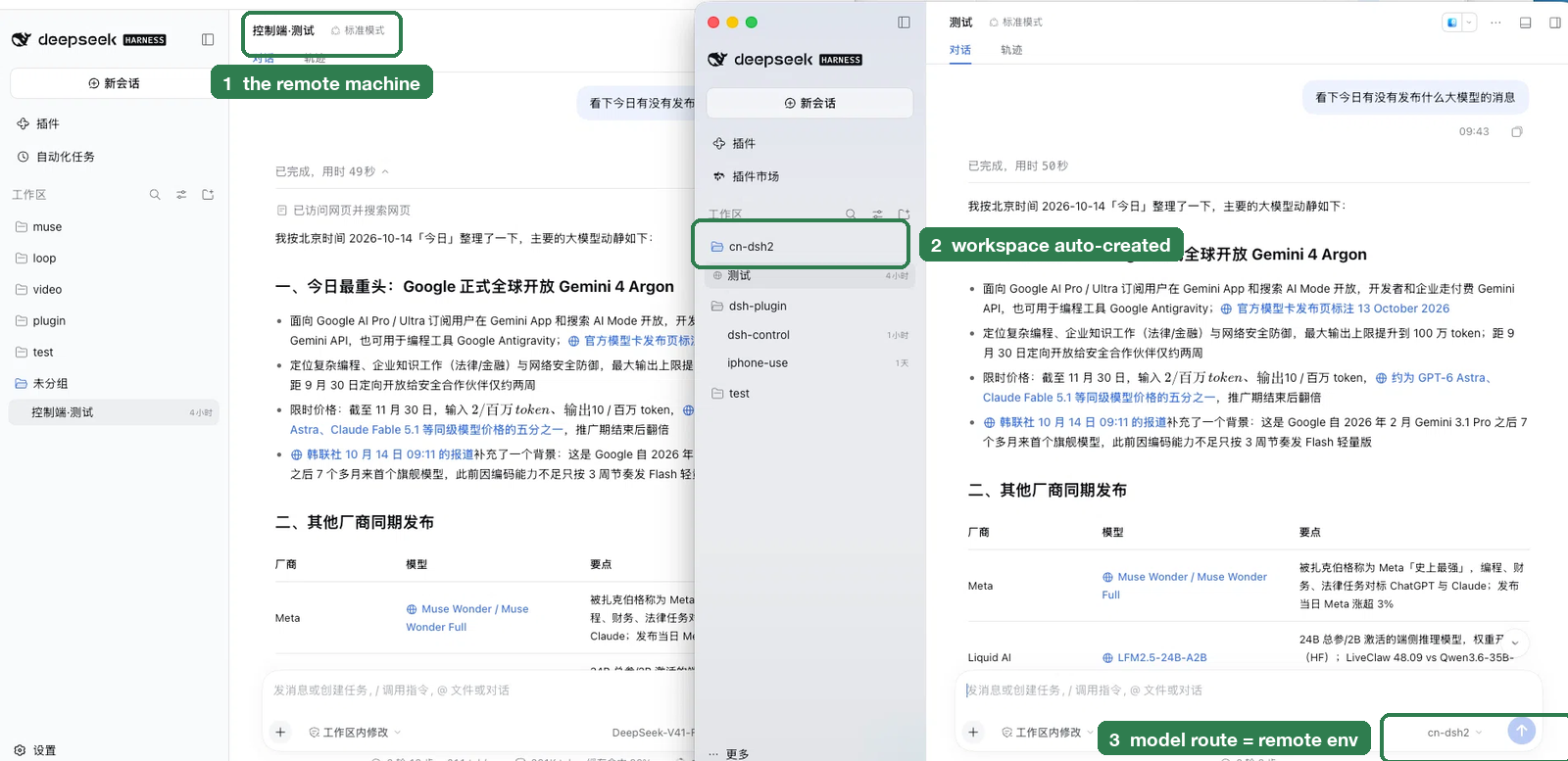
Two dsh windows answering the same question. The left window shows a session auto-named
控制端·<local title> (①) — that naming only happens on the machine the plugin drives. The right
window shows the workspace cn-dsh2 the plugin created (②) and the model route set to the
environment name (③).
🎬 A 15-second capture (one-click connect → streaming reply) is being recorded.
dsh plugin --profile <your profile> add github:6mt/dsh-control
Use the profile you already run (usually web or desktop). No build step, no native
modules, no dependencies — the plugin is plain JavaScript and installs as-is.
Download dsh-control-0.2.1.tgz and run:
dsh plugin --profile <your profile> add ./dsh-control-0.2.1.tgz
After installing, fully quit and reopen dsh (⌘Q — closing the window is not enough), then:
user@host → connectUpgrades need the same ⌘Q: a plugin's host half loads at process start.
An npm package (
dsh-control) is prepared and can be published later; the GitHub command above is the current install path.
allowBuilds / "prepare script" — that is dsh's generic hint for any
failed git-hosted install. This plugin has no build scripts (its only script is
test), so nothing needs approving; just retry.What you get: github:6mt/dsh-control installs the newest commit of main and
pins it in your profile's lockfile — it does not silently follow later commits.
Update: dsh plugin --profile <your profile> update dsh-control, then ⌘Q
If it says "Already up to date" and the version does not move (you installed a
pinned #vX.Y.Z earlier), re-add the un-pinned form — verified to pull the latest:
dsh plugin --profile <your profile> add github:6mt/dsh-control
Pin a version: github:6mt/dsh-control#v0.2.1 (tag) or github:6mt/dsh-control#<commit>
Changes are recorded in CHANGELOG.md.
dsh-control skill?There is another project called jacjackai/dsh-control — a skill that lets an AI agent
operate the DSH on your own machine. This repository is a plugin for a different
job: across machines. It brings the dsh instances you already run on other servers into
one local window (their sessions appear natively in the sidebar, and the whole remote UI
can be opened in place). The two can coexist.
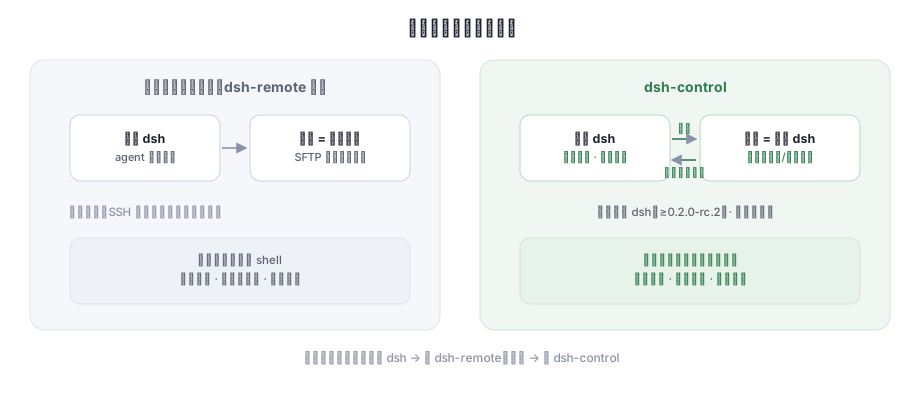
| Remote-workspace plugins (dsh-remote, …) | dsh-control | |
|---|---|---|
| The remote machine is a | file system (SFTP tool set) | dsh that is already running there |
| Sessions live | local session + remote directory | remote sessions, native in your sidebar |
| Credentials & tools | configured locally, SSH config duplicated | the remote's own — nothing copied |
| Remote needs | only SSH | dsh installed (≥0.2.0-rc.2) with its web instance running |
| Changes on the remote | some deploy dsh for you | zero (read-only probing + the remote's own API) |
The two coexist (tested side by side): no dsh on the remote → use dsh-remote; dsh already there → use dsh-control.
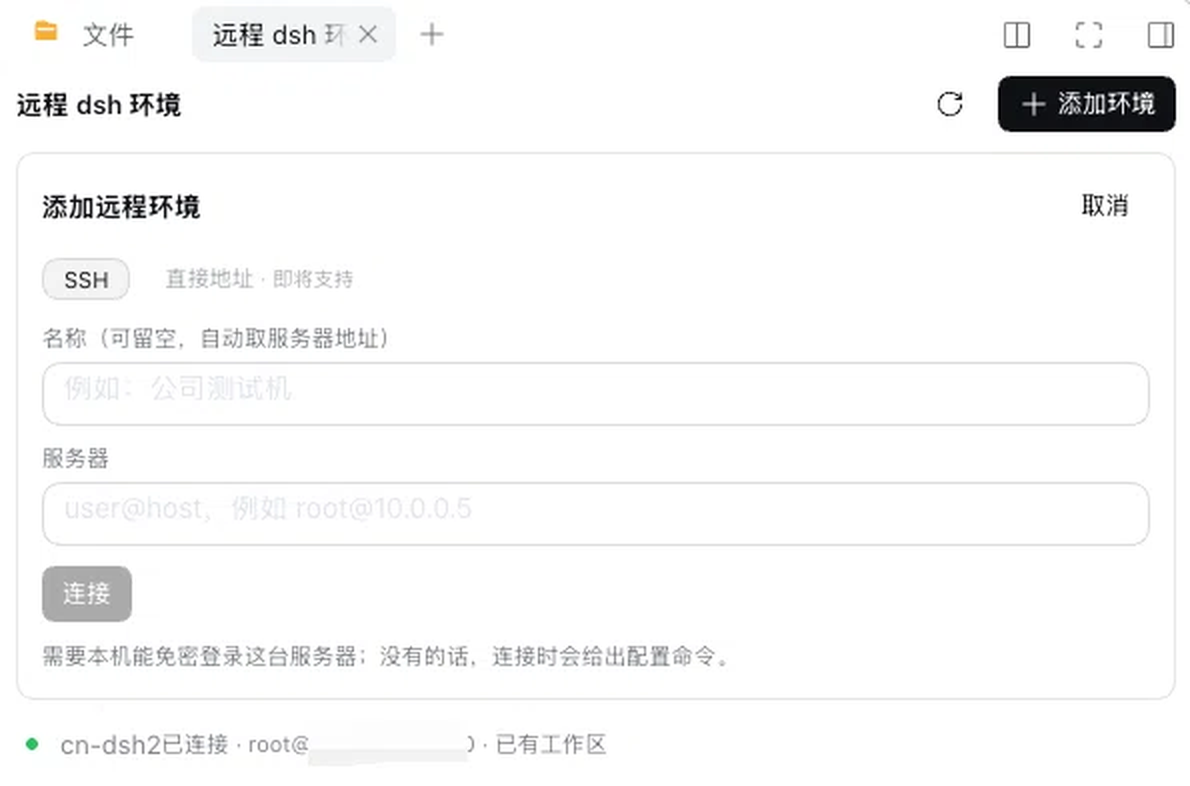
The「远程 dsh 环境」panel: type user@host and connect — the row then reports its state and
whether the environment already has its workspace.
user@host; the plugin probes the remote dsh, fetches
its access token and opens an encrypted channel (~5 s)控制端·<local title>, so both sides match「🌐 远程环境」in the sidebar renders the remote machine's complete dsh interface (workspaces, sessions, chat, settings) inside one local page, with a tab per environment:
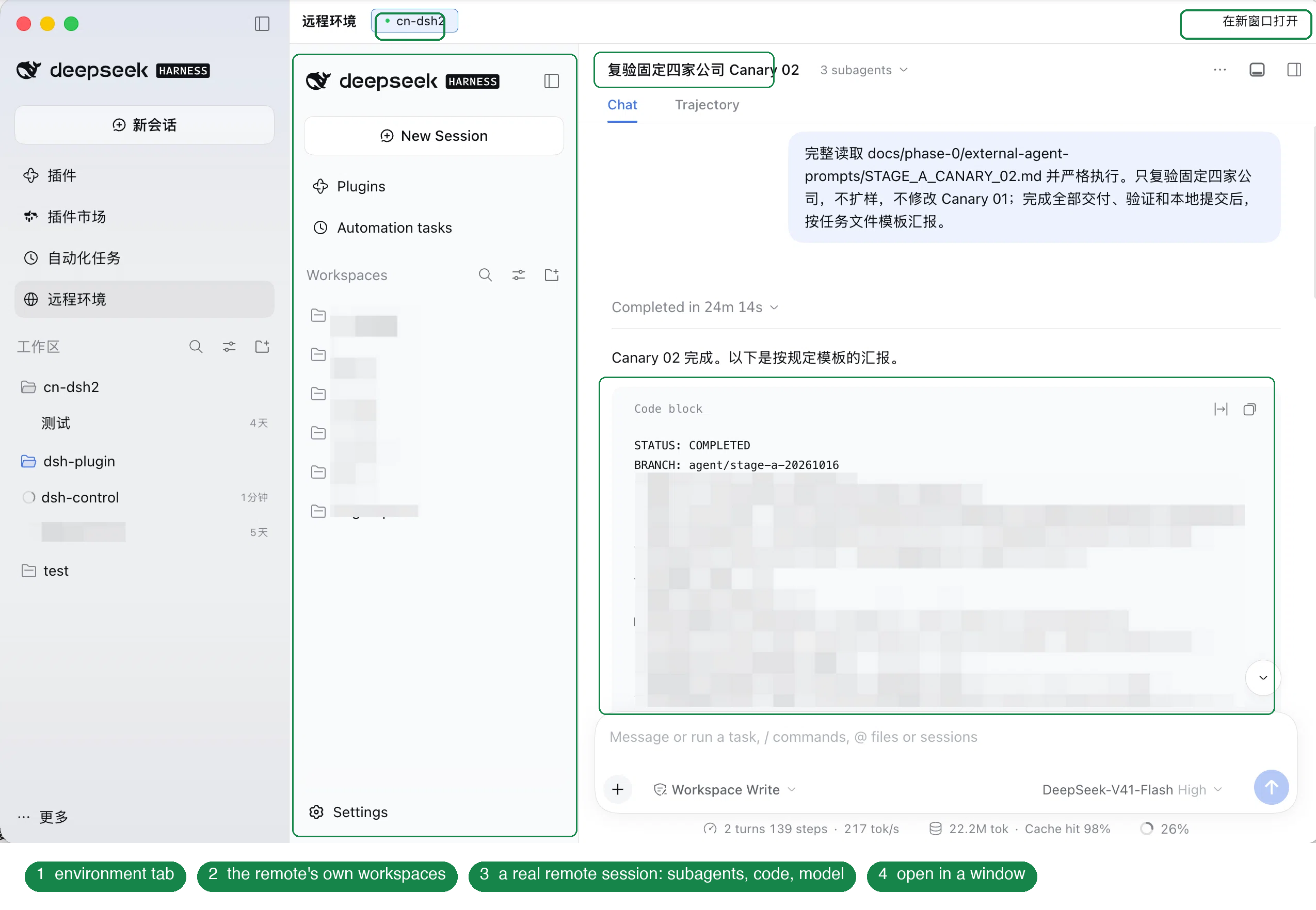
A real run on the remote machine. ① the environment tab — one tab per machine; ② the remote's own workspaces and sessions; ③ a real session running there — subagents, code blocks and model usage all inside the page; ④ open it in a standalone window.
What it does on your machine: one state file
($DSH_HOME/dsh-control/state.json, mode 0600, holds the remote access tokens) and an
on-demand SSH tunnel process.
What it never does: no installs or writes on the remote, no lifecycle management of
the remote dsh, never reads your other local credentials, tokens never enter logs.
When passwordless SSH is not set up it shows the exact one-line fix — passwords are
never stored. Details in SECURITY.md.
node --check lib/*.js
for t in test/*.test.mjs; do node "$t"; done   # 52 checks: unit / contract / structural invariants
scripts/verify-boot-selfheal.sh                # boot self-heal (needs a local dsh runtime)
MIT © 6mt
DeepSeek Harness(DSH)Web 插件聚合生态包 · 一切皆插件,创意工坊分发(dsh-market.com)
把回答做成一页可视化 HTML:模型只写简短的 Markdown 草稿,随包附带的 `am` 命令行生成页面,支持流程图、时序图、树、时间线、ER 图、表格和提示框。
在 dsh 里装上这个插件即可,无需登录、注册或填 API Key,就能使用包括 Muse Spark 1.3、MiMo V2.6 在内的前沿模型——完全免费,不限量。 All you do is install this plugin in dsh: no login, no sign-up, no API key — the frontier models are just there, Muse Spark 1.3 and MiMo V2.6 among them. Completely free, with no usage cap.

