

dsh-web
zhu1090093659/dsh-webDeepSeek Harness(DSH)Web 插件聚合生态包 · 一切皆插件,创意工坊分发(dsh-market.com)
Agent Sidecar is a local-first CLI for observing AI-agent sessions. It
discovers persisted session metadata, infers lifecycle state, follows
normalized events, and presents the result as text, JSON, or a terminal
dashboard. It can also aggregate read-only list and status snapshots over
SSH, concurrently follow local and remote events, and, when explicitly
authorized, start an experimental local headless resume to send a message. An
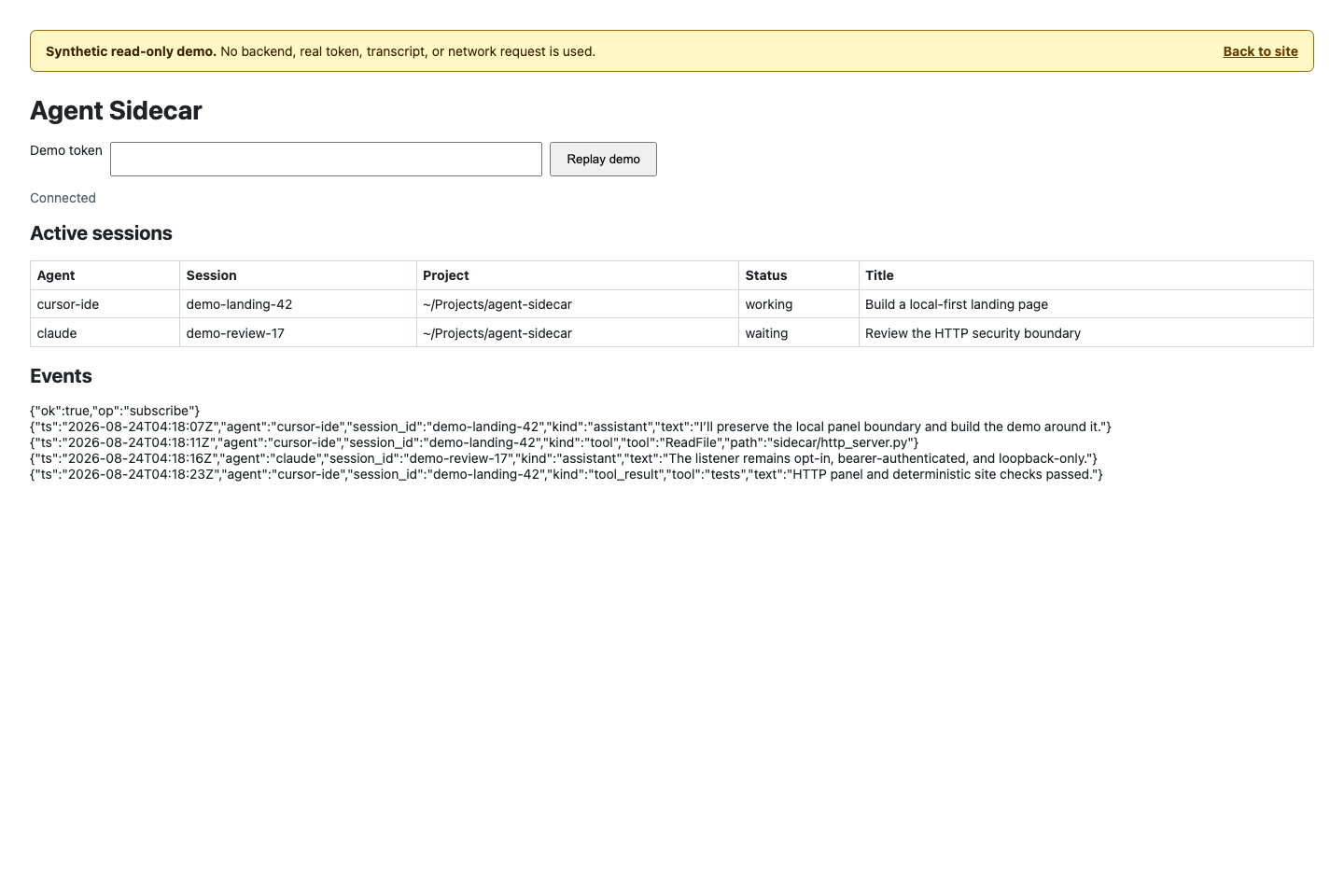
optional HTTP panel and API expose read-only daemon data on local IPv4 loopback.
The observation commands do not edit agent transcripts, configuration, or
hooks. send is a separate mutating boundary: the resumed native agent may
contact its provider, run tools, and modify agent-owned state. The daemon writes
its own socket and PID file, bounded ephemeral private temporary snapshots, and
rotating private diagnostics. Only when HTTP is explicitly enabled does it also
retain a private http.token and own a transient http.port record while
running. Send-audit files are written by the mutating CLI send path, not by
daemon observation. Those daemon and audit bookkeeping files do not themselves
edit transcripts or agent configuration; a resumed native agent can do so as
described above. The release installer writes only the selected executable and
optional skill bundle; the checkout installer creates integration symlinks.
Local installation and tooling for version 0.11.4 require Python 3.9+ and have
no runtime Python dependencies. The remote observation payload accepts Python
3.8+ on SSH targets. DSH event watching additionally requires an external
zstd executable.
Version 0.11.4 provides concurrent local/remote watch --all --remote, durable
private send auditing and request-ID idempotency, and the opt-in
numeric-loopback HTTP panel. It also includes a deterministic executable
zipapp, package metadata suitable for pipx, an explicit macOS user
LaunchAgent, a current-user Linux systemd unit, bounded private daemon
diagnostics with log rotation, immutable private status snapshots, remote
observation on Python 3.8+ SSH targets with an explicit fail-closed interpreter
pin, and recoverable serialized release installation.
New in 0.11.4, cluster applies its recency window whichever source answers.
It handed the window to the remote half but grouped the local half from the
daemon's whole index, so --all was a no-op and the same command answered
differently depending on whether the daemon happened to be answering: 155
groups against 11 on the same machine. The DSH plugin also stopped accepting
settings edits it ignores — daemon.*, sidecar.* and stream.* are read
once, while it assembles the client and supervisor, so it now names those keys
and points at the profile's cordis patch instead of taking an edit that does
nothing, not even after a reload. Since 0.11.3 service install no longer
removes the service it just installed when the daemon is still indexing: it
waits up to 45 seconds for the first ping, like daemon start, instead of
booting the job out after five and leaving the machine with no service. Since
0.11.2 a daemon that is still
building its first index is no longer read as a dead one. It answers nothing
until that scan ends — up to 22 seconds on a 1,950-session machine — so
daemon start waits out a live owner and adopts it instead of blaming a child
that lost the ownership lock, daemon status, daemon stop, and service status name that owner rather than declaring absence, and the plugin stops
killing the daemon it just spawned for taking too long to index. Since 0.11.1 an analysis digest carries the newest 24
timeline entries within a 6000-char bound instead of fetching 120 and letting a
character cap silently decide which survived, and it states when the log
continues past the window it shows. Since 0.11.0 the daemon reports drift against its own
installed code — the version in its source tree plus a content fingerprint of
that tree, since between releases the version cannot move at all — so
daemon status and the DSH plugin both say when a long-lived daemon is still
serving code that was replaced on disk. The plugin also stopped overstating
what it knows: a session absent from a timeline source no longer reads as a
broken source, a history that came only from the in-memory ring says so
instead of claiming to reach the start of the timeline, and an analysis
timeout keeps the text the model had already produced.
| Environment | Support boundary |
|---|---|
| macOS | Primary platform and full quality-gate target. Local observation, remote monitoring, the daemon and HTTP panel, deterministic zipapps, experimental local send, and the user LaunchAgent are supported. |
| Linux | Portable observation, remote monitoring, daemon/HTTP, TUI, packaging paths, and the current-user systemd service are exercised in CI. Experimental send fails closed before execution because its required Darwin kqueue descendant containment is unavailable. Linux support is best-effort where agent-owned persistence formats or desktop integrations differ. |
| Windows | Unsupported. The current runtime and security contracts require POSIX permissions, file locking, process groups, Unix sockets, and related primitives. |
| Python | Local installation and tooling require Python 3.9 or newer; the remote observation payload accepts Python 3.8 or newer on SSH targets. CI exercises the local product on Python 3.9 and 3.13; Agent Sidecar has zero runtime Python dependencies. |
Support for an operating system does not imply support for every observed
agent on that system. The source-specific boundaries below and the mutating
send restrictions remain authoritative.
The agent names below are also the exact values accepted by list --agent:
cursor-ide: Cursor IDE JSONL transcripts and associated terminal metadata.
Session discovery, inferred status, event watching, and known subagent
relationships are supported.cursor-cli: Cursor CLI store.db and its WAL are normally copied into
bounded private temporary snapshots before decoding. The private snapshot is
normalized before its read-only open, so a cleanly exited WAL store remains
readable without changing the source database. A metadata fallback may
instead open the live main database with SQLite mode=ro&immutable=1; that
fallback does not read the WAL or take SQLite locks. Discovery, inferred
status, history replay, and new normalized events are supported.claude: Claude Code project JSONL transcripts, including known sidechain
and subagent relationships.codex: Codex CLI rollout JSONL plus read-only native status SQLite when
available.copilot: GitHub Copilot CLI workspace.yaml metadata and authenticated
--resume --interactive send support. It has no event source in v0.11.4 and
is reported as idle.dsh: DeepSeek DSH projection-cache metadata for listing and status, with
bounded durable-session discovery as a fallback for cache-missing headless
runs, plus compressed transcript events for watching. DSH_HOME selects an
independent absolute DSH storage root. Cache-backed listing and status work
without zstd; durable fallback discovery and watching require it. Durable
fallback binds regular transcript files before decoding, requires canonical
top-level metadata with a nonempty absolute cwd, and fails closed on an
incomplete 4,096-entry scan or duplicate session identity. It decodes at
most 256 candidates, rejects compressed inputs over 64 MiB, and enforces a
3.5-second per-candidate hard limit inside one five-second whole-scan
deadline. Its zstd command is resolved and bound once per adapter instance,
then reused across scans: Linux launches through the fixed no-follow
descriptor, while macOS launches a private descriptor-sourced snapshot.
Replacing the resolved path therefore cannot change the program that runs.
The binding is explicitly closeable and has finalizer cleanup; failure to
create it leaves projection-cache discovery available. A bounded
device/inode/size/mtime/ctime header cache stores only successful or
deterministic-invalid decodes; transient failures are retried.kimi: Kimi Code session index, state, and wire JSONL, including discovered
subagents. KIMI_CODE_HOME is honored; otherwise ~/.kimi-code is used.All support is best-effort against local, tool-owned persistence formats. Adapter failures are isolated so one unreadable source does not prevent other agents from being listed.
Choose one CLI installation method. Agent Sidecar is not documented as
published on PyPI, so do not assume that pipx install agent-sidecar resolves
to this project.
The recommended release channel is the root installer. Download it from the
protected main branch, inspect the complete file, and only then run the local
copy:
installer="$(mktemp)"
curl --fail --location --proto '=https' --tlsv1.2 --output "$installer" \
  https://raw.githubusercontent.com/shendeguize/AgentSideCar/main/install.sh
${PAGER:-less} "$installer"
sh "$installer" --version v0.11.4
rm "$installer"
Omit --version v0.11.4 to resolve the latest stable GitHub Release. The script
parses release metadata with Python, requires the exact versioned zipapp and
SHA256SUMS assets, verifies the checksum with shasum -a 256 on macOS or
sha256sum on Linux, and only then atomically replaces
~/.local/bin/agent-sidecar. Use --prefix <path> for another prefix and
--with-skill to install both agent skill files. It never reads or sends
credentials.
For convenience only, the compact form below downloads the same installer and executes it immediately:
curl -fsSL --proto '=https' --tlsv1.2 \
  https://raw.githubusercontent.com/shendeguize/AgentSideCar/main/install.sh | sh
This one-liner trusts the current protected main content over TLS without
giving you a local review step. Prefer download-inspect-run above. The release
artifact is still checksum-verified by the script; that checksum does not
authenticate the installer bytes themselves.
Install the console command from an existing Git checkout:
pipx install .
Or install directly from Git:
pipx install 'git+https://github.com/shendeguize/AgentSideCar.git'
For a released, immutable revision, append its tag, for example @v0.11.4, to
the Git URL after that tag is available. Both forms create an isolated
environment and install agent-sidecar; the package has no runtime Python
dependencies.
For manual installation, GitHub Releases publish the executable zipapp and its checksum file. For version 0.11.4:
version=0.11.4
curl -fLO "https://github.com/shendeguize/AgentSideCar/releases/download/v${version}/agent-sidecar-${version}.pyz"
curl -fLO "https://github.com/shendeguize/AgentSideCar/releases/download/v${version}/SHA256SUMS"
shasum -a 256 -c SHA256SUMS
chmod +x "agent-sidecar-${version}.pyz"
./agent-sidecar-${version}.pyz --version
Use the matching checksum file from the same release. To expose the verified
artifact as agent-sidecar without a package installation:
mkdir -p "$HOME/.local/bin"
install -m 0755 "agent-sidecar-${version}.pyz" "$HOME/.local/bin/agent-sidecar"
agent-sidecar --version
Ensure ~/.local/bin is on PATH. The release workflow verifies the zipapp on
macOS before publication and attaches build provenance. Release artifacts do
not represent a PyPI publication.
Build through the active Agent Sidecar command:
agent-sidecar package build --output dist/agent-sidecar.pyz
From a checkout, ./agent-sidecar package build --output dist/agent-sidecar.pyz is equivalent.
The command atomically creates a mode-0755 executable and prints its path,
SHA-256 digest, and size. It packages the active installed sidecar package:
checkout sources when run through that checkout, installed site-packages when
run through pipx or a wheel environment, and the embedded package when run from
an existing zipapp. It does not implicitly package the shell's current working
directory. Repeated builds from identical active package content are
deterministic. Run it directly or through isolated Python:
./dist/agent-sidecar.pyz --version
python3 -I dist/agent-sidecar.pyz --version
If an artifact lost its executable bit during transfer, restore it with
chmod +x agent-sidecar.pyz before using it to start a background daemon or
install a service.
From the repository root:
sh scripts/install-skill.sh
The installer creates symlinks at:
~/.local/bin/agent-sidecar~/.cursor/skills/agent-sidecar~/.claude/skills/agent-sidecar~/.dsh/skills/agent-sidecarEnsure ~/.local/bin is on PATH. The links point into this checkout, so keep
the repository in place or rerun the installer after moving it. Reinstalling is
idempotent for links into this repository; the script refuses to overwrite
unrelated files, directories, or symlinks. See Uninstall to
remove only links owned by this checkout.
This checkout installer is retained for users who want the CLI and the agent
skill links to follow a working tree. It is an alternative to a pipx CLI
install because both normally use ~/.local/bin/agent-sidecar.
Installation is optional. Run directly from the repository instead:
./agent-sidecar --version
./agent-sidecar status
Every example below also works by replacing agent-sidecar with
./agent-sidecar.
daemon start resolves the active pipx console script, executable .pyz, or
checkout shim to a stable absolute command before detaching. The daemon
therefore starts independently of the shell's current working directory. Keep
a checkout or zipapp at the resolved location while it is in use; follow the
service update procedure below before moving or removing it.
For an explicitly operator-controlled E2E pod, run the deployment script from the AgentSideCar checkout:
cd /path/to/AgentSideCar
scripts/deploy-to-pod.sh <ssh-alias>
The script requires ssh, rsync, and the configured pod-init-sync scan
helpers. It performs a fresh SSH scan, builds the deterministic zipapp and DSH
plugin bundles, copies them to /home/caros/workspace/dsh_debug by default,
installs the plugin into the remote web profile, and restarts the remote
Sidecar daemon until it is ready. Use --remote-dir <absolute-path> to choose
another remote workspace, --dry-run to inspect the planned writes, or
--without-plugin / --without-daemon to omit those respective steps.
This is a development/operator workflow, not the release installer. It does
not install dsh, configure agent credentials, or copy credential contents.
When the remote user already has copilot-byok.env, the generated wrapper
references that protected file only inside the remote child process. The
optional DSH plugin then observes and, when explicitly enabled and confirmed,
performs injection locally on the pod; the script itself never forwards a
message through the local workstation.
Use only the steps that match how Agent Sidecar was installed. Stop persistent processes before removing the executable they use:
agent-sidecar service uninstall
agent-sidecar daemon stop
service uninstall applies only to the macOS LaunchAgent. It retains the
private runtime directory, diagnostics, HTTP token, and any send-audit files.
For a zipapp installed by the root release installer, rerun the inspected
script with the same prefix:
sh /path/to/inspected/install.sh --uninstall
It removes only a regular zipapp with the Agent Sidecar package signature and
valid embedded version metadata, and refuses an unrelated file or symlink. Add
--with-skill to remove only recognized copied skill bundles or checkout
skill links. For a pipx installation:
pipx uninstall agent-sidecar
For links created by the checkout installer, run this from that checkout:
sh scripts/install-skill.sh --uninstall
For a release zipapp copied manually to the exact path shown above, remove that file only after verifying it is the Agent Sidecar artifact you installed:
rm "$HOME/.local/bin/agent-sidecar"
Deleting ~/.agent_sidecar is not part of normal uninstall. It can destroy
diagnostics, the HTTP token, send-audit records, and request-ID idempotency
history. Do not use audit reset as an uninstall command.
Version and session discovery:
agent-sidecar --version
agent-sidecar list
agent-sidecar list --all
agent-sidecar list --agent cursor-ide --agent claude
agent-sidecar list --all --json
agent-sidecar list --remote
agent-sidecar list --remote --host <host-alias> --json
agent-sidecar list --remote --remote-python /usr/bin/python3.11 --json
list shows sessions updated in the last 48 hours by default. --all removes
that age filter. --agent NAME is repeatable, exact, and case-insensitive.
--json emits a JSON array.
Process and active-status views:
agent-sidecar ps
agent-sidecar ps --json
agent-sidecar status
agent-sidecar status --json
agent-sidecar status --remote
agent-sidecar status --remote --host <host-alias> --json
agent-sidecar status --remote --remote-python /usr/bin/python3.11 --json
ps reports supported local agent executables; process presence is supporting
evidence and is not reliably attributable to one session. status includes
only working and waiting sessions.
Archiving hides a session from every listing without touching it. Nothing is
edited and nothing is stopped: the vendor transcript stays byte-for-byte as it
was, no process is signalled, and the only state written is Agent Sidecar's own
registry at archive.json in the runtime directory. A session that becomes
active again is released automatically, so archiving cannot lose work.
agent-sidecar archive --idle-longer-than 2h
agent-sidecar archive --idle-longer-than 2h --dry-run
agent-sidecar archive --idle-longer-than 24h --yes
agent-sidecar archive --idle-longer-than 2h --status dead --yes
agent-sidecar archive list
agent-sidecar list --archived
agent-sidecar unarchive <session-prefix>
agent-sidecar unarchive --all
archive selects sessions with no activity for at least --idle-longer-than
(30m, 2h, 24h, 7d, or bare seconds; default 2h) in an archivable
status (--status, default idle,dead; working and waiting are refused).
Without --yes it only prints what it would do. The daemon can also archive on
a timer: daemon start --auto-archive [--auto-archive-after 24h], off by
default, archive-only, and never a dispose.
Archiving is per host, always. There is no fleet-wide archive: the registry
lives beside the sessions it describes, so a pod's archive is managed on the
pod. archive and unarchive therefore refuse --remote/--host and print
the invocation that works instead:
ssh <host> agent-sidecar archive --idle-longer-than 24h --yes
ssh <host> agent-sidecar archive list
ssh <host> agent-sidecar unarchive --all
Because every host applies its own registry before answering, a merged
list --remote view is the union of per-host visible sets — archived rows are
absent from both halves. When this machine has archived sessions, remote
snapshots print one stderr note with the local count and the ssh form above, so
a hidden row is never mistaken for a lost session or an unreachable host.
list --remote and status --remote merge the local snapshot with eligible
hosts from DSH Center inventory. --host <host-alias> is repeatable,
case-insensitive, and valid only with --remote; it limits the remote targets
but never removes local rows. --remote-python <absolute-path> is also valid
only with --remote and pins one interpreter path across every selected host
for that invocation. This is a fleet-wide option; there is no per-host remote
interpreter configuration.
Remote human output adds a HOST column. Remote JSON adds host to every row:
local marks local provenance, while each remote row carries its
inventory-provided host alias. Local commands without --remote retain the
original session schema and do not add host.
Inventory is obtained from dshc ls --json when available, with the DSH Center
config/state files under DSHC_HOME or ~/.dsh_center as a strict fallback.
Only enabled, nonlocal, non-orphaned hosts in an eligible phase are queried.
Remote list uses the same 48-hour default as local list; --all requests
the full available history from both.
The DSH Center inventory boundary is intentionally narrow and is shared as the
C1–C4 cross-repository contract. C1 accepts a bare HostView array or a
{"hosts": [...]} container. Sidecar consumes only name, config.enabled,
config.local, local, orphaned, and phase; extra HostView fields are
ignored. A host is eligible only when it is enabled, non-local, non-orphaned,
and in the ready, no_dsh, running, or degraded phase. Map-form host containers are supported
for the C4 config/state-file fallback, but are not part of the C1 producer
shape. See the DSH Center handbook
for the producer-side contract. C5 tunneled plugin-page shape remains tracked
through the cross-repository integration issue template.
The sidecar builds a bounded zipapp from its active installed sidecar package
and streams it over noninteractive SSH. That source is the checkout when run
there, installed site-packages under pipx or a wheel, or the embedded package
under a zipapp. No remote installation or third-party Python package is
required. Before transfer, the target is probed in this exact bounded order:
python3, python3.14, python3.13, python3.12, python3.11,
python3.10, python3.9, and python3.8. The first available candidate
running Python 3.8 or newer is used. Candidate names are resolved with the
PATH visible to the remote noninteractive SSH shell, which may differ from
an interactive login's PATH.
Interpreter selection has strict precedence: --remote-python, then
AGENT_SIDECAR_REMOTE_PYTHON, then the bounded default candidates. The
environment variable has the same fleet-wide scope and is read only by
remote-enabled list, status, and watch; non-remote calls ignore it. An
explicit value must be a nonempty absolute path no longer than 1024 characters,
use only [A-Za-z0-9._+/-], and contain no .. path segment. Invalid CLI or
environment values exit 2 locall
DeepSeek Harness(DSH)Web 插件聚合生态包 · 一切皆插件,创意工坊分发(dsh-market.com)
把回答做成一页可视化 HTML:模型只写简短的 Markdown 草稿,随包附带的 `am` 命令行生成页面,支持流程图、时序图、树、时间线、ER 图、表格和提示框。
在 dsh 里装上这个插件即可,无需登录、注册或填 API Key,就能使用包括 Muse Spark 1.3、MiMo V2.6 在内的前沿模型——完全免费,不限量。 All you do is install this plugin in dsh: no login, no sign-up, no API key — the frontier models are just there, Muse Spark 1.3 and MiMo V2.6 among them. Completely free, with no usage cap.

