

dsh-web
zhu1090093659/dsh-webDeepSeek Harness(DSH)Web 插件聚合生态包 · 一切皆插件,创意工坊分发(dsh-market.com)
Turn LLM responses into live, interactive mini-apps directly inside DeepSeek Harness.
Intelligent UI is a plugin for DeepSeek Harness (Desktop & Web UI) inspired by ChatGPT's Intelligent UI and Claude Artifacts. Instead of generating static walls of text, the model writes markdown embedded with interactive component tags, reactive expressions, and beautiful Mermaid diagrams. The chat interface renders them in-place in real time as the response streams in.
| 🧮 Interactive Cost Simulator | ⚖️ Interactive Tech Stack Comparison |
|---|---|
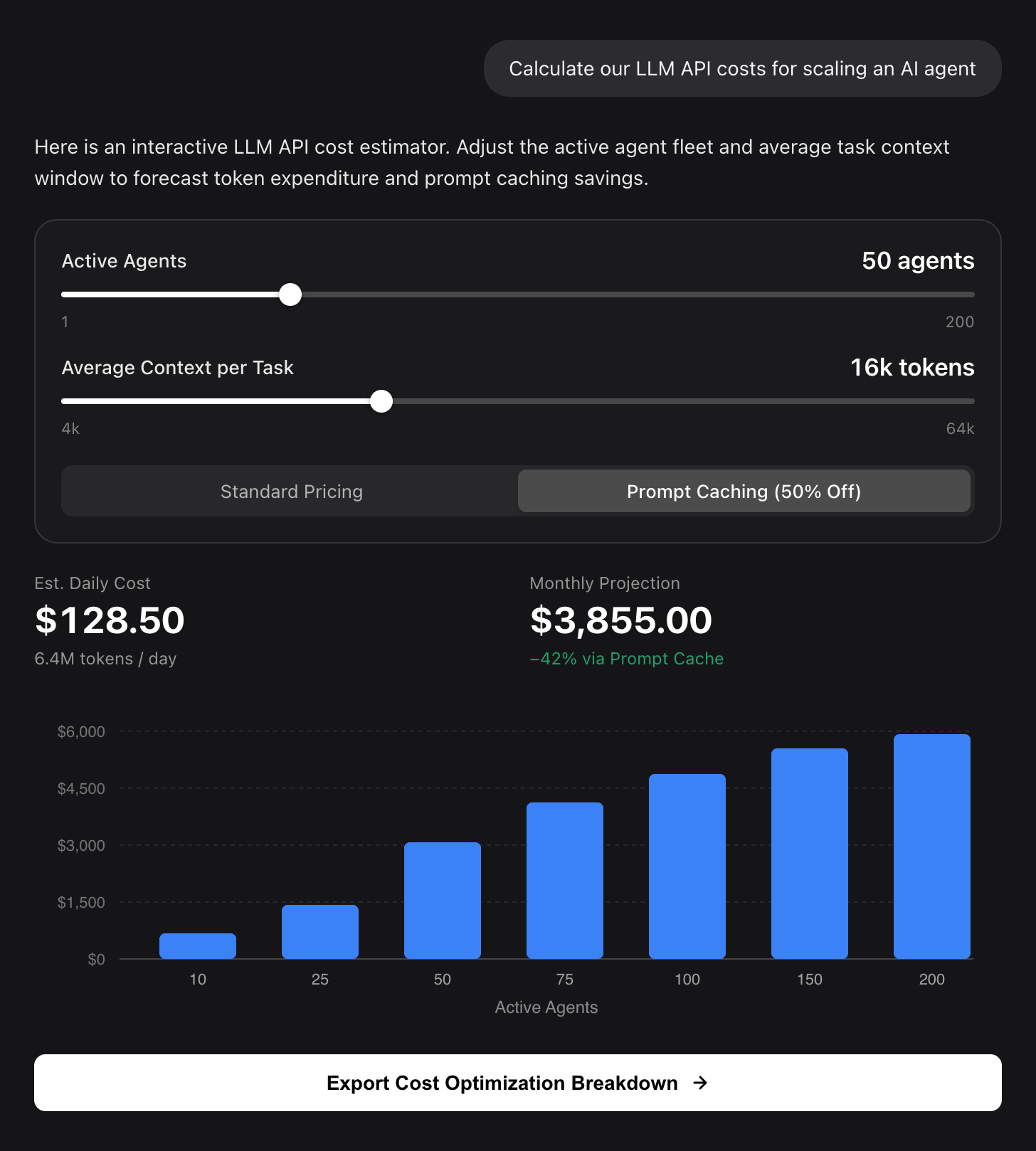 | 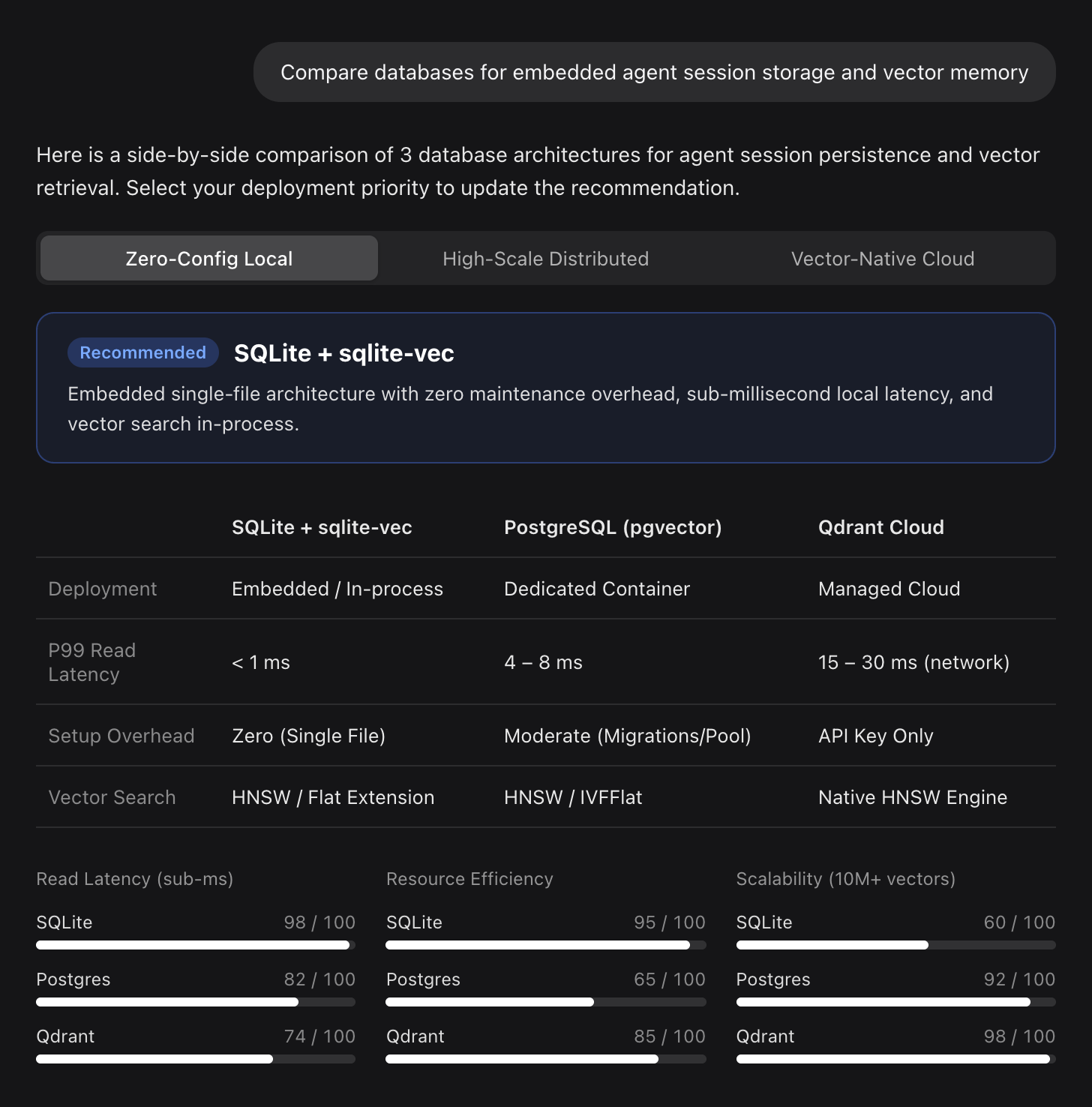 |
🎨 Themed Mermaid Diagrams with Rounded Nodes & Semantic Role Colors
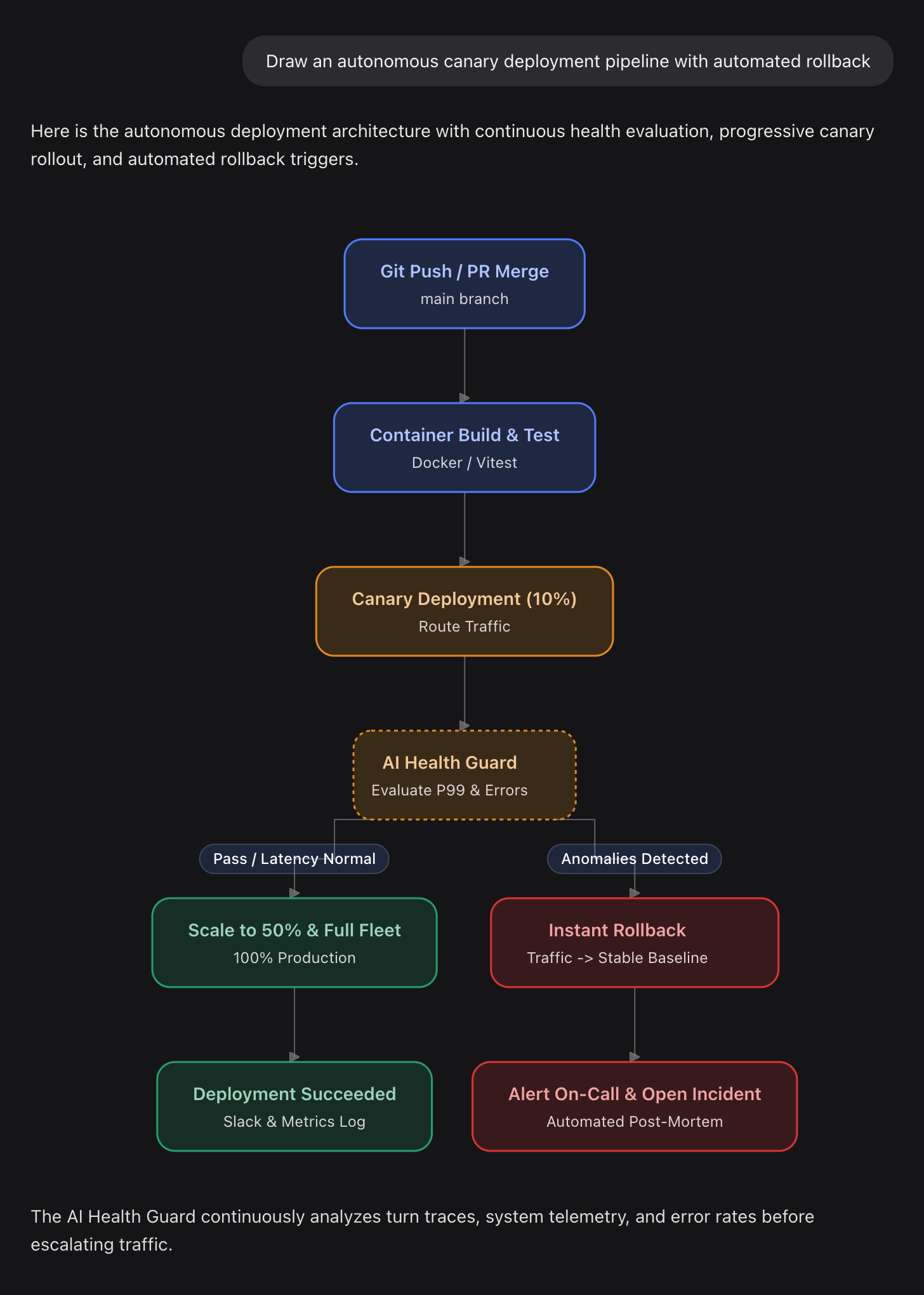
stat), bar/line/pie charts (chart), responsive layouts (box, row, grid), progress bars, data tables, badges, and segmented controls.```mermaid fences into styled diagrams with rounded cards, dark/light theme harmony, and hierarchy-aware typography.GenUI.issueNewTurn(...)) let you send configured values back to the agent as your next prompt with a single click.eval, DOM access, or network permissions. Form state stays strictly within your local browser session.Requires DeepSeek Harness 0.2.x or later (Desktop app or dsh web).
@rakutek/dsh-intelligent-ui
https://github.com/rakutek/dsh-intelligent-ui
Run the following command in your terminal:
# For Desktop app profile (make sure to quit Desktop first):
dsh plugin --profile desktop add @rakutek/dsh-intelligent-ui

# For Web server profile:
dsh plugin --profile web add @rakutek/dsh-intelligent-ui
Note: To temporarily return to plain-text replies, simply toggle off the plugin in Plugins.
Once installed, prompt the model naturally with questions that benefit from interactivity:
"Create a SaaS pricing simulator where I can adjust team seats and billing frequency (monthly vs. annual) and see the discount impact."
"Compare MacBook Pro M3, ThinkPad X1 Carbon, and Dell XPS 13 for battery life, weight, price, and developer workflows with interactive filters."
"Draw a flowchart showing how a GitHub pull request goes through CI checks, code review, and deployment."
"Build a mortgage repayment calculator with loan amount, interest rate slider, and amortization chart."
The plugin injects concise instructions into the system prompt. The model writes standard Markdown enhanced with JSX-like component tags and reactive state declarations:
{@body const [seats, setSeats] = useState(25)}
{@body const [price, setPrice] = useState(1200)}

<box border radius="xl" padding={3} gap={2}>
  <title level={3}>Team Plan Estimator</title>

  <slider min={1} max={100} value={seats} onChange={setSeats}/>
  <slider min={500} max={5000} step={100} value={price} onChange={setPrice}/>

  <row gap={2}>
    <stat label="Monthly Cost" value={`¥${(seats * price).toLocaleString()}`}/>
    <stat label="Annual Cost (10% off)" value={`¥${Math.round(seats * price * 12 * 0.9).toLocaleString()}`}/>
  </row>

  <button onClick={() => GenUI.issueNewTurn(`Please review quote for ${seats} seats at ¥${price}/mo`)}>
    Submit this configuration
  </button>
</box>
| Category | Available Elements |
|---|---|
| Layout & Structure | <box>, <row>, <grid>, <grid-item>, <divider> |
| Typography & Data | <title>, <text>, <caption>, <label>, <badge>, <icon>, <stat>, <progress> |
| Tables & Collections | <table>, <table-row>, <table-cell> |
| Data Visualization | `<chart type="bar |
| Interactive Controls | <slider>, <input>, <checkbox>, <radio-group>, <radio>, <segmented-control>, <select>, <button> |
| Expressions & Logic | {expression}, {#if condition}...{/if}, {#each item in list}...{/each}, {@body ...} |
eval(), new Function(), access to window/document, or network fetch access.v0.2.0-rc.1 or laterThis project is licensed under the MIT License.
Distributed client bundles package mermaid and zod. See THIRD_PARTY_NOTICES.md for full licensing disclosures.
DeepSeek Harness(DSH)Web 插件聚合生态包 · 一切皆插件,创意工坊分发(dsh-market.com)
把回答做成一页可视化 HTML:模型只写简短的 Markdown 草稿,随包附带的 `am` 命令行生成页面,支持流程图、时序图、树、时间线、ER 图、表格和提示框。
在 dsh 里装上这个插件即可,无需登录、注册或填 API Key,就能使用包括 Muse Spark 1.3、MiMo V2.6 在内的前沿模型——完全免费,不限量。 All you do is install this plugin in dsh: no login, no sign-up, no API key — the frontier models are just there, Muse Spark 1.3 and MiMo V2.6 among them. Completely free, with no usage cap.

