

dsh-web
zhu1090093659/dsh-webDeepSeek Harness(DSH)Web 插件聚合生态包 · 一切皆插件,创意工坊分发(dsh-market.com)
✅ Adapted to the latest DSH Desktop build (tested on
0.1.7-rc.2) and the Web build (tested on0.1.5-rc.3). Any DSHv0.1.5-alpha.1or newer (a build that ships the official right panel) works; on anything older please use theme0.11.x— see Version compatibility.
A highly customizable theme plugin for DeepSeek Harness (ships with a "Xiao" jade-green look by default). It themes the DeepSeek Harness web UI: colors, mascot badge, background, and injected voice are all configurable. The background supports static images, animated GIFs, and looping videos (MP4/WebM/MOV/M4V) — an uploaded animated GIF is auto-detected and used as a live/dynamic background, and an uploaded video is auto-detected and played as a full-screen looping background. Out of the box it's a Xiao-style jade/emerald theme, but the accent color, badge text, voice, and background are all tweakable — make it your own.
Gives the DeepSeek Harness web UI a heavily customizable theme. By default it's the jade-green "Xiao" look (jade palette + mascot badge + Xiao-style voice + frosted background), but every part is adjustable: accent color, badge text, voice toggle/language/content, background image and transparency. It also optionally injects a "Xiao-style voice" into the session — turn it on if you want the assistant to speak like Xiao, off if not. It only changes tone/style, never the substance of the answer. On top of that it ships a separate roleplay space (entertainment): an independent, tool-free agent preset for actually chatting in character, kept deliberately apart from work sessions — a work session only ever gets tone, never a character identity.
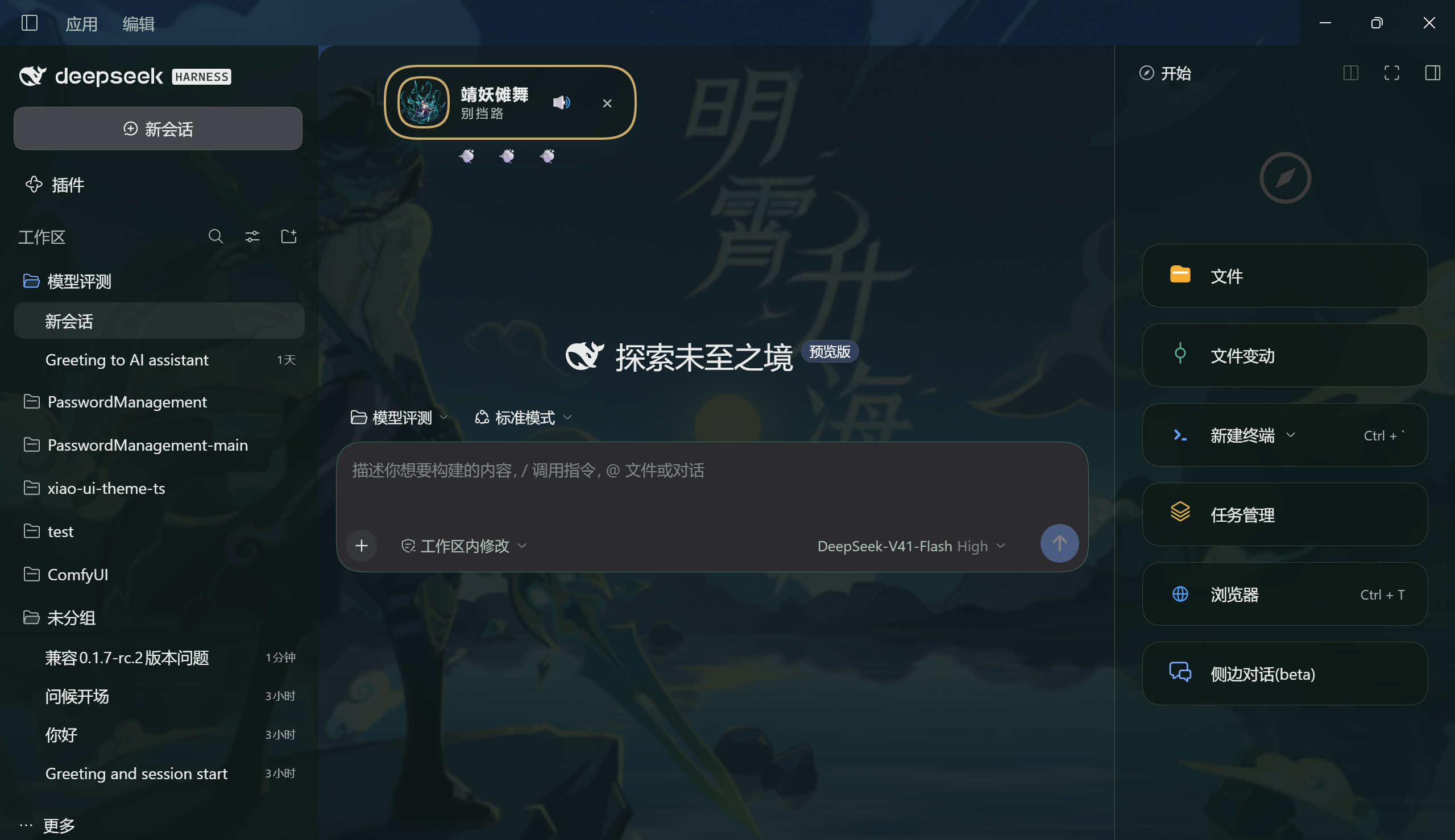
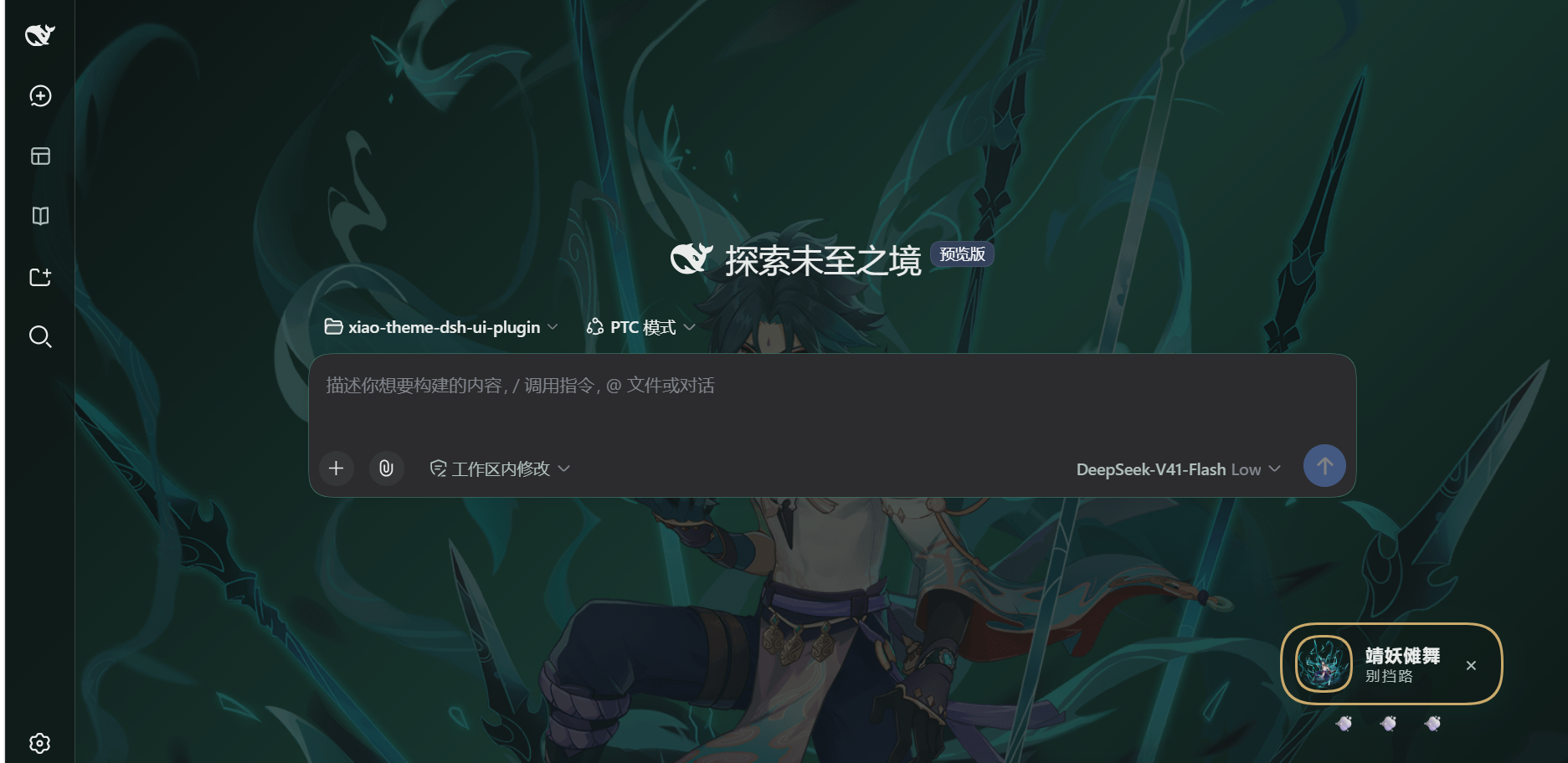
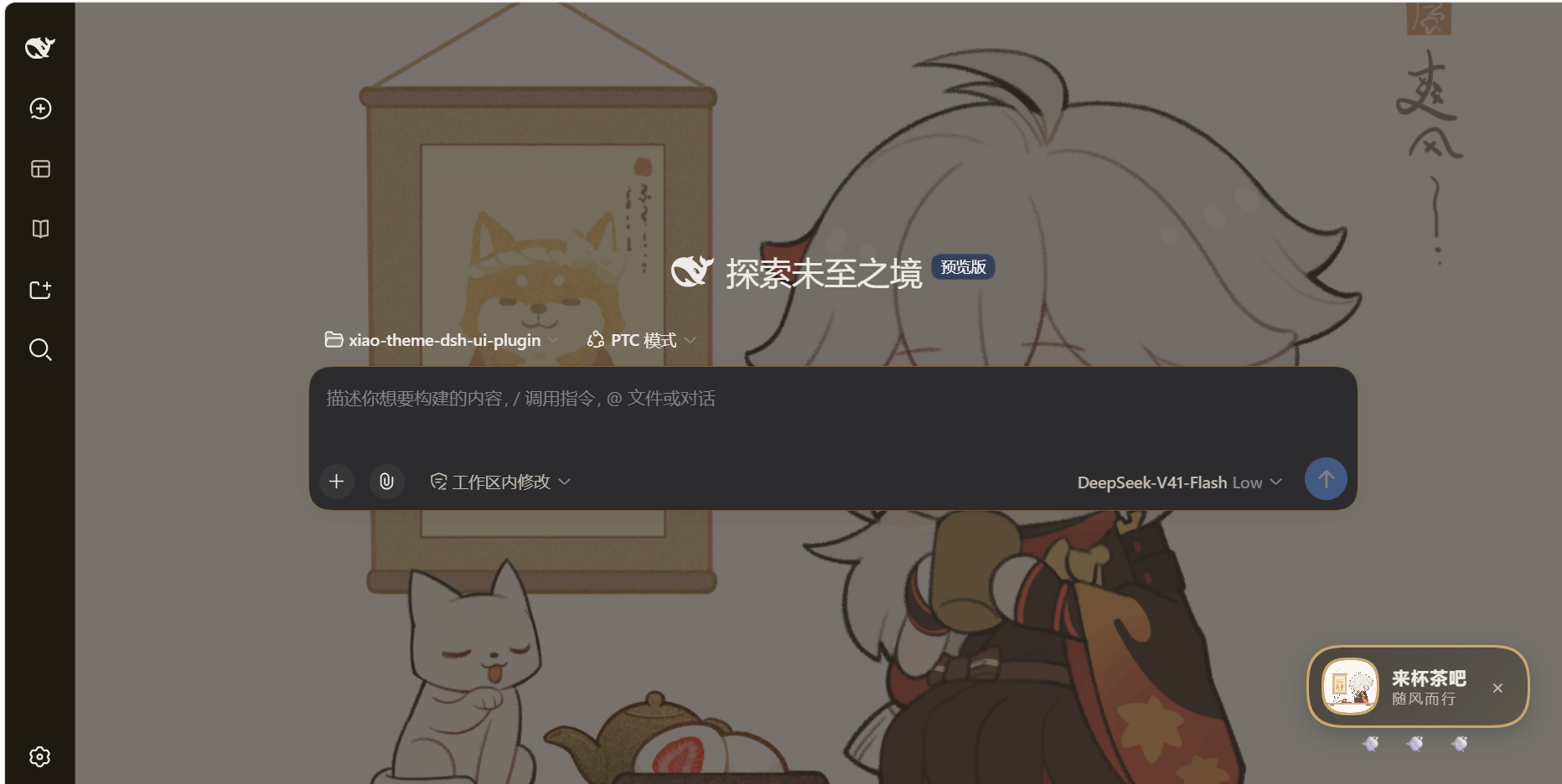
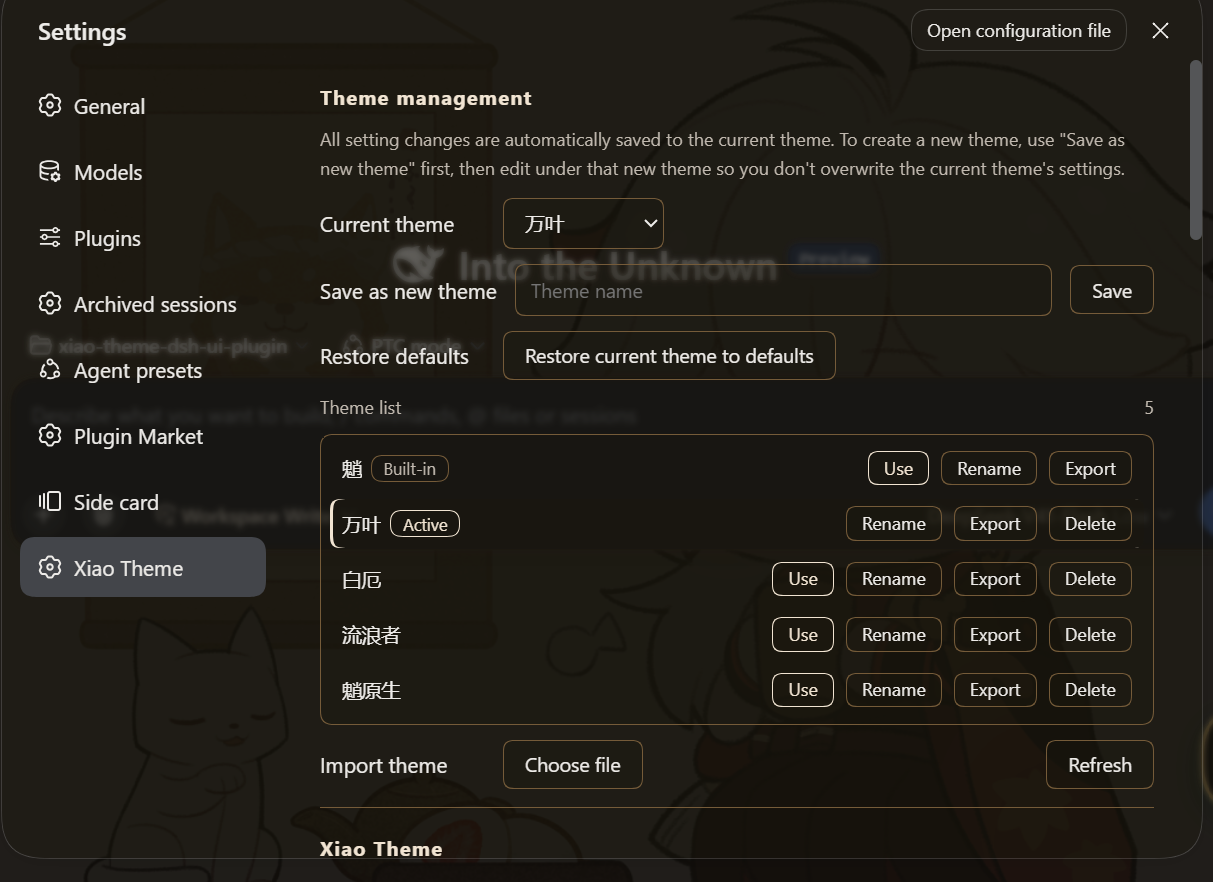
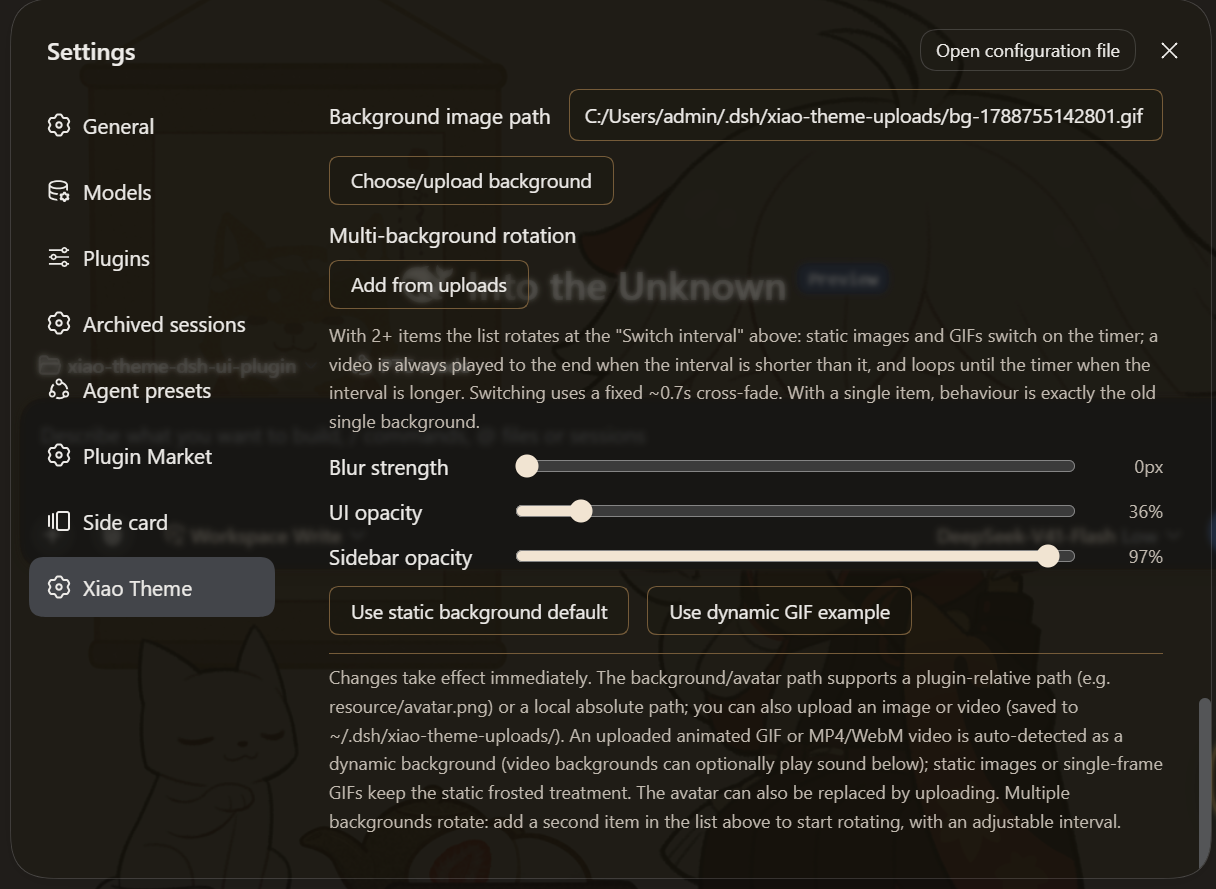
agentPresets registry, while 0.1.6 and older write the ~/.dsh/.agent-presets/xiao-roleplay/ directory. Start a new session and pick that preset at the top to enter character. The default role is an English Xiao card, and any full character prompt you paste replaces it. The preset's own composition mounts no file, command or task tools, so a roleplay session never gets your work tools and you never trade away a work session's real capability for it; the two sides keep separate histories. (Tools registered by profile-level plugins sit outside every preset and still appear — see the notes below.) One-click toggle — turning it off removes the preset.max(interval, video length). Switching uses a fixed ~0.7s cross-fade. With a single background nothing changes: no timer, no fade, exactly the old behaviour..json file. The settings sidebar section title now follows the active theme's name: it is shown as the current theme name plus a UI-language suffix (主题 in Chinese, Theme in English), so switching to another theme or renaming the active one updates the sidebar title immediately. The theme name is used verbatim and is never translated — only the suffix follows the UI language. The built-in 魈 theme keeps its bilingual 魈主题 / Xiao Theme.dsh available) — with v0.1.5-alpha.1 or newer (builds that ship the official right panel) use this release or a later one; on anything before v0.1.5-alpha.1, use the previous release 0.11.x (see Version compatibility)0.19.x only; legacy ≤ 0.18 (self-drawn right panel) is not adapted toPick the theme version by your DSH version — the dividing line is whether the official right panel exists (dsh-client-ui-sidebar-right, introduced in v0.1.5-alpha.1):
| Your setup | Install | Notes |
|---|---|---|
DSH v0.1.5-alpha.1 or newer (ships the official right panel) | this release 0.12.0 or later (preferred) | the painting model covers both shapes of the official right panel: the panel paints itself (v0.1.5-alpha.1 – 0.1.6-alpha.2), or the panel paints nothing while inner surfaces do (0.1.7-alpha.1 and newer) |
DSH before v0.1.5-alpha.1 (no official right panel) | the previous release 0.11.x | that generation's right column and anchors do not line up with this release; the older theme is the safer pick |
⚠️ Picking against the table will not crash: the plugin still loads and DSH still starts, but UI bugs may appear — for example the sidebar / right panel background and transparency can be wrong (too flat, not transparent enough, mismatched between the two sides, or showing the background through entirely).
- Official right panel (
v0.1.5-alpha.1or newer) → this release or later.- Before
v0.1.5-alpha.1→ the previous release0.11.x.- The legacy anchors (
data-dsh-panel/data-dsh-pane) are still in the CSS, so an old combination will not error or crash — only the look is not guaranteed.
dsh command is available.dsh plugin --profile web add xiao-ui-theme-ts
Or install directly from a GitHub release tarball:
dsh plugin --profile web add https://github.com/jinxlux/xiao-theme-dsh-ui-plugin/releases/latest/download/xiao-ui-theme-ts.tgz
git clone <copied-repo-url>
cd xiao-ui-theme-ts

pnpm install       # install build dependencies
pnpm run build     # produce lib/ (ESM Host + ModuleLoader Client + declarations)
pnpm run check     # optional: verify the artifact satisfies the dsh plugin contract
Then attach it as a bundle to a DSH profile:
# relative path (run from a sibling directory)
dsh plugin --profile web add "./xiao-ui-theme-ts"
# or an absolute path
dsh plugin --profile web add "D:/.../xiao-ui-theme-ts"
dsh plugin addinstalls the package into the profile and, thanks to itsdsh.bundledeclaration, automatically hooks it into the bundle stack — no manual config needed. Refresh / restart DSH Web for the theme to take effect.
web_search / web_fetch tools — so the character can look up the latest plot, design and lore before playing. File, command and task access stay blocked. Whatever role text you provide is used verbatim, and the plugin then appends its own short rules section after it — the tool gate for this switch plus the "never name your source" rule. Your role text cannot replace or turn that off, so don't put tool instructions in it: they would only conflict with the appended rules. (A profile-level web plugin, if installed, supplies the search provider — see the notes below.) Looked-up material is only background knowledge for the character: it stays in character and never mentions the web, a search, a source or a link. Off (the default) web lookup is simply not allowed: the role text orders the character to use no tools at all — that block lives in the prompt, not in the tool set.~/.dsh/.agent-presets/xiao-roleplay/; on 0.1.7+ the preset comes from the registry and the folder is created first if missing) in your file manager.#2E8B72); the panel surfaces, borders, brand color, sidebars and background gradient all shift in sync. Semantic state colors (error / warning / success) stay fixed and don't follow the accent.data-sidebar-right-panel), which is also exactly where better-sidebar ≥ 0.19 mounts its tabs — so one slider covers both. Older better-sidebar releases (< 0.19) drew their own panel and are still matched through data-dsh-panel / data-dsh-pane. When neither is present the rules simply do nothing.xiao-theme.json under the DSH home — ~/.dsh by default, $DSH_HOME when that is set; uploaded background images/videos go to xiao-theme-uploads/ right beside it (user-level, not shipped with the repo). An install that already has data at ~/.dsh keeps using it, so upgrading never looks like a settings reset (see Notes). Uploads are streamed to disk and sized by purpose: avatars/images keep a 20MB cap, backgrounds (including videos) allow up to 200MB. Unsupported or mismatched formats are rejected with a clear message shown in the settings page (instead of silently failing).dsh plugin add ./xiao-ui-theme-ts, which DSH stores as a link: dependency), then later switch to a remote install (package name or tarball), remove the leftover link first — otherwise pnpm may follow it back to your local node_modules and fail with a symlink EPERM (@types/node). Remove it and retry:
dsh plugin --profile web remove xiao-ui-theme-ts
dsh plugin --profile web add xiao-ui-theme-ts
lib/ is build output, not committed. After clone, run pnpm install && pnpm run build first, then dsh plugin add; adding an unbuilt directory fails because lib/ is missing.resource/avatar.png), readable across machines; keep resource/ at the same level as lib/ after building (current layout works). resource/bg.svg is legacy and no longer used..mp4, or VP8/VP9 in .webm. Some browsers can't decode HEVC (H.265) .mp4/.mov; .avi/.mkv aren't accepted.http://127.0.0.1:3080) via the AutoplayAllowlist enterprise policy, or launch the browser with --autoplay-policy=no-user-gesture-required (debug flag). Otherwise just leave the sound toggle off and the background stays purely muted. "Background video volume" only takes effect while unmuted: 0% is completely silent, and moving the slider (in Settings or in the badge) unmutes automatically so you can hear the level you drag to. See Autoplay policy in Chrome.systemPrompt assembly. If the agent preset filters the prompt down to only a persona, or uses a complete persona, the voice may not appear in that session (that's preset behavior, not a plugin bug).sidebarCol column and the native right-sidebar panel (data-sidebar-right-panel). Older DSH releases named that column detailsCol, and older better-sidebar releases drew their own panel tagged data-dsh-panel / data-dsh-pane; both anchors are kept for compatibility. The newer better-sidebar bottom workbench panel also carries data-dsh-panel, so it is explicitly excluded (:not([data-dsh-bottom-panel])) and stays opaque. The sidebar rules themselves are CSS-only — the anchors are stable data attributes / class-name suffixes, never hashed class prefixes. (A small JS fallback separately locates the shell frame to apply the frosted-panel blur when the CSS selector misses; it is not used for, and does not affect, the sidebar anchors.)xiao-voice is an ordinary unscoped system-prompt section, not a mode. A preset that filters assembly down to its persona (or sets complete: true on it) removes it — so if the tone disappears under a particular preset, that is the preset's behavior, not a broken toggle.agentPresets registry (re-registered the moment the toggle, the role text or Allow web lookup changes); on DSH 0.1.6 and older (web 0.1.5, for instance) it maintains agent.cordis.yml and preset.yml under ~/.dsh/.agent-presets/xiao-roleplay/ (agent.cordis.yml is generated — do not hand-edit it; change the role through the settings text box instead). Both routes produce an identical preset (same persona, same rows). Turning the toggle off releases the registration and deletes those two files (a non-recursive removal, so anything else you placed in that directory is left alone). The preset's persona is the complete system prompt (complete: true plus no runtime context). Its own composition mounts no work-tool rows (no file, shell, subagent, task or plan), and Allow web lookup adds just one row (web_search / web_fetch). This governs the preset's own layer only: tools registered by profile-level plugins (host-plane rows such as a web-search plugin like modsearch, or plugin-vet) belong to no preset and appear in every session, roleplay included — the preset cannot hide them. That is a supported setup: leave such a plugin installed if you want the extra reach — its own tools work in a roleplay session, and with Allow web lookup on, web_search uses the provider it supplies (modsearch does exactly this). Uninstall or disable it from the profile only if you would rather the roleplay session not have it. That root is resolved the way DSH resolves it at the user level — a non-blank $DSH_HOME replaces ~/.dsh — so the file route always lands where DSH scans (on 0.1.7+ the registry route never touches that directory). The theme's own settings and uploads deliberately stay at ~/.dsh, so upgrading never looks like a settings reset.DeepSeek Harness(DSH)Web 插件聚合生态包 · 一切皆插件,创意工坊分发(dsh-market.com)
把回答做成一页可视化 HTML:模型只写简短的 Markdown 草稿,随包附带的 `am` 命令行生成页面,支持流程图、时序图、树、时间线、ER 图、表格和提示框。
在 dsh 里装上这个插件即可,无需登录、注册或填 API Key,就能使用包括 Muse Spark 1.3、MiMo V2.6 在内的前沿模型——完全免费,不限量。 All you do is install this plugin in dsh: no login, no sign-up, no API key — the frontier models are just there, Muse Spark 1.3 and MiMo V2.6 among them. Completely free, with no usage cap.

