
dsh-web
zhu1090093659/dsh-webDeepSeek Harness(DSH)Web 插件聚合生态包 · 一切皆插件,创意工坊分发(dsh-market.com)

在 DSH 工作区选择器中添加无工作区会话入口,创建按日期整理的独立目录,并让已开始的会话在未分组区域保持可恢复。
A DeepSeek Harness Web/Desktop plugin that adds Session without workspace to the existing Workspace picker. Every session receives its own date-organized working directory:
~/Documents/DSH/YYYY-MM-DD/session-HH-mm-ss-random/
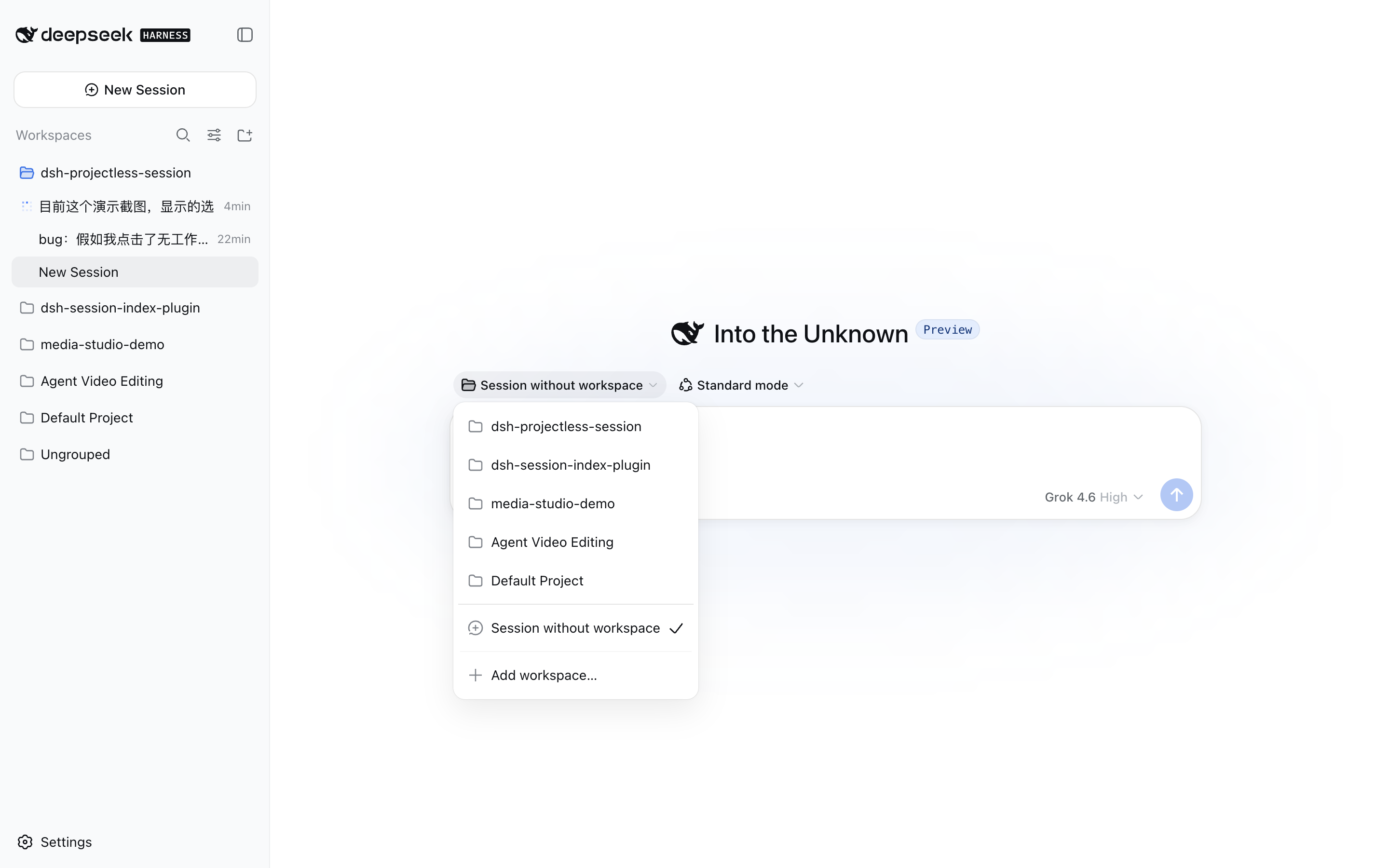
The plugin uses DSH's Cordis Host/Client extension APIs and does not modify DeepSeek Harness source. Its UI follows the DSH Language setting and includes complete English and Simplified Chinese dictionaries.
DSH 0.2.x disables its native blank-session composer when a Session has
no registered Workspace. To retain the complete native composer—including
agent preset, commands and attachments, access mode, model selection, and the
send button—the plugin uses this lifecycle:
/api channel.blank === false, the plugin
deletes only the Workspace registration.cwd, and directory; the conversation moves to
the built-in Ungrouped section and remains resumable.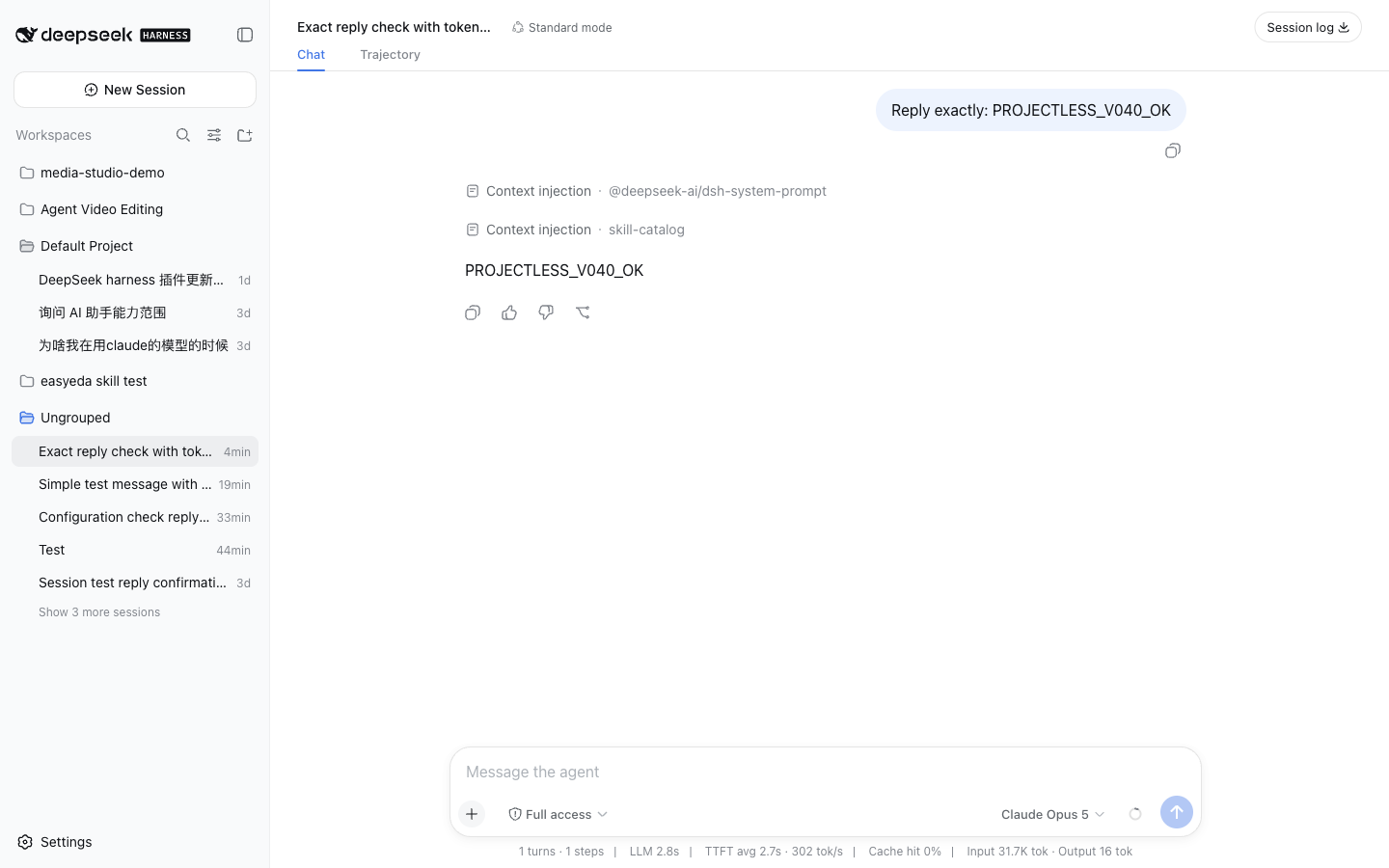
Deleting the registration after the first prompt does not delete the working
directory or Session history. Unused empty directories are removed only when
they still match the plugin's date/session shape and contain no user files.
Finder metadata such as .DS_Store does not keep the directory.
0.2.0-rc.2 through 0.2.x (tested with 0.2.1-rc.2)22.19 or laterFrom npm (recommended):
dsh plugin --profile web add dsh-projectless-session
From GitHub source:
dsh plugin --profile web add github:jarvisluk/dsh-projectless-session
Offline, from the prebuilt tarball on the latest GitHub Release — download the asset, then install that local file:
dsh plugin --profile web add /absolute/path/to/dsh-projectless-session.tgz
Do not hand pnpm a release-asset URL such as
https://github.com/…/releases/latest/download/dsh-projectless-session.tgz. That address is mutable and pnpm 11 (the DSH Desktop profile usesnodeLinker: hoisted) caches it by URL. On a cache hit pnpm writes the resolution with nointegrityfield, aborts withERR_PNPM_MISSING_TARBALL_INTEGRITY, and can even resolve a stale version. The npm package, thegithub:shortcut, and a downloaded local file all pin an immutable artifact instead.
Restart a running dsh web process after installation. To uninstall:
dsh plugin --profile web remove dsh-projectless-session
/api Connection channel for filesystem calls and
removes its routes cleanly when the plugin unloads.0 Workspace picker automatically when the
plugin is removed.Override the plugin configuration in the Web profile's cordis.patch.yml:
- id: dsh-projectless-session
  config:
    root: /absolute/path/to/DSH
npm ci
npm run verify
npm pack
Tests cover the bilingual dictionaries, directory safety constraints, local date hierarchy, temporary Workspace lifecycle, picker selected-state remapping, cleanup after the first accepted prompt, abandonment of unused blank Workspaces, and rollback when Session creation fails.
这是一个 DeepSeek Harness Web/Desktop 插件,在现有工作区选择器中加入 无工作区会话。每个会话都会获得一个按日期整理的独立工作目录:
~/Documents/DSH/YYYY-MM-DD/session-HH-mm-ss-random/
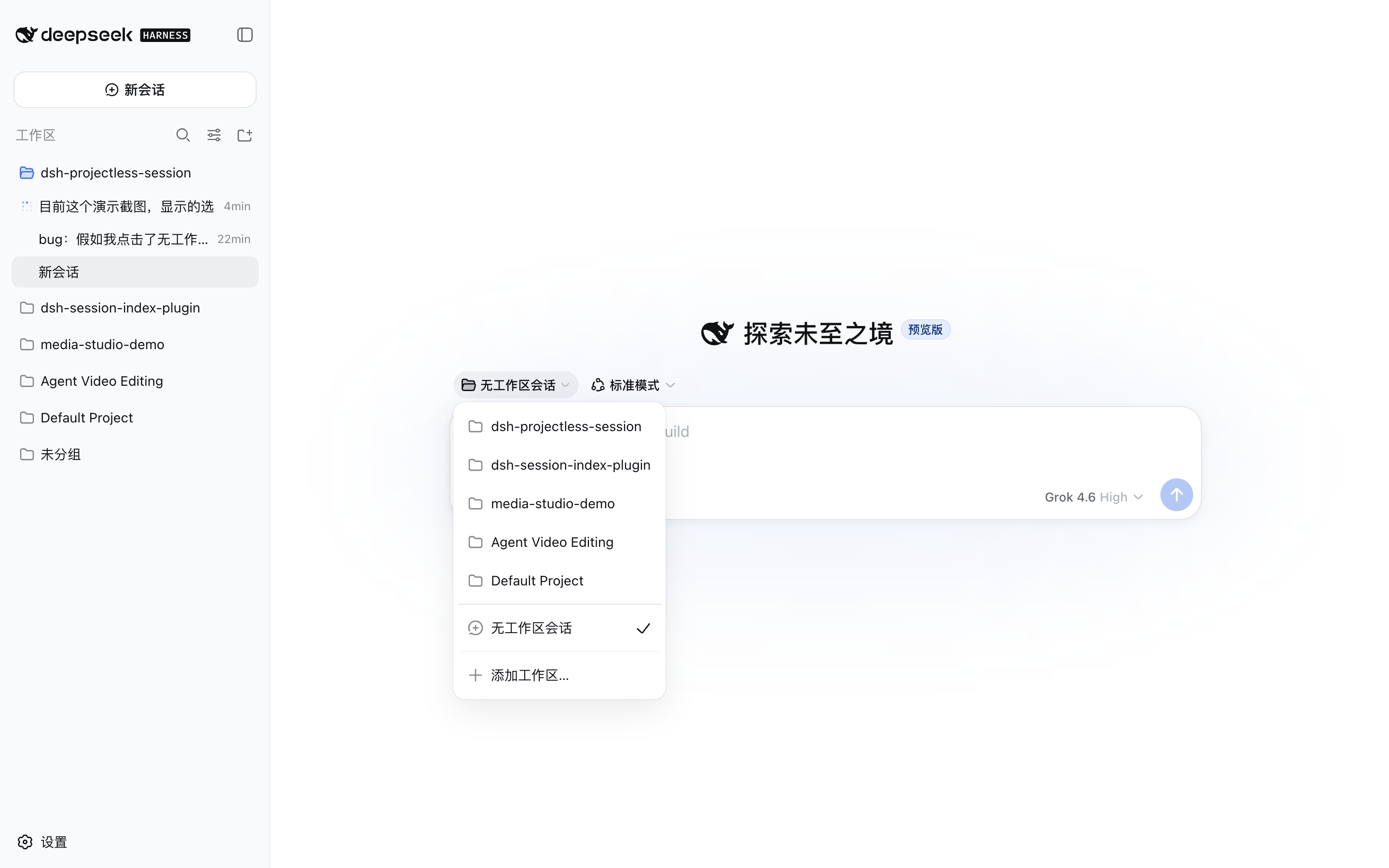
插件使用 DSH 的 Cordis Host/Client 扩展接口,不修改 DeepSeek Harness 源码。界面文案跟随 DSH Language 设置,完整支持英文和简体中文。
在 DSH 0.2.x 中,没有已注册 Workspace 的空白 Session 会禁用原生
编辑器。为了完整保留 Agent 预设、命令与附件、访问模式、模型选择和发送
按钮,插件采用以下生命周期:
/api 通道上已认证的 DSH Connection 接口创建目录。blank === false 后,插件只删除 Workspace 注册。cwd 和目录;会话进入内置的未分组区域,
之后仍可恢复和继续。
首条消息后删除 Workspace 注册不会删除工作目录或会话历史。只有仍符合插件
日期/会话目录形态、并且里面没有用户文件的空目录才会被删除。.DS_Store
这类系统元数据不会阻止删除。
0.2.0-rc.2 至 0.2.x(已用 0.2.1-rc.2 验证)22.19 或更高版本从 npm 安装(推荐):
dsh plugin --profile web add dsh-projectless-session
从 GitHub 源码安装:
dsh plugin --profile web add github:jarvisluk/dsh-projectless-session
离线安装:从 最新 GitHub Release 下载预构建压缩包到本地后再安装:
dsh plugin --profile web add /下载目录/dsh-projectless-session.tgz
不要把 Release 资产地址直接交给 pnpm,例如
https://github.com/…/releases/latest/download/dsh-projectless-session.tgz。 这个地址是可变的,而 pnpm 11(DSH Desktop profile 使用nodeLinker: hoisted)按 URL 缓存它:命中缓存时写出的解析结果没有integrity字段,安装会以ERR_PNPM_MISSING_TARBALL_INTEGRITY失败,甚至 可能解析到过期版本。npm 包、github:简写和下载到本地的文件都指向不可变 产物,请使用其中之一。
安装后重启正在运行的 dsh web。卸载:
dsh plugin --profile web remove dsh-projectless-session
/api Connection 通道,并在插件卸载时干净移除路由。0 的 Workspace 选择器自动恢复。在 Web profile 的 cordis.patch.yml 中覆盖插件配置:
- id: dsh-projectless-session
  config:
    root: /absolute/path/to/DSH
npm ci
npm run verify
npm pack
测试覆盖双语词典、目录安全约束、本地日期层级、临时 Workspace 生命周期、 选择器选中态映射、首条消息后的注销、未使用空白 Workspace 的回收,以及 Session 创建失败时的回滚。
DeepSeek Harness(DSH)Web 插件聚合生态包 · 一切皆插件,创意工坊分发(dsh-market.com)
把回答做成一页可视化 HTML:模型只写简短的 Markdown 草稿,随包附带的 `am` 命令行生成页面,支持流程图、时序图、树、时间线、ER 图、表格和提示框。
在 dsh 里装上这个插件即可,无需登录、注册或填 API Key,就能使用包括 Muse Spark 1.3、MiMo V2.6 在内的前沿模型——完全免费,不限量。 All you do is install this plugin in dsh: no login, no sign-up, no API key — the frontier models are just there, Muse Spark 1.3 and MiMo V2.6 among them. Completely free, with no usage cap.

