

dsh-web
zhu1090093659/dsh-webDeepSeek Harness(DSH)Web 插件聚合生态包 · 一切皆插件,创意工坊分发(dsh-market.com)
English | 中文
Use the DeepSeek Harness (DSH) web UI right inside VS Code: click a sidebar icon to embed DSH, which auto-starts (or reuses) the dsh web service — code and AI interface side by side, no more switching between terminal, browser, and IDE.
Works with DSH 0.1.2 and newer, including its one-time-token browser authentication (auto sign-in, no manual step) — see DSH ≥0.1.2 authentication. Older DSH (≤ 0.1.1, no auth) keeps working unchanged.
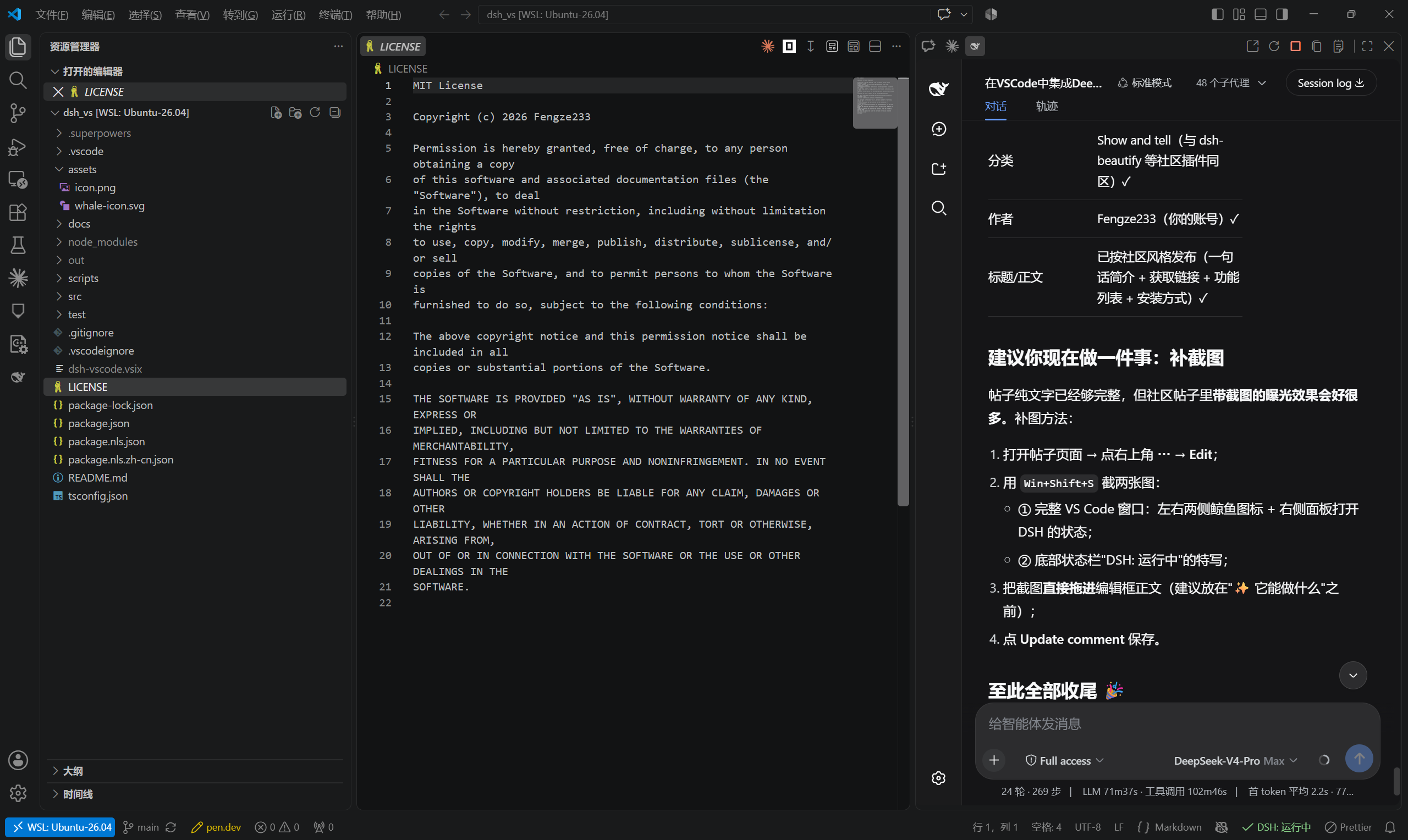
59-second demo on Bilibili (Chinese): BV1p8bD6dE18
dsh web, otherwise starts one silently in the background and loads it once ready;dsh missing, start timeout, crash/disconnect — each has a dedicated page with one-click reconnect; if the configured port is taken by another program, the extension temporarily falls back to the first free port for that session, never a blank screen;zh-*, English otherwise;Cmd+C / Cmd+V and the right-click menu silently fail inside the embedded DSH page — the panel ships its own standard edit shortcut simulation and a context menu (Copy/Paste/Cut/Select All/Undo/Redo), while plain-browser usage and every existing feature stay untouched;SameSite=Strict cookie can never be used inside a cross-site iframe. A session that expires is re-acquired automatically (a self-started service) or after one paste (an externally started service);dsh.remote.enabled, off by default);dsh.image.fallback);dsh web is started with --no-open by default (restore with dsh.openInBrowser).Option 1: Marketplace (recommended)
Search for DSH (publisher Fengze233) in the VS Code Extensions view, or run:
code --install-extension Fengze233.dsh-vscode-panel
Marketplace page: https://marketplace.visualstudio.com/items?itemName=Fengze233.dsh-vscode-panel
Option 2: .vsix package
dsh-vscode.vsix from Releases;Ctrl+Shift+P → run Extensions: Install from VSIX... → select the file;Developer: Reload Window).Option 3: Build from source
git clone https://github.com/Fengze233/dsh-vscode.git
cd dsh-vscode
npm install
npm run package        # produces dsh-vscode.vsix, then install as in Option 2
Prerequisite: the dsh CLI from DeepSeek Harness must be installed and on your PATH (the extension detects it and shows a hint if missing).
dsh web and embeds the DSH page in that sidebar;
dsh.port is occupied by another program, the extension automatically switches to the first free port for this session only (your setting is unchanged; a notification tells you the temporary port);Open in Browser Restart Service Stop Service Copy URL Show Logs;DSH:)| Command | Description |
|---|---|
DSH: Open Panel | Open the left panel |
DSH: Open in Secondary Side Bar | Open the right panel |
DSH: Open in Browser | Open the DSH page in the system browser |
DSH: Restart Service | Restart the extension-managed service |
DSH: Stop Service | Stop the extension-started service |
DSH: Copy URL | Copy the DSH page URL |
DSH: Show Logs | Open the extension log output channel |
DSH: Copy Logs | Copy the full DSH log (environment info + service log) to the clipboard for bug reports |
DSH: Retry Bridge Install | Reinstall the bridge and restart the service |
DSH: Uninstall Bridge | Remove the bridge package and restore cordis.patch.yml |
DSH 0.1.2 introduced mandatory browser authentication. On startup dsh web prints a one-time launch URL:
dsh web: http://127.0.0.1:3080/?token=<one-time token>
Visiting it returns 303 plus a signed session cookie (HttpOnly; SameSite=Strict, bound to the request Host, 30-day lifetime). Every page and every /api call then requires that cookie; without it DSH answers 401 dsh web authentication required.
Why a relay is needed. The panel is a cross-site iframe (its top-level document is vscode-webview://…), and browsers never send a SameSite=Strict cookie in that context — verified empirically with three different top-level document shapes. So the iframe cannot log itself in, no matter what URL it loads.
What the extension does (all automatic for a service it started itself):
401/403 with a dsh web body marker as “DSH is running and needs a login” instead of “port occupied” (this is what previously produced the confusing “service not ready within 15s / port occupied” loops);host:port (30 days; a service restart does not invalidate it);127.0.0.1): the panel iframe loads the relay, which forwards all traffic to dsh web while injecting the session cookie and rewriting Host, and adapts DSH's /api browser-trust fence (the fence requires Origin.host === Host and rejects Sec-Fetch-Site: cross-site, neither of which can hold behind a relay — the relay strips those browser-origin headers, acting as the trusted local intermediary it is). Uploads, SSE streams and WebSocket upgrades are forwarded as streams;401 upstream and the extension re-acquires the session automatically (self-started service) or shows the sign-in page again.If you start DSH yourself (systemd, a terminal), the extension cannot read that process's log, so the panel shows a one-time sign-in page: paste the launch URL from the service log (e.g. journalctl -u dsh -n 100). One paste lasts up to 30 days, and a service restart does not require pasting again. You can also paste a bare http://127.0.0.1:3080/ address — for a DSH ≤ 0.1.1 (no auth) service that is enough.
Context injection uses the same relay: the file-context commands (DSH: Add Current File to Context, ask/send-selection, auto-follow) call DSH's /api through the local relay too, so they carry the session cookie and pass the browser-trust fence automatically; if the panel has not finished signing in yet, they wait up to 5 seconds before warning.
Exposure of the relay: it listens on 127.0.0.1 only and holds a 30-day session, so any local process (including other local users) that finds the port can drive that session — the same exposure as a DSH ≤ 0.1.1 service listening on 127.0.0.1:3080 with no authentication at all, and narrower in practice (the port is random and must be scanned). 0.1.2's authentication protects against network exposure and cross-site browser contexts; the relay does not reintroduce network exposure.
After installation, the extension installs its own bridge package dsh-vscode-bridge into DSH's official client-plugin extension point under your DSH user directory, enabling three integrations:
execCommand('undo') no-ops. After handshake the bridge keeps a manual undo/redo stack per editable element (consecutive typing grouped into one step per 400ms) — native undo is preferred when it works, manual fallback otherwise (fixes issue #6 "Cmd+Z undo doesn't work").To let the DSH page communicate with VS Code, the extension will:
dsh-vscode-bridge into your DSH user directory ($DSH_HOME/profiles/<dsh.profile>, default ~/.dsh/profiles/web) via DSH's official client-plugin extension point;insert: entry (wrapped in # dsh-vscode-bridge: begin / # dsh-vscode-bridge: end) into cordis.patch.yml, registering the bridge as a DSH client plugin — writing only to the user directory and never touching the DSH installation directory.To remove, either way works:
uninstall hook automatically, removing the marked entry and the bridge directory (best-effort — it never blocks the uninstall);DSH: Uninstall Bridge for the same result.Versioning: the bridge package version is always identical to the extension version (the two ship together in one vsix to the marketplace); the installer force-reinstalls the bridge whenever the bundled version differs from the installed one, so logic updates always reach the user.
dsh.*)| Setting | Default | Description |
|---|---|---|
dsh.bridge.enabled | true | Enable the bridge (when off: no install, no injection, no warning; the three integrations are unavailable) |
dsh.workspaceRootIndex | 0 | For multi-root workspaces: which root to use as the dsh web process working directory (out-of-range falls back to the first) |
dsh.bridge.silenceWarning | false | Suppress the bridge degradation warning |
The bridge only works inside the panel. If it is inactive (e.g. you open the DSH page in a browser, or the install failed), the panel remains fully usable — only the three integrations above are unavailable; a one-time startup warning (with "Retry Install" / "Don't Show Again") is shown.
SameSite=Strict session model; externally started services get a one-time paste page. See DSH ≥0.1.2 authentication.401 is now recognized as DSH is running and needs a login instead of a foreign program squatting the port./api 403 inside the panel (“failed to load provider catalog”, empty workspace/session lists): the relay adapts DSH's browser-trust fence (Origin/Sec-Fetch-*) as a trusted local intermediary.session/prompt), payload.args.request wrapping, and the session/attachment-invalid rejection code.load event, postMessage uses '*' (the webview service worker rewrites the iframe origin), CSP frame-src is derived from the final frame URL only, WSL is classified separately from SSH-style remotes (localhost direct, no tunnel) and the handshake timeout is widened per remote class.DSH: Open Right Panel). The icon is the original whale on a white background (whale-icon-bg.svg), clearly visible in both dark and light themes; the activity bar and secondary sidebar keep the original whale icon.dsh.remote.enabled on, the extension runs on the remote host, starts/reuses dsh there, and shows the panel through a VS Code tunnel — your local VS Code window stays clean and the remote service stays on 127.0.0.1.image: <absolute-path> reference — no error, no popup; the model inspects the file with its own image tool and answers normally. Vision-capable models keep the native image upload untouched.dsh web is started with --no-open, so the plugin no longer pops a browser window; turn that back on with dsh.openInBrowser.dsh.*)| Setting | Default | Description |
|---|---|---|
dsh.profile | web | DSH profile used for startup and bridge installation (custom profiles must provide the web UI) |
dsh.launchPreference | auto | Which dsh install to prefer: auto (npm first, then DSH Desktop), npm, or desktop. If the preferred one is missing the other is used automatically; the log and the environment header record the actual source |
dsh.desktopCommandPath | (empty) | Absolute path of the DSH Desktop command (usually %LOCALAPPDATA%\Programs\DeepSeek Harness\resources\runtime\cli\bin\dsh.cmd); empty means auto-detect |
dsh.port | 3080 | Desired port (used for both detection and startup) |
dsh.host | 127.0.0.1 | Service address (loopback only) |
dsh.autoStart | true | Auto-start the service when it is not running |
dsh.stopOnExit | true | Stop the extension-started service when the last window closes |
dsh.extraArgs | [] | Extra arguments appended when starting dsh web |
dsh.executablePath | "" | Absolute path to the dsh executable (dsh.cmd on Windows); empty = look up on PATH |
dsh.openInBrowser | false | Open the DSH page in the default browser after the service starts (when off, --no-open is passed to dsh web) |
dsh.remote.enabled | false | Enable remote scenarios (SSH Remote / WSL / Dev Containers / Codespaces): run dsh on the remote and open the panel through a VS Code tunnel (off by default; reload the window after enabling) |
dsh.image.fallback | true | Send attached images as file-path references when the active model has no vision, instead of failing (files are cached in the session working directory and removed when the panel closes) |
dsh.startTimeoutMs | 45000 | How long to wait for dsh web to become ready, in milliseconds (5000–600000). Raise it on slow machines (Windows cold start measured at 17–23 s); this is the first knob to turn when the log says the service was not ready in time although it did start |
dsh.env | {} | Extra environment variables injected into the DSH child process (merged with the parent environment). Typical use on proxy networks: {"NODE_OPTIONS":"--use-env-proxy"} |
dsh.useEnvProxy | false | Append --use-env-proxy to the child process's NODE_OPTIONS (existing options are kept). Enable it when the model API is only reachable through an HTTP/HTTPS proxy |
dsh.panel.zoomLevel | 1 | Zoom of the embedded page: pick 0.5–1.5 from the dropdown (0.05 steps); finer values via settings.json |
Set "dsh.profile": "custom-profile" and "dsh.port": 3081 to launch
dsh --profile custom-profile --host 127.0.0.1 --port 3081 --no-open and install
the bridge into $DSH_HOME/profiles/custom-profile. Changing the profile restarts
an extension-owned service; an existing external service is still reused by port.
The default web profile preserves the current behavior.
Profile names may contain ASCII letters, numbers, dots, underscores and hyphens;
they cannot start with a hyphen or be . or ... Surrounding whitespace is trimmed.
UI copy follows the VS Code display language (Configure Display Language): zh-* → Simplified Chinese, anything else → English.
Requirements: Node.js ≥ 22, VS Code ≥ 1.91.
npm install
npm run test          # 318 unit/integration tests (including real dsh web flows: service lifecycle, auth session)
npm run compile       # builds out/extension.js
npm run watch         # watch build
npm run typecheck     # type check
npm run package       # package .vsix
Debugging: open this folder in VS Code and press F5 to launch the Extension Development Host.
src/
├── extension.ts          # entry: assembly and command registration
├── i18n.ts               # runtime copy dictionary (zh-* Chinese / otherwise English)
├── config.ts             # settings normalization (loopback whitelist)
├── service/
│   ├── detect.ts         # port probing (DSH marker detection)
│   ├── process.ts        # cross-platform subprocess wrapper (dsh / dsh.cmd)
│   └── manager.ts        # service manager state machine (core)
├── bridge/               # bridge: installer, handshake host, message handling, status
├── panel/
│   ├── html.ts           # panel page templates (minimal CSP)
│   └── provider.ts       # WebviewViewProvider (iframe + placeholder pages)
├── workspaceRoot.ts      # multi-root workspace resolution
└── statusbar.ts          # status bar controller
dsh-imgcache-* files left by an earlier session (VS Code restarts lose the in-memory registry), and you can always run the DSH: Clean Up Image Cache command to purge them manually.[dsh-vscode-bridge] handshake ok, **v0.4.0**, imageFallback=true and, after sending an image, image fallback: 已把图片改为地址随消息重发(N 张): …. If it still shows an older version, the bridge was not reinstalled — restart the DSH service (the vsix ships bridge 0.4.0; the installer force-reinstalls on version mismatch or on a client.js content difference, so same-version repackaging also refreshes it).--no-open is passed to dsh web by default, unless dsh.extraArgs or dsh.openInBrowser explicitly opts back in to opening the browser.This is a DeepSeek Harness community plugin (topic: dsh-plugin).
Many improvements here came from the community. Contributions are grouped by type (IDs link to the corresponding issue/PR in this repository):
| Contributor | Contribution | Ref |
|---|---|---|
| (none yet) | No community code contributions are merged in the current release | — |
| Reporter | Report
DeepSeek Harness(DSH)Web 插件聚合生态包 · 一切皆插件,创意工坊分发(dsh-market.com)
把回答做成一页可视化 HTML:模型只写简短的 Markdown 草稿,随包附带的 `am` 命令行生成页面,支持流程图、时序图、树、时间线、ER 图、表格和提示框。
在 dsh 里装上这个插件即可,无需登录、注册或填 API Key,就能使用包括 Muse Spark 1.3、MiMo V2.6 在内的前沿模型——完全免费,不限量。 All you do is install this plugin in dsh: no login, no sign-up, no API key — the frontier models are just there, Muse Spark 1.3 and MiMo V2.6 among them. Completely free, with no usage cap.

