

dsh-web
zhu1090093659/dsh-webDeepSeek Harness(DSH)Web 插件聚合生态包 · 一切皆插件,创意工坊分发(dsh-market.com)
Catppuccin 主题 + 异环娜娜莉壁纸的 Omarchy 桌面配置
—— themes、输入法、窗口管理器、终端,外加 DSH 皮肤,配一键安装脚本。
| 内容 | 位置 |
|---|---|
| Hyprland / Waybar / Walker / Mako / 终端配置 | config/hypr/、config/waybar/ 等 |
| 输入法(fcitx5) | config/fcitx5/ |
| 自动跟随主题的输入法钩子 | config/omarchy/hooks/theme-set.d/fcitx5-follow |
| Omarchy branding、壁纸 | config/omarchy/branding/、config/omarchy/backgrounds/ |
| Neovim | config/nvim/ |
| 复现所需的包清单 | packages/ |
| DSH(AI 界面)profile 与本地插件 | dsh/ |
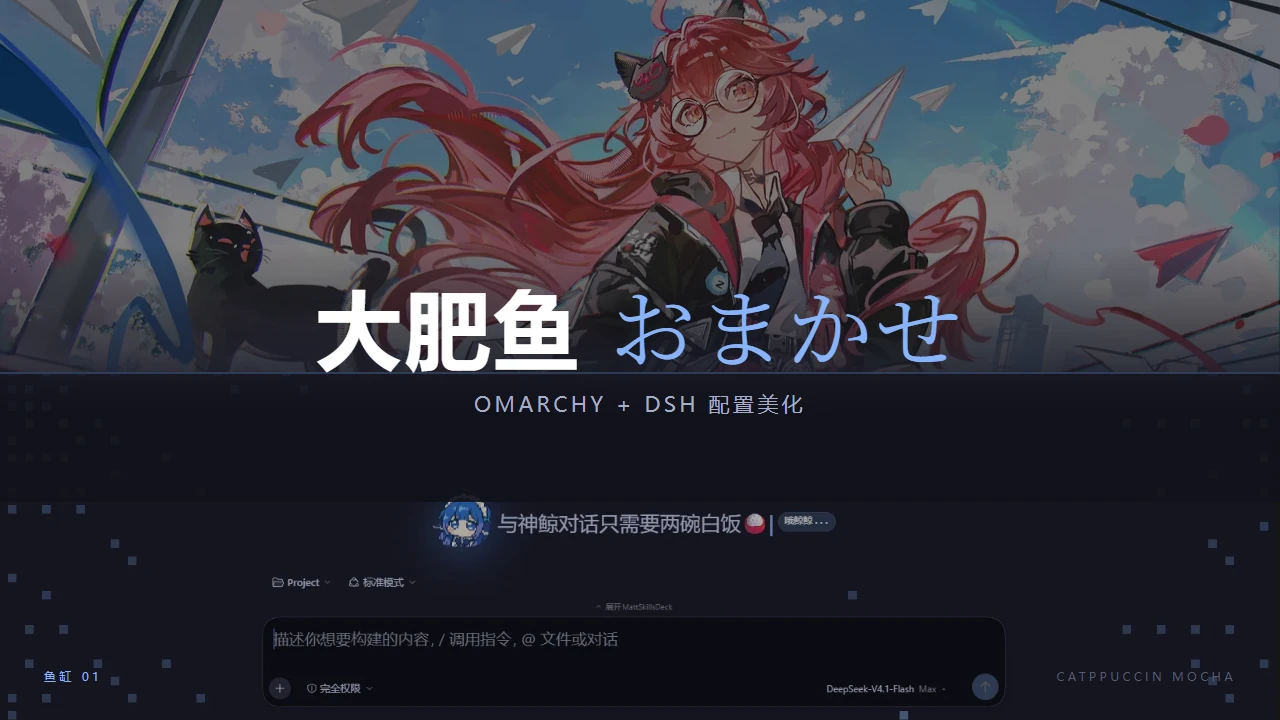
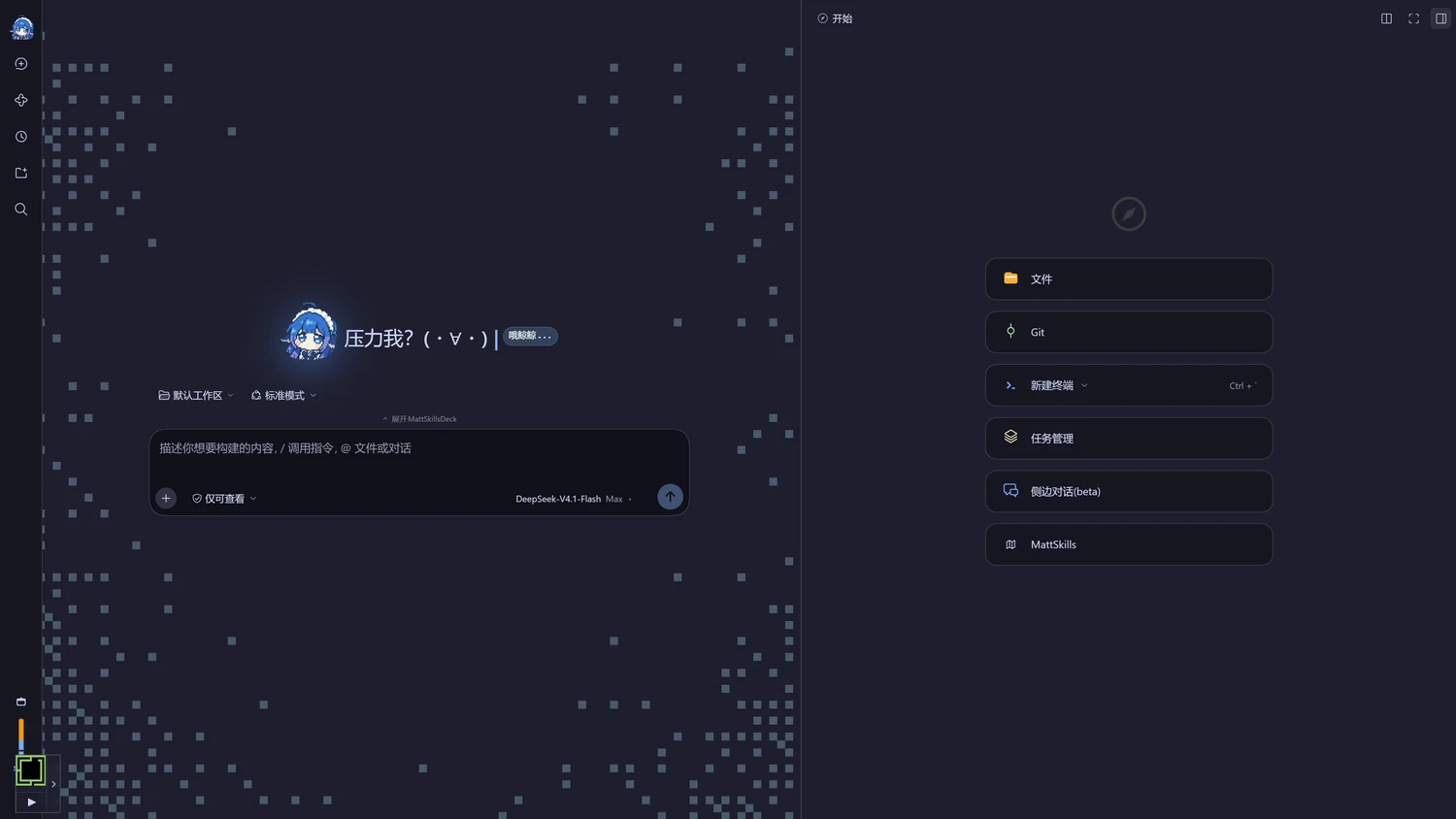
Catppuccin + 娜娜莉,DSH端是像素星野 + 蓝色大肥鱼。dsh/ 内含 web profile:插件(像素封面、推理滑轨)加六个第三方 bundle。

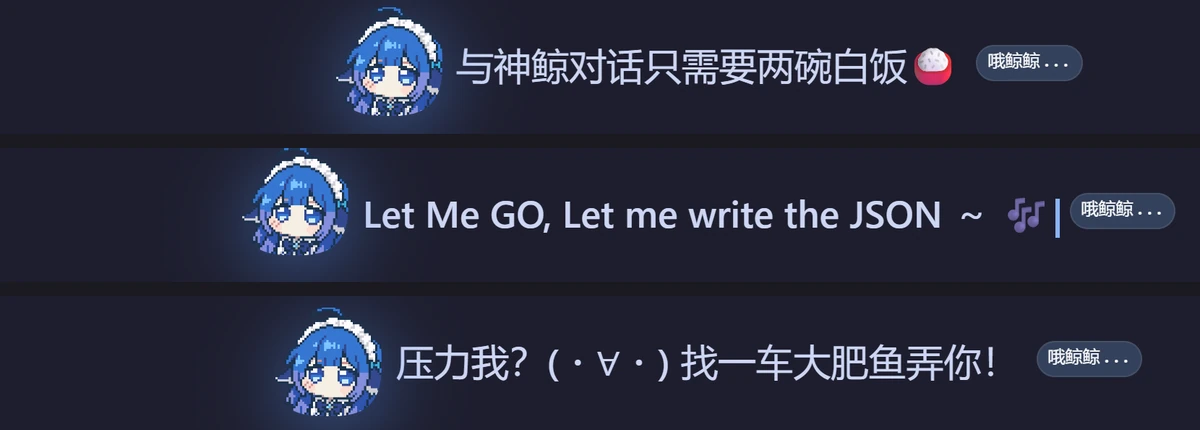
「蓝色大肥鱼」、像素星野、「哦鲸鲸…」、神鲸四档推理滑轨
| Feature | 来自 | 怎么做的 |
|---|---|---|
| 蓝色大肥鱼 | dsh-brand-cover(本地) | 1 KB 的 WebP 内联成 data URI:侧栏 24px 标记 + hero 2.2× 圆形头像,7s 漂浮 + 蓝色辉光,prefers-reduced-motion 下静止 |
| 哦鲸鲸… | dsh-brand-cover(本地) | 官方预览徽章先 font-size:0 再挂 ::after 文案,不改布局、不抢 locale 命名空间 |
| 打字机标题 | omaseek-pixel | 三句之一逐字 steps() 裁切显示,光标跟着走,停笔后继续闪 |
| 像素星野 hero | omaseek-pixel | 纯 CSS 的像素边框、星点与像素图形,颜色全部走主题 token |
| 四档推理滑轨 | dsh-effort-slider(本地) | 替换模型卡片的「推理等级」菜单:拖动换档、扫光 + 星点两层 transform 动画、键盘可聚焦 |
| Omarchy 配色 | omaseek-themes | 把 omarchy.org 首页的 22 套配色逐套移植成 DSH 的 32 个 design token |
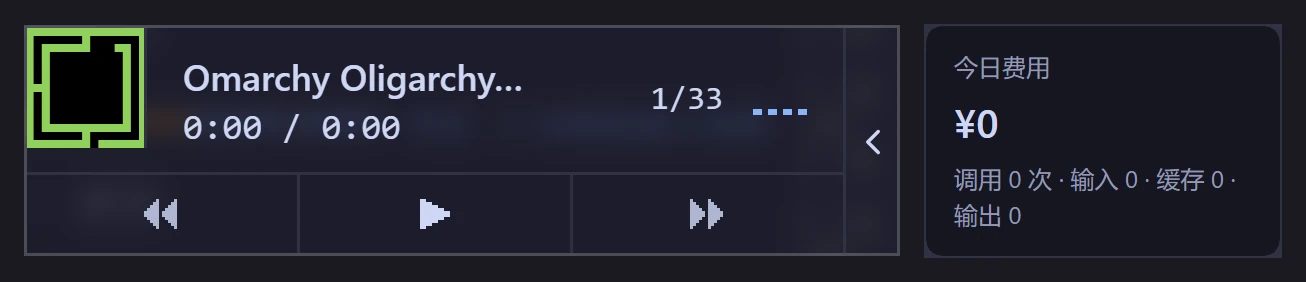
| 侧栏小玩意 | omaseek-music、dsh-cost-meter | 常驻音乐卡片;今日花费、余额与峰谷价倒计时 |
| 右侧栏与 skills | dsh-better-sidebar、dsh-mattpocock-skills-deck | 文件树、编辑器、任务、侧边对话收进右栏;ISSUE 与 map 管理 |



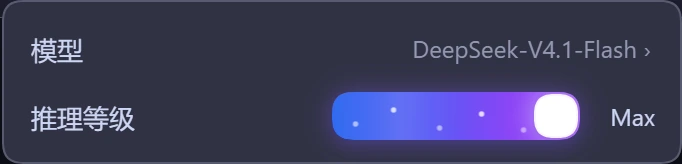
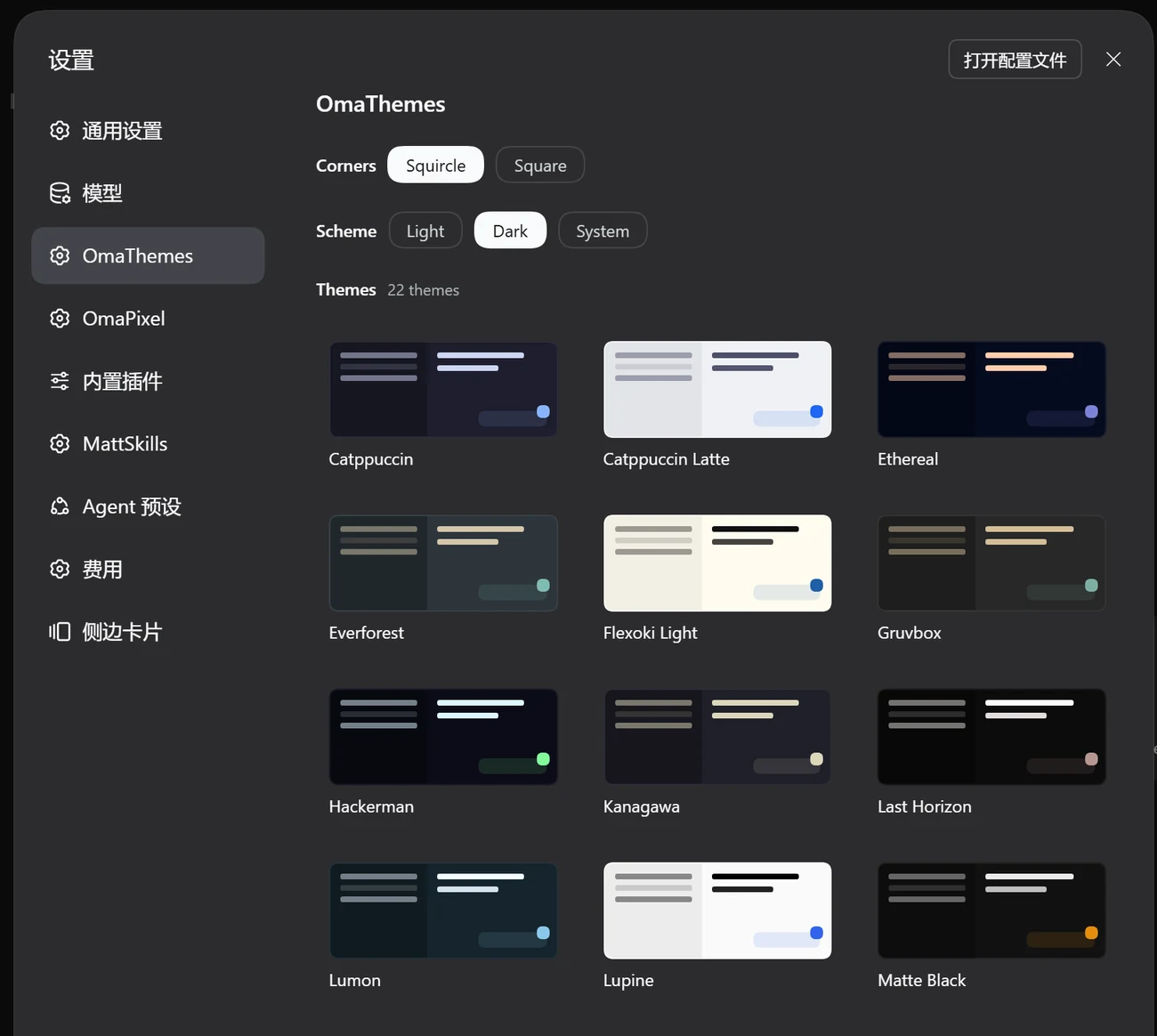
dsh/ 与 ~/.dsh 一一对应,install.sh 复制前会先备份;装完要手动补一次依赖:
cd ~/.dsh/profiles/web && pnpm install
细节见 dsh/README.md。
0.2.1-rc.2,bundle 的 patch id(ui-chat、ui-theme、
permission…)全部存在。link:../../plugins/...,在仓库内和部署到
~/.dsh。pnpm-lock.yaml 锁住 179 个包,安装时用 --frozen-lockfile。patches/omaseek-pixel@0.2.1.patch
由 pnpm-workspace.yaml 的 patchedDependencies 应用。web 换成 desktop、装一次依赖即可 ——
这些插件都是纯客户端模块,不依赖 Linux 桌面组件。bin/dsh-wakatime 把 DSH 会话里 write / edit / read 的文件操作折算成 WakaTime
心跳,复用本机 ~/.wakatime.cfg 的 api_key(与 Neovim、VS Code 共用,密钥不入库)。
install.sh 会把它装到 ~/.local/bin,并启用 dsh-wakatime.timer(每 2 分钟;
需要 python3 与 zstd)。
新机器上只差两步:
# 1) 让任意 WakaTime 编辑器插件完成一次认证(会自动下载 wakatime-cli)
# 2) 自检依赖、CLI、密钥与会话格式
~/.local/bin/dsh-wakatime doctor
心跳统一记为 coding;文件操作用文件锚点。bash / run_code 默认不计,
需要时加 --include-commands(以会话目录为锚点,每 2 分钟一条,仅 git 项目)。
项目名优先取 git 仓库名,没有 git 时用会话 cwd 目录名兜底。
dsh-wakatime sync --dry-run 可预览,status 看进度。
运行时状态在 ~/.local/state/dsh-wakatime/,不入库。
#89b4fa)catppuccin-mocha-blue,字号 Sans 13catppuccin-fcitx5-git 提供
(56 个变体,含圆角)fcitx5-follow 钩子会自动同步输入法配色最新的 Omarchy 4.x.x 可以把仓库拉下来替换 config 以及壁纸。
git clone https://github.com/CAI991108/omarchy-NTE.git ~/omarchy-NTE
cd ~/omarchy-NTE
# 官方仓库的显式包(192 个)—— 清单来自 packages/pacman-explicit.txt
less packages/pacman-explicit.txt
sudo pacman -S --needed - < packages/pacman-explicit.txt

# AUR / 外来包(7 个)
cat packages/aur-explicit.txt
omarchy pkg aur add catppuccin-fcitx5-git
packages/environment.txt 记录了本人当时的系统快照(内核、文件系统、Omarchy 与 fcitx5 版本等),
可用于核对差异。
./install.sh --dry-run     # 先看会改什么,不写入任何文件
./install.sh               # 真正部署
install.sh 的行为(点击展开)~/.config 快照到 ~/.config.bak.omarchy-NTE.<时间戳>;
每个被覆盖的文件另存为 <文件>.bak.<时间戳>。不删除任何东西。mako/config、btop/themes/current.theme、
nvim/lua/plugins/theme.lua 这三个指向 omarchy/current/theme/ 的链接会被重新建立,
并把其中的家目录路径改写为当前用户的 $HOME
(它们是主题自动跟随的关键)。$HOME 里的文件。omarchy restart waybar
hyprctl reload
hyprctl configerrors # 确认没有配置错误
systemctl --user restart app-org.fcitx.Fcitx5@autostart.service
壁纸放在 config/omarchy/backgrounds/catppuccin/ —— 正是 Omarchy 会自动扫描的路径。
omarchy-NTE/
├── install.sh                       # 复制式部署:先备份、幂等、支持 --dry-run
├── assets/                          # README 用的压缩预览图(assets/dsh/ 是 DSH 截图)
├── config/                          # 镜像 ~/.config(只含用户改动)
│   ├── hypr/ waybar/ mako/ alacritty/ ghostty/ kitty/ btop/
│   ├── fcitx5/                      # 输入法(Theme / Font 在这里)
│   ├── omarchy/
│   │   ├── hooks/theme-set.d/fcitx5-follow    ⭐ 唯一的自定义钩子
│   │   ├── branding/                # fastfetch + 锁屏 ASCII 图案
│   │   ├── backgrounds/catppuccin/  # 当前壁纸
│   │   └── themes/                  # 自定义主题(暂空,留给以后)
│   ├── nvim/ systemd/ fontconfig/ git/ ...
│   └── *.conf  mimeapps.list  user-dirs.dirs 等散文件
├── dsh/                             # DSH (AI 界面) profile 与本地插件
│   ├── profiles/web/                # → ~/.dsh/profiles/web
│   └── plugins/                     # → ~/.dsh/plugins(dsh-brand-cover、dsh-effort-slider)
└── packages/                        # 包清单与环境快照
配置文件部分可随意取用。config/nvim/ 源自 LazyVim / omarchy-nvim 包,
其 LICENSE 随文件保留。
DeepSeek Harness(DSH)Web 插件聚合生态包 · 一切皆插件,创意工坊分发(dsh-market.com)
把回答做成一页可视化 HTML:模型只写简短的 Markdown 草稿,随包附带的 `am` 命令行生成页面,支持流程图、时序图、树、时间线、ER 图、表格和提示框。
在 dsh 里装上这个插件即可,无需登录、注册或填 API Key,就能使用包括 Muse Spark 1.3、MiMo V2.6 在内的前沿模型——完全免费,不限量。 All you do is install this plugin in dsh: no login, no sign-up, no API key — the frontier models are just there, Muse Spark 1.3 and MiMo V2.6 among them. Completely free, with no usage cap.

