

dsh-web
zhu1090093659/dsh-webDeepSeek Harness(DSH)Web 插件聚合生态包 · 一切皆插件,创意工坊分发(dsh-market.com)
Site · Gallery · npm · English | 中文
npm:
codsh-cli· command:codsh
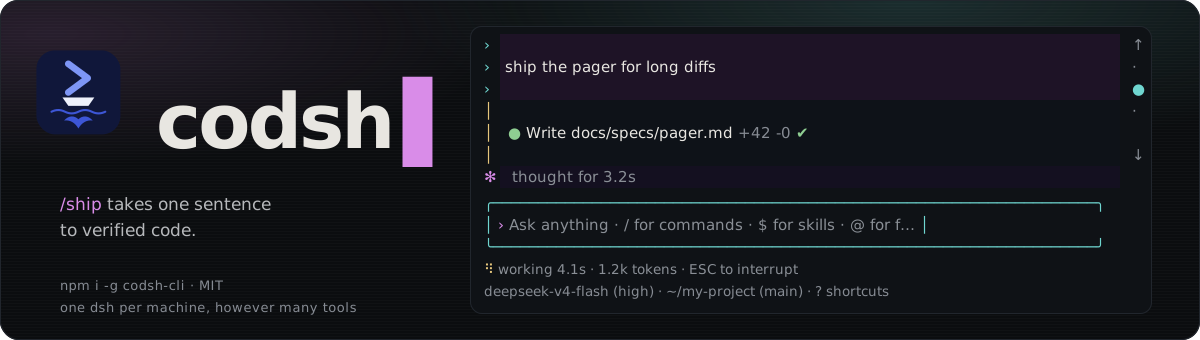
codsh is an autonomous terminal coding agent for DeepSeek — and any OpenAI-compatible endpoint — built directly on the DeepSeek Harness (dsh). Not a fork.
Its flagship feature, /ship, turns a one-sentence idea into fully verified code through an autonomous 7-stage engineering pipeline, with a built-in live task flow panorama across terminal and browser.
Want to see what it builds? Visit the gallery for real projects, screenshots, and playable results. Every project was built from a one-sentence request, with just one round of interaction and the recommended answer selected for every question.
npm install -g @deepseek-ai/dsh codsh-cli
export DEEPSEEK_API_KEY="your-api-key"
codsh
Common flags:
codsh -p "task" — Run a non-interactive task directlycodsh --continue — Continue the last sessioncodsh --resume <id> — Resume a specific sessioncodsh update — Update launcher and profile runtime/ship: One Sentence to Verified Code/ship let long diffs open in a pager instead of scrolling past
/ship automates the complete engineering workflow from idea to delivery:
ship/<slug> branch.待认领 n · 已认领 n · 已关闭 n), in-flight parallel landing worktrees, and the Web flowchart URL.Ctrl+G): Instant fullscreen terminal visualization of task dependencies and claim states.127.0.0.1:<port>) with decision context, recorded Q&As, and landing tickets.Ctrl+C safely pauses coordination; running a bare /ship resumes unfinished work from where it left off.Designed for high-efficiency, keyboard-driven terminal development:
/theme opens a picker that previews each theme live (arrows preview, Enter saves, Esc reverts); /theme <name> switches directly. auto (default) follows the terminal's light or dark background with deepseek / deepseek-light; terminal paints only your terminal's own sixteen colours, with no backgrounds. The choice is saved in $DSH_HOME/code-cli-ui.json; CODSH_THEME=<name> overrides it for one launch.Ctrl+O or click to expand/collapse).Ctrl+H to list, click/enter to inspect, Esc to return).Ctrl+T or a click opens it whole). When the agent makes 20 tool calls with an open list unchanged, or a compaction drops the list from its context, codsh shows the model its list again so the pinned item follows the real work. CODSH_TODO_REMINDER=<calls> changes the count for one launch; off turns the reminder off.Shift+←/→, /jump) or branch off from an earlier turn (/rewind).Shift+Tab: Toggle plan modeCtrl+Q: Queue input while the agent is running/theme, /model, /effort, /thinking, /ui, /permission, /plan, /status, /view, /diff, /copy, /jump, …) take effect at once, even mid-turn — they are never queued; a model or thinking switch applies from the running turn's next stepCtrl+C: Interrupt current executionCtrl+V: Paste images directly from clipboard/view, /diff, /copy: Inspect files, uncommitted changes, or code blocks in a dedicated pagerConnect to any OpenAI-compatible gateway by adding an llm-pi-ai entry to the code profile's own patch layer, $DSH_HOME/profiles/code/cordis.patch.yml (default ~/.dsh/profiles/code/cordis.patch.yml), which applies after every bundle:
- id: llm-pi-ai
  config:
    providers:
      acme-gateway:
        displayName: Acme Gateway
        apiKeyEnv: ACME_GATEWAY_API_KEY
        api: openai-completions
        baseURL: https://gateway.acme.example/v1
        compat:
          thinkingFormat: deepseek
          supportsDeveloperRole: false
          maxTokensField: max_tokens
        models:
          - id: acme-large
            contextWindow: 65536
            maxTokens: 4096
A $DSH_HOME/settings.yaml from an earlier dsh is imported once on the next start and renamed settings.yaml.imported; edit the profile patch from then on.
Switch and persist default model:
/model acme-gateway/acme-large
API keys resolve in order: specified environment variable → $DSH_HOME/.credentials.yaml → <cwd>/.env → $DSH_HOME/.env.
codsh is a zero-dependency launcher that finds your local dsh, registers codsh-bundle into a code profile, and boots dsh --profile code.
codsh needs dsh 0.2.0-rc.2 or newer; the launcher refuses an older dsh and prints the command that installs a new enough one. The code-cli agent preset ships inside the bundle as a dsh preset declaration (presets/code-cli.patch.yml). dsh 0.1.7 stopped reading presets from directories, so a copy an earlier codsh left in $DSH_HOME/.agent-presets/code-cli is no longer used.
To run directly via dsh:
dsh plugin --profile code add codsh-bundle
dsh --profile code
| Tier | Terminals | Support Level |
|---|---|---|
| First-class | iTerm2, Terminal.app, VS Code, tmux, Windows Terminal + WSL | Release-blocking compatibility |
| Second-class | Ghostty, kitty, Alacritty, Warp | Fully supported; regressions handled as bugs |
| Best-effort | Native Windows (pwsh) | Basic TTY support; persistent PTY unavailable |
Supports Kitty keyboard protocol, focus reporting, OSC 11 color detection (picks the light or dark theme), OSC 12 cursor color (the theme's accent, restored on exit), and terminal image rendering where available.
See CONTRIBUTING.md.
pnpm run dev          # Start local development surface
pnpm test             # Run unit tests
pnpm run typecheck    # TypeScript typecheck
pnpm run test:e2e     # Run E2E tests
Bugs, feature requests, or migrating from Claude Code / Cursor? Open an issue or join the Discussions.
DeepSeek Harness(DSH)Web 插件聚合生态包 · 一切皆插件,创意工坊分发(dsh-market.com)
把回答做成一页可视化 HTML:模型只写简短的 Markdown 草稿,随包附带的 `am` 命令行生成页面,支持流程图、时序图、树、时间线、ER 图、表格和提示框。
在 dsh 里装上这个插件即可,无需登录、注册或填 API Key,就能使用包括 Muse Spark 1.3、MiMo V2.6 在内的前沿模型——完全免费,不限量。 All you do is install this plugin in dsh: no login, no sign-up, no API key — the frontier models are just there, Muse Spark 1.3 and MiMo V2.6 among them. Completely free, with no usage cap.

