
dsh-web
zhu1090093659/dsh-webDeepSeek Harness(DSH)Web 插件聚合生态包 · 一切皆插件,创意工坊分发(dsh-market.com)

Host-level knowledge vault access with zero-config discovery, 3 retrieval tools, and destructive command safety guard for DeepSeek Harness.
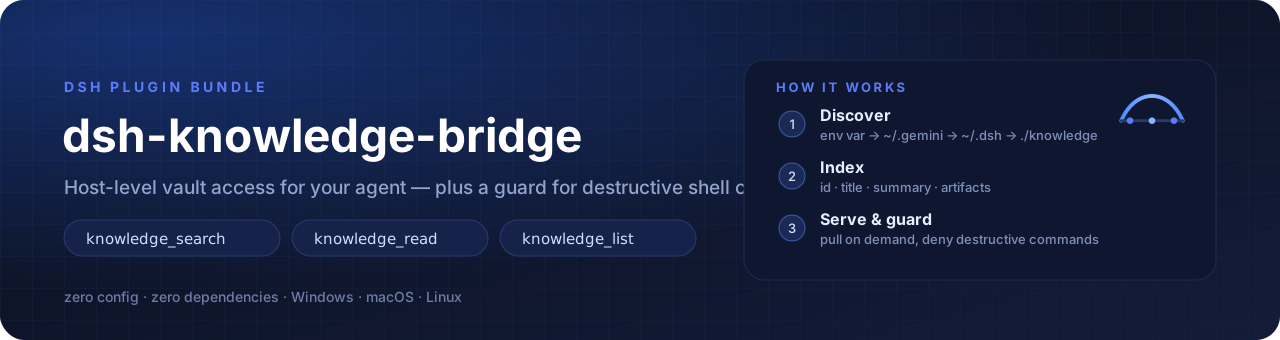
Give your DeepSeek Harness agent a brain — host-level knowledge access, zero-config vault discovery, and a safety guard for destructive shell commands.
ต่อสมองให้เอเจนต์ DeepSeek Harness — เข้าถึงคลังความรู้ระดับ host, ค้นหา vault อัตโนมัติแบบไม่ต้องตั้งค่า, และกันคำสั่ง shell ที่ทำลายข้อมูล
English · ภาษาไทย
flowchart LR
    V[("Knowledge vault<br/>50 items · 229 files")]
    D["Discovery<br/>env var → ~ → ./"]
    I["Index<br/>id · title · summary · artifacts"]
    T["Tools<br/>search · read · list"]
    A["Agent context"]
    Q["One-line directive<br/>~140 chars"]
    G{"Safety guard<br/>exec.name + exec.arguments"}

    V --> D --> I --> T --> A
    Q --> A
    A --> G
    G -->|"banned pattern"| X["Denied ❌"]
    G -->|"clean"| R["Executed ✅"]
git clone https://github.com/Babydunx1/dsh-knowledge-bridge && cd dsh-knowledge-bridge
npm test          # 28 tests — unit + bundle contract, no install needed
npm run validate  # 21 static checks on the bundle contract
npm run demo      # index a sample vault and print what the agent would see
  2 · index
      2 item(s) · 3 artifact(s)
      ├─ deploy-guide  ·  1 artifact(s)
      └─ posttracker_engine  ·  2 artifact(s)

  4 · guard (patterns are matched against the command string)
      ⛔ BLOCKED  git reset --hard HEAD~1
      ⛔ BLOCKED  rm -rf /
      ✅ allowed  git status
No install, no configuration, no DeepSeek Harness required. ไม่ต้องติดตั้ง ไม่ต้องตั้งค่า ไม่ต้องเปิด DeepSeek Harness ก็ลองได้
An agent's quality is bounded by what it can reach, not by how smart it is. Three concrete failure modes motivated this plugin:
workspace-write, an agent cannot read knowledge vaults or repositories outside the active workspace. On Windows the shell turns that denial into a misleading File Not Found, so the agent concludes the knowledge does not exist — and starts guessing.~/.gemini/antigravity-ide/knowledge, shared drives, docs/). DeepSeek Harness has no native way to discover or index them.git reset --hard, git clean -fd or git restore . and destroy uncommitted work.dsh-knowledge-bridge runs as a host-level cordis plugin: it reads the host filesystem with the host process's own permissions, exposes three fast retrieval tools, injects a one-line directive so the model knows a vault exists, and denies destructive shell calls before they execute.
| Goal | How it is met |
|---|---|
| Scoped, on-demand knowledge | Nothing is dumped into the prompt. One ~140-character directive is injected; content is pulled per topic — knowledge_search → knowledge_read. |
| Zero configuration | The vault is auto-discovered from an environment variable or well-known locations. No hardcoded paths anywhere in the code. |
| Zero dependencies | Node.js built-ins only (node:fs, node:path, node:os). Nothing to install. |
| Never destroy user work | A monotonic guard: any matching rule denies the call, and no other plugin can force-allow it. |
| Portable | ~-relative discovery, DSH_KNOWLEDGE_PATHS override, works with any markdown vault layout. |
| Feature | Detail | |
|---|---|---|
| 🧠 | knowledge_search | Keyword search with explicit weights: title 10 · id 8 · aliases 8 · tags 6 · references 4 · summary 3 · artifact name 2 · document body 1 (lazy, cached by mtime). Returns id, title, score, a clipped summary and the artifact list — never file content. |
| 📖 | knowledge_read | Reads a full document, or one specific artifact (master_guide.md, 07_migration.md, …) on demand. |
| 🗂️ | knowledge_list | The vault outline: ids, titles, artifact counts, one-line previews. |
| ℹ️ | knowledge_info | Installed version, the exact update command for this profile, the restart requirement, and — on demand — whether a newer version is published. The registry lookup never runs at load, and an unreadable registry answers null, never a false "up to date". |
| 🔎 | Zero-config discovery | DSH_KNOWLEDGE_PATHS → ~/.gemini/antigravity-ide/knowledge → ~/.antigravity-ide/knowledge → ~/.dsh/knowledge → ~/.codex/knowledge → ./knowledge → ./docs/knowledge → ./.knowledge. |
| 📜 | Rules injection | Discovers AGENTS.md / GEMINI.md / CLAUDE.md from the workspace and adds them to the system prompt. |
| 🛑 | Safety guard | Denies bash / pwsh / cmd / terminal calls whose command matches a banned pattern. |
| 🪶 | Token-aware | Tool summaries are clipped, because tool output is replayed in every later model call. |
DeepSeek Harness → Plugins → Add plugin
Paste this address into Package name or address:
https://github.com/Babydunx1/dsh-knowledge-bridge
Click Install, then restart DeepSeek Harness (a restart loads a fresh JavaScript module generation)
Accepted addresses — all of these pass DSH's own check:
| Paste this | Kind |
|---|---|
https://github.com/Babydunx1/dsh-knowledge-bridge | Git repository (recommended) |
github:Babydunx1/dsh-knowledge-bridge | Git shorthand |
https://github.com/Babydunx1/dsh-knowledge-bridge#v1.0.0 | Git, pinned to a tag / branch / commit (#main, #semver:^1.0.0) |
https://github.com/Babydunx1/dsh-knowledge-bridge/archive/refs/heads/main.tar.gz | Tarball — use this when Git is not installed on the machine |
git@github.com:Babydunx1/dsh-knowledge-bridge.git | Git over SSH |
A GitHub page URL with extra path segments (e.g. .../tree/main) is refused with "a URL must point at a git repository or a tarball".
Command-line equivalent (same code path as the dialog):
dsh plugin --profile <profile> add https://github.com/Babydunx1/dsh-knowledge-bridge
DSH has no plugin auto-update yet, and you do not need to learn a command. Tell your agent:
“Update the
dsh-knowledge-bridgeplugin, then tell me what to restart.”
The plugin writes the exact command for this profile into the agent's prompt (knowledge_info returns it too), so the agent can run it for you. When the host cannot see the profile name, it writes the shell form instead — $env:DSH_PROFILE on Windows, "$DSH_PROFILE" elsewhere — which the DSH shell resolves for itself:
dsh plugin --profile <profile> update dsh-knowledge-bridge
# or: Plugins → uninstall → Add plugin again
Then restart DeepSeek Harness — the new code loads on the next start (toggling the plugin off/on does not re-import it).
The package declares dsh.bundle.patch, so DSH registers the bundle and applies cordis.patch.yml for you.
📖 Full step-by-step with verification checks: docs/INSTALL.md
Use this only when the dialog is unavailable. It is exactly what Option A does under the hood.
The package declares dsh.bundle.patch, so DSH can install it like any other bundle.
# 1. Clone / copy the package somewhere permanent
git clone https://github.com/Babydunx1/dsh-knowledge-bridge dsh-knowledge-bridge

# 2. Register it in your profile
#    ~/.dsh/profiles/<profile>/package.json
{
  "dsh": { "profile": { "bundles": ["@deepseek-ai/dsh-base", "@deepseek-ai/dsh-web-app", "dsh-knowledge-bridge"] } },
  "dependencies": { "dsh-knowledge-bridge": "link:/absolute/path/to/dsh-knowledge-bridge" }
}

# 3. Install the link
cd ~/.dsh/profiles/<profile>
pnpm install
Restart DeepSeek Harness. The plugin is applied from cordis.patch.yml.
Copy the insert row from cordis.patch.yml into ~/.dsh/profiles/<profile>/cordis.patch.yml and restart DSH.
Nothing to configure when your vault is in a standard location. Otherwise:
# Windows (PowerShell) — semicolon or comma separated
$env:DSH_KNOWLEDGE_PATHS = "D:/team-docs/knowledge;~/my-vault"
# macOS / Linux
export DSH_KNOWLEDGE_PATHS="$HOME/my-vault:$HOME/team-docs"
…or set it explicitly in the patch: knowledgePaths: ["~/my-vault"].
Every key is optional; the defaults below are what a zero-config install uses.
| Key | Type | Default | Meaning |
|---|---|---|---|
knowledgePaths | string[] | [] → auto-discovery | Vault roots. ~ is expanded; relative paths resolve against the workspace cwd. Explicit paths win, and still combine with DSH_KNOWLEDGE_PATHS. |
rulesPaths | string[] | ["AGENTS.md","GEMINI.md","CLAUDE.md"] | Files probed at the workspace root and injected as a prompt section. |
autoInjectRules | boolean | true | Inject the rules section plus the one-line knowledge directive. Set false for a completely untouched prompt. |
enableSafetyGuard | boolean | true | Enable the destructive-command guard. |
bannedPatterns | string[] | see below | Case-insensitive regular expressions matched against the command string. |
updateHint | boolean | true | Add one self-help prompt line carrying this profile's update command, so the agent can update the plugin for the user. |
registryUrl | string | "https://registry.npmjs.org" | Registry queried by an explicit knowledge_info check. |
registryTimeoutMs | number | 2500 | Timeout for that lookup. A timeout is returned as data, never thrown. |
bannedPatterns: [
  'git\\s+reset\\s+--hard',
  'git\\s+clean\\s+-fd',
  'git\\s+restore\\s+\\.',
  'rm\\s+-rf\\s+/(?!tmp)',
]
If the vault cannot be found the plugin logs Initialized with 0 path(s) — check that line first when nothing is indexed.
A. Structured items (Antigravity and similar multi-file vaults):
knowledge/
└── posttracker_engine/
    ├── metadata.json          # title, summary + optional tags / aliases / references
    ├── timestamps.json        # optional
    └── artifacts/
        ├── master_guide.md    # read first: table of contents + current status
        ├── 01_watchdog.md
        └── 02_reconciliation.md
metadata.json fields, in search-weight order:
| Field | Weight | Use it for |
|---|---|---|
title | 10 | the human name of the item |
tags | 6 | topic words (reconciliation, pos, payroll) |
aliases | 8 | the words you actually type, especially Thai/English pairs (ระบบลา, leave, ลาพักร้อน) |
references | 4 | real file paths or symbols (src/pages/LeaveRequestPage.tsx, migration 024) |
summary | 3 | one paragraph of context, clipped to 400 chars in results |
The document bodies are searched too (+1) as a last resort, so a symbol that only appears inside a file is still findable — but a body hit always ranks below a metadata hit.
B. Plain markdown — any directory tree of .md / .txt files:
knowledge/
├── architecture.md
├── deploy-guide.md
└── deployment/
    └── README.md
Recommended read order, which keeps context small: item outline → master_guide.md → the one numbered artifact that matches the task → source code.
tools.guard(): exec.name (tool name) and exec.arguments (parsed arguments). Not exec.tool / exec.args — reading those yields undefined and the guard silently never fires.bash, pwsh, cmd, terminal; every other tool returns undefined and runs normally.[BLOCKED BY DSH-KNOWLEDGE-BRIDGE SAFETY POLICY], surfaced by the runtime as Error: ....npm test # 28 tests: engine, host plugin, bundle contract
npm run validate # 21 static checks on the bundle contract
npm run demo # index examples/vault and print the agent's view
npm run demo -- ~/my-vault --query deployment # or any other vault
Narrower runs while iterating:
node --test lib/knowledge.test.js          # discovery, index, search, read
node --test lib/index.test.js              # tools, guard contract, prompt sections
node --test scripts/validate-bundle.test.js # the validator refuses broken bundles
No network, no writes outside a temp directory, and no install step — the CI matrix runs the
same commands on Linux and Windows across Node 20/22/24. In a sandboxed DSH session the OS temp
directory may be read-only; point TEMP/TMP at a writable directory first.
index.js                       cordis host plugin: inject, tools, guard, prompt sections
lib/knowledge.js               pure engine: discovery, index, search, read, rules loading
cordis.patch.yml               bundle patch row applied by DSH
locale/{en,th}.json            Plugin Manager display title and description
assets/{banner,logo}.svg       repo artwork
scripts/demo.mjs               zero-install demo (npm run demo)
scripts/validate-bundle.js     21 static bundle-contract checks (npm run validate)
scripts/validate-bundle.test.js  proves the validator refuses broken bundles
examples/vault/                sample vault in both supported layouts
lib/*.test.js                  node:test suites
.github/workflows/ci.yml       test matrix (no install step)
CHANGELOG.md                   release history
CONTRIBUTING.md                invariants a pull request must keep
SECURITY.md                    what counts as a vulnerability here
CODE_OF_CONDUCT.md             Contributor Covenant 2.1
Quality gates a change must pass:
| Gate | Command | What it protects |
|---|---|---|
| Unit tests | npm test | engine behaviour, tool payload clipping, the guard's real exec contract |
| Bundle contract | npm run validate | inject completeness, ports/ESM shape, no absolute user paths, patch wiring |
| Demo | npm run demo | a fresh clone still discovers and indexes a vault |
| Symptom | Cause / fix |
|---|---|
Error: cannot get property "X" without inject, entry fails to activate | Every cordis service you read must be listed in export const inject. Reading ctx.systemPrompt inside an if (...) condition (or behind ?.) still throws — the read itself is the failure. Keep service reads inside try, and never drop 'systemPrompt' from inject. |
| Entry stays pending instead of failing | A declared service does not exist yet. Nothing throws; DSH reports pending (waiting for service: …). Check the service name and that its provider plugin is enabled. |
| Edited the plugin but behaviour is unchanged | cordis caches the plugin function and ESM caches the module. Toggling off/on does not re-import. Restart the DSH host. |
Initialized with 0 path(s) | Vault not found. Set DSH_KNOWLEDGE_PATHS or knowledgePaths, and confirm the path exists as a directory. |
| Guard never blocks anything | The guard must read exec.name / exec.arguments. Snippets using exec.tool / exec.args never match. |
คุณภาพของเอเจนต์ไม่ได้ขึ้นกับความฉลาดอย่างเดียว แต่ขึ้นกับว่า มันเอื้อมถึงอะไรได้ ปัญหาจริง 3 ข้อที่ทำให้เกิดปลั๊กอินนี้:
workspace-write อ่าน vault หรือ repo นอก workspace ไม่ได้ และบน Windows shell จะแปลง error เป็น File Not Found ทำให้เอเจนต์สรุปว่า "ความรู้ไม่มีอยู่" แล้วเริ่มเดาสุ่ม~/.gemini/antigravity-ide/knowledge, ไดรฟ์แชร์, docs/) แต่ DeepSeek Harness ไม่มีวิธีค้นหา/index ไฟล์พวกนี้git reset --hard, git clean -fd, git restore . แล้วงานที่ยังไม่ commit หายหมดdsh-knowledge-bridge ทำงานเป็น cordis plugin ระดับ host: อ่านไฟล์ด้วยสิทธิ์ของ process หลักของแอป เปิด tool ค้นหา 3 ตัว ฉีด directive บรรทัดเดียวให้โมเดลรู้ว่ามีคลังอยู่ และสกัดคำสั่ง shell ที่อันตรายก่อนจะถึงดิสก์
| เป้าหมาย | วิธีที่ทำได้จริง |
|---|---|
| ความรู้แบบเจาะจง ดึงเมื่อต้องใช้ | ไม่ยัดอะไรลง prompt เลย นอกจาก directive ~140 ตัวอักษร แล้วดึงเนื้อหาตามหัวข้อผ่าน knowledge_search → knowledge_read |
| ไม่ต้องตั้งค่า | ค้นหา vault เองจาก env var หรือตำแหน่งมาตรฐาน ไม่มี path ฝังในโค้ดแม้แต่บรรทัดเดียว |
| ไม่มี dependency | ใช้ built-in ของ Node.js เท่านั้น (node:fs, node:path, node:os) ไม่ต้องติดตั้งอะไรเพิ่ม |
| ไม่ทำลายงานของผู้ใช้ | guard แบบ monotonic: แมตช์กฎแล้วปฏิเสธทันที และปลั๊กอินอื่นบังคับให้ผ่านไม่ได้ |
| ย้ายเครื่องได้ | discovery อ้างอิง ~, override ด้วย DSH_KNOWLEDGE_PATHS, ใช้ได้กับ vault รูปแบบ markdown ใดก็ได้ |
| ฟีเจอร์ | รายละเอียด | |
|---|---|---|
| 🧠 | knowledge_search | ค้น keyword พร้อมน้ำหนักชัดเจน: title 10 · id 8 · aliases 8 · tags 6 · references 4 · summary 3 · ชื่อ artifact 2 · เนื้อในไฟล์ 1 (อ่านแบบ lazy + cache ตาม mtime) — คืน id, title, score, summary ที่ตัดแล้ว และรายชื่อ artifact ไม่คืนเนื้อไฟล์ |
| 📖 | knowledge_read | อ่านเอกสารเต็ม หรืออ่าน artifact ทีละไฟล์ (master_guide.md, 07_migration.md, …) ตามต้องการ |
| 🗂️ | knowledge_list | สารบัญทั้งคลัง: id, title, จำนวน artifact และคำโปรยบรรทัดเดียว |
| ℹ️ | knowledge_info | เวอร์ชันที่ติดตั้ง · คำสั่งอัปเดตที่ถูกต้องของ โปรไฟล์นี้ · ต้องรีสตาร์ทไหม · และ (เมื่อขอ) มีเวอร์ชันใหม่บน npm ไหม — ไม่ยิงเน็ตตอนโหลดปลั๊กอิน และถ้าอ่าน registry ไม่ได้จะตอบ null ไม่ใช่ "อัปทูเดท" |
| 🔎 | ค้นหา vault อัตโนมัติ | DSH_KNOWLEDGE_PATHS → ~/.gemini/antigravity-ide/knowledge → ~/.antigravity-ide/knowledge → ~/.dsh/knowledge → ~/.codex/knowledge → ./knowledge → ./docs/knowledge → ./.knowledge |
| 📜 | ฉีดกฎโปรเจกต์ | ค้น AGENTS.md / GEMINI.md / CLAUDE.md จาก workspace แล้วใส่เข้า system prompt |
| 🛑 | Safety guard | ปฏิเสธคำสั่งของ bash / pwsh / cmd / terminal ที่เข้าเกณฑ์ regex ต้องห้าม |
| 🪶 | ประหยัดโทเคน | summary ที่ tool คืนถูกตัดความยาว เพราะผลลัพธ์ tool จะถูกส่งซ้ำในทุกเทิร์นถัดไป |
DeepSeek Harness → Plugins → Add plugin
วางที่อยู่นี้ในช่อง Package name or address:
https://github.com/Babydunx1/dsh-knowledge-bridge
กด Install แล้ว รีสตาร์ท DeepSeek Harness (ต้องรีสตาร์ทเพื่อโหลดโมดูลชุดใหม่)
ลิงก์ที่ใช้ได้ (ผ่านตัวตรวจของ DSH ทั้งหมด):
| วางแบบนี้ | ประเภท |
|---|---|
https://github.com/Babydunx1/dsh-knowledge-bridge | Git repository (แนะนำ) |
github:Babydunx1/dsh-knowledge-bridge | Git shorthand |
https://github.com/Babydunx1/dsh-knowledge-bridge#v1.0.0 | Git + ปัก tag / branch / commit (#main, #semver:^1.0.0) |
https://github.com/Babydunx1/dsh-knowledge-bridge/archive/refs/heads/main.tar.gz | Tarball — ใช้เมื่อเครื่องไม่มี Git |
git@github.com:Babydunx1/dsh-knowledge-bridge.git | Git ผ่าน SSH |
ลิงก์หน้าเว็บ GitHub ที่มี path เกิน (เช่น .../tree/main) จะถูกปฏิเสธด้วยข้อความ "a URL must point at a git repository or a tarball"
เทียบเท่าผ่าน command line (โค้ดเส้นทางเดียวกับในหน้าต่าง):
dsh plugin --profile <profile> add https://github.com/Babydunx1/dsh-knowledge-bridge
DSH ยังไม่มี auto-update ให้ปลั๊กอิน และคุณไม่ต้องรู้คำสั่งอะไรเลย แค่บอก agent ว่า:
“อัปเดตปลั๊กอิน
dsh-knowledge-bridgeให้หน่อย แล้วบอกว่าต้องรีสตาร์ทอะไร”
ปลั๊กอินจะใส่คำสั่งที่ถูกต้องของโปรไฟล์นี้ไว้ใน prompt ของ agent (และ knowledge_info คืนคำสั่งเดียวกัน) agent จึงรันให้ได้ทันที ถ้า host มองไม่เห็นชื่อโปรไฟล์ จะใส่รูปแบบที่อ้างตัวแปรของ shell แทน — $env:DSH_PROFILE บน Windows และ "$DSH_PROFILE" ที่อื่น — ซึ่ง DSH shell resolve ให้เอง:
dsh plugin --profile <profile> update dsh-knowledge-bridge
# หรือ: Plugins → ถอน (uninstall) → Add plugin ใหม่
แล้ว รีสตาร์ท DeepSeek Harness — โค้ดใหม่จะโหลดตอนเปิด (ปิด/เปิด toggle ไม่ทำให้ import ใหม่)
แพ็กเกจประกาศ dsh.bundle.patch ไว้แล้ว DSH จึงลงทะเบียน bundle และ apply cordis.patch.yml ให้เอง
📖 คู่มือทีละขั้น + วิธีตรวจหลังติดตั้ง: docs/INSTALL.md
ใช้เฉพาะเมื่อหน้าต่าง Add plugin ใช้ไม่ได้ — ขั้นตอนนี้คือสิ่งที่วิธี A ทำอยู่เบื้องหลัง
แพ็กเกจประกาศ dsh.bundle.patch ไว้แล้ว จึงติดตั้งเหมือน bundle อื่นของ DSH
# 1. โคลน / คัดลอกแพ็กเกจไปเก็บถาวร
git clone https://github.com/Babydunx1/dsh-knowledge-bridge dsh-knowledge-bridge

# 2. ลงทะเบียนใน profile ของคุณ
#    ~/.dsh/profiles/<profile>/package.json
{
  "dsh": { "profile": { "bundles": ["@deepseek-ai/dsh-base", "@deepseek-ai/dsh-web-app", "dsh-knowledge-bridge"] } },
  "dependencies": { "dsh-knowledge-bridge": "link:/absolute/path/to/dsh-knowledge-bridge" }
}

# 3. ติดตั้ง link
cd ~/.dsh/profiles/<profile>
pnpm install
รีสตาร์ท DeepSeek Harness — ปลั๊กอินจะถูก apply จาก cordis.patch.yml
คัดลอกแถว insert จาก cordis.patch.yml ไปวางใน ~/.dsh/profiles/<profile>/cordis.patch.yml แล้วรีสตาร์ท DSH
ถ้า vault อยู่ในตำแหน่งมาตรฐาน ไม่ต้องตั้งค่าอะไรเลย มิฉะนั้น:
# Windows (PowerShell) — คั่นด้วย ; หรือ ,
$env:DSH_KNOWLEDGE_PATHS = "D:/team-docs/knowledge;~/my-vault"
# macOS / Linux
export DSH_KNOWLEDGE_PATHS="$HOME/my-vault:$HOME/team-docs"
…หรือระบุตรง ๆ ใน patch: `knowledgePaths: ["~/my-v
DeepSeek Harness(DSH)Web 插件聚合生态包 · 一切皆插件,创意工坊分发(dsh-market.com)
把回答做成一页可视化 HTML:模型只写简短的 Markdown 草稿,随包附带的 `am` 命令行生成页面,支持流程图、时序图、树、时间线、ER 图、表格和提示框。
在 dsh 里装上这个插件即可,无需登录、注册或填 API Key,就能使用包括 Muse Spark 1.3、MiMo V2.6 在内的前沿模型——完全免费,不限量。 All you do is install this plugin in dsh: no login, no sign-up, no API key — the frontier models are just there, Muse Spark 1.3 and MiMo V2.6 among them. Completely free, with no usage cap.

