
dsh-web
zhu1090093659/dsh-webDeepSeek Harness(DSH)Web 插件聚合生态包 · 一切皆插件,创意工坊分发(dsh-market.com)

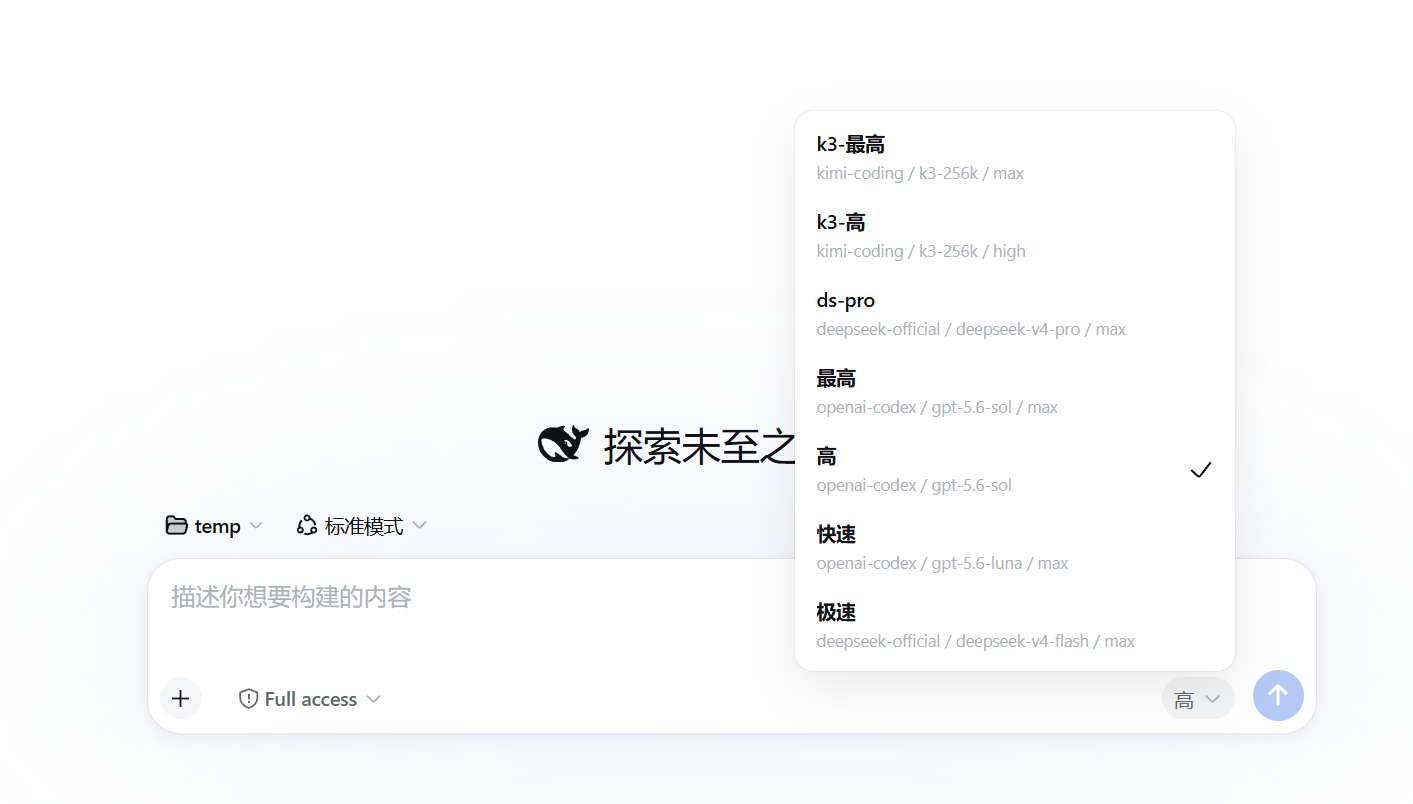
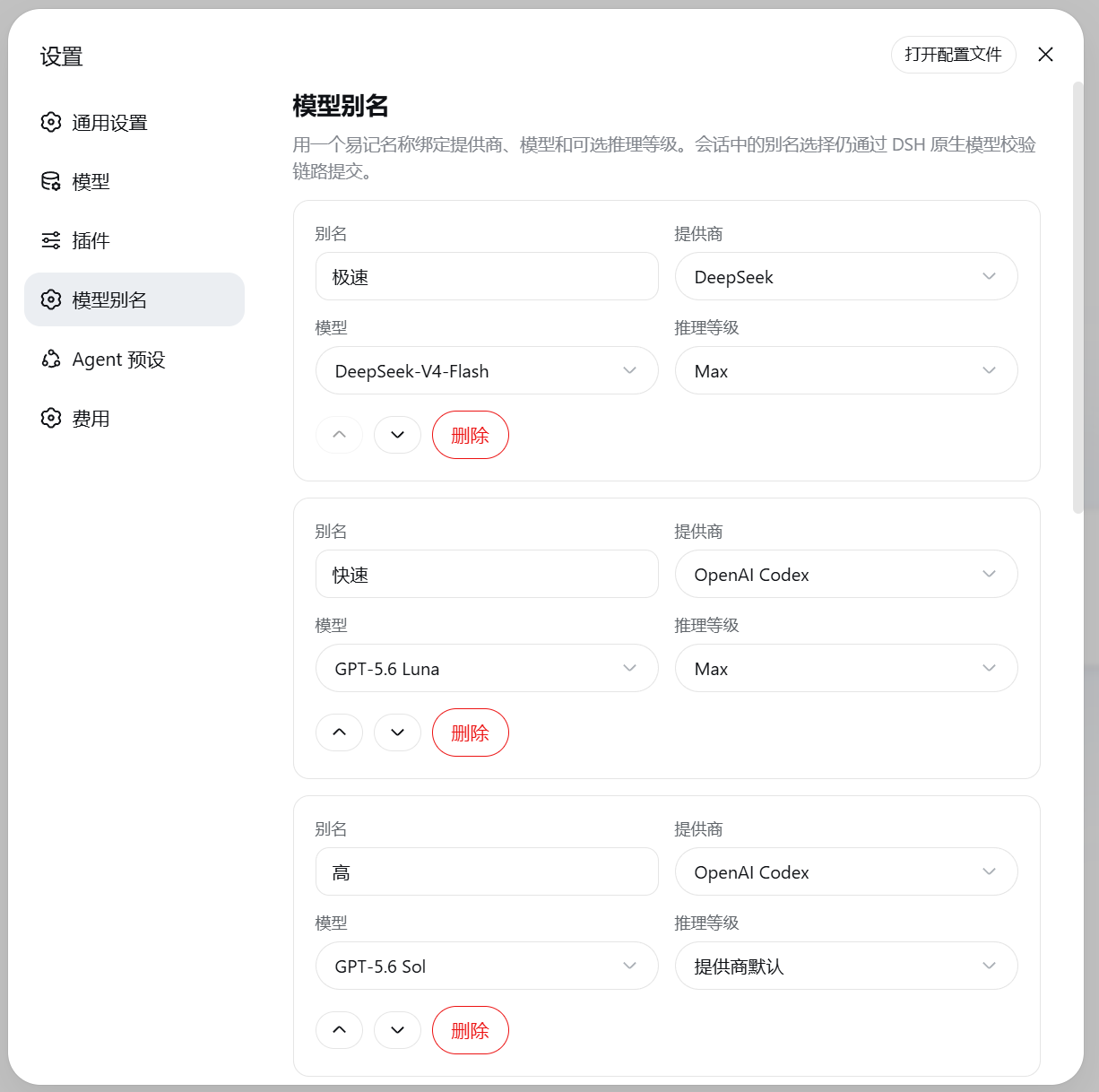
为 DeepSeek Harness Web 提供持久化模型别名:将提供商、模型与推理等级绑定为易记名称,并通过输入框旁的单一选择器快速切换。
给模型配置起个好记的名字,然后在 DeepSeek Harness 会话里一键切换。
在输入框旁用别名一键切换,原生“模型 / 推理等级”选择器同时保留:
在 设置 → 模型别名 中集中编辑:
dsh plugin --profile desktop add github:ZhangZiFei/dsh-model-aliases
重启当前 DSH 进程并刷新页面,然后打开 设置 → 模型别名。
当前兼容目标为 DeepSeek Harness 0.2.0-rc.2。 插件已经声明 DSH Bundle,安装命令会自动把对应 Patch 加入 Profile,无需手工编辑 cordis.patch.yml。
ModelDirectory.select() 校验和应用model-aliases 条目里,重启后继续生效推理等级选择“提供商默认”时,插件不会写入虚构的默认值,而是保留适配器或提供商的原始行为。
保存空列表时,界面按预置别名显示;预置或自定义的路由不在当前模型目录时会保留,但不能被选择。
别名是 profile patch 中 model-aliases 条目的配置(也可在 设置 → 插件 里查看):
- id: model-aliases
  name: dsh-model-aliases
  config:
    aliases:
      - name: 日常
        provider: deepseek
        model: deepseek-chat
      - name: 深度推理
        provider: openai
        model: o3
        reasoningEffort: high
从 0.1 升级时,旧 settings.yaml 里的 model-aliases.aliases 段会在插件首次启动时自动迁移到该条目一次。
规则:
reasoningEffort 表示使用适配器或提供商默认行为dsh plugin --profile desktop remove dsh-model-aliases
完成后重启当前 DSH 进程并刷新页面。
pnpm install
pnpm run build
pnpm test
pnpm pack --dry-run
构建产物位于 lib/:
lib/index.js:Host 插件入口(Config schema + 页面策略 + 旧设置迁移)lib/client.js:Web Client Bundle(选择器与设置页)lib/types/:TypeScript 声明发现问题或有功能建议,请提交到 GitHub Issues。
MIT
DeepSeek Harness(DSH)Web 插件聚合生态包 · 一切皆插件,创意工坊分发(dsh-market.com)
把回答做成一页可视化 HTML:模型只写简短的 Markdown 草稿,随包附带的 `am` 命令行生成页面,支持流程图、时序图、树、时间线、ER 图、表格和提示框。
在 dsh 里装上这个插件即可,无需登录、注册或填 API Key,就能使用包括 Muse Spark 1.3、MiMo V2.6 在内的前沿模型——完全免费,不限量。 All you do is install this plugin in dsh: no login, no sign-up, no API key — the frontier models are just there, Muse Spark 1.3 and MiMo V2.6 among them. Completely free, with no usage cap.

