
dsh-web
zhu1090093659/dsh-webDeepSeek Harness(DSH)Web 插件聚合生态包 · 一切皆插件,创意工坊分发(dsh-market.com)

DeepSeek Harness plugin market: browse, search and install community plugins from the sidebar foot entry (host + web client halves, DSH plugin spec).
English · 简体中文
A plugin market that lives inside DeepSeek Harness.
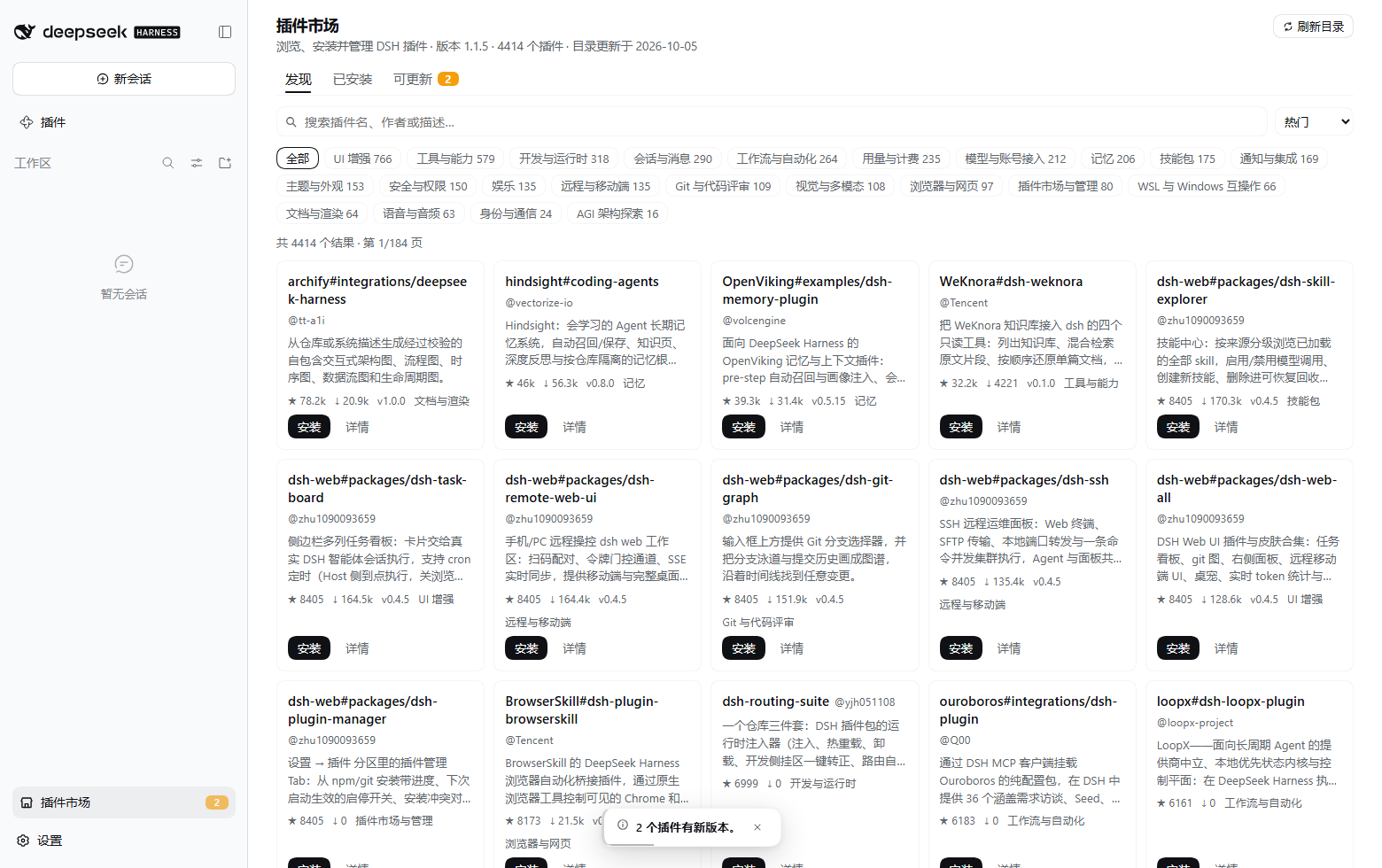
One entry at the bottom of the sidebar: browse and search the community catalog, install, update, enable / disable, uninstall — all without leaving the GUI.
Install · Gallery · Design doc · API contract · Releases
One-line positioning: this is a DeepSeek Harness plugin market that works like a phone app store — browse, inspect, install, update, enable/disable and uninstall, all inside the sidebar, using the same mental model you already have from installing apps on your phone. Everything below is that positioning made concrete:
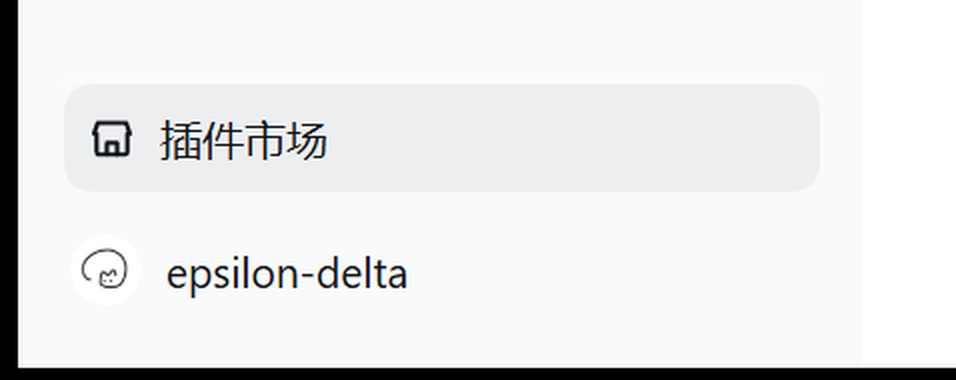
sha256 + artifact self-verification), and after installing it never pretends it already took effect./status.pendingRestart), not in page memory. On CLI/dsh web installs it also offers a one-click “Restart DSH” (a detached waiter that relaunches only after the old process is really dead, and the page only reloads after observing the host die once). The desktop app deliberately has no restart button — three independently sufficient reasons (the shell's IPC whitelist has no “restart yourself” message, exiting is treated as a fatal failure, and that failure dialog contains a disable all third-party plugins button) are written up in API-CONTRACT §2.6; there the panel says “close the window and reopen it” instead. See ROADMAP item 6.pluginManager, write operations only accept same-origin POST (64 KiB), catalog bundles must pass dist.integrity checks, and the market refuses to uninstall itself.--dsw-* theme tokens (with fallbacks); copy is zh / en and follows the host language; dark / light, narrow viewports and prefers-reduced-motion are all handled honestly (the e2e watches every one of them).The entry sits at the bottom of the sidebar, above the account row, with an updates badge:
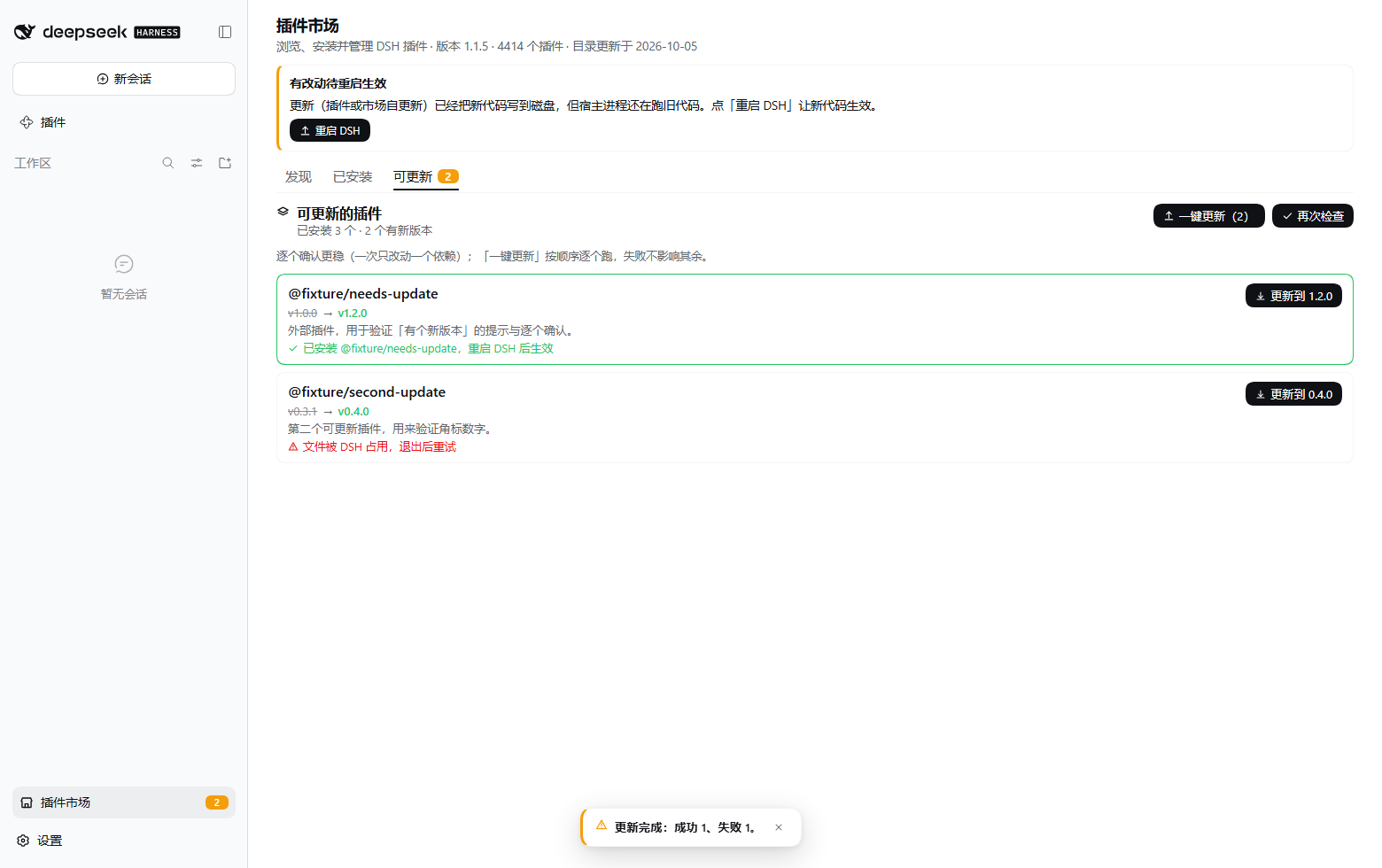
The “Updates” page: merged state machine (Update all (2) / Check again), per-row “Update to x.y.z”, inline results and the summary (the screenshot below is the acceptance environment: the list is a pair of injected fixture updates — one succeeds pending restart, one fails with a file lock):
dsh plugin --profile web add deepseek-harness-market
After installing, restart dsh web once (or let the desktop app recompose) and refresh — the entry appears at the bottom of the sidebar, above the account row.
On Discover, search or filter by category → click “Install”; the Installed tab manages enable / disable and uninstall.
The Updates tab carries a count badge: the left button runs “Check for updates → Update all (N)” sequentially — one failure never blocks the rest; the right button (“Update the market / Check again”) manages the market's own updates.
One-shot Windows install (with profile backup and rollback):
pwsh -File scripts\install-into-profile.ps1 -Profile desktop
You can also install straight from the GitHub Release assets — every release page lists one copy-paste command.
Compatible with DSH 0.2.0-rc.2; the npm package and the GitHub Release are published together; versioning rules and the release process live in docs/RELEASING.md. No DSH yet?
npx @deepseek-ai/dsh webstarts a local instance.
Which restart applies to you (the honest version — the panel tells you the same thing):
| You are running | After the market packages a host-side change | What you do |
|---|---|---|
dsh web / CLI | the panel shows a “restart required” banner with a Restart DSH button | click it, or restart the command yourself |
| the desktop app | the panel shows the same banner without a button | close the window and reopen it — a page refresh will not load the new host code |
One npm package carries both halves, installed into the host per the official plugin spec:
name / inject / apply; ctx.webServer registers a single prefix route, and ctx.get('pluginManager') optionally bridges install capabilities. Catalog fetching, caching, retries, verification and self-update downloads all happen here — the browser never touches the network or the filesystem.lib/client.js, a single-file bundle registered through window.__ModuleLoader__.load({ id, factory }), with zero dependencies beyond require("react").sidebar.footer.action, the panel registers the plugin-market key on main, navigation goes through ctx.layout.selectPanel; package.json declares dsh.bundle.patch (the bundle patch layer) and dsh.client (platform: web plus the ./client export).| Order | Source | Address | Measured locally |
|---|---|---|---|
| 1 | npm mirror (preferred) | the dsh-plugin-catalog package | 289 ms |
| 2 | Official URL (fallback) | awesome-dsh-plugin.com/plugins.json | 25–93 s (times out) |
The fallback is necessary: DSH only honors the HTTP(S)_PROXY environment variables and ignores the Windows system proxy, while the official source sits on GitHub Pages.
Override the defaults with DSHM_REGISTRY_URL / DSHM_NPM_MIRROR.
This repository re-implements the official plugin spec, taking catalog sources and product decisions from dsh-market as a reference but copying none of it: the feature surface is narrowed down to one loop — installing and managing plugins from the sidebar.
dist.integrity must pass verification before use.pluginManager — the same path and the same build-script approval rules as dsh plugin add.sha256 + artifact self-verification): new versions take sha256 straight from the GitHub attachment digest, older ones from index.json; it stops corruption, truncation and single-point replacement, but not “manifest and artifact swapped together” — stated honestly in API-CONTRACT §2.9, never masquerading as an independent signature.Design & security decisions · Known limitations · API contract
# Real-browser e2e: boots a scratch host + headless Edge, asserts on the real engine and saves screenshots
pwsh -File verify\ui-check.ps1

# Release gate: node --check + every verify/*.test.mjs (no version bump, no packing, no publishing)
pwsh -File scripts\release.ps1 -LocalOnly

# Official release (local stops here): gate → bump → commit → tag → push
# The pushed tag triggers GitHub Actions: pack → GitHub Release assets → npm,
# where publish-npm.yml is the single npm-publish implementation (see docs/RELEASING.md §4.2.1)
pwsh -File scripts\release.ps1 -Bump patch
The gate auto-discovers verify/*.test.mjs (currently 20 suites — copy keys, state machines, install spec,
self-update channel, source classification, the OIDC/release-workflow regression…), and
release-workflow.test.mjs adds a reverse assertion: pack-release.yml
must not contain npm stage publish — writing the publish steps a second time is exactly the bug that broke
releases twice (root cause + what CI actually proved, RELEASING §4.2.1).
Real-browser e2e is 90 assertions and stays out of the gate (it needs a browser and a scratch host);
the independent acceptance report is verify/REPORT.md.
| Path | Contents |
|---|---|
| plugin-market/ | The plugin package itself: host half (lib/index.js / catalog.js / catalog-npm.js / http.js / self-update.js / restart*.js) + web client half (lib/client.js, single-file bundle) + cordis.patch.yml |
| .github/workflows/ | pack-release.yml (tag → gate → pack → GitHub Release) and publish-npm.yml (the only npm-publish implementation, reused via workflow_call) |
| docs/API-CONTRACT.md | The frozen host ↔ client contract (endpoints, response conventions, catalog fetching strategy) |
| docs/PLUGIN-MARKET.md | Design and line-by-line comparison with the official spec, data-source decisions, security decisions, limitations, acceptance results |
| docs/RELEASING.md | Version rules, the release chain, the three npm-publish root causes, distribution paths |
| docs/ROADMAP.md | What to build next, what not to build, with measured evidence and cost |
| docs/TEAM-BRIEF.md | Implementation-period environment facts and API signatures (for collaboration / reproduction) |
| scripts/ | Install / rollback and release scripts |
| verify/ | Regression tests + real-browser e2e + the independent acceptance report |
MIT. The catalog data and its source repository are licensed by awesome-dsh-plugin; this repository contains no third-party source code.
DeepSeek Harness(DSH)Web 插件聚合生态包 · 一切皆插件,创意工坊分发(dsh-market.com)
把回答做成一页可视化 HTML:模型只写简短的 Markdown 草稿,随包附带的 `am` 命令行生成页面,支持流程图、时序图、树、时间线、ER 图、表格和提示框。
在 dsh 里装上这个插件即可,无需登录、注册或填 API Key,就能使用包括 Muse Spark 1.3、MiMo V2.6 在内的前沿模型——完全免费,不限量。 All you do is install this plugin in dsh: no login, no sign-up, no API key — the frontier models are just there, Muse Spark 1.3 and MiMo V2.6 among them. Completely free, with no usage cap.

