
dsh-web
zhu1090093659/dsh-webDeepSeek Harness(DSH)Web 插件聚合生态包 · 一切皆插件,创意工坊分发(dsh-market.com)

多工作区管理器:把文档锚点目录与若干代码项目仓库组合进同一会话,注入绝对路径、递归文件索引、前后端端点落点索引与可选的开发规范,并把可写目录同步进沙盒。
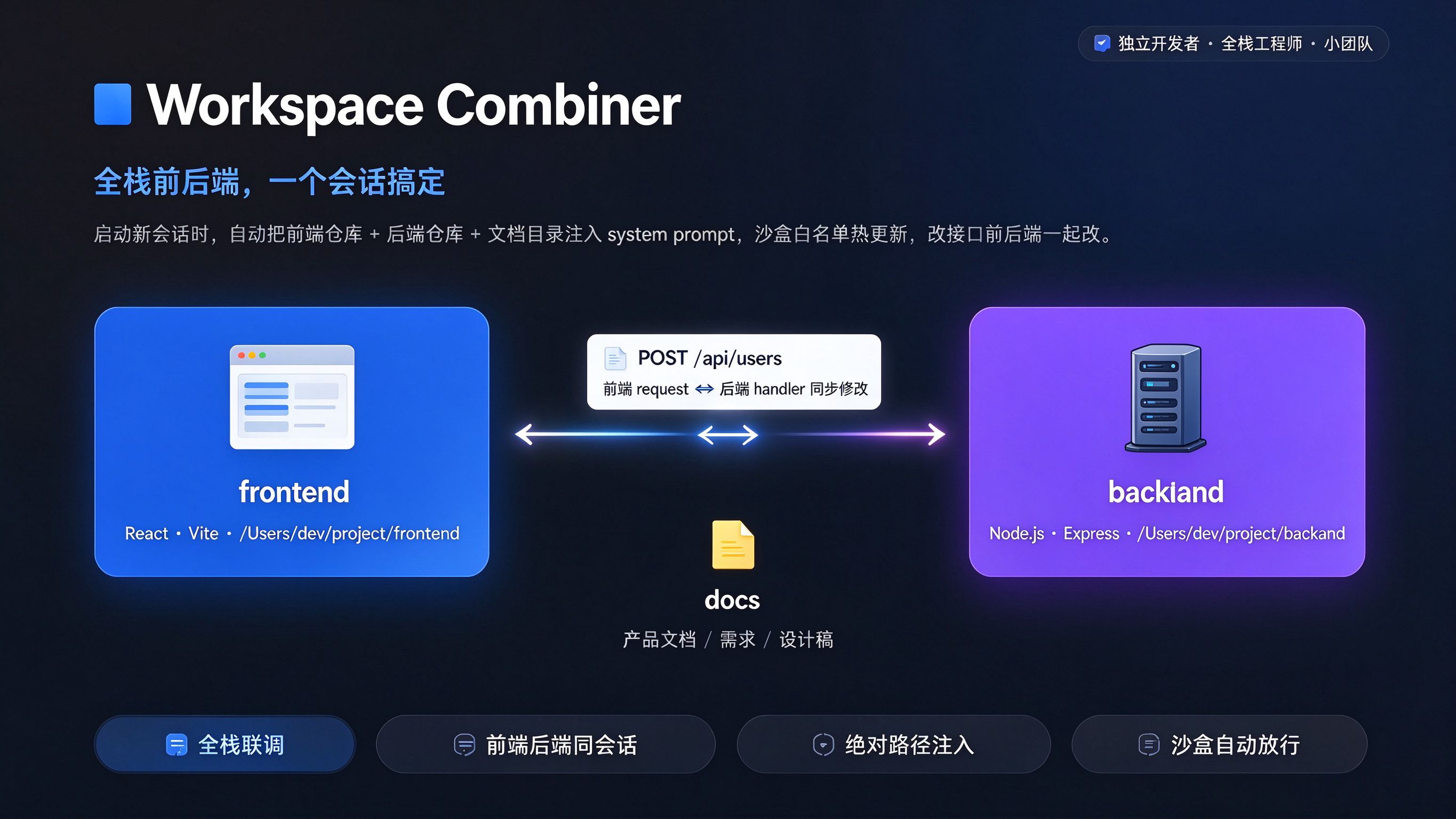
Built for full-stack developers — bundle a frontend repo, a backend repo, and a docs anchor into one AI session. Absolute paths injected, sandbox writable roots auto-synced, API changes edited on both sides in the same conversation.
中文 · English
A Cordis dual-face plugin for DSH (DeepSeek Harness) that turns a set of repositories into a coordinated multi-workspace joint development context.
The current plugin manifest targets the DSH 0.2.0-rc.2 seam APIs and declares a peer
range (>=0.2.0-rc.1 <0.3.0) rather than exact versions, so later release candidates in
the same line load without a republish. pnpm smoke:dsh-compat guards that claim. Host
DSH services are not bundled into this plugin.
The plugin registers a Workspace Combiner tab in the left sidebar. Each workspace
bundles a primary directory (the "workspace anchor" — where docs and non-code assets
live) plus an ordered list of code-project directories (for example a backend repo and
a frontend repo). When you start a new session, the plugin injects the absolute paths of
all active directories into the system prompt and syncs the writable ones into the
dsh-write-protect whitelist.
To keep that injected context from exploding, the plugin applies a four-layer context-control model:
readwrite / readonly / disabled),
primary anchoring, drag ordering.anchor / single workspace mode plus optional group tags.full / summary / tree controlling how much file detail is
injected.@-command dynamic scope.Layers 1-4 ship today; see Changelog · 中文.
~/.dsh/dsh-workspace-combiner/sessions/<session-hash>/, so concurrent sessions cannot overwrite one another and disposed sessions are cleaned automatically.readwrite (sandbox-writable), readonly (visible but
not writable), disabled (excluded from the prompt). The primary directory is always
readwrite.anchor (primary = docs anchor) vs single (primary = core
business code).file:line across TS/JS/TSX/JSX/Vue and Java/Kotlin/Go/Python/Ruby/C#.
Every row exposes an Exact / Normalized / Inferred / One-sided confidence badge; hover it
to inspect sources, evidence, and index time./api/user/detail and /user/detail can join after one
optional /api or /api/vN normalization; Spring class and method routes are composed;
named endpoint references are explicitly marked inferred. Dynamic/generated routes still
need source-code verification.run / test / build per directory, edited inline and
injected with absolute paths so the model knows which command to run where. Prefilled
from the detected project type only where the command is certain.whole-block render − each block, so the figures add up to what is actually injected.@-prefixed
tokens as explicitly referenced paths across all workspace roots (@dir/, @file,
@"path with spaces"), pulling files into scope on demand.dsh-write-protect writablePaths (written to the desktop profile's cordis.patch.yml, applied
via live patch reload); the bottom legend shows how many directories are actually in the allowlist.*N when there are
uncommitted or untracked changes, grey when clean, plus ↑N when ahead of the upstream.
Directories that are not repositories show nothing.Docs only and the others
Code, so the anchor-vs-source distinction is visible at a glance (hover for an explanation).@ references, and standards are preserved first, while every truncation is explained.Cmd/Ctrl+N opens Start task, Cmd/Ctrl+K opens the command palette, and Esc closes dialogs; the
palette covers switching workspaces, adding directories, refreshing stats and changing modes.dsh-workspace-combiner/
├── package.json # dsh field: bundle.patch + client.inject
├── cordis.patch.yml # registration patch
├── tsconfig.json # typecheck
├── tsdown.config.ts # dual-entry build: host + client
└── src/
├── invariant.ts # shared constants (plugin id / API paths / prompt order)
├── core/types.ts # shared types (WorkspaceRef / Workspace / StoreShape / ...)
├── prompt.ts # multi-workspace prompt + file-index rendering
├── store.ts # host persistence (~/.dsh/dsh-workspace-combiner.json)
├── sandbox-sync.ts # dsh-write-protect writable-root sync
├── routes.ts # /api/dsh-workspace-combiner routes (loopback-only)
├── host/
│ ├── index.ts # host entry: prompt section + session/created + routes
│ ├── projectDetector.ts # scan a directory for project type
│ ├── fileIndex.ts # gitignore-aware bounded file-tree scanner + mtime cache
│ ├── gitStatus.ts # branch / dirty / untracked / ahead per directory
│ └── contextStats.ts # token estimator + per-directory context stats
└── client/
├── index.ts # client entry: sidebar icon + main-column panel
├── types.ts # client-local mirrored types
├── locales.ts # zh/en dictionary + tt() helper
├── api.ts # client -> host fetch API
└── panel/
├── WorkspaceCombinerPanel.tsx # panel body + icon
├── controller.ts # state management
├── NewWorkspaceWizard.tsx # create-workspace wizard
├── typeBadge.tsx # project-type badge
├── naming.ts # name sanitize / dedupe
└── styles.ts # injected <style> (theme-aware)
[client panel] --POST /api/.../...--> [host store]
                                        │
                        session/created (top-level new session)
                                        ▼
                   selectionBySession: sessionId -> { directories, mode, loadMode, fileTrees }
                                        ▼
              systemPrompt.section(text fn renders per session)
                                        ▼
       injects "# Multi-workspace joint development mode active" + directory list + file index
On directory changes the host updates the dsh-write-protect-policy writablePaths
in the desktop profile's cordis.patch.yml; DSH applies it via live patch reload, so no
restart is needed (and no third-party private remote service is involved).
Prerequisite: DSH is installed and the dependency plugin is present.
# 0) dependency plugin (required)
dsh plugin --profile desktop add dsh-write-protect

# 1) build lib/ (host + client)
cd /path/to/dsh-workspace-combiner
pnpm install
pnpm build

# 2) load the plugin
dsh plugin --profile desktop add file:./dsh-workspace-combiner

# 3) verify
dsh plugin --profile desktop ls dsh-workspace-combiner

# 4) restart DSH Desktop (or re-run "dsh web" for the web profile)
Update after changing source: pnpm build, then remove and re-add the plugin.
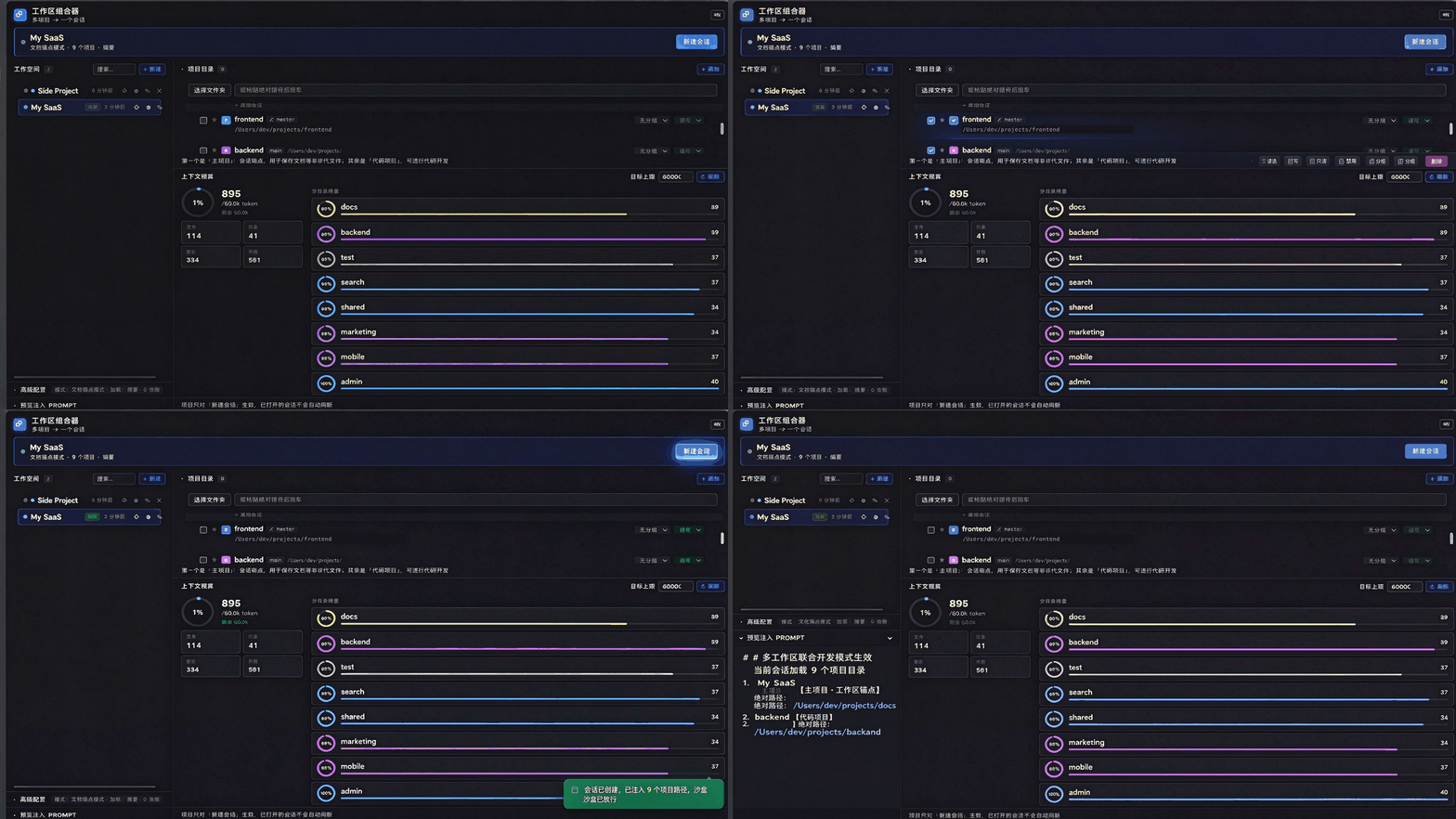
Task scope belongs to the newly created session and is never written back to the workspace. Workspace configuration changes refresh sessions already bound in this process and apply from their next request.
# Multi-workspace joint development mode active
Current session loads[2]project directories:
1.example-anchor[Primary: Workspace anchor (docs/non-code area)]absolute path: /abs/path
[Backend]
2.example-backend[Code project]absolute path: /abs/path

# File index (load mode: summary)
[example-anchor]/abs/path
  12 files / 3 dirs
[example-backend]/abs/path
  210 files / 42 dirs

# Per-project commands (must be run in the matching absolute path; for self-start and self-verification)
- example-backend (/abs/path): run `mvn spring-boot:run` | test `mvn test`

# Code/API index (auto-extracted, for navigation; the real code wins)
- @workspaceCreate → /api/dsh-workspace-combiner/workspace-create | server src/routes.ts:130 | client src/client/api.ts:39

# @-command dynamic scope
- Tokens prefixed with @ are explicitly referenced paths: @absolute/path or @relative/to-a-workspace-root
- A trailing slash marks a directory: list its tree when its contents matter
- Otherwise it is a file: read it first, never claim inspection before reading
- @"path with spaces" quotes a path containing spaces
- @-referenced files/dirs take priority; paths outside the file index are still readable (sandbox reads are unrestricted)

Development rules:
1. Read/write files and view code must use full absolute paths — no relative paths
2. Different repositories' Git commits are independent and do not interfere
3. On API changes, update backend and frontend request code together
4. Terminal commands must be run with full absolute paths, not relative paths
No schema; configure via cordis.patch.yml:
workspace-combiner:
  enabled: true          # master switch
  announceToAgent: true  # inject the multi-workspace prompt section
session/created the selection is snapshotted and bound to
that session id; old sessions and child/fork sessions (those with parentSession) are
not injected.extraWritableRoots) and prompt inclusion.package.json dsh.client.inject and
dependencies/peerDependencies (yaml runtime dep + DSH host services). Sandbox
writable roots are provided by dsh-write-protect, no longer by @chaoset/sandbox-extra-roots.scan, file-index, git-status, context-stats,
workspace-patch, plus state / workspace CRUD routes.pnpm install
pnpm typecheck # tsc --noEmit
pnpm build # tsdown -> lib/host/index.js + lib/client.js
pnpm watch # watch rebuild
ctx.logger.warn(...) on sync failures.~/.dsh/dsh-workspace-combiner.json.dsh-write-protect-policy writablePaths in the desktop profile's cordis.patch.yml.MIT
DeepSeek Harness(DSH)Web 插件聚合生态包 · 一切皆插件,创意工坊分发(dsh-market.com)
把回答做成一页可视化 HTML:模型只写简短的 Markdown 草稿,随包附带的 `am` 命令行生成页面,支持流程图、时序图、树、时间线、ER 图、表格和提示框。
在 dsh 里装上这个插件即可,无需登录、注册或填 API Key,就能使用包括 Muse Spark 1.3、MiMo V2.6 在内的前沿模型——完全免费,不限量。 All you do is install this plugin in dsh: no login, no sign-up, no API key — the frontier models are just there, Muse Spark 1.3 and MiMo V2.6 among them. Completely free, with no usage cap.

