

dsh-web
zhu1090093659/dsh-webDeepSeek Harness(DSH)Web 插件聚合生态包 · 一切皆插件,创意工坊分发(dsh-market.com)
Client-side harnesses that connect coding agents to MemoryLake — cross-device long-term memory. (Two deployments, separate accounts: memorylake.ai international, memorylake.cn China; the CLI defaults to the international endpoint.)
| Harness | Client | Status |
|---|---|---|
claude-plugin/ | Claude Code | working — recall on read, sync on write, session status |
codex-plugin/ | Codex | working — recall skill, per-turn memory sync, session status |
dsh-plugin/ | DeepSeek Harness (dsh) | working — memory tools, prompt guidance, session status; published as @memorylake/dsh-plugin |
opencode-plugin/ | opencode | working — memory tools, prompt guidance, compaction guidance; published as @memorylake/opencode-plugin |
qwenpaw-plugin/ | QwenPaw | working — memory backend plugin: automatic recall, memory tools, Console form, /memorylake-status; installs from a zip |
qwenwork-plugin/ | QwenWork | working — search-first reminder every turn, per-turn conversation sync, session status; the QwenWork agent installs it from this repo |
workbuddy-plugin/ | WorkBuddy | working — search-first recall every turn (reminder + gate), per-turn conversation sync, session status; installs from this repo as a plugin marketplace |
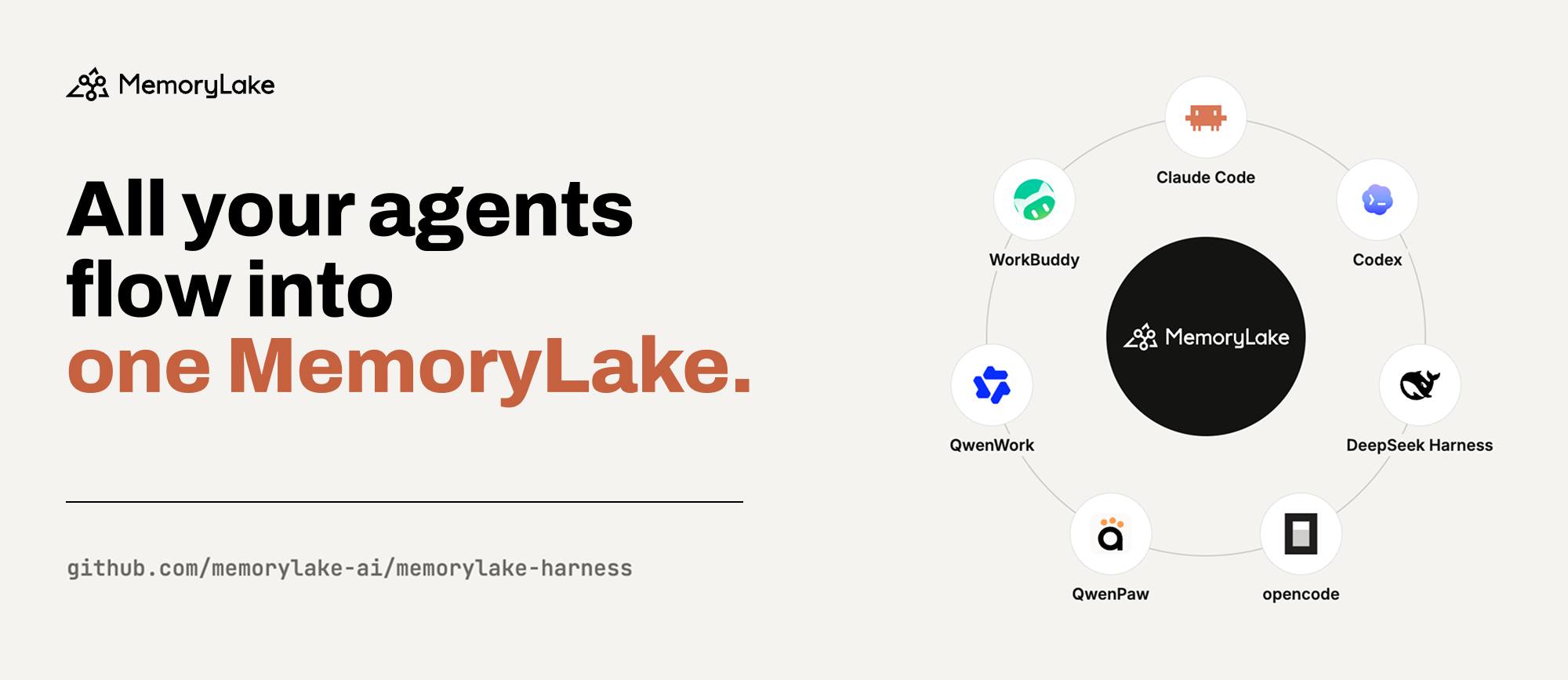
All harnesses share one identity and data tree (~/.memorylake/harness/):
configure once, use from every client.
Every harness drives the memorylake CLI
under the hood and fetches it on demand during setup, so none of the installs
below needs a separate download. Put the CLI on your PATH to reach the same
memory from a terminal or a script — see From the terminal.
/plugin marketplace add memorylake-ai/memorylake-harness
/plugin install memorylake@memorylake
/memorylake:init
See claude-plugin/README.md for configuration,
privacy notes, and design rationale.
codex plugin marketplace add memorylake-ai/memorylake-harness
codex plugin add memorylake@memorylake
set up memorylake
The last line is asked inside a Codex session, after trusting the hooks via
/hooks. See codex-plugin/README.md.
dsh plugin --profile web add @memorylake/dsh-plugin
dsh web
/memorylake-init
The last line is typed in a session; machines already set up for Claude Code
or Codex can skip it. See dsh-plugin/README.md.
opencode plugin @memorylake/opencode-plugin -g
set up memorylake
The last line is typed in a session; machines already set up for another
harness can skip it. See opencode-plugin/README.md.
qwenpaw plugin install https://github.com/memorylake-ai/memorylake-harness/releases/download/qwenpaw-plugin-v0.2.2/memory-memorylake-0.2.2.zip
Then, per Agent, in the Console: Agent settings → Memory backend → Memory
Lake. On a machine already set up for another harness the form can stay
empty. See qwenpaw-plugin/README.md.
In a QwenWork conversation, send:
Install the MemoryLake plugin by following qwenwork-plugin/INSTALL.md in https://github.com/memorylake-ai/memorylake-harness
The agent installs the plugin and runs the setup; machines already set up
for another harness skip the setup. Agents installing into QwenWork: follow
qwenwork-plugin/INSTALL.md -- the plugin is
that directory, not the repository root. See
qwenwork-plugin/README.md.
In WorkBuddy: Skills → Plugins → + (add marketplace) →
memorylake-ai/memorylake-harness, install memorylake, then in a session:
/memorylake:init
Machines already set up for another harness can skip the last step. See
workbuddy-plugin/README.md.
The harnesses log in through the CLI and keep the credentials where the CLI
keeps them (~/.memorylake/credentials.toml), so a CLI you install yourself on
a machine already set up for any harness is logged in from the first command:
curl -fsSL https://raw.githubusercontent.com/memorylake-ai/memorylake-cli/main/scripts/install.sh | sh
memorylake auth status
memorylake lib upload ./report.pdf
memorylake search "what did we decide about the schema"
Windows: irm https://raw.githubusercontent.com/memorylake-ai/memorylake-cli/main/scripts/install.ps1 | iex.
The full command reference — files, facts, databases, conversations, agents,
skills, teams — is in the
memorylake-cli README.
The memory the harnesses write to is the same one a team's calls, meetings,
documents and agents can land in.
memorylake-usecases
has runnable demos of that — sales calls, meetings, a codebase, contract review,
bookkeeping, agent bug replay, Reflexion-style agent memory and more — each a
directory with sample data, a CLI runner that prints every command, a local web
UI and a recorded run. A machine set up for any harness can run them as is: the
demos use the CLI the harness installed and, with MEMORYLAKE_API_KEY unset, its
login.
DeepSeek Harness(DSH)Web 插件聚合生态包 · 一切皆插件,创意工坊分发(dsh-market.com)
把回答做成一页可视化 HTML:模型只写简短的 Markdown 草稿,随包附带的 `am` 命令行生成页面,支持流程图、时序图、树、时间线、ER 图、表格和提示框。
在 dsh 里装上这个插件即可,无需登录、注册或填 API Key,就能使用包括 Muse Spark 1.3、MiMo V2.6 在内的前沿模型——完全免费,不限量。 All you do is install this plugin in dsh: no login, no sign-up, no API key — the frontier models are just there, Muse Spark 1.3 and MiMo V2.6 among them. Completely free, with no usage cap.

