
dsh-web
zhu1090093659/dsh-webDeepSeek Harness(DSH)Web 插件聚合生态包 · 一切皆插件,创意工坊分发(dsh-market.com)

把你改过的插件(第三方或内置)保存为本地 git 仓库:只部署已构建并通过检查的指定提交,应用后导致 dsh 崩溃时自动回滚,把 npm 或 git 源的更新合并进你的修改,并可打开智能体会话,把你的修改压缩为原始发布版本之上的一个提交(先建备份分支)。
Customize any dsh plugin — even a built-in one — without losing your changes when things update, break or get reinstalled.
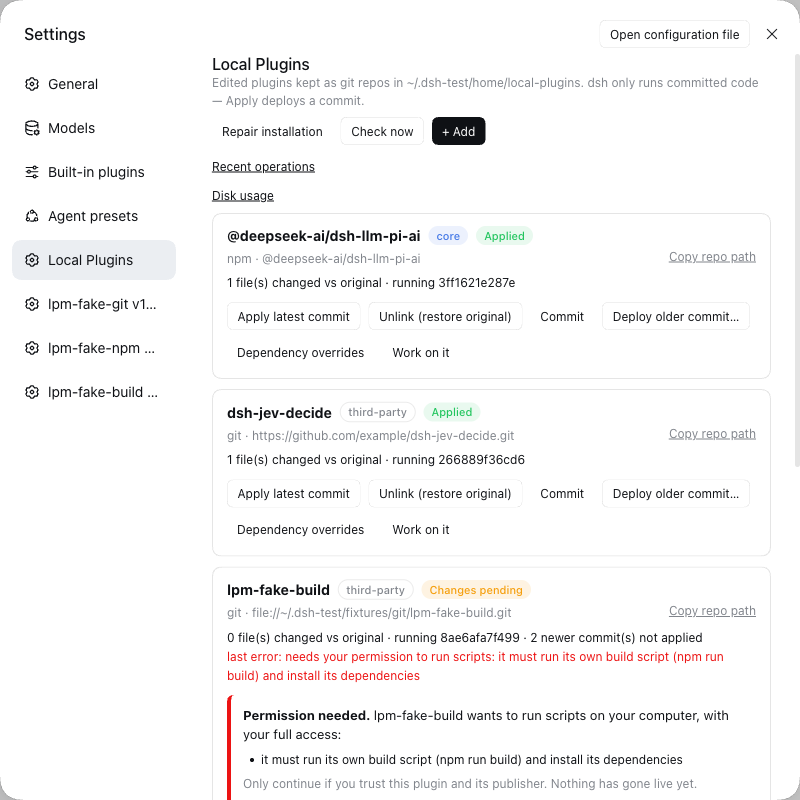
| You want to… | You click | You get |
|---|---|---|
| Fix or tweak a plugin and keep the fix | + Add → Migrate, edit, Commit, Apply | Your change runs in dsh and survives updates and reinstalls |
| Take the author's new release without losing your tweaks | Update | The new version plus your changes; if both touched the same lines you are asked, and nothing breaks meanwhile |
| Go back when a change misbehaves | Deploy older commit… | The earlier version, instantly |
| Customize a built-in dsh feature (for example a model provider) | the same steps, on a built-in plugin | Your version runs; Unlink gives the original back |
| Let an AI agent change a plugin safely | Work on it | An agent opens inside that plugin's folder with the context filled in; it can't switch anything on — only you can |
| Keep your history tidy so updates stay easy | Squash my changes | An agent collapses all your commits into one on top of the original release; a backup branch is made first and it checks the code is unchanged |
| Pin a dependency to a newer version | Dependency overrides → Apply override | The override is saved, deployed and checked: you see a ✔ only when it is really installed |
| Recover after dsh was upgraded or reinstalled | Reapply all | Your customizations are switched back on |
| Try one exact version | + Add, name@1.2.3 (or …#v1.2.0) | That version, and it stays put |
| See what you changed versus the original | look at the card | "3 files changed vs original", and what is running right now |
| Stop customizing a plugin | Unlink, then Delete… if you like | The original is back; your work is kept in a trash folder you can restore |
| Keep your work somewhere else too | it is an ordinary git folder: ~/.dsh/local-plugins/<plugin> | add your own git remote and push |
And when something goes wrong, it tells you whether your setup is still safe and what to do next — it does not just say "failed".
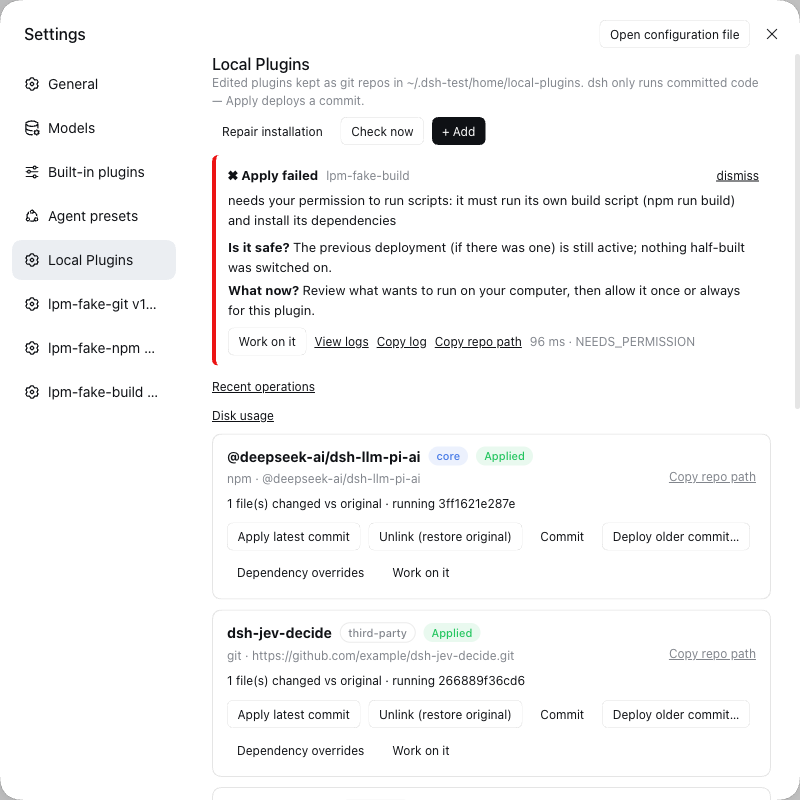
web with your profile name if you use another):
dsh plugin --profile web add github:ishanshmalviya5/dsh-local-plugins
You need git, npm and Node 26 or newer, on macOS or Linux (details).
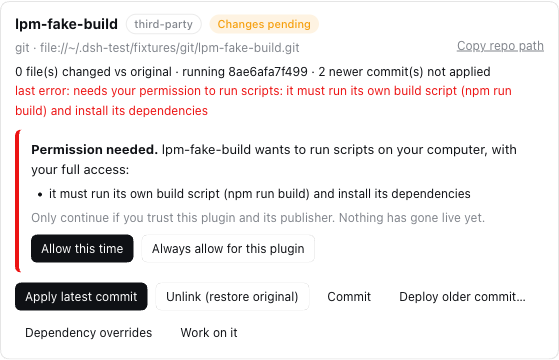
~/.dsh/local-plugins/<plugin>, or press Work on it to have an AI agent do it with you.That's the whole loop. Nothing changes in dsh until you click Apply, and if the new version can't be built or doesn't pass the checks, the old one simply keeps running.
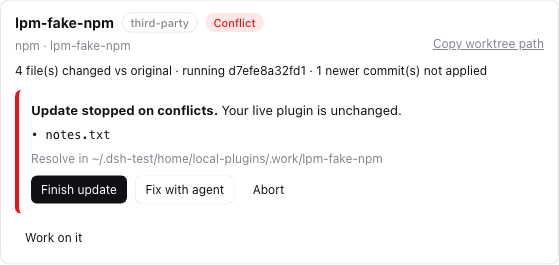
Press Check now (it also checks shortly after dsh starts). A plugin with news shows Update available; click Update. Your changes and the new release are combined for you. If you and the author changed the same lines, the card lists those files and you choose: fix them (or press Fix with agent) and Finish update, or Abort to forget the attempt. Your running plugin is untouched throughout; you decide when to Apply.
Click Deploy older commit… and pick the version that worked. If dsh itself starts misbehaving right after you applied something, it notices, puts the last working version back, and shows a message — your edits are saved for you to fix with Work on it.
If dsh won't start at all, run this in a terminal to put every original plugin back: node ~/.dsh/local-plugins/.deployed/dsh-local-plugins/scripts/undo.mjs --all
Unlink (restore original) gives dsh the original, untouched plugin again. Your version stays listed (as Not applied), so you can switch it back on with Apply whenever you like.
Unlink it first, then Delete… and type its name. Your work is moved to ~/.dsh/local-plugins/.trash/, not erased. Move the folder back and press Repair installation to bring it back.
Press Repair installation. It looks for anything that doesn't add up (for example after a crash or a dsh upgrade), fixes what is safe, tells you about the rest, and never deletes your work. Recent operations shows what ran, how long it took, and the log; Disk usage shows space per plugin and lets you clean up old versions with a preview first.
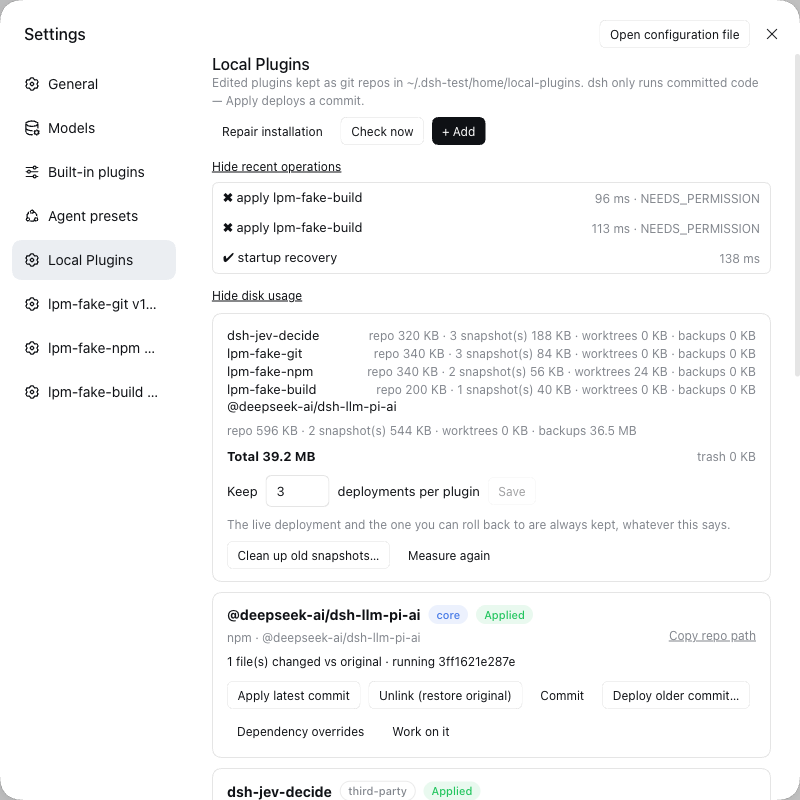
For npm plugins: name, name@1.2.3 or name@beta. For plugins from git: a web address, github:owner/repo or git@host:owner/repo, optionally ending in #v1.2.0 (a release), #branch, or #commit. A pinned release or commit never moves by itself.
| Label | Meaning | Do this |
|---|---|---|
| Applied | dsh is running your latest version | nothing |
| Changes pending | you have newer or uncommitted work that isn't running | Commit, then Apply |
| Update available | the author has a newer version | Update |
| Conflict | an update needs your decision about some files | Finish update or Abort |
| Link lost / Reapply required | dsh was upgraded or reinstalled | Reapply all (safe to repeat) |
| Broken | the records and the files disagree | Repair installation |
| Disabled | it crashed dsh and was taken out so dsh could start | Work on it, fix, Commit, Apply |
| Not applied | you track it, but dsh uses the normal plugin | Apply when you want yours |
How this is guaranteed: Security · Recovery · How it works.
| Where | Status |
|---|---|
| macOS (Apple silicon), Node 26 | ✅ Supported. Tested by hand end to end against a real dsh, and in CI |
| Linux (Ubuntu), Node 26 | 🟡 Lint, all unit tests and package checks pass in CI. Not yet tried end to end against a real dsh |
| Linux, Node 22 / 24 | 🟡 Same CI results, but outside the supported range (needs Node 26 or newer) |
| Windows | ❌ Not supported — it says so and doesn't start |
Built and tested against dsh 0.2.0-rc.2. Upgrading from version 0.1 needs nothing from you: your plugins stay exactly as they are (details in the CHANGELOG).
undo.mjs command above.HTTP API · Status rules · Troubleshooting · Performance · Release checklist · Developing
Contributions are welcome, including AI-assisted ones: read CONTRIBUTING.md first (and AGENTS.md for coding agents).
MIT — see LICENSE.
DeepSeek Harness(DSH)Web 插件聚合生态包 · 一切皆插件,创意工坊分发(dsh-market.com)
把回答做成一页可视化 HTML:模型只写简短的 Markdown 草稿,随包附带的 `am` 命令行生成页面,支持流程图、时序图、树、时间线、ER 图、表格和提示框。
在 dsh 里装上这个插件即可,无需登录、注册或填 API Key,就能使用包括 Muse Spark 1.3、MiMo V2.6 在内的前沿模型——完全免费,不限量。 All you do is install this plugin in dsh: no login, no sign-up, no API key — the frontier models are just there, Muse Spark 1.3 and MiMo V2.6 among them. Completely free, with no usage cap.

