
dsh-web
zhu1090093659/dsh-webDeepSeek Harness(DSH)Web 插件聚合生态包 · 一切皆插件,创意工坊分发(dsh-market.com)

面向 DSH agent 的 Windows 原生工具:剪贴板读写、系统通知、hosts 文件查看与网络诊断,均返回结构化数据(带 UI 卡片),底层为防注入的 PowerShell。
Let your agent use Windows itself: read the clipboard, raise a notification, inspect the hosts file, test whether a port is open.
Every value crosses the PowerShell boundary as Base64, so clipboard contents and hostnames cannot inject a command. doctor checks the environment before you run into a missing piece.
Gives your dsh agent real Windows superpowers — clipboard, system notifications, hosts file inspection, and network diagnostics — backed by safe, parameterized PowerShell. No extra installs, no admin rights required for the current toolset.
中文文档见 README.zh.md。
Installs are visible in the download counts; whether this helps is not. If you use it, one line about the actual task is worth more than a star — particularly if it did not work, which is the case that never gets reported:
Tell me in an issue — or if something is already broken, just open a normal bug report.
dsh-win-toolkit doctor
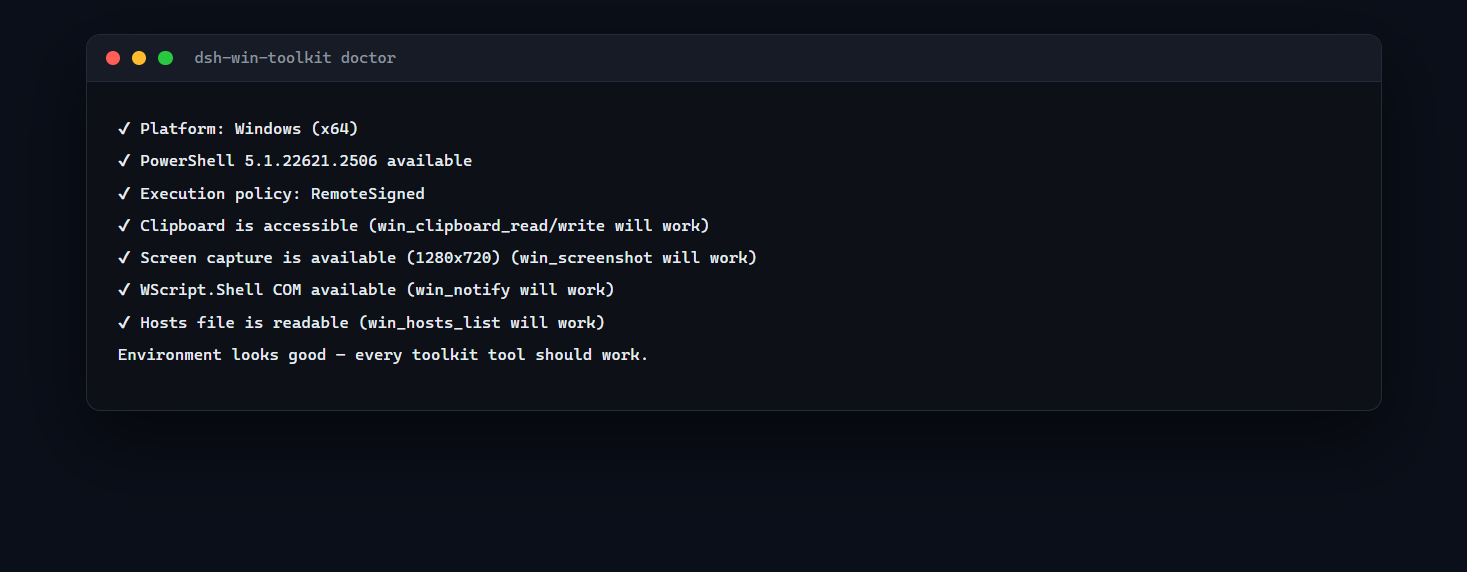
It verifies the platform, PowerShell, execution policy, clipboard access, WScript.Shell COM and hosts readability — everything the tools rely on.
| OS | Windows 10 or 11 — the tools call powershell.exe |
| PowerShell | 5.1+ (the default on Windows 10/11); PowerShell 7 works as well but is not required |
| Privileges | none for the current tools — everything is read-only except clipboard write and the notification popup |
| Node | 22+ (for the plugin host) |
Run dsh-win-toolkit doctor to verify all of the above on your machine before blaming the plugin.
| Tool | What it does |
|---|---|
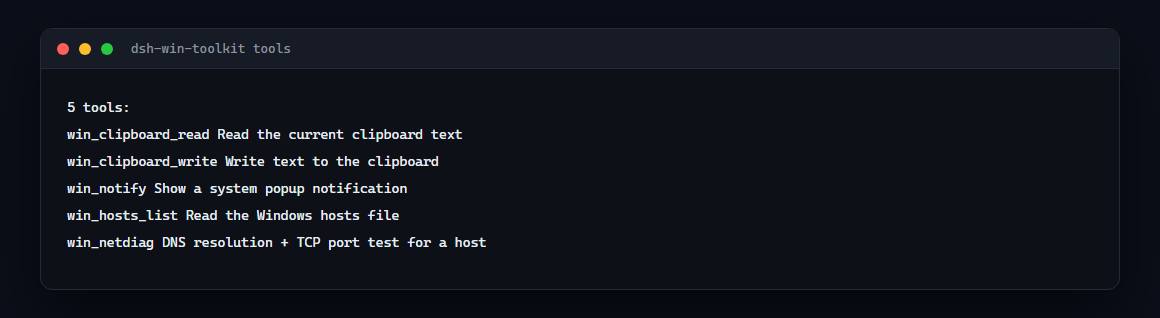
win_clipboard_read | Read the current clipboard text |
win_clipboard_write | Write text to the clipboard |
win_notify | Show a system popup notification (auto-closes) |
win_hosts_list | Read the Windows hosts file |
win_netdiag | DNS resolution + TCP port test for any host |
win_window_list | List visible windows: title, process, PID |
win_window_focus | Bring a window to the front by title substring |
win_screenshot | Capture the screen to a PNG and return its path and size |
win_process_list | Top processes by memory, optionally filtered by name |
win_open | Open a file, folder or URL with the default application |
dsh plugin --profile web add dsh-win-toolkit
dsh web   # restart
Then just ask your agent, e.g.:
win_netdiagwin_clipboard_writewin_notifyEvery tool runs a short PowerShell snippet through powershell.exe -NoProfile -NonInteractive. All user input crosses the script boundary as Base64 — never string-interpolated — so argument injection is structurally impossible.
psTimeoutMs (default 20000) — per-call PowerShell timeout, settable in your profile's cordis.patch.yml under the win-toolkit entry.win_hosts_edit (admin-gated hosts entries), win_env, win_service, win_window, win_task, win_netdiag deep mode (proxy check, DNS server, traceroute).-NoProfile -NonInteractive but policy still applies. Check Get-ExecutionPolicy; the plugin does not require RemoteSigned.src/index.ts.Part of the dsh-toolkit family — small, independently useful pieces for DeepSeek Harness:
DeepSeek Harness(DSH)Web 插件聚合生态包 · 一切皆插件,创意工坊分发(dsh-market.com)
把回答做成一页可视化 HTML:模型只写简短的 Markdown 草稿,随包附带的 `am` 命令行生成页面,支持流程图、时序图、树、时间线、ER 图、表格和提示框。
在 dsh 里装上这个插件即可,无需登录、注册或填 API Key,就能使用包括 Muse Spark 1.3、MiMo V2.6 在内的前沿模型——完全免费,不限量。 All you do is install this plugin in dsh: no login, no sign-up, no API key — the frontier models are just there, Muse Spark 1.3 and MiMo V2.6 among them. Completely free, with no usage cap.

