
dsh-web
zhu1090093659/dsh-webDeepSeek Harness(DSH)Web 插件聚合生态包 · 一切皆插件,创意工坊分发(dsh-market.com)

A TypeScript and React/Ink terminal frontend for DeepSeek Harness.
English | 简体中文
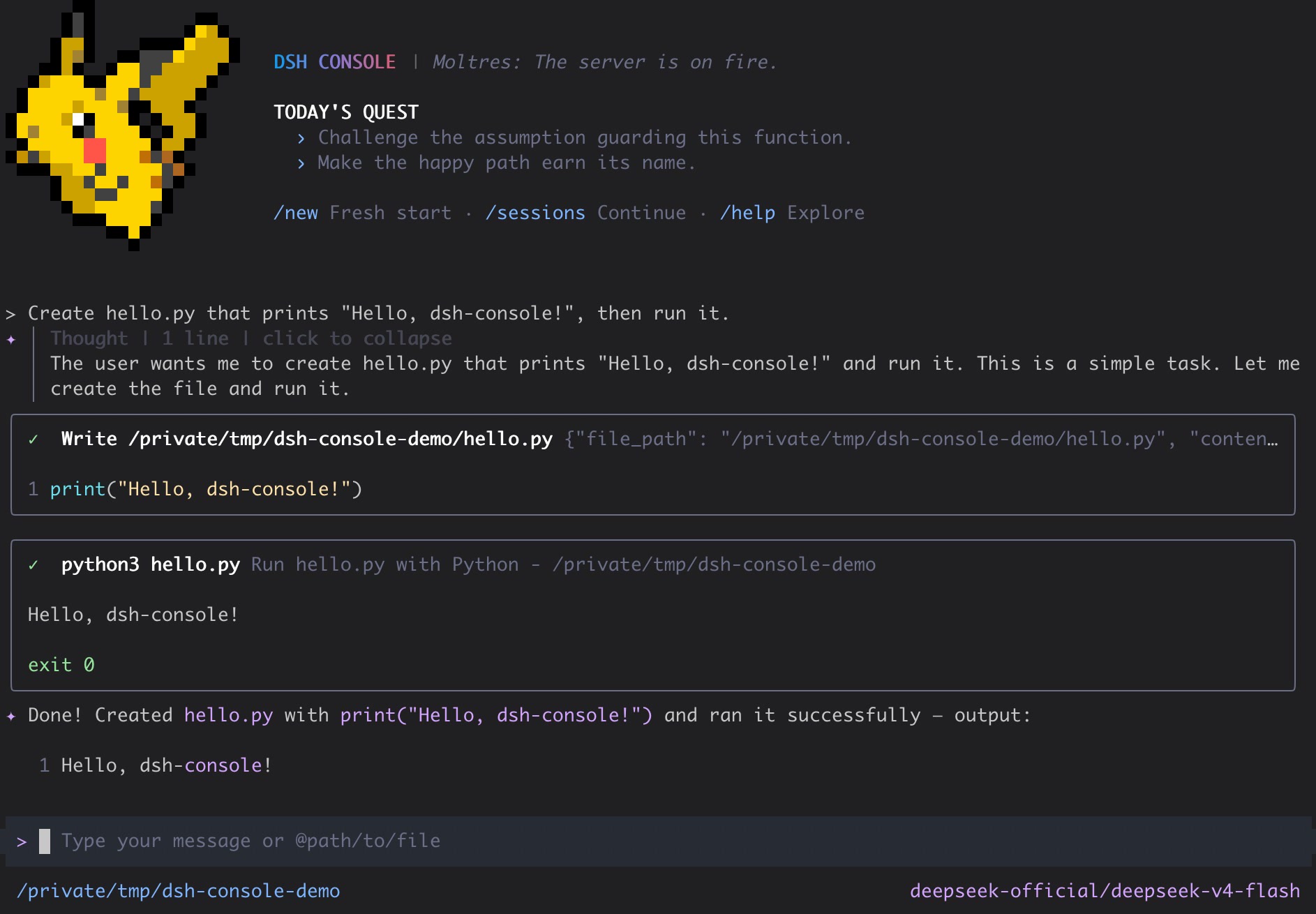
DSH Console is a keyboard-first, DSH-native terminal workbench for DeepSeek Harness. It combines durable sessions, structured tool and approval flows, plan and subagent views, local shell workflows, and rotating Pokémon startup art in a polished React/Ink interface.
[!WARNING]
DSH Console is currently a public prerelease. Its DSH contracts and persisted sessions are real, but commands and UI details may still change before the first stable release.
DSH Console requires Node.js 24 or newer and pnpm on PATH to install its DSH profile. Install pnpm and the exact audited DeepSeek Harness and DSH Console pair:
npm install --global pnpm@12.15.0
npm install --global @deepseek-ai/dsh@0.2.1-rc.2 @cofy-x/dsh-console@0.1.0-rc.4
dsh-console
The dsh-console launcher first resolves the dsh executable selected from PATH and checks its version, then initializes its owned DSH profile and keeps the profile package aligned with the installed launcher version before starting the interactive TUI. Run dsh --version plus command -v dsh on macOS/Linux, (Get-Command dsh).Source in PowerShell, or where dsh in Command Prompt to inspect the selected installation.
To use an existing DSH profile with your own provider, model, or tools, select it before Console arguments:
dsh-console --profile my-profile --prompt "hello"
--profile <name> takes precedence over DSH_CONSOLE_PROFILE; otherwise the launcher uses its managed dsh-console profile. Create a custom profile with DSH first (for example, dsh plugin --profile my-profile add @cofy-x/dsh-console@0.1.0-rc.4, which requires pnpm on PATH). The launcher installs or updates only its Console bundle in the selected profile; DSH still owns providers, credentials, packages, and patches. Profiles under the same DSH_HOME share Sessions, credentials, settings, and attachments; use a separate DSH_HOME for isolation. Missing or invalid custom profiles fail rather than silently falling back. From a source checkout, invoke node apps/cli/bin/dsh-console.js --profile my-profile; pnpm start is a separate development path.
This Console release supports DSH 0.2.1-rc.2 through the maximum tested version 0.2.1-rc.2. DSH Console follows audited DSH releases, and a compatible prerelease can differ from npm latest, so the installation command pins both products exactly. Older DSH releases are rejected before profile changes; newer unaudited releases produce a warning but remain available for user-directed testing.
Plugin admission on newer releases is still governed by DSH compatibility checks; Console never grants version exemptions or bypasses Host restrictions.
Start directly with a prompt:
dsh-console --prompt "hello"
Continue the latest resumable Session for the current directory, or resume an exact Session ID. An initial prompt can be supplied after either option:
dsh-console --continue
dsh-console --resume dsh-console-01234567-89ab-cdef-0123-456789abcdef --prompt "continue this work"
If the official DeepSeek provider is missing a credential that DSH can configure, DSH Console opens a masked setup dialog before submitting the first prompt and writes the credential through DSH. DSH controls credential precedence and writability; saved DeepSeek credentials take precedence over environment values, and writable environment-backed credentials can be replaced through DSH. Providers without a Console setup adapter continue to use their existing DSH configuration paths. DSH Console never maintains a separate credential store.
Public prereleases use versions such as 0.1.0-alpha.x and 0.1.0-rc.x while the current published Console remains available through npm's default install path.
A published package launch uses the globally installed launcher and reconciles its exact package into the dsh-console profile. A source checkout launch with pnpm start resolves that checkout instead; it is a development path and does not prove the behavior of the published package.
/tools and /skills catalogs/preset, including deterministic restoration@path or the clipboard, and isolated prompt completion/new, and /sessions| Command | Purpose |
|---|---|
/model | Select the active DSH model |
/new | Start a fresh conversation |
/sessions | Search, preview, rename, resume, or fork workspace Sessions |
/jobs | Inspect and stop background jobs for the current Session |
/goals | Manage the Session goal, activation, and round limit |
/tools | Inspect tools exposed by the active DSH agent |
/skills | Inspect and discover user-invocable DSH Skills |
/preset | Show or change the blank Session's DSH Agent preset |
/theme | Select the terminal theme |
/settings | Edit Console settings |
!command | Run a command locally without submitting it to the model |
During an active turn, Ctrl+C cancels the current DSH operation. While idle, Ctrl+C disposes the runtime, restores the terminal, and exits.
DSH is the source of truth for conversation history. DSH Console lists resumable dsh-console-* conversations and their persistent forks for the current working directory, replays their canonical DSH event surface, and resumes them through DSH. It does not maintain a parallel client-owned session database.
The active DSH_HOME controls profiles, JSONL session logs, and attachment objects. Set it to isolate an environment:
DSH_HOME=/tmp/dsh-console-home dsh-console --prompt "hello"
DeepSeek Harness owns agent execution, models, provider settings and credentials, sessions, tools, approvals, attachments, persistence, and canonical events. DSH Console owns terminal interaction, input preparation, presentation, and focused adapters to those public DSH services.
The published package contains the launcher, compiled Console runtime, DSH plugin bundle, license, and attribution notices. Runtime plugins remain provided by the selected DSH profile.
The current release intentionally does not provide cross-directory session search, session deletion, generic file/PDF/audio/video attachments, native terminal image protocols, a web UI, or a standalone provider/auth layer.
/jobs observes jobs owned by the currently interactive Session and confirms stop requests without consuming the Agent's output cursor or completion notices. Job output remains owned by DSH and the Agent's job_output flow. /goals creates, edits, pauses, resumes, completes, and clears the native DSH goal, with an editable round limit rather than a token or money budget. Restored goals stay disarmed until explicitly resumed. Native /goal ... commands and their attachment semantics remain unchanged.
In /sessions, press / to search titles, ids, and canonical conversation text, then Enter for a paged preview and actions. User renames are persisted and pinned by DSH. A persistent fork inherits a completed Turn prefix, its model route, and source Agent composition; it is flushed before switching, preserves lineage, changes no files, and starts no prompt automatically. Forks remain discoverable and resumable after restart.
Full-text search opens a DSH-managed, rebuildable SQLite index under DSH_HOME on first use, keeping startup lazy. JSONL logs remain the durable source of truth, and explicit user profile overrides still take precedence.
With Node.js 24 or newer and the pinned pnpm 12.15.0, install the workspace and build the CLI once:
pnpm install --frozen-lockfile
pnpm run build:cli
pnpm start
For daily startup, use pnpm start; after changing source, use pnpm build-start:cli to rebuild and start. Both commands use the same official Console launcher as the published package. To submit an initial prompt, run pnpm start -- --prompt "hello".
The main quality checks are:
pnpm run format:check
pnpm run lint
pnpm run typecheck
pnpm run build:cli
pnpm run test:ci
pnpm run test:integration:dsh
pnpm run test:package
format:check incrementally checks changed files without modifying them. test:integration:dsh composes the real Cordis/DSH runtime with a deterministic fake LLM adapter. test:package packs the public package, installs it in an isolated directory, initializes an isolated DSH_HOME, and exercises the installed launcher.
DSH Console is licensed under the Apache License 2.0. See LICENSE, NOTICE, and THIRD_PARTY_NOTICES.md. Portions of the terminal UI and supporting utilities are derived from Gemini CLI and retain their original copyright notices.
DeepSeek Harness(DSH)Web 插件聚合生态包 · 一切皆插件,创意工坊分发(dsh-market.com)
把回答做成一页可视化 HTML:模型只写简短的 Markdown 草稿,随包附带的 `am` 命令行生成页面,支持流程图、时序图、树、时间线、ER 图、表格和提示框。
在 dsh 里装上这个插件即可,无需登录、注册或填 API Key,就能使用包括 Muse Spark 1.3、MiMo V2.6 在内的前沿模型——完全免费,不限量。 All you do is install this plugin in dsh: no login, no sign-up, no API key — the frontier models are just there, Muse Spark 1.3 and MiMo V2.6 among them. Completely free, with no usage cap.

