
dsh-web
zhu1090093659/dsh-webDeepSeek Harness(DSH)Web 插件聚合生态包 · 一切皆插件,创意工坊分发(dsh-market.com)

Layered markdown memory for DeepSeek Harness (dsh): per-session index injection, one-click memory-flow button, enforced 分类-主题.md format, cross-project search
A simple memory keeper plugin for DeepSeek Harness (dsh) web: retrieval-style memory with zero-code storage. No database, no vector store — just well-organized markdown files plus a thin plugin that handles the entry points. Normal work is never interrupted; memory accumulates as a sidecar filesystem beside your projects, and rules nudge you to record a note from time to time.
Status: core pipeline verified (0.2.0), real-world effect still under testing — see docs/verification-log for the test run and docs/design for how it works.
Unofficial project: independently developed and maintained by a community member, not an official DeepSeek product.
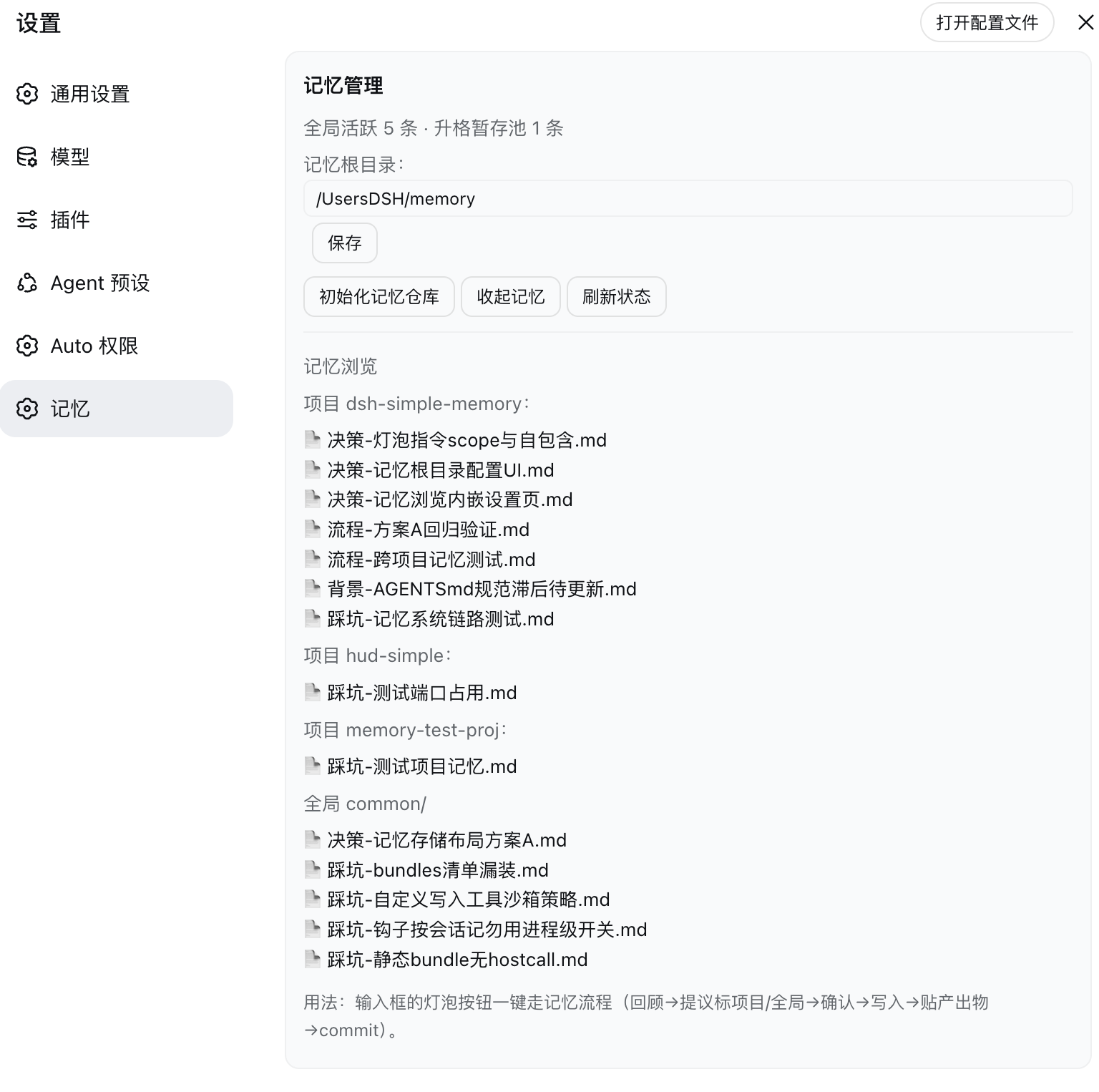
Memory button (the bulb icon left of the input box): one click opens a four-action menu — Recall (review the turn, list candidates, write only after you confirm) / Promote (tidy the staging and dream pools, propose destinations) / Browse (list + search + read) / Dream (randomly combine memories for cross-project insights):
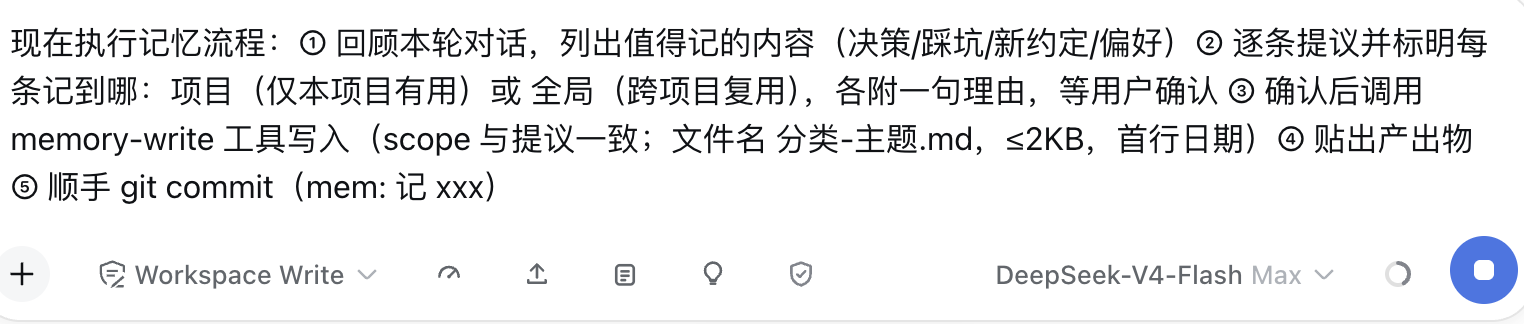
Memory panel (pick "Browse" in the menu): opens in place — project/global grouping + search box + click to read, with three pool counters on top (global · staging · dreams); click the bulb again, the ×, or anywhere outside to dismiss:
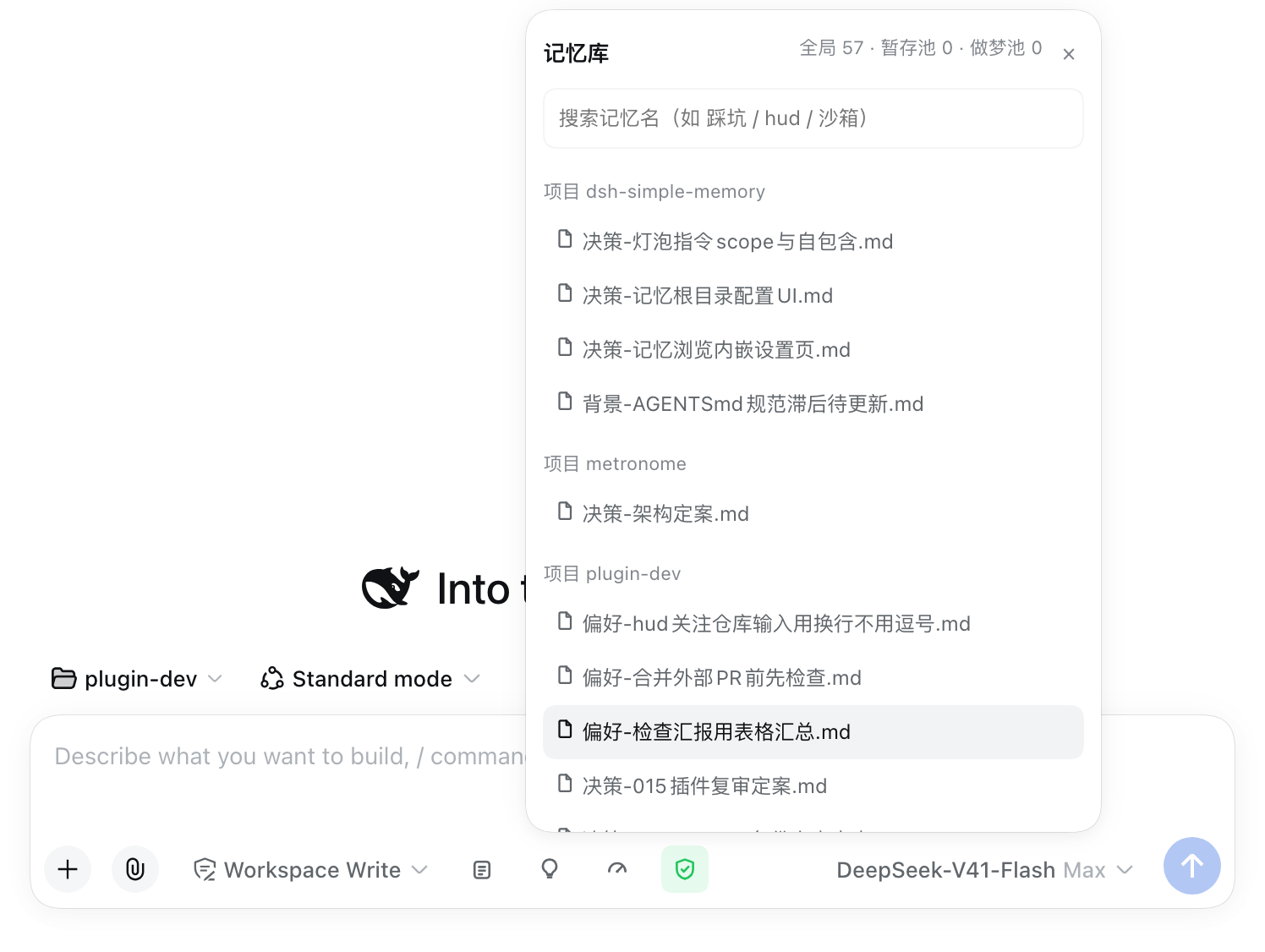
Memory management page (Settings → Memory): status overview, memory-root config, flat per-project lists plus global, click to read:
| Action | Effect |
|---|---|
| Open a session | A three-part memory index (current project progress body + 6 most recently touched notes + category counts for the rest) is injected once per session — the model both "remembers" what exists and sees where the project actually stands |
| Click the memory button | Opens a four-action menu: Recall (review the turn → list candidates with scope + reason → write only after you confirm) / Promote (tidy staging.md and dreams.md → propose destinations → execute after confirmation) / Browse (in-place panel: grouped list + search box + click to read) / Dream (randomly combine 3–5 memories for cross-project insights; output lands in the dream pool awaiting confirmation) |
| Write memory | The memory-write tool enforces the format (name 分类-主题.md, ≤2KB, date header; scope = project/global) |
| Recording rhythm (2026-10-01) | New memories no longer need per-turn approval (the model writes what it judges worth keeping); merging/overwriting an existing memory, archiving, or promoting staging → common still asks you first; cross-project lessons go straight into staging |
| Auto progress note (2026-10-01) | While a session is active the plugin refreshes the trailing (自动记录:…) line of progress/<project>.md with the current time (zero tokens, 5-minute throttle, only if the file already exists); the real content is still polished by the model via memory-progress |
| Auto dream (2026-10-01) | When due (7 days by default) the plugin itself runs a batch on a cheap model (deepseek-flash by default); output only lands in dreams.md as [自动][待确认], and promotion still needs your approval. Toggle it off (dreamAutoRun) or change the model (dreamModel) in Settings |
| Browse memory | In the input-bar panel or inline in the settings page: flat per-project lists + global common/, with a search box, click to read |
| Dream pool | dreams.md holds dreamt insights (entry memories + connection + suggested destination + status); promoted into common/ or the owning project only after you confirm — same mechanism as staging: stash → confirm → promote |
| Cross-session search | memory_session_search searches past session transcripts by keyword (time / workspace / title / best-match snippet); needs the official session full-text index enabled in the profile |
| Initialize | One click creates the repo skeleton (common/projects/references/archive/staging) + git init |
| Relocate | Change the memory root from the settings page — saved through the official settings service into the plugin's profile-entry config, so it takes effect immediately, no restart (DSH ≥ 0.1.7; older hosts fall back to editing the patch file and still need a restart) |
# DSH 0.1.7 and later:
dsh plugin --profile web add "github:a903067276-rgb/dsh-simple-memory#main"
# DSH 0.1.5 and older (this release needs 0.1.7+):
# dsh plugin --profile web add "github:a903067276-rgb/dsh-simple-memory#v0.3.8"
Restart dsh web, then Settings → Memory → Initialize memory repo.
Manual install fallback: see docs/install.md.
staging.md (staging pool) and dreams.md (dream pool) → decide each item's destination (promote into common/ or the owning project; suggest dropping duplicates/outdated ones) → propose for your confirmation → execute and remove from the pool.| Platform | Status |
|---|---|
| macOS | ✅ development environment |
| Linux | ⚠️ expected to work (plain file operations), untested |
| Windows | ⚠️ expected to work (plain file operations), untested |
key+id registration to satisfy both rc.6 (id) and rc.7+ (key); verified locally on rc.6/rc.8/0.1.1-rc.2/0.1.5-rc.1, not guaranteed on every DSH version):
main (default)./api/dsh-simple-memory routes and touches none of the contracts changed in 0.1.5. UI interactions were not eyeballed item by item.v0.2.5 (dsh plugin add github:a903067276-rgb/dsh-simple-memory#v0.2.5); DSH 0.1.0-rc.6 → frozen rc6-compat tag (no maintenance).v0.7.1): it declares peerDependencies: {"@deepseek-ai/dsh": "^0.1.7-rc.1 || ^0.2.0-rc.1"}, so a mismatched host refuses to load it with an explicit reason instead of failing quietly. Settings move to the 0.1.7 model (plugin Config, live-editable .volatile() fields), so changes apply without a restart.^0.1.7-rc.1 || ^0.2.0-rc.1), the @deepseek-ai/dsh-tools peer appends || ^0.2.0-rc.1 too, and dsh.compatibility.dshReleases adds "0.2.0-rc.1": "compatible" — verified on a real 0.2.0-rc.1 host and a shadow instance. Since 0.2 the host gates profile bundles on peer compatibility and skips the whole bundle when the declared range misses the running host, so this range is what keeps the plugin loading.v0.3.8: that line keeps the old behavior and uses no 0.1.7-only API.v0.3.8) are not supported on 0.1.7 — the first turn of every session fails (session format V4 rejects the old injected-message source) and settings are lost. Upgrade the plugin together with the host.A retrieval-style memory: files are the storage, the plugin only handles the entry points. Full design: docs/记忆系统设计说明.
Storage (zero code) — everything lives in one memory root ~/Documents/DSH/memory/ (configurable from the settings page):
memory/
├── common/          global experience (active zone, cross-project reuse)
├── projects/<name>/ per-project memory (auto-created on first write)
├── references/      cold zone: reference material (search-only)
├── archive/         cold zone: forgotten memory moved out of the index
├── staging.md       promotion pool (candidates for global reuse)
└── .git/            one git repo for the whole root — rollback safety
Per-project memory does NOT live inside the project directory: a .gitignore'd memory/ would hide it from grep. Keeping it in the shared root keeps publication isolation automatic and search universal.
Index injection (three-part) — on the first step of every session (agent/pre-step): (1) the current project progress body (progress/<project>.md, so resuming shows real state rather than stale state; flagged "stale" past 14 days, ages resolved to minutes/hours); (2) the 6 most recently touched notes (title + first-line conclusion, project + global by mtime, so recent pitfalls surface by themselves); (3) everything else as category counts + a search entry point (use memory_search instead of reading the list). docs/ keeps its file names — that directory sits outside the memory root and search cannot reach it. Measured at about 2536 characters / 2024 tokens (cl100k; ~1450-1700 with DeepSeek's Chinese tokenizer), and it does not grow with the number of notes. Cold zones (references/, archive/) are not injected — searched only when a topic hits.
Write tool (records it) — memory-write enforces the format: filename 分类-主题.md, first line ## date 分类-主题, ≤2KB, category prefixes open (built-in: 踩坑/流程/决策/偏好/背景). scope picks project or global. Writing outside the workspace asks for approval (built-in confirmation).
Memory button (four-action menu) — the bulb icon in the input bar opens: Recall (review the turn → propose items with scope + reason → wait for confirmation → memory-write → show output → commit) / Promote (tidy staging.md + dreams.md → propose destinations → execute and remove from pool after confirmation) / Browse (in-place panel: grouped list + search + click to read) / Dream (randomly combine 3–5 memories → at most 2–3 insights → written to the dream pool as pending).
Settings page (manage + browse) — status line (active count · staging count · dream-pool count), memory-root config, one-click repo skeleton init (includes staging.md / dreams.md templates), and an inline browser listing every project flat plus global, click to read.
Search (finds it) — no index files: the agent's grep scans the whole memory root (all projects + global + cold zones) in one pass, active zones first.
Cross-session search (asks "when did we talk about X") — memory_session_search queries the official session full-text index (session-query-sqlite) and returns the matching sessions' time / workspace / title / best-match snippet.
session-query-sqlite's openAt to first-search (plus a durable path) in the profile's cordis.patch.yml, then restart dsh. When the index is off, the tool returns an actionable notice instead of an error.session-search persistence observation failed: …). On this machine 27 of 150 session logs triggered it (mostly subagent/descriptor … uses unsupported descriptor version 2, plus two hand-repaired chunk provenance cases); moving them out of the sessions directory made search work. Record: docs/验证记录-2026-09-10-session_search.md.Promotion (cross-project reuse) — project memory that looks reusable goes into staging.md (low friction, no instant decision); when the pool is non-empty the user is reminded (index tail + write-tool hint), and after confirmation it is distilled into common/ or the owning project and removed from the pool.
Dreaming (random recombination) — draw 3–5 memories library-wide and look for shared root causes / contradictions / transferable solutions / gaps; output goes to dreams.md (with suggested destination + "pending" status) and is promoted only after user confirmation — the same downstream mechanism as staging (stash → confirm → promote). Association strategy (2026-09-13): sampling stays purely random, but start from fragmentary notes (pitfalls / undigested raw records) and go easy on forcing connections between finished decisions; an insight must state something the source notes never say outright — restating them is not an insight. If nothing real comes out, say "no dream this time" and leave the pool empty.
Unified pool-counting rule (2026-09-13) — index-tail reminders and the settings/browse counters count pending items only: lines marked [已弃]/[已采纳] in dreams.md, and any trace written in a non-entry format, are not counted; entries missing a status marker are still counted (better to over-remind than to hide pending work). Keep traces as (已弃:…)-style non-entry notes.
Forgetting (fresh context) — outdated notes move to archive/ (soft delete: still on disk, just out of the index). Context stays lean, disk stays complete.
Auto-commit (the plugin does it itself since 2026-09-26) — after a successful memory-write / memory-progress, the plugin runs git add -A && git commit inside the memory root (mem: <action> <subject>). Previously this lived only in the four-action prompts ("commit while you're at it"), so a distracted model could leave writes uncommitted. Disable with autoCommit: false on the profile entry.
Rollback — with auto-commit in place, a wrong write is one git checkout away.
DeepSeek Harness(DSH)Web 插件聚合生态包 · 一切皆插件,创意工坊分发(dsh-market.com)
把回答做成一页可视化 HTML:模型只写简短的 Markdown 草稿,随包附带的 `am` 命令行生成页面,支持流程图、时序图、树、时间线、ER 图、表格和提示框。
在 dsh 里装上这个插件即可,无需登录、注册或填 API Key,就能使用包括 Muse Spark 1.3、MiMo V2.6 在内的前沿模型——完全免费,不限量。 All you do is install this plugin in dsh: no login, no sign-up, no API key — the frontier models are just there, Muse Spark 1.3 and MiMo V2.6 among them. Completely free, with no usage cap.

